Evolving Customer Expectations and Dining Habits
Studies show that a good menu layout can increase sales by up to 15%, just by making items easier to find and highlighting the right dishes. That's a big impact from something many owners don't think much about. Today's customers want menus that are simple to understand, look clean, and don't overwhelm them with too many choices.
Trend 1. Simplified, Minimalist Layouts
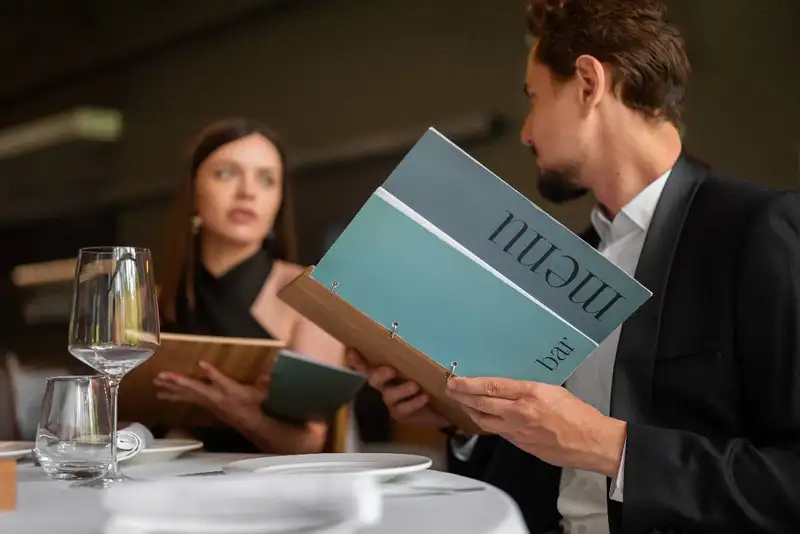
Research supports this approach. A study by Bournemouth University found that customers tend to spend less time deciding and are more confident in their choices when menus have fewer items and are well-organized. In fact, when presented with fewer but clearly categorized options, diners are more likely to pick higher-priced items because they aren't overwhelmed by choices.
Minimalist layouts typically use plenty of white space, consistent fonts, and clean lines. They group items into logical categories (like Starters, Mains, and Desserts) without adding unnecessary distractions. Prices are aligned neatly, and only the most important information - like dish names and short descriptions - is included.
For restaurant owners, this trend doesn't mean stripping your menu of personality. It means being intentional with your design. Keep the focus on your best dishes. Cut anything that doesn't add value. If your menu is printed, limit it to one or two pages. If it's digital, make sure it's swipe-friendly and not overloaded with too many options per screen.
Simplify Multi-Channel Ordering
Get started with Altametrics to streamline your POS!
Trend 2. Strategic Use of Visual Hierarchy and Item Placement
Studies show that customers spend an average of 109 seconds reading a menu, and they don't read every word. Instead, their eyes follow predictable patterns - often starting in the top-right corner and scanning in a "Z" shape. Smart menu layouts take advantage of this by placing high-margin or signature dishes in these hot spots.
Visual hierarchy involves using size, boldness, spacing, or borders to highlight certain items. For example, using a slightly larger font or a box around your best-selling entree can make it stand out without needing flashy graphics. Meanwhile, item placement means putting top-selling dishes at the top of each section or in the center, where they naturally draw attention.
Don't overwhelm the customer with too many bold elements. Instead, use emphasis sparingly so it actually works. Highlight no more than one or two items per section - enough to guide, not distract.
Also, think about the order in which items appear. People tend to remember the first and last items in a list, so placing your high-profit dishes in those spots can increase sales.
A menu that's visually balanced, easy to scan, and designed with intention does more than look nice - it gently nudges customers toward the choices that help your business thrive.
Trend 3. Integration of Digital and Interactive Menu Elements
Digital menus allow you to update items in real time, which is especially useful for daily specials, pricing changes, or removing sold-out items. This prevents customer frustration and keeps your offerings accurate at all times. You can also feature rotating promotions or time-sensitive deals without reprinting anything.
Interactivity is another big advantage. With digital menus, you can include high-quality images, item descriptions, ingredient lists, and allergen information - all in a way that doesn't overwhelm the screen. Some systems even allow guests to sort by dietary preference or customize their order directly, improving satisfaction and order accuracy.
According to a Deloitte study, over 60% of diners say they prefer using a digital menu if it enhances convenience or speeds up the ordering process. That number is growing each year as mobile ordering and tech-friendly service become standard.
That said, it's important to keep things simple. A digital menu shouldn't feel like a website or require too many taps. Keep the layout clean, intuitive, and easy to navigate, just like a printed menu. And don't forget older guests or those who prefer physical menus - offering both options ensures everyone feels comfortable.
Digital menus aren't just a tech upgrade - they're a tool that can improve guest experience and streamline your operations at the same time.
Trend 4. Enhanced Readability
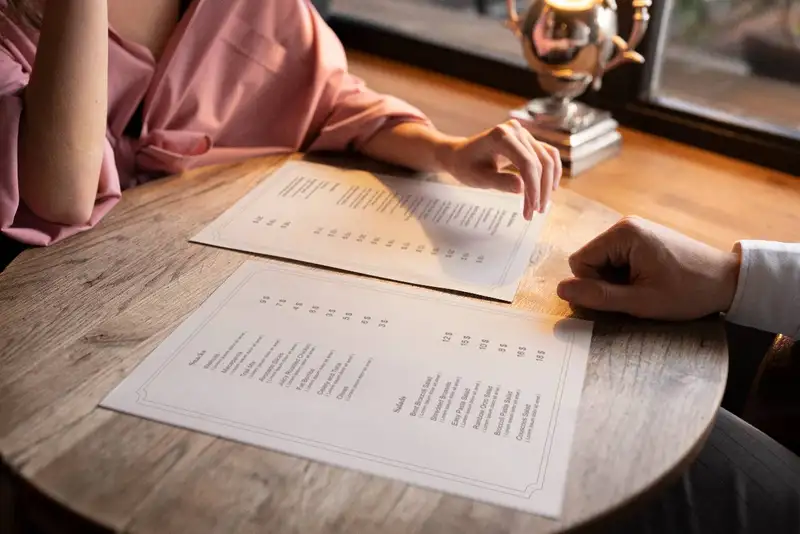
Typography plays a big role in how readable and inviting your menu feels. Stick to clean, legible fonts - ideally sans-serif types like Arial, Helvetica, or similar styles that are easy on the eyes. Avoid decorative fonts for anything other than headings or section titles. Font size is just as important- your smallest text should be at least 12 points for print menus and easy to read without zooming on digital screens.
Color choice matters too. Use high-contrast colors between text and background - like black text on a white or cream background. Avoid combinations that strain the eyes, such as red on black or light gray on white. Color can also be used to draw attention to featured items, but do so sparingly to maintain a clean look.
Another smart tactic is to use consistent formatting. Align prices in a neat column, use bullet points or spacing for item descriptions, and avoid using all capital letters for long sections of text, which can be hard to read.
According to research from the Cornell University Food and Brand Lab, menus that are easier to read lead to higher customer satisfaction and longer engagement - which often translates to higher sales.
Streamline Operations
Control Menus, Items, and Prices Seamlessly with Altametrics
Trend 5. Personalization and Dynamic Content
Personalized menus can suggest dishes based on past orders, dietary needs, or time of visit. For example, a returning customer might see their favorite dish highlighted at the top of the menu, or a vegetarian guest could automatically view meat-free options first. While this level of personalization requires the right tech setup, even small steps - like tagging items as gluten-free or low-spice - can make the menu feel more tailored and thoughtful.
Dynamic content means your menu can change based on real-time factors. You can promote breakfast items in the morning, display happy hour specials in the afternoon, or hide dishes that are sold out. This helps reduce waste, manage expectations, and drive interest in featured offerings.
According to a report from Oracle, 64% of consumers say they are more likely to visit a restaurant that personalizes their experience. For restaurants, this can lead to more frequent visits, higher average checks, and better loyalty.
While not every restaurant has the tools for full automation, even modest personalization - like rotating featured items or using time-based sections - can have a noticeable impact. The key is to make the menu feel relevant to the guest, in the moment they're ordering.
How to Start Implementing These Trends
Start by reviewing your current menu layout. Is it easy to read? Are your most profitable or popular dishes easy to spot? Can you trim down any sections or simplify the design? Begin with basic improvements like using consistent fonts, cleaning up clutter, and rearranging items so your best dishes are easier to find.
If you're considering going digital,start with a simple QR code menu. These are low-cost, easy to update, and allow you to slowly explore digital flexibility without fully committing to new hardware or software. Once you're comfortable, you can look into more interactive features like customer filters or rotating specials.
You don't need to hire a graphic designer right away, either. There are free or affordable menu design tools that offer templates and drag-and-drop features. Platforms like Canva or Adobe Express can help you experiment with visual hierarchy, spacing, and readability in a user-friendly way.
Lastly, involve your team in the process. Get feedback from your servers, who hear directly from guests every day. Ask customers what they think of the current menu - what's working, what's confusing.
Staying Ahead by Aligning Menu Layout
The best part? You don't need a massive budget or a full design team to start seeing results. By taking small, thoughtful steps - like cleaning up your font choices, highlighting a few key dishes, or experimenting with a simple digital menu - you can boost sales, reduce confusion, and show your guests you care about their time and preferences.
Your menu should work for you, not just look nice. It should guide customers, promote your best items, and evolve with your business needs.
That's where tools like Altametrics come in. From real-time menu updates to inventory management and data-driven insights, Altametrics helps you make smarter, faster decisions across your entire operation - including your menu.
Make your menu smarter and business stronger by clicking "Book a Demo" below.
Centralize Your Menus Today!
Manage Everything In One Place with Altametrics
Frequently
Asked Questions
What role does menu psychology play in layout design?
What does a minimalist menu layout mean?
What is personalized menu content?
How many items should I include on my menu?
Must-Read Content
How AI Is Transforming Multi-Unit Restaurant Management
AI helps multi-unit restaurant operators forecast demand, optimize labor, detect anomalies, ensure consistency, refine menus and pricing, and adopt tools gradually, freeing managers to focus on hospitality.
Restaurant ERP Explained - What It Is, How It Works, and Its Benefits
Restaurant ERP connects essential operations, improves cost control, centralizes business information, streamlines workflows, and helps owners make informed management decisions.
10 Benefits of All-in-One Restaurant Management Software
All-in-one restaurant management software streamlines operations, improves communication, reduces administrative work, controls costs, strengthens workforce management, and supports informed business decisions.