




The Importance of Labor Planning
Restaurant owners should build schedules around expected demand instead of habit or guesswork. This means reviewing sales trends, guest counts, order volume, reservations, delivery demand, weather, holidays, and local events before finalizing the schedule.
A data-driven labor plan also helps owners compare scheduled hours against expected sales before the week begins. This makes it easier to spot overstaffing, understaffing, overtime risk, or weak coverage early. When staffing matches demand, restaurants can control labor cost percentage, improve sales per labor hour, protect service quality, and support employees. Labor planning is not just a scheduling task. It is a profit control tool.
The Cost of Being Overstaffed

The most direct impact is a higher labor cost percentage. For example, if a restaurant generates $5,000 in sales during a shift and spends $1,500 on labor, the labor cost percentage is 30%. If sales stay the same but labor increases to $1,800, labor cost rises to 36%. That extra six percentage points can significantly reduce profit, especially when food costs, rent, utilities, insurance, and other expenses are already fixed or rising.
Overstaffing also lowers productivity. One useful metric to track is sales per labor hour. If a restaurant produces $4,000 in sales with 100 labor hours, sales per labor hour is $40. If the same sales are produced with 125 labor hours, productivity drops to $32 per labor hour. This means the restaurant is paying for more hours without producing more revenue.
Common signs of overstaffing include -
1. Employees standing around during slow periods - Idle time usually means the schedule does not match real demand.
2. Labor cost percentage rising while sales stay flat - This shows payroll is growing faster than revenue.
3. Too many employees scheduled before or after peak periods - Early clock-ins and late clock-outs can quietly add unnecessary hours.
4. Low sales per labor hour - This indicates the team is not producing enough sales for the number of hours worked.
5. Unnecessary overtime - Overtime becomes especially costly when it is caused by poor schedule planning instead of true demand.
Overstaffing can also create operational confusion. When too many employees are working at once, roles may become unclear. Team members may duplicate tasks, slow each other down, or assume someone else is responsible for side work, prep, cleaning, or guest follow-up. More people on the floor does not always mean better service if the shift lacks structure.
For restaurant owners, the key is to review labor performance by shift, day-part, and role. A dinner rush may need more staff, while the hour before closing may not. A busy Saturday may justify additional coverage, while a slow Tuesday may require a leaner team. Overstaffing is not always obvious from the schedule alone. Owners need to compare forecasted sales, actual sales, scheduled hours, actual hours, and labor productivity to see where excess labor is reducing profit.
Effortlessly Schedule, Seamlessly Manage
Schedule Like a Pro with Altametrics
The Cost of Being Understaffed
The first cost is slower service. When there are not enough employees working, guests wait longer to be greeted, seated, served, or checked out. In the kitchen, ticket times can increase because cooks are trying to handle too many orders at once. For takeout and delivery, understaffing can lead to delayed orders, missing items, poor packaging, and lower customer satisfaction. Even if the restaurant saves labor dollars during the shift, it may lose sales because the team cannot keep up with demand.
Understaffing also puts pressure on the employees who are working. When servers, cooks, hosts, cashiers, bartenders, and managers are stretched too thin, they have less time to focus on accuracy, hospitality, cleanliness, and upselling. A server may skip suggesting appetizers or desserts because they are rushing between tables. A cook may make more mistakes because the line is overwhelmed. A manager may spend the entire shift solving immediate problems instead of controlling the floor.
From a data perspective, understaffing can show up in several ways -
1. Higher sales per labor hour than normal - At first, this may look good because the restaurant is producing more sales with fewer hours. But if the number is too high, it may mean the team is overloaded.
2. Longer ticket times - If kitchen or service times increase during busy periods, staffing may not be strong enough to support demand.
3. Lower guest satisfaction or more complaints - Poor reviews, refund requests, and service complaints can be signs that labor levels are too low.
4. Higher employee turnover - Employees who constantly work short-staffed shifts may become burned out and leave.
5. Missed sales opportunities - Long lines, slow service, unanswered phones, and delayed online orders can reduce revenue.
For example, a restaurant may reduce labor by $200 during a shift by scheduling fewer employees. But if slower service causes the restaurant to lose $500 in potential sales, the labor savings did not help the business. The same applies when understaffing leads to refunds, discounts, negative reviews, or employee overtime later in the week.
Understaffing can also increase mistakes. When employees are rushed, order accuracy often drops. Prep lists may be skipped, sanitation tasks may be delayed, and inventory may not be checked properly. These issues can create waste, food safety risks, and poor shift execution.
Use Sales Forecasting to Predict Labor Needs
A strong labor forecast starts with historical sales data. Owners should review sales by day of the week, daypart, hour, and revenue channel. For example, Friday dinner may require more front-of-house and kitchen coverage than Monday lunch. A restaurant with strong delivery volume may need more packaging and expo support during certain hours, even if the dining room looks slow. Looking only at total daily sales can hide these patterns, so labor planning should be based on when sales happen, not just how much revenue is expected for the day.
The forecast should also include demand drivers that can change normal traffic. These include -
1. Weather - Rain, snow, heat, or extreme cold can affect dine-in traffic, delivery demand, patio seating, and walk-in volume.
2. Holidays and school schedules - Long weekends, school breaks, local holidays, and major events can increase or decrease guest traffic depending on the restaurant type.
3. Reservations and catering orders - Confirmed demand should be built directly into the labor plan because it affects prep, service, kitchen production, and cleanup.
4. Local events - Concerts, sports games, festivals, conventions, and nearby business events can create demand spikes that normal sales averages may not predict.
5. Promotions and menu changes - Discounts, limited-time offers, new menu items, or marketing campaigns can shift order volume and kitchen workload.
A practical way to use forecasting is to compare expected sales to labor hours before publishing the schedule. For example, if a restaurant expects $8,000 in sales and wants to maintain $50 in sales per labor hour, the schedule should target around 160 labor hours. If the draft schedule shows 190 labor hours, the restaurant may be at risk of overstaffing. If it shows only 125 labor hours, the restaurant may be at risk of understaffing.
Forecasting should also be reviewed by role. A sales increase does not always mean every position needs more hours. A busy dining room may require more servers and hosts. A rise in online orders may require more kitchen, expo, and packaging support. A heavy prep day may require back-of-house labor earlier in the day, even if sales are expected later.
Track the Right Labor Metrics

The first metric to track is labor cost percentage. This shows how much of sales revenue is going toward labor. For example, if a restaurant generates $10,000 in sales and spends $3,000 on labor, the labor cost percentage is 30%. If sales drop to $8,000 but labor stays at $3,000, labor cost rises to 37.5%. This helps owners see when payroll is no longer aligned with revenue.
Another important metric is sales per labor hour. This measures how much revenue the restaurant produces for every labor hour worked. For example, if a restaurant generates $6,000 in sales using 120 labor hours, sales per labor hour is $50. If the same sales require 150 labor hours, productivity drops to $40 per labor hour. A lower number may point to overstaffing, while an unusually high number may signal that employees are stretched too thin.
Owners should also compare scheduled hours vs. actual hours. This shows whether the team is working the schedule as planned. If actual hours are consistently higher than scheduled hours, the restaurant may have late clock-outs, early clock-ins, missed cuts, or unplanned overtime. If actual hours are lower than scheduled hours, managers may be cutting staff too aggressively or reacting to weak sales.
Other useful labor metrics include -
1. Guests per labor hour - Shows whether staffing is aligned with guest traffic, not just revenue.
2. Overtime hours - Helps identify poor scheduling, uneven workload distribution, or staffing shortages.
3. Labor by day-part - Shows whether breakfast, lunch, dinner, late night, or slow periods are staffed correctly.
4. Productivity by role - Helps owners understand whether servers, cooks, hosts, cashiers, dishwashers, and managers are scheduled according to actual demand.
5. Break compliance - Helps prevent labor violations, missed breaks, and payroll issues.
6. Forecasted labor vs. actual labor - Shows whether the labor plan matched what actually happened during the shift.
These metrics should be reviewed by day, shift, role, and location. A restaurant may have strong weekly labor numbers but still be overstaffed during weekday afternoons or understaffed during Saturday dinner. Looking only at the weekly total can hide the real problem.
Take Charge of Your Schedule
Smarter Scheduling Made Easy with Altametrics
Build Schedules Around Demand
A strong schedule should be built around expected demand, not habit. This means looking at forecasted sales and asking what the restaurant actually needs for each shift. For example, a Friday dinner shift may need stronger line cook coverage, more servers, a host, an expo, and extra dish support. A slow Monday afternoon may only need a smaller team focused on prep, cleaning, and basic service. Treating both shifts the same can create unnecessary labor cost or poor service.
Owners and managers should also schedule by day-part, not just by day. A restaurant may be busy from 12 p.m. to 2 p.m. and again from 6 p.m. to 8 p.m., but slow in between. If employees are scheduled for long blocks that do not match these peaks, the restaurant may pay for idle time during slower hours. Adjusting start times, end times, and staggered shifts can help labor match real traffic more closely.
A practical scheduling process should include -
1. Review forecasted sales by hour - This helps managers see when labor is actually needed.
2. Compare expected guest counts and order volume - Sales dollars matter, but guest count and ticket count show workload more clearly.
3. Match roles to demand - A busy dining room may need servers and hosts. A busy delivery period may need kitchen, expo, and packaging support.
4. Plan prep labor separately - Prep work should be scheduled based on production needs, not simply added to service shifts.
5. Use staggered start and end times - This helps avoid too many employees clocking in before demand begins or staying after demand drops.
6. Build in flexibility - Managers should know when to cut early, move employees between roles, or call in support if demand changes.
For example, if lunch traffic usually peaks from 11.30 a.m. to 1.30 p.m., it may not make sense to bring the full team in at 10.00 a.m.. A better plan may be to schedule prep labor earlier, bring service staff in closer to the rush, and reduce coverage after the peak. This keeps labor aligned with the actual workload.
For restaurant owners, demand-based scheduling creates better control. It helps reduce idle labor, prevent rushed service, and improve productivity by role. The schedule should not be a copy of what worked before. It should be a weekly labor plan based on what the restaurant expects to happen next.
Give Managers Real-Time Labor Visibility
Real-time labor visibility means managers can see what is happening while there is still time to act. They should be able to compare current sales, labor hours, clock-ins, breaks, overtime risk, and sales per labor hour throughout the shift. If labor cost is rising faster than sales, the restaurant may need to cut staff early, adjust breaks, or shift employees into productive tasks. If sales are coming in higher than expected, the manager may need to delay cuts, call in support, or move cross-trained employees into higher-demand roles.
For example, if a restaurant is scheduled to do $7,000 in dinner sales but is only tracking toward $5,500, the manager should not wait until payroll is finalized to respond. They can review labor in real time and decide whether to reduce hours before the shift ends. On the other hand, if sales are trending above forecast and ticket times are increasing, cutting labor too early could damage service and reduce revenue.
Managers should monitor key labor signals during the shift, including -
1. Actual sales vs. forecasted sales - Shows whether the shift is busier or slower than expected.
2. Labor cost percentage during the shift - Helps managers see whether payroll is staying aligned with revenue.
3. Sales per labor hour - Shows whether the team is productive or stretched too thin.
4. Clock-in and clock-out activity - Helps prevent early clock-ins, late clock-outs, and unplanned labor creep.
5. Break timing and compliance - Helps managers control coverage while reducing compliance risk.
6. Overtime risk - Shows whether employees are approaching overtime before it becomes a payroll problem.
Real-time visibility also improves accountability. When managers can see labor performance during the shift, they can make decisions based on data instead of instinct. They can explain why employees are being cut, why support is being added, or why roles are being adjusted. This creates a stronger connection between the schedule, the forecast, and actual operations.
Create a Repeatable Labor Planning Process
The process should begin with a review of the previous week. Owners and managers should compare forecasted sales vs. actual sales, scheduled hours vs. actual hours, labor cost percentage, sales per labor hour, overtime, missed breaks, and guest traffic patterns. This helps identify where the schedule worked and where it failed. For example, if Tuesday lunch was consistently overstaffed for three weeks, that shift should be adjusted. If Saturday dinner had high sales but long ticket times, more coverage may be needed.
Next, managers should review upcoming demand drivers before building the new schedule. This includes reservations, catering orders, weather, holidays, school schedules, promotions, delivery trends, and local events. These factors can change staffing needs even when the same day last week looked normal.
A simple weekly labor planning process can include -
1. Review last week's performance - Compare sales, labor hours, productivity, overtime, and service issues.
2. Build the sales forecast - Estimate demand by day-part, hour, revenue channel, and guest count.
3. Set labor targets - Decide target labor hours, labor cost percentage, and sales per labor hour.
4. Create the schedule by role - Match servers, cooks, hosts, cashiers, dishwashers, managers, and prep labor to expected demand.
5. Monitor labor during the shift - Track sales, clock-ins, breaks, overtime risk, and productivity in real time.
6. Adjust when needed - Cut early, delay cuts, call in support, shift roles, or adjust prep labor based on actual demand.
7. Review results after the week ends - Compare the plan to what actually happened and use that information to improve the next schedule.
This process creates consistency. Managers are not just copying old schedules or reacting during busy shifts. They are using data to plan ahead, make better decisions, and improve each week.
For restaurant owners, labor planning should be treated like a profit control system. When the process is repeated consistently, it becomes easier to reduce overstaffing, avoid understaffing, control overtime, protect service quality, and improve employee performance. The goal is not perfect scheduling every time. The goal is continuous improvement based on real numbers, real demand, and real operating needs.
Elevate Your Restaurant's Operations
Swift Inventory Solutions with Altametrics!
Frequently
Asked Questions
Why is labor planning important for restaurant owners?
How can restaurant owners tell if they are overstaffed?
What role does cross-training play in labor planning?
How can restaurant owners plan labor for peak periods?
Must-Read Content
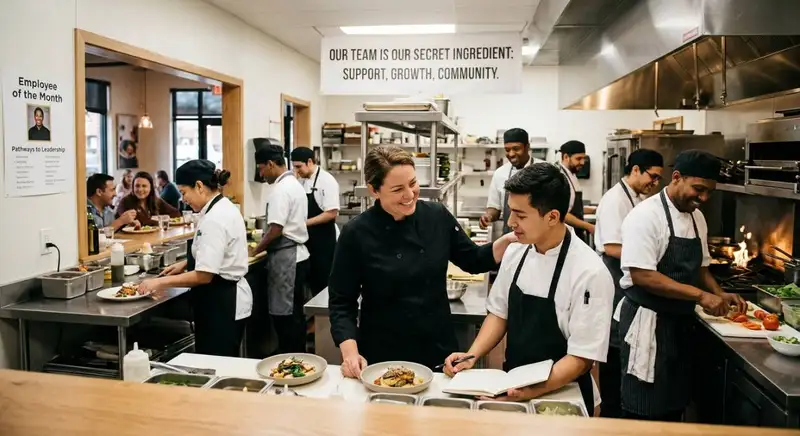
10 Employee Retention Strategies for Restaurant Owners
Restaurant owners can cut turnover by paying fairly, onboarding well, scheduling flexibly, promoting growth, recognizing effort, offering meaningful benefits, listening to feedback, and hiring carefully for fit.
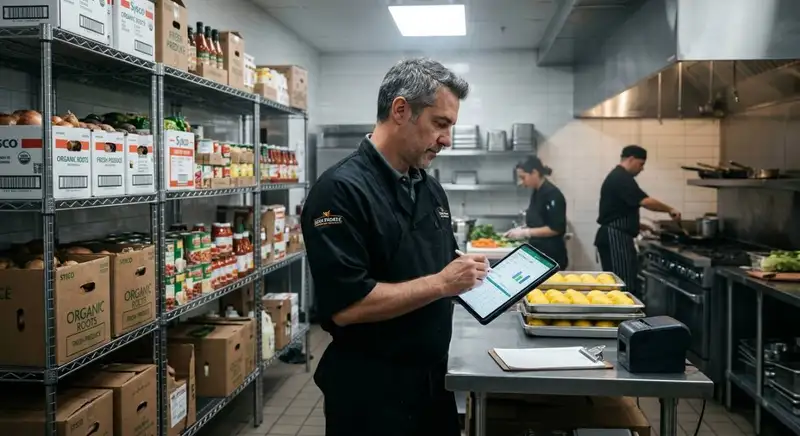
How to Reduce Supply Costs in Your Restaurant
Cut restaurant supply costs by understanding spending, auditing expenses, engineering menus, negotiating with suppliers, controlling inventory, reducing waste, and using technology to monitor everything continuously.

The Ultimate Guide to Managing Food Allergens in Restaurants
Food allergens require accurate labeling, employee training, cross-contact prevention, safe food handling, and consistent procedures to protect customers and improve restaurant safety.

