


What is payment system integration in a restaurant?
Payment system integration connects your payment processor with POS, online ordering, payroll, and accounting systems so transaction data flows automatically without manual entry.
How to Evaluate Payment System Integration for Your Restaurant

Payment Integration Explained
Payment integration is often misunderstood as simply "connecting a card reader" to your POS. In practice, it is much broader - and much more important.
At a basic level, payment integration means that every transaction processed at the point of sale automatically flows into the rest of your restaurant systems without manual input. But the key is not just connection - it is how accurately and consistently data moves across those systems.
In a well-integrated environment, your payment system communicates directly with -
1. POS system - Captures orders, applies taxes, and initiates payment
2. Online ordering platforms - Syncs digital payments with in-store sales
3. Third-party delivery apps - Aligns external transactions with internal reporting
4. Payroll and tip systems - Transfers tip data for accurate distribution
5. Accounting software - Sends clean, categorized financial data
6. Reporting tools - Consolidates sales, refunds, and payment trends
This creates a single, reliable flow of information from the moment a guest pays to the moment that data is reviewed, reported, and used for decisions.
It is important to distinguish between systems that are "connected" and systems that are truly integrated.
- A connected system may require manual exports, file uploads, or periodic syncing. Data exists in multiple places and often needs to be reconciled.
- An integrated system shares data automatically in real time or near real time, with consistent formatting and minimal manual intervention.
This difference is where most operational issues begin. For example, if your payment processor and POS are only loosely connected, refunds may not reflect properly in reports. If online orders are not fully integrated, digital sales may need to be re-entered or adjusted manually. If tip data does not sync correctly, payroll becomes a separate cleanup process.
Over time, these small gaps create larger problems- duplicated work, inconsistent numbers, delayed reporting, and reduced confidence in your data. A strong payment integration eliminates those gaps. It ensures that every transaction - whether in-store, online, or through delivery - is captured once, recorded correctly, and reflected consistently across all systems.
Identify Payment Process Issues
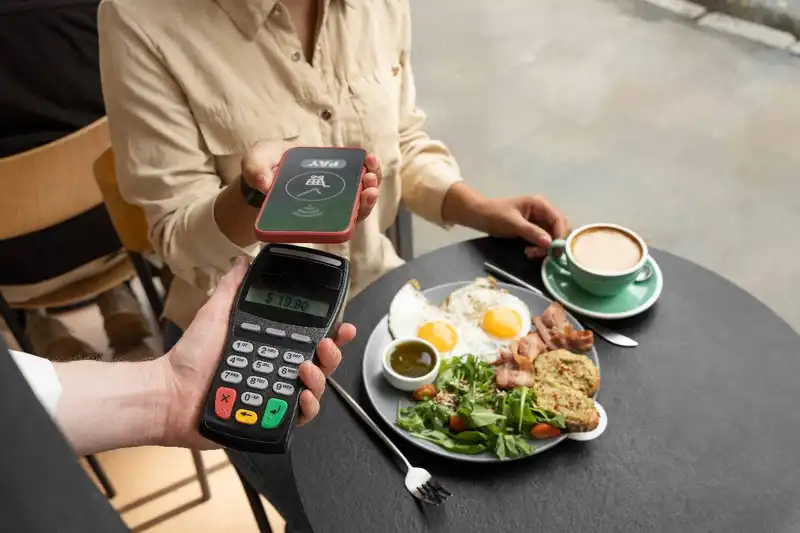
Before choosing a new payment integration, you need to understand where your current process is creating friction. The goal is not to replace systems just because they feel outdated. The goal is to identify the exact points where payment data is slowing operations, creating extra work, or reducing accuracy.
In many restaurants, these problems are easy to miss because managers and staff have already adapted to them. Manual workarounds become normal. Small mismatches are treated as part of the job. But those issues usually point to a weak integration setup.
Start by reviewing your payment process in five areas -
1. Reconciliation - Does your team spend too much time comparing POS sales to processor totals, deposits, refunds, and adjustments? If end-of-day or end-of-week balancing requires manual checking, the system is likely not sharing clean data.
2. Duplicate Data Entry - Are managers or back-office staff re-entering payment details into payroll, accounting, or reporting tools? Repeated data entry increases labor time and creates more opportunities for mistakes.
3. Reporting Delays - Can you see accurate payment activity quickly, or do you wait until later to confirm totals? If refund activity, chargebacks, or payment method breakdowns are delayed, decision-making slows down.
4. Tip Tracking - Are tips captured clearly and transferred correctly into payroll or tip pooling workflows? If tip corrections happen often, or if employees question payout accuracy, payment integration may be part of the problem.
5. Exception Handling - How easy is it to manage refunds, voids, partial payments, split tenders, and chargebacks? These are the moments where weak integrations usually fail first.
A restaurant owner should also watch for common warning signs -
- Sales totals do not match deposits without manual review
- Refunds appear in one system but not another
- Online and in-store payment data are reported separately
- Tip numbers need frequent correction
- Managers spend too much time closing shifts
- Accounting requires cleanup before books can be finalized
These are not just technical inconveniences. They affect labor efficiency, financial visibility, and confidence in your numbers.
Once you identify where the breakdowns happen, you can evaluate new payment integrations with more precision. Instead of asking, "Which system has the most features?" you can ask, "Which system solves the operational problems we deal with every day?" That is a much stronger starting point for making the right decision.
Achieve More with Less Hassle!
Integrate, Manage, and Drive Results with Altametrics
Review Core Payment Systems
Not every restaurant system needs deep payment integration, but a few systems absolutely do. Before choosing any solution, restaurant owners should identify which tools must exchange payment data every day without delays, errors, or manual fixes.
Start with the POS system. This is the most important connection because it is where transactions begin. Your payment integration should work smoothly with menu pricing, taxes, discounts, refunds, split payments, voids, and closeout processes. If the POS and payment system do not stay aligned, reporting issues will spread across the rest of the business.
Next is online ordering. If your restaurant accepts pickup or delivery orders through your website or app, those payments need to flow into the same reporting structure as in-store sales. Otherwise, you end up with separate revenue views, inconsistent tender reporting, and extra reconciliation work.
Then review third-party delivery platforms. Even when marketplaces handle the guest transaction, restaurant owners still need clean visibility into net sales, fees, adjustments, and payout timing. If delivery payment data does not map correctly into your internal systems, your reporting becomes incomplete.
Payroll and tip management should also be high on the list. Credit card tips, service charges, tip pooling inputs, and shift-level payout data need to move accurately from payment activity into payroll workflows. This is essential not only for efficiency, but also for wage and tip compliance.
Accounting software is another core connection. Payment data should feed into accounting in a structured way that reduces manual journal entries, cleanup work, and reconciliation delays. If every deposit, refund, fee, or chargeback requires separate interpretation, the integration is not doing enough.
For many operators, reporting and labor platforms also matter. Payment activity affects sales totals, hourly trends, and manager reporting. If payment data does not flow correctly into dashboards and labor reviews, staffing and operational decisions become less reliable.
As you review these systems, ask a simple question - Which platforms need payment data to run the restaurant accurately every day?
For most restaurants, the priority list looks like this -
1. POS
2. Online ordering
3. Third-party delivery
4. Payroll and tip systems
5. Accounting
6. Reporting and labor tools
This step is important because payment integration should be evaluated based on operational dependencies, not vendor promises. The right choice is the one that fits the systems your restaurant already relies on most.
Evaluate Integration Accuracy
When restaurant owners compare payment solutions, it is easy to focus on feature lists. Faster checkout, multiple tender types, mobile payments, online compatibility, and reporting dashboards all sound valuable. But features alone do not tell you whether the integration will actually work well in daily operations.
The real question is simpler - Does the system move payment data accurately across your restaurant without creating extra work?
A payment integration can look strong in a demo and still create problems if transaction data does not map correctly between systems. For example, a platform may support refunds, but if refund data does not appear properly in reports, managers still have to investigate discrepancies manually. A system may support tip capture, but if those tips do not transfer cleanly into payroll, accuracy problems remain.
This is why restaurant owners should evaluate integration accuracy in a few specific areas -
1. Transaction Sync Reliability - Sales, refunds, voids, discounts, taxes, and payment types should transfer consistently between systems. If data syncs late, partially, or inconsistently, reporting becomes harder to trust.
2. Settlement and Deposit Accuracy - Your reports should make it easy to understand what was processed, what was settled, and what was actually deposited. If these numbers are difficult to reconcile, the integration is weak.
3. Refund and Adjustment Handling - Refunds, chargebacks, and corrections should appear clearly and consistently. These exceptions are where bad integrations usually create the most confusion.
4. Tip and Service Charge Mapping - Payment data should separate sales, tips, and service-related amounts correctly so payroll and reporting stay accurate.
5. Tax Treatment - Taxes must flow through reports correctly, especially when restaurants operate across multiple channels or locations. Incorrect tax mapping can distort net sales and accounting records.
6. Multi-Channel Consistency - In-store, online, and delivery-related payments should be categorized in a way that supports one reliable reporting structure. Owners should not have to patch together payment visibility from separate systems.
This is also why a restaurant should test real operational scenarios before making a decision. Do not only ask what the system can do. Ask how it handles the transactions your team deals with every day -
- Split checks
- Partial refunds
- Voids after settlement
- Chargebacks
- Credit card tips
- Service charges
- Orders from multiple sales channels
A strong payment integration does not just process payments. It keeps the financial record clean from transaction to report to deposit. That is what reduces admin time, improves visibility, and helps restaurant owners make decisions with confidence.
Measure the Impact

The right payment integration should make daily restaurant work simpler, faster, and more accurate. If it does not improve real workflows, then it is not solving the right problem.
This is why restaurant owners should evaluate payment integration based on what happens during a normal shift - not just during setup or reporting reviews.
Start with the checkout process. Payments should be fast, stable, and easy for staff to complete. If the system slows down transactions, requires extra steps, or creates confusion during split payments and adjustments, it affects service speed immediately. During busy periods, that friction can lead to longer lines, slower table turns, and more pressure on staff.
Next is shift closeout. Managers should be able to close registers and review payment activity without chasing missing numbers or checking multiple systems. When payment data is integrated correctly, closeout becomes more predictable. When it is not, managers lose time resolving discrepancies instead of focusing on staff, guests, or next-shift readiness.
Then look at end-of-day balancing. A strong integration reduces the amount of manual reconciliation required between POS totals, payment processor activity, refunds, and deposits. This matters because every extra correction adds labor time and increases the chance of mistakes.
Payment integration also affects payroll preparation. If credit card tips, service charges, or shift-level payment details do not flow cleanly into payroll-related workflows, managers or back-office teams must fix the numbers manually. That slows payroll processing and increases the risk of errors that affect employees directly.
From there, review accounting cleanup. Payment data should move into accounting systems in a way that reduces rework. If accounting teams still need to sort out processor fees, deposit timing, or missing adjustments by hand, the integration is not delivering enough operational value.
For multi-unit operators, location-level visibility matters just as much. Owners should be able to compare payment activity across stores using a consistent structure. If each location reports payments differently, it becomes harder to spot issues, compare performance, or manage the business at scale.
A useful way to evaluate this is to ask -
- Does checkout move faster or slower with this setup?
- How much manager time does shift closeout require?
- How often does someone need to fix payment-related reporting?
- How much manual work is still required before payroll or accounting is ready?
- Can payment performance be reviewed clearly across all locations?
The best payment integration is not just the one with more technical capabilities. It is the one that removes friction from the daily routines your team repeats over and over. That is where the real operational value shows up.
All in One Workforce Management Solution
Streamline Your Restaurants Success with Altametrics
Questions to Ask Before Making a Decision
Choosing a payment integration is easier when you stop looking at it as a feature comparison and start treating it like an operational evaluation. The right questions will help you identify whether the system fits your restaurant's actual workflow, data needs, and long-term goals.
Start with compatibility. A payment integration may sound strong on paper, but it only works if it fits the systems you already use. Restaurant owners should confirm whether the integration works directly with their POS, online ordering tools, payroll workflows, accounting software, and reporting systems. If the answer involves workarounds, manual exports, or separate syncing steps, that should be a warning sign.
Next, ask about data flow. You need to know exactly what information moves between systems, how often it syncs, and where exceptions appear. This includes sales, refunds, voids, tips, service charges, taxes, and deposits. If a vendor cannot explain clearly how payment data is transferred and categorized, the integration may create reporting problems later.
Then review the implementation process. Ask how long setup usually takes, what internal support is required, and what risks may affect the transition. Payment integrations should be evaluated not only for how they perform after launch, but also for how disruptive they may be during rollout.
Support is another critical area. Payment issues affect live operations, so response time matters. Ask what kind of support is available, when it is available, and how payment-related issues are escalated. Delayed support during service hours can quickly turn into lost sales and frustrated staff.
It is also important to ask about fee transparency. Restaurant owners should understand processing fees, hardware costs, setup costs, integration costs, and any ongoing platform charges. A system that appears efficient can become expensive if the pricing structure is unclear.
Finally, think about future scalability. Your current needs matter, but so do your next-stage needs. If you add locations, expand online ordering, adjust payroll workflows, or add new reporting requirements, the integration should still support the business without forcing a full system change.
Here are the most important questions to ask before making a decision -
1. Does this integration work directly with our current POS and other core systems?
2. What payment data syncs automatically, and what still requires manual work?
3. How are refunds, voids, chargebacks, and tips handled in reporting?
4. How long does implementation take, and what disruptions should we expect?
5. What support is available if payment issues affect live operations?
6. What are the full costs, including fees, hardware, setup, and ongoing service?
7. Will this integration still work if we grow, add locations, or expand channels?
These questions help restaurant owners move beyond general sales claims and focus on what actually matters - operational fit, data reliability, and long-term usability.
What Payment Integration Should Deliver
The right setup delivers operational clarity and control across every shift. It ensures that every transaction - whether in-store, online, or through delivery - flows cleanly into your systems without delays, duplication, or confusion.
Here is what restaurant owners should expect from a strong payment integration -
1. Fewer Manual Tasks - Payment data should move automatically across POS, payroll, accounting, and reporting systems. Managers should not need to re-enter numbers or fix mismatches.
2. Faster and Cleaner Reconciliation - Sales totals, refunds, fees, and deposits should align clearly. End-of-day and end-of-week balancing should take minutes, not hours.
3. Accurate Tip and Payroll Data - Tips and service charges should be captured and transferred correctly, reducing payroll errors and compliance risks.
4. Consistent Reporting Across Channels - In-store, online, and delivery payments should be reflected in one unified reporting structure. Owners should not have to piece together performance from multiple systems.
5. Better Visibility for Decision-Making - With clean data, restaurant owners can trust their numbers. This improves how quickly and confidently decisions are made around staffing, pricing, and operations.
6. Reduced Operational Friction - From checkout to closeout, the system should remove steps - not add them. Staff should be able to focus on service, not system workarounds.
If your restaurant is still dealing with manual reconciliation, disconnected systems, or inconsistent reporting, it is not just a technology issue - it is an operational gap.
Altametrics helps restaurant operators bring payments, POS data, labor, and back-office systems into one connected environment. Instead of managing multiple tools separately, you gain a single, accurate view of your business.
With the right integration approach, you can -
- Reduce time spent on reconciliation and reporting
- Improve tip accuracy and payroll readiness
- Gain real-time visibility into sales and payment trends
- Eliminate duplicate data entry across systems
- Make faster, data-driven decisions
If you want to move from disconnected workflows to a more controlled, efficient operation, explore how Altametrics can support your integration strategy by clicking "Request a Demo" below.
Must-Read Content

Online ordering pos integration
Online Ordering POS Integration for Restaurants

Restaurant system integration
Restaurant System Integration Checklist for Owners

Inventory integration
5 Signs Your Restaurant Needs Better Inventory Integration
Integration tools
Restaurant Integration Tools That Improve Accuracy and Efficiency

Loyalty program integration
What to Know About Restaurant Loyalty Program Integration
Frequently Asked Questions
What systems should be connected to payment integration?
At minimum - POS, online ordering, third-party delivery, payroll/tip management, accounting, and reporting tools. These systems rely on payment data daily.
How does payment integration affect payroll and tips?
It ensures tips and service charges are captured accurately and transferred into payroll systems, reducing errors and helping maintain compliance.
What is the difference between real-time and batch payment syncing?
Real-time syncing updates transactions instantly across systems, while batch syncing updates data periodically. Real-time provides better visibility and faster decision-making.
How does payment integration improve accuracy?
It eliminates duplicate data entry and ensures transactions, refunds, taxes, and tips are recorded consistently across all systems, reducing mismatches and reporting errors.

