




Overview
Workforce management in a restaurant is the system you use to plan, schedule, track, and optimize labor - so you can run great shifts without letting payroll creep up or service slip. It's not just "making the schedule." It includes forecasting demand, assigning the right roles, managing timekeeping, staying compliant with labor rules, and coaching performance so the operation improves week over week.
Here's the simplest way to think about it - workforce management connects labor decisions to real business outcomes. When it's working, you see steady coverage during rushes, fewer frantic calls for help, less overtime, fewer timecard surprises, and a team that knows what to expect. When it's not working, the symptoms show up fast- slow ticket times, stressed staff, inconsistent guest experience, high turnover, and labor cost spikes that feel random.
The reason workforce management matters so much in restaurants is that labor is both your biggest controllable cost and the engine of your guest experience. Food quality can be excellent, but if you're short-staffed at peak, guests still leave unhappy. On the flip side, overstaffing "just in case" feels safe in the moment - but it quietly destroys margins over time.
A good workforce management approach gives you clarity and control in three areas -
1. Cost control - You're staffing to a plan, not to anxiety.
2. Operational consistency - Every daypart has the roles and coverage it needs.
3. People sustainability - Schedules are fair, predictable, and realistic - so your best employees stick around.
Here's the simplest way to think about it - workforce management connects labor decisions to real business outcomes. When it's working, you see steady coverage during rushes, fewer frantic calls for help, less overtime, fewer timecard surprises, and a team that knows what to expect. When it's not working, the symptoms show up fast- slow ticket times, stressed staff, inconsistent guest experience, high turnover, and labor cost spikes that feel random.
The reason workforce management matters so much in restaurants is that labor is both your biggest controllable cost and the engine of your guest experience. Food quality can be excellent, but if you're short-staffed at peak, guests still leave unhappy. On the flip side, overstaffing "just in case" feels safe in the moment - but it quietly destroys margins over time.
A good workforce management approach gives you clarity and control in three areas -
1. Cost control - You're staffing to a plan, not to anxiety.
2. Operational consistency - Every daypart has the roles and coverage it needs.
3. People sustainability - Schedules are fair, predictable, and realistic - so your best employees stick around.
The 6 building blocks

If workforce management feels overwhelming, it usually helps to break it into a "stack" - six building blocks that work together. When one block is weak, the whole system wobbles. When they're aligned, scheduling becomes easier, labor costs stabilize, and shifts feel more predictable.
1) Forecasting demand - Everything starts with a simple question - How busy will we be? Demand forecasting doesn't have to be fancy. Even a rough estimate based on recent sales, upcoming events, seasonality, and day-of-week patterns is better than guessing. The forecast gives you a target for how many labor hours you can afford and how many people you'll need per daypart.
2) Staffing model - This is your blueprint for coverage- which roles are needed, how many people per role, and what "minimum coverage" looks like. Think of it as the rules that prevent you from running a lunch rush without a prep person - or scheduling too many bodies when business is slow.
3) Scheduling process - Scheduling is where the plan meets reality - employee availability, skills, fair rotation, and labor targets. A strong process uses templates, clear rules (no clopens, max hours, breaks), and a consistent posting cadence so your team can plan their lives.
4) Time & attendance controls - This is how you protect the schedule you worked hard to build. Timekeeping ensures employees clock in/out correctly, breaks are tracked, edits are documented, and overtime doesn't sneak in unnoticed. Without this block, your schedule can look great but payroll still explodes.
5) Labor compliance - Restaurants face higher compliance risk because of overtime, minors, breaks, tip rules, and record-keeping requirements. Compliance isn't just "avoid lawsuits" - it's also about avoiding costly penalties and preventing bad habits from becoming normal.
6) Labor performance management - The final block is measurement and improvement. Labor % trends, sales per labor hour, staffing vs. forecast, overtime drivers, and coaching opportunities. Performance management turns workforce management into a feedback loop - so you're not solving the same problems every week.
1) Forecasting demand - Everything starts with a simple question - How busy will we be? Demand forecasting doesn't have to be fancy. Even a rough estimate based on recent sales, upcoming events, seasonality, and day-of-week patterns is better than guessing. The forecast gives you a target for how many labor hours you can afford and how many people you'll need per daypart.
2) Staffing model - This is your blueprint for coverage- which roles are needed, how many people per role, and what "minimum coverage" looks like. Think of it as the rules that prevent you from running a lunch rush without a prep person - or scheduling too many bodies when business is slow.
3) Scheduling process - Scheduling is where the plan meets reality - employee availability, skills, fair rotation, and labor targets. A strong process uses templates, clear rules (no clopens, max hours, breaks), and a consistent posting cadence so your team can plan their lives.
4) Time & attendance controls - This is how you protect the schedule you worked hard to build. Timekeeping ensures employees clock in/out correctly, breaks are tracked, edits are documented, and overtime doesn't sneak in unnoticed. Without this block, your schedule can look great but payroll still explodes.
5) Labor compliance - Restaurants face higher compliance risk because of overtime, minors, breaks, tip rules, and record-keeping requirements. Compliance isn't just "avoid lawsuits" - it's also about avoiding costly penalties and preventing bad habits from becoming normal.
6) Labor performance management - The final block is measurement and improvement. Labor % trends, sales per labor hour, staffing vs. forecast, overtime drivers, and coaching opportunities. Performance management turns workforce management into a feedback loop - so you're not solving the same problems every week.
Capture Every Punch with Precision
Elevate Your Hospitality Operations with Altametrics
Forecast Demand Before You Schedule
Forecasting doesn't need spreadsheets, complicated models, or a data analyst. It just needs one thing - a repeatable way to predict how busy each daypart will be so your schedule is based on reality - not gut feel. When you forecast first, you stop swinging between overstaffing to be safe and understaffing because payroll is tight. You schedule with intention.
Start with the most reliable signal you already have- sales. Look at the same day of the week from the last 4-8 weeks (and last year if you have it). Separate by daypart if you can - breakfast, lunch, dinner, late night - because demand usually changes more by daypart than by the day itself. Then layer in the known variables- holidays, local events, school schedules, weather patterns in your area, promotions, catering orders, and staffing constraints (like a key person being out).
Next, translate the forecast into a staffing target. A simple method is to set a goal for sales per labor hour (SPLH) or labor % and use it as a guardrail. For example, if lunch is forecasted at $3,000 and your operation typically performs well at $150 SPLH, you're aiming for about 20 labor hours for that daypart. You can split those hours by role based on what your restaurant needs (cashier, expo, prep, line, runner, etc.).
Avoid the common forecasting traps -
- Overreacting to one weird day. One rainstorm or one big catering order can skew your thinking for weeks.
- Forecasting total-day only. You'll miss the real problem. The rush is understaffed while slow hours are padded.
- Ignoring events and promos. If you run a discount or get listed on a local event page, demand can spike fast.
- Not adjusting after the fact. Forecasting improves when you compare forecast vs. actual and make small tweaks weekly.
Once you have a forecast and an hour target, scheduling becomes a lot simpler - you're not asking, "Who can I put on?" You're asking, "How do I staff to the plan with the team I have?"
Start with the most reliable signal you already have- sales. Look at the same day of the week from the last 4-8 weeks (and last year if you have it). Separate by daypart if you can - breakfast, lunch, dinner, late night - because demand usually changes more by daypart than by the day itself. Then layer in the known variables- holidays, local events, school schedules, weather patterns in your area, promotions, catering orders, and staffing constraints (like a key person being out).
Next, translate the forecast into a staffing target. A simple method is to set a goal for sales per labor hour (SPLH) or labor % and use it as a guardrail. For example, if lunch is forecasted at $3,000 and your operation typically performs well at $150 SPLH, you're aiming for about 20 labor hours for that daypart. You can split those hours by role based on what your restaurant needs (cashier, expo, prep, line, runner, etc.).
Avoid the common forecasting traps -
- Overreacting to one weird day. One rainstorm or one big catering order can skew your thinking for weeks.
- Forecasting total-day only. You'll miss the real problem. The rush is understaffed while slow hours are padded.
- Ignoring events and promos. If you run a discount or get listed on a local event page, demand can spike fast.
- Not adjusting after the fact. Forecasting improves when you compare forecast vs. actual and make small tweaks weekly.
Once you have a forecast and an hour target, scheduling becomes a lot simpler - you're not asking, "Who can I put on?" You're asking, "How do I staff to the plan with the team I have?"
Build a Practical Staffing Plan
A staffing plan is the bridge between "we think we'll be busy" and "here's how we'll cover the shift." Without a plan, scheduling turns into trial-and-error- you add people when things feel chaotic and cut people when payroll looks scary. A practical staffing plan gives you a consistent baseline for each daypart - so you're not reinventing the wheel every week.
Start by listing your core roles by station and by daypart. A quick-service restaurant might separate roles like cashier, drive-thru, runner, prep, cook/line, shift lead, and dishwasher. A full-service restaurant might include host, server sections, bartender, expo, food runner, line cooks, prep, and dish. The key is to identify which roles are non-negotiable for service to function.
Next, define two levels of coverage -
1. Minimum coverage - This is the smallest team that can run the daypart without breaking service standards. It should protect the guest experience, food safety, and basic throughput. Minimum coverage prevents dangerous understaffing - like running without a manager, skipping prep, or leaving one person to handle two critical stations.
2. Surge coverage - This is what you add when demand spikes. Surge coverage might be one extra cook, one floater, an additional cashier, or a dedicated runner for a 90-minute window. Instead of adding a full extra shift, you add targeted coverage where the rush actually hurts.
Then build a skills-based layer. Not every employee can run every station, and ignoring that is one of the fastest ways to create a "fully staffed" shift that still performs poorly. Create a simple skills matrix (even if it's just a checklist) - who can open, who can close, who can handle rush positions, who is cross-trained, and who needs support.
Finally, design for flexibility without chaos
- Use overlap windows (15-30 minutes) for handoffs during peak transitions.
- Keep one floating support role during predictable rushes when possible.
- Balance full-time and part-time staffing so you have stability and coverage options.
- Plan for real life- breaks, call-outs, deliveries, and cleaning don't happen when it's slow.
When your staffing plan is clear, scheduling stops being a guess. It becomes a matching exercise. (1) Forecast (2) Hour target (3) roles (4) specific people.
Start by listing your core roles by station and by daypart. A quick-service restaurant might separate roles like cashier, drive-thru, runner, prep, cook/line, shift lead, and dishwasher. A full-service restaurant might include host, server sections, bartender, expo, food runner, line cooks, prep, and dish. The key is to identify which roles are non-negotiable for service to function.
Next, define two levels of coverage -
1. Minimum coverage - This is the smallest team that can run the daypart without breaking service standards. It should protect the guest experience, food safety, and basic throughput. Minimum coverage prevents dangerous understaffing - like running without a manager, skipping prep, or leaving one person to handle two critical stations.
2. Surge coverage - This is what you add when demand spikes. Surge coverage might be one extra cook, one floater, an additional cashier, or a dedicated runner for a 90-minute window. Instead of adding a full extra shift, you add targeted coverage where the rush actually hurts.
Then build a skills-based layer. Not every employee can run every station, and ignoring that is one of the fastest ways to create a "fully staffed" shift that still performs poorly. Create a simple skills matrix (even if it's just a checklist) - who can open, who can close, who can handle rush positions, who is cross-trained, and who needs support.
Finally, design for flexibility without chaos
- Use overlap windows (15-30 minutes) for handoffs during peak transitions.
- Keep one floating support role during predictable rushes when possible.
- Balance full-time and part-time staffing so you have stability and coverage options.
- Plan for real life- breaks, call-outs, deliveries, and cleaning don't happen when it's slow.
When your staffing plan is clear, scheduling stops being a guess. It becomes a matching exercise. (1) Forecast (2) Hour target (3) roles (4) specific people.
Scheduling That Actually Works

A "good" schedule isn't just one that hits a labor target. It's one your team can realistically show up for, your managers can run without constant patchwork, and your guests feel through consistent service. The goal is predictability and fairness - because burnout, call-outs, and turnover are often scheduling problems in disguise.
Start with clear scheduling rules that managers follow every week. These rules protect both operations and people -
- Avoid clopens (closing then opening) unless an employee specifically requests it.
- Set reasonable shift lengths by role (e.g., shorter for high-intensity positions during rush).
- Limit consecutive days worked to prevent fatigue.
- Build in break coverage in the schedule itself, not as an afterthought.
-Use a consistent posting cadence (same day, same time each week), so employees can plan their lives.
Next, treat availability as a living document. Many restaurants only update availability when a conflict explodes. Instead, set a simple routine- availability changes must be submitted by a deadline each week (or two weeks out), approved by a manager, and documented. When availability is messy, managers end up scheduling based on whoever complains the least - creating resentment and churn.
Then schedule for skills and station strength, not just "headcount." Two inexperienced employees on the same station during a rush can perform worse than one strong employee with the right support. Use your skills matrix to ensure every shift has -
-A reliable opener/closer
- At least one strong performer in each critical position
- Coverage for predictable bottlenecks (expo, runner, prep, dish, etc.)
Finally, set a simple swap and coverage policy that reduces chaos -
- Employees can request swaps in advance, but swaps must be approved.
- Swaps must maintain required skills (you can't swap a trained closer for an untrained one).
- Cutoff times prevent last-minute surprises (e.g., no same-day swaps without manager signoff).
A schedule is also a communication tool. When you post it, include quick notes - expected busy periods, any promos/events, and reminders on breaks or side work priorities. That small context helps the team show up prepared.
Start with clear scheduling rules that managers follow every week. These rules protect both operations and people -
- Avoid clopens (closing then opening) unless an employee specifically requests it.
- Set reasonable shift lengths by role (e.g., shorter for high-intensity positions during rush).
- Limit consecutive days worked to prevent fatigue.
- Build in break coverage in the schedule itself, not as an afterthought.
-Use a consistent posting cadence (same day, same time each week), so employees can plan their lives.
Next, treat availability as a living document. Many restaurants only update availability when a conflict explodes. Instead, set a simple routine- availability changes must be submitted by a deadline each week (or two weeks out), approved by a manager, and documented. When availability is messy, managers end up scheduling based on whoever complains the least - creating resentment and churn.
Then schedule for skills and station strength, not just "headcount." Two inexperienced employees on the same station during a rush can perform worse than one strong employee with the right support. Use your skills matrix to ensure every shift has -
-A reliable opener/closer
- At least one strong performer in each critical position
- Coverage for predictable bottlenecks (expo, runner, prep, dish, etc.)
Finally, set a simple swap and coverage policy that reduces chaos -
- Employees can request swaps in advance, but swaps must be approved.
- Swaps must maintain required skills (you can't swap a trained closer for an untrained one).
- Cutoff times prevent last-minute surprises (e.g., no same-day swaps without manager signoff).
A schedule is also a communication tool. When you post it, include quick notes - expected busy periods, any promos/events, and reminders on breaks or side work priorities. That small context helps the team show up prepared.
Effortlessly Schedule, Seamlessly Manage
Schedule Like a Pro with Altametrics
Timekeeping and Payroll
You can build a great forecast, a clean staffing plan, and a fair schedule - and still get crushed on payroll if timekeeping is loose. Labor leakage happens when the schedule and the time clock don't match. Small issues stack up - a few early clock-ins, a few late clock-outs, missed breaks, and undocumented edits can turn a "tight" week into an expensive one.
Start by watching the five most common leak points -
1. Early clock-ins / late clock-outs - If employees can clock in 10-15 minutes early every shift, you're quietly adding hours you didn't plan for. The fix is simple- set a clear rule (e.g., no clock-in more than X minutes early without manager approval) and enforce it consistently.
2. Missed or late breaks - Break compliance is both a cost issue (premiums/penalties in some places) and a morale issue. Schedule breaks like real coverage, not a "we'll figure it out." Managers should confirm breaks are taken and recorded, not just "assumed."
3. Timecard edits without documentation - Edits happen - employees forget to clock out, devices fail, roles change mid-shift. The risk is when edits are frequent, undocumented, or done by the same person without oversight. You want an audit-friendly workflow- who edited, why, when, and what changed.
4. Rounding and meal deductions handled inconsistently - If your approach to rounding or meal deductions varies by manager, payroll becomes unpredictable and employees lose trust. Whatever method you use, it needs to be consistent and transparent.
5. Overtime creep - Overtime rarely appears "out of nowhere." It's usually driven by a few repeat patterns- covering call-outs, running long closes, poor prep planning, or stacking hours on your top performers. Track overtime weekly by employee and by reason so you can fix the root cause instead of reacting after payroll hits.
A tight timekeeping process comes down to daily review and weekly accountability. Daily - managers review exceptions (missed punches, early/late punches, no breaks) while the shift is still fresh. Weekly - you approve timecards with a checklist before payroll closes - so surprises don't show up after the fact.
One more mindset shift- timekeeping isn't about "catching" employees. It's about running a consistent operation. When expectations are clear and approvals are timely, employees feel treated fairly - and your labor plan stays intact.
Start by watching the five most common leak points -
1. Early clock-ins / late clock-outs - If employees can clock in 10-15 minutes early every shift, you're quietly adding hours you didn't plan for. The fix is simple- set a clear rule (e.g., no clock-in more than X minutes early without manager approval) and enforce it consistently.
2. Missed or late breaks - Break compliance is both a cost issue (premiums/penalties in some places) and a morale issue. Schedule breaks like real coverage, not a "we'll figure it out." Managers should confirm breaks are taken and recorded, not just "assumed."
3. Timecard edits without documentation - Edits happen - employees forget to clock out, devices fail, roles change mid-shift. The risk is when edits are frequent, undocumented, or done by the same person without oversight. You want an audit-friendly workflow- who edited, why, when, and what changed.
4. Rounding and meal deductions handled inconsistently - If your approach to rounding or meal deductions varies by manager, payroll becomes unpredictable and employees lose trust. Whatever method you use, it needs to be consistent and transparent.
5. Overtime creep - Overtime rarely appears "out of nowhere." It's usually driven by a few repeat patterns- covering call-outs, running long closes, poor prep planning, or stacking hours on your top performers. Track overtime weekly by employee and by reason so you can fix the root cause instead of reacting after payroll hits.
A tight timekeeping process comes down to daily review and weekly accountability. Daily - managers review exceptions (missed punches, early/late punches, no breaks) while the shift is still fresh. Weekly - you approve timecards with a checklist before payroll closes - so surprises don't show up after the fact.
One more mindset shift- timekeeping isn't about "catching" employees. It's about running a consistent operation. When expectations are clear and approvals are timely, employees feel treated fairly - and your labor plan stays intact.
Labor Compliance for Restaurant Owners
Labor compliance can feel like a moving target because rules vary by location and can change over time. But for restaurant owners, the day-to-day risk usually comes from a handful of repeat areas - breaks, overtime, minors, pay accuracy, tips, and recordkeeping. The goal of workforce management isn't to turn you into an attorney - it's to build simple habits and documentation that reduce risk and prevent expensive surprises.
Start with break compliance. If your area requires meal or rest breaks, the operational mistake is treating breaks as optional during rushes. Break problems typically come from poor coverage planning, not bad intentions. Schedule breaks into the shift plan, assign responsibility to a manager to monitor them, and use a consistent process for documenting when breaks are taken or missed.
Next is overtime and premium pay exposure. Overtime often comes from the same patterns- long closes, too few closers, call-outs, or stacking hours on a small group of strong employees. Your defense is a weekly review that flags anyone approaching overtime, plus a plan for coverage that doesn't rely on "just keep them longer."
If you employ minors, compliance becomes even more specific- allowed hours, restricted duties, and required breaks can be stricter than for adults. Workforce management helps here by separating minor-friendly roles, building schedules that respect hour limits, and keeping proof of age and any required paperwork on file. Even if you rarely schedule minors, having guardrails prevents accidental violations during busy seasons.
Then there's recordkeeping, which is often the easiest to improve and the most overlooked. Keep consistent records for schedules, timecards, edits, approvals, and any acknowledgments of policies. If there's ever a dispute, your best protection is a clean audit trail showing what was scheduled, what was worked, what was paid, and who approved changes.
Finally, make compliance a routine instead of a panic. A simple monthly self-audit can catch issues early -
- Are breaks being taken and recorded consistently?
- Are timecard edits documented and approved?
- Who is driving overtime, and why?
- Are minors scheduled within allowed limits?
- Are tips and pay policies clearly communicated?
Workforce management works best when compliance is built into the system, not added at the end.
Start with break compliance. If your area requires meal or rest breaks, the operational mistake is treating breaks as optional during rushes. Break problems typically come from poor coverage planning, not bad intentions. Schedule breaks into the shift plan, assign responsibility to a manager to monitor them, and use a consistent process for documenting when breaks are taken or missed.
Next is overtime and premium pay exposure. Overtime often comes from the same patterns- long closes, too few closers, call-outs, or stacking hours on a small group of strong employees. Your defense is a weekly review that flags anyone approaching overtime, plus a plan for coverage that doesn't rely on "just keep them longer."
If you employ minors, compliance becomes even more specific- allowed hours, restricted duties, and required breaks can be stricter than for adults. Workforce management helps here by separating minor-friendly roles, building schedules that respect hour limits, and keeping proof of age and any required paperwork on file. Even if you rarely schedule minors, having guardrails prevents accidental violations during busy seasons.
Then there's recordkeeping, which is often the easiest to improve and the most overlooked. Keep consistent records for schedules, timecards, edits, approvals, and any acknowledgments of policies. If there's ever a dispute, your best protection is a clean audit trail showing what was scheduled, what was worked, what was paid, and who approved changes.
Finally, make compliance a routine instead of a panic. A simple monthly self-audit can catch issues early -
- Are breaks being taken and recorded consistently?
- Are timecard edits documented and approved?
- Who is driving overtime, and why?
- Are minors scheduled within allowed limits?
- Are tips and pay policies clearly communicated?
Workforce management works best when compliance is built into the system, not added at the end.
Workforce Management Technology
At a certain point, workforce management becomes hard to run with sticky notes, spreadsheets, and last-minute texts - especially if you're juggling multiple managers, multiple locations, or constant staffing changes. The right technology doesn't replace good habits, but it does make them easier to follow consistently. When you're evaluating workforce management tools, focus on features that reduce manual work, tighten control, and improve visibility across your operation.
Here are the capabilities that matter most for restaurant owners -
1) Scheduling that ties to real demand - Look for forecasting inputs (like POS sales), schedule templates by daypart, and tools that help managers staff to a labor target. Bonus points for skill-based scheduling so you're not accidentally stacking weak coverage on a rush.
2) Time & attendance controls that prevent labor leakage - This includes punch enforcement, exception alerts (early/late clock-ins, missed breaks), manager approvals, and a clear audit trail for edits. The tool should make it easy to catch issues daily - before they hit payroll.
3) Labor analytics that managers can actually use - You want dashboards that surface the most important signals quickly - labor %, overtime risk, staffing vs. forecast, and labor variances by store/daypart. If the report is too complex, it won't get used.
4) Multi-location visibility and consistency - For multi-unit operations, the tool should standardize scheduling rules, make it easy to compare locations, and support approvals and oversight without micromanaging every shift.
5) Integrations that reduce duplicate work - Strong integrations (especially POS and payroll) help you avoid rekeying data, reduce mistakes, and give you cleaner reporting.
Take Control of Labor Without Making It a Full-Time Job
If you're ready to tighten up scheduling, reduce timekeeping issues, and bring more consistency to labor across your restaurant (or multiple locations), Altametrics can help. Altametrics offers workforce management tools built for real restaurant operations - so you can forecast smarter, schedule faster, and protect payroll with better visibility and controls.
Learn more about Altametrics to learn more and see how it can fit your workflow by clicking "Request a Demo" below.
Here are the capabilities that matter most for restaurant owners -
1) Scheduling that ties to real demand - Look for forecasting inputs (like POS sales), schedule templates by daypart, and tools that help managers staff to a labor target. Bonus points for skill-based scheduling so you're not accidentally stacking weak coverage on a rush.
2) Time & attendance controls that prevent labor leakage - This includes punch enforcement, exception alerts (early/late clock-ins, missed breaks), manager approvals, and a clear audit trail for edits. The tool should make it easy to catch issues daily - before they hit payroll.
3) Labor analytics that managers can actually use - You want dashboards that surface the most important signals quickly - labor %, overtime risk, staffing vs. forecast, and labor variances by store/daypart. If the report is too complex, it won't get used.
4) Multi-location visibility and consistency - For multi-unit operations, the tool should standardize scheduling rules, make it easy to compare locations, and support approvals and oversight without micromanaging every shift.
5) Integrations that reduce duplicate work - Strong integrations (especially POS and payroll) help you avoid rekeying data, reduce mistakes, and give you cleaner reporting.
Take Control of Labor Without Making It a Full-Time Job
If you're ready to tighten up scheduling, reduce timekeeping issues, and bring more consistency to labor across your restaurant (or multiple locations), Altametrics can help. Altametrics offers workforce management tools built for real restaurant operations - so you can forecast smarter, schedule faster, and protect payroll with better visibility and controls.
Learn more about Altametrics to learn more and see how it can fit your workflow by clicking "Request a Demo" below.
Take Charge of Your Schedule
Smarter Scheduling Made Easy with Altametrics
Frequently
Asked Questions
What is workforce management in a restaurant?
Workforce management is the system you use to forecast demand, build schedules, track time, manage labor costs, and stay compliant - so you have the right staff at the right times without overspending.
What are the main parts of workforce management?
The core building blocks are forecasting demand, creating a staffing model, building schedules, managing time & attendance, maintaining labor compliance, and tracking labor performance to improve over time.
How can I reduce overtime without hurting service?
Track overtime weekly by employee and by cause (call-outs, long closes, prep gaps). Use targeted surge coverage during rushes, improve handoffs, and spread hours across trained staff instead of relying on a few top performers.
How often should managers review timecards?
Ideally daily for exceptions (missed punches, break issues, early/late punches) and weekly for final approval before payroll closes. Fixing issues while they're fresh prevents payroll surprises.
Must-Read Content

The Ultimate Guide to Managing Food Allergens in Restaurants
Food allergens require accurate labeling, employee training, cross-contact prevention, safe food handling, and consistent procedures to protect customers and improve restaurant safety.
How to Manage Tasks in a Restaurant
Learn how to manage tasks in a restaurant by organizing responsibilities, prioritizing duties, assigning employees, tracking progress, and using technology effectively.
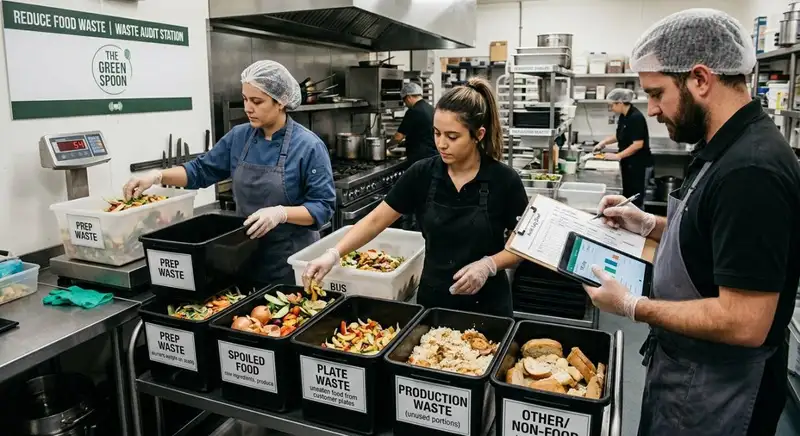
How to Conduct a Food Waste Audit in Your Restaurant
A food waste audit helps restaurant owners identify waste sources, track costs, improve inventory management, reduce food waste, and increase profitability.

