The Basics of Stock Control
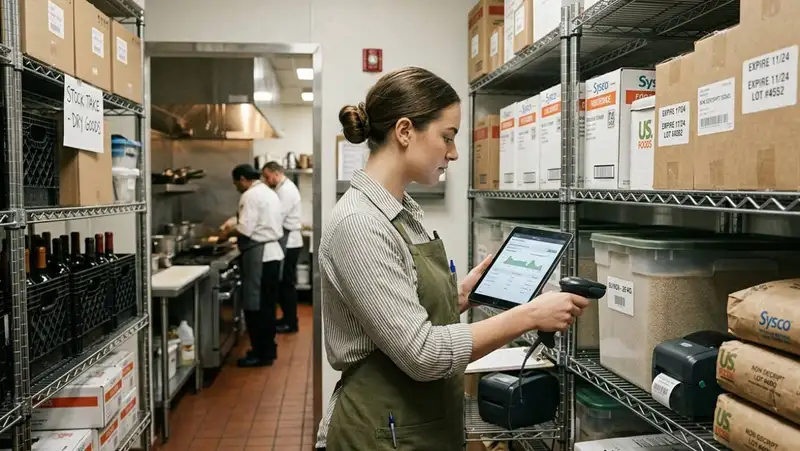
A restaurant can have strong sales and still lose profit if stock is not controlled properly. Ingredients may expire before they are used. Staff may over-portion recipes. Deliveries may arrive short or damaged. Items may be ordered too early, too late, or in the wrong quantities. Without a clear stock control process, these problems can go unnoticed until food costs rise or popular menu items run out.
Good stock control gives owners better visibility. It helps answer important questions such as - What do we have on hand? What are we running low on? What is being wasted? Are we using more product than expected? Are our purchasing habits matching actual sales demand? These answers help owners make better decisions instead of relying on guesswork.
Stock control also includes more than food. Restaurants need to track beverages, liquor, paper goods, cleaning supplies, packaging, disposables, uniforms, and other operating supplies. Each item has a cost, and each item affects the guest experience. Running out of takeout containers, napkins, or key ingredients can disrupt service just as much as running out of a menu item.
Set Clear Par Levels

For restaurant owners, par levels should not be based on guesswork. They should be based on sales history, usage patterns, vendor delivery schedules, shelf life, storage space, and menu demand. A busy item used every day, such as chicken, lettuce, cooking oil, or takeout packaging, may need a higher par level than a slow-moving ingredient used in only one menu item.
1. Use sales data - Owners should review how much of each key item is used during normal sales periods. If a restaurant sells 200 chicken sandwiches per week and each sandwich uses one portion of chicken, the owner needs enough chicken to cover expected demand, plus a small safety buffer. This helps prevent shortages without creating unnecessary overstock.
2. Adjust par levels - Vendor delivery frequency affects how much stock a restaurant needs to keep on hand. If deliveries arrive three times per week, the restaurant may not need as much backup inventory. If deliveries only come once per week, higher par levels may be needed to avoid running out before the next order.
3. Shelf life and spoilage risk - Not every item should have a high par level. Fresh produce, seafood, dairy, herbs, and prepared sauces may spoil quickly if too much is ordered. Dry goods, paper products, and frozen items may allow for higher stock levels because they last longer. Strong stock control means matching the par level to the life of the product.
4. Separate minimum and maximum stock levels - A minimum level shows when an item needs to be reordered. A maximum level shows the highest amount that should be stored. For example, if a restaurant sets a minimum of 4 cases of fries and a maximum of 10 cases, managers know when to reorder and when to stop. This prevents both stock-outs and over-purchasing.
5. Review par levels regularly - Par levels should change when sales volume changes. Seasonal traffic, menu updates, promotions, holidays, catering orders, weather, and local events can all affect usage. A par level that worked three months ago may not work today. Restaurant owners should review par levels weekly or monthly to make sure ordering still matches actual demand.
Clear par levels give managers a measurable ordering standard. Instead of asking, "How much do we think we need?" the team can compare current stock to target stock and order based on real usage. This makes stock control more consistent, protects cash flow, and helps the restaurant keep the right products available without overloading storage.
Get Accurate Inventory Valuations
Manage Your Workforce with Altametrics
Count Inventory Consistently and Accurately
The best inventory counts are not rushed, random, or handled differently each week. They follow a repeatable system.
Start with timing. Counts should happen when inventory is stable, such as before opening, after closing, or during a slower operating window. Counting while deliveries are arriving, prep is happening, or line cooks are pulling product can create errors. Even a small timing issue can make it look like the restaurant used more or less product than it actually did.
Next, standardize the count path. The person counting should move through storage areas in the same order every time- walk-in cooler, freezer, dry storage, bar, prep area, line stations, and packaging shelves. This reduces missed items and prevents double-counting. A consistent path also makes it easier to train new managers because the process is clear.
Units of measure matter as well. One item should not be counted as "cases" one week and "pounds" the next. Proteins, produce, sauces, liquor, dry goods, and disposables should each have a defined count unit. For open products, the team should know whether to estimate by weight, portion, bottle level, container size, or eaches. Without this consistency, inventory reports become difficult to trust.
Restaurant owners should also separate high-priority items from low-risk items. Expensive proteins, seafood, liquor, cooking oil, and high-volume ingredients may need closer review because small errors can have a larger financial impact. Lower-cost items can still be counted, but they may not need the same level of daily attention.
After the count is complete, the numbers should be reviewed before orders are placed. Unusual drops, slow-moving items, or sudden increases should be questioned. A sharp drop in cheese usage may mean a count was missed. A spike in chicken usage may point to over-portioning, waste, theft, or higher sales. The count is not just a task to finish; it is a signal owners can use to understand what is happening inside the restaurant.
A strong inventory count process gives restaurant owners cleaner data, better ordering decisions, and more control over food cost. When the same process is followed every time, stock control becomes easier to manage and easier to measure.
Receiving and Storage Procedures
A strong process helps the restaurant confirm what came in, what was rejected, what needs a vendor credit, and where each item should go after delivery. The cleaner this process is, the more reliable the inventory numbers become.
1. Check Orders - Every delivery should be compared against the purchase order and invoice before it is accepted. Managers should confirm item names, quantities, pack sizes, prices, and substitutions. If 12 cases were ordered but only 10 arrived, that shortage should be recorded right away. If a vendor sends a replacement item, the team should note whether it affects recipes, cost, or menu availability.
2. Inspect Quality - Products should be reviewed before they enter storage. Staff should check for damaged packaging, bruised produce, leaking containers, broken seals, expired dates, and incorrect temperatures. Accepting poor-quality product creates extra cost later because the item may need to be wasted, replaced, or reordered.
3. Log Issues - Shortages, credits, rejected items, damaged goods, and substitutions should be recorded the same day. These details help owners keep invoice records accurate and explain why actual inventory may not match what was ordered. Without this step, small receiving errors can turn into larger food cost problems.
4. Use FIFO - FIFO means first in, first out. Older product should be used before newer product. New deliveries should be placed behind existing stock so staff naturally pull older items first. This is especially important for produce, dairy, proteins, sauces, and prepared ingredients that have shorter shelf lives.
5. Label Everything - Opened, prepped, or transferred products should be labeled with the item name, prep date, use-by date, and staff initials when needed. Clear labels reduce confusion and help managers know what should be used first. They also support better food safety and waste control.
6. Organize Storage - Storage areas should be arranged by category and usage speed. Proteins, produce, frozen items, dry goods, beverages, packaging, and cleaning supplies should each have assigned spaces. This makes counts faster, prevents duplicate ordering, and helps staff find what they need during service.
7. Monitor Temperatures - Coolers, freezers, and temperature-sensitive storage areas should be checked regularly. A cooler issue that goes unnoticed can lead to spoiled product, lost prep time, emergency purchases, and service disruption. Temperature control protects both inventory value and food quality.
Better receiving and storage habits give restaurant owners more accurate stock data from the beginning. When products are checked, logged, labeled, and stored correctly, the restaurant can reduce waste, avoid unnecessary purchases, and make stronger ordering decisions.
Waste, Spoilage, Comps, and Transfers
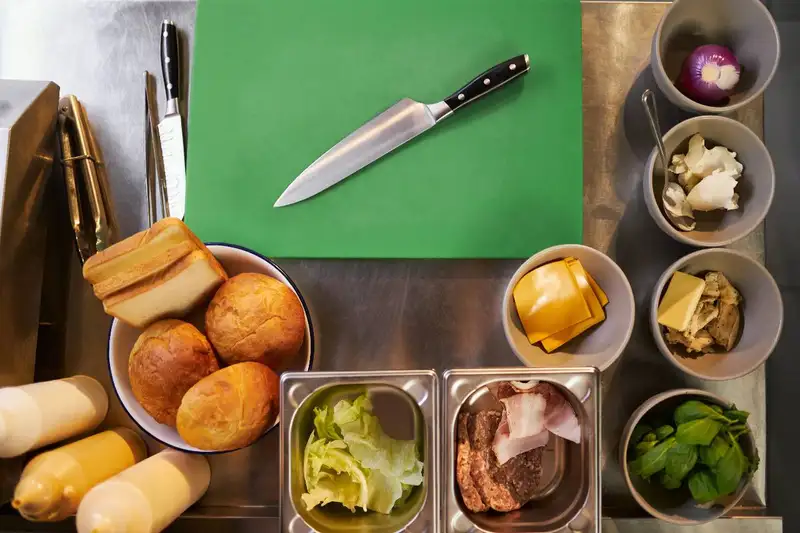
Stock control should show where product goes after it is purchased. Sales are only one part of the picture. A restaurant also needs to know what was wasted, what was given away, what was damaged, and what was transferred.
A practical waste and usage log should answer four simple questions -
1. What was lost? The item should be recorded clearly, such as chicken breast, romaine, fryer oil, draft beer, sauce, takeout containers, or prepared pasta.
2. How much was lost? The amount should be measured in the same unit used for inventory, such as pounds, ounces, cases, bottles, eaches, trays, or portions. This makes it easier to compare waste against purchasing and usage data.
3. Why was it lost? The reason matters. Spoilage, prep mistakes, overproduction, incorrect orders, spills, customer complaints, staff meals, and vendor quality issues should be separated. Each reason points to a different operational problem.
4. Who recorded it? Staff initials or manager approval create accountability. The goal is not to blame employees, but to make sure the restaurant has accurate records and can identify repeat issues.
Transfers also need the same level of control. If one location sends product to another location, both stores should record the transfer. Without that step, one location may appear to have unexplained product loss while the other appears to have extra inventory. This can make food cost, usage, and ordering reports inaccurate.
Comps and giveaways should also be tracked. A free dessert for a guest complaint, a remade entree, a discounted meal, or a promotional item still uses inventory. If these items are not recorded, the restaurant may think product disappeared without explanation.
For restaurant owners, tracking waste is one of the fastest ways to find controllable losses. If produce is regularly spoiling, ordering may be too high. If proteins are running out faster than expected, portions may be inconsistent. If packaging usage keeps rising, takeout demand may need a separate ordering plan.
Better tracking turns waste from a hidden expense into usable data. Once owners can see where product is being lost, they can adjust prep levels, improve training, tighten portions, review vendor quality, and build stronger stock control habits.
Transform Your Restaurant Operations Now!
Effortless Inventory Tracking with Altametrics!
Actual Usage vs Expected Usage
Expected usage is based on recipes, portions, menu sales, and product standards. For example, if a burger uses one beef patty and the restaurant sells 300 burgers, expected usage should be around 300 patties, plus any approved waste, comps, or staff meals. If the restaurant actually used 370 patties, the difference needs to be reviewed.
That difference is called variance.
Variance can reveal problems that are easy to miss during daily operations. A manager may not notice slightly oversized portions during a busy rush. A bartender may over-pour without realizing the long-term cost. Prep staff may make too much sauce for the day. Line cooks may remake orders without recording them. These small issues can become expensive when they happen repeatedly.
Restaurant owners should look at variance by item, not just total food cost. A food cost report may show that costs are higher than expected, but item-level variance shows where the problem may be coming from. If cheese usage is high, the issue may be portioning. If produce usage is high, the issue may be spoilage or over-prep. If liquor usage is high, the issue may be over-pouring, spills, comps, or unrecorded drinks.
A simple review process can help owners ask better questions -
1. What did we sell? Start with POS sales data by menu item. This shows how much product should have been used based on recipes and portions.
2. What should we have used? Use recipe cards, portion standards, and menu builds to calculate expected product usage.
3. What did we actually use? Compare beginning inventory, purchases, transfers, and ending inventory to understand real usage.
4. What is the difference? Look for unusual gaps between expected and actual usage. Small variances may be normal, but repeat variances should be investigated.
5. What caused the gap? Possible causes include waste, theft, incorrect recipes, poor prep planning, wrong counts, over-portioning, missed transfers, or vendor receiving errors.
If the same item shows high variance every week, it deserves attention. That may mean retraining staff, adjusting prep levels, updating recipes, changing vendor pack sizes, improving portion tools, or reviewing security around high-value items.
By comparing actual usage against expected usage, restaurant owners can turn stock control into a management tool. Instead of reacting after profit margins drop, they can find problems earlier, correct them faster, and make better decisions based on real operating data.
Use Technology to Reduce Manual Errors
Technology helps restaurant owners create a cleaner stock control process by reducing repetitive manual work and giving managers better visibility into what is happening.
Inventory software can help track counts, purchases, recipes, transfers, waste, and usage in one place. Instead of waiting until the end of the month to find a problem, owners can review stock movement more often and make faster decisions. This is especially useful for high-cost items like proteins, seafood, liquor, dairy, cooking oil, and packaging.
POS integration is another important part of better stock control. When sales data connects to inventory, owners can compare what was sold against what should have been used. For example, if the POS shows 250 orders of a chicken entree, the system can estimate how much chicken should have been used based on the recipe. If actual usage is much higher, the owner can review portioning, waste, theft, or incorrect prep.
Technology can also improve ordering. Instead of managers walking through storage and guessing what to buy, inventory tools can compare current stock to par levels and suggest order quantities. This helps prevent over-ordering, stock-outs, and emergency purchases. It also keeps ordering more consistent across different managers and shifts.
For restaurant owners, the biggest value of technology is not just automation. It is better control. Strong stock control tools can help owners -
1. Reduce manual entry mistakes by keeping counts, purchases, and usage data in one system.
2. Improve ordering accuracy by comparing current stock to par levels and sales trends.
3. Track waste faster so spoilage, spills, comps, and prep mistakes do not disappear from reports.
4. Catch variance earlier by comparing expected usage against actual usage.
5. Standardize processes across managers, shifts, and multiple locations.
6. Improve cost visibility by showing how inventory decisions affect food cost and profit margins.
However, technology only works when the restaurant has clear processes behind it. Staff still need to count accurately, receive products correctly, follow recipes, label items, and record waste. A software system cannot fix poor habits if the team does not use it consistently.
The best approach is to combine strong daily procedures with the right digital tools. When inventory data, POS sales, vendor purchases, recipes, and waste records work together, restaurant owners can manage stock control with less guesswork and more confidence.
Streamline Operations
Control Menus, Items, and Prices Seamlessly with Altametrics
Frequently
Asked Questions
What are common stock control mistakes in restaurants?
How can restaurants improve receiving procedures?
How does technology help with stock control?
What causes inventory variance in restaurants?
Must-Read Content
How AI Is Transforming Multi-Unit Restaurant Management
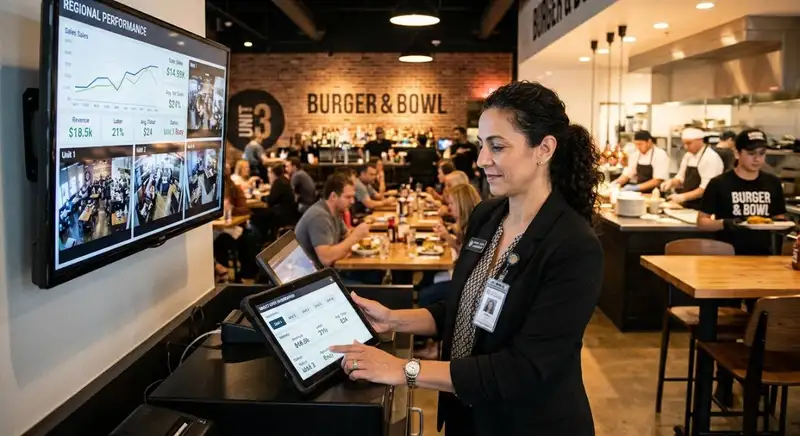
AI helps multi-unit restaurant operators forecast demand, optimize labor, detect anomalies, ensure consistency, refine menus and pricing, and adopt tools gradually, freeing managers to focus on hospitality.

Restaurant ERP Explained - What It Is, How It Works, and Its Benefits
Restaurant ERP connects essential operations, improves cost control, centralizes business information, streamlines workflows, and helps owners make informed management decisions.

10 Benefits of All-in-One Restaurant Management Software
All-in-one restaurant management software streamlines operations, improves communication, reduces administrative work, controls costs, strengthens workforce management, and supports informed business decisions.