



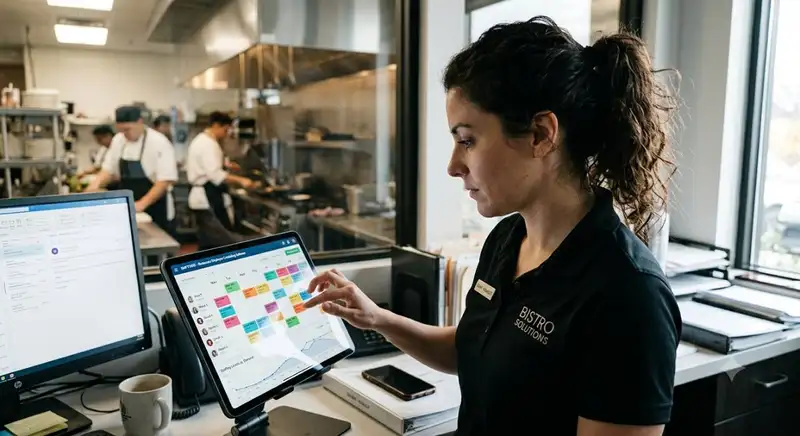
The High Cost of Poor Scheduling
That is why restaurant staff scheduling should not rely on habit or guesswork. A slow Tuesday lunch does not need the same coverage as a Friday dinner rush. Weather, holidays, reservations, delivery demand, catering orders, and local events can all change how many employees are needed. If managers ignore these factors, the schedule may not match actual demand.
The challenge is balancing cost control with service quality. Managers need enough staff to keep operations smooth, but not so many that labor costs cut into profit. They also need to respect availability, prevent burnout, manage shift swaps, and follow labor rules.
A stronger process starts with data. By using sales forecasts, staffing templates, employee availability, and weekly labor reviews, restaurants can schedule the right people at the right time and run smoother, more profitable shifts.
Forecast Sales Before Scheduling

A schedule built without a forecast can quickly lead to overstaffing or understaffing. For example, if a restaurant expects $4,000 in sales for dinner and wants labor costs to stay near 30%, the labor budget for that shift is about $1,200. If managers schedule too many employees and labor reaches $1,500, the labor cost percentage rises to 37.5%. That difference may seem small for one shift, but repeated across multiple days, it can reduce monthly profit quickly.
To forecast more accurately, managers should review several data points before writing the schedule -
1. Last year's sales - Compare the same week, same day, and same shift from the previous year to identify seasonal patterns.
2. Recent sales trends - Look at week-over-week changes to see whether traffic is rising, slowing, or staying flat.
3. Local events - Sports games, concerts, school events, festivals, and conventions can increase guest counts and order volume.
4. Weather conditions - Rain, heat, cold, or snow can affect dine-in traffic, delivery demand, patio seating, and walk-in volume.
5. Holidays and seasonality - Holiday weekends, summer tourism, school schedules, and shopping seasons can all change staffing needs.
If Monday lunch usually brings in $1,200, it may only need a lean team. If Friday dinner usually reaches $5,000, the schedule may require more cooks, servers, hosts, bartenders, and support staff. Each shift should be built around expected demand, not habit.
Restaurant owners should also set a target labor cost percentage before scheduling begins. Many restaurants aim for labor costs around 25% to 35% of sales, depending on service style, wages, menu complexity, and operating model. A quick-service restaurant may run with a lower labor percentage than a full-service restaurant that needs servers, bussers, bartenders, hosts, and line cooks.
By forecasting sales first, managers create a schedule that is tied to actual business needs. This helps control labor costs, reduce last-minute staffing problems, and make sure the restaurant has the right people in the right roles when demand increases.
Take Charge of Your Schedule
Smarter Scheduling Made Easy with Altametrics
Build an Ideal Shift Template
A staffing matrix connects projected revenue to required roles. For example, a Monday lunch expected to generate $1,200 may only need one manager, one cashier or host, one server, one line cook, and one dishwasher or support employee. A Friday dinner expected to generate $5,000 may need multiple servers, two or more line cooks, a host, a bartender, a food runner, a dishwasher, and a manager on the floor.
A useful staffing template should account for -
1. Revenue tiers - Build different staffing plans for low, moderate, and high-sales shifts. A $1,500 lunch shift should not be staffed the same way as a $6,000 dinner shift.
2. FOH roles - Identify how many hosts, servers, bartenders, bussers, cashiers, and food runners are needed based on expected guest volume.
3. BOH roles - Plan for the right number of cooks, prep staff, dishwashers, and expo support based on menu complexity and ticket volume.
4. Service timing - Match labor to the actual rush period instead of scheduling everyone at the same start time.
5. Minimum coverage - Decide which roles must always be present, even during slower shifts, to maintain food quality, safety, and service standards.
Staggered clock-in times are especially important for controlling labor costs. If the dinner rush starts at 6.00 PM, every employee may not need to clock in at 4.00 PM. Some may start at 4.00 PM for prep, others at 4.30 PM for setup, and others at 5.00 PM or 5.30 PM as guest traffic begins to build. This prevents labor from accumulating before the restaurant actually needs full coverage.
The same logic applies at the end of the shift. If sales slow down after 8.30 PM, managers should have a clear cut schedule for who leaves first, who stays through closing, and which roles are needed for cleanup. Without this structure, employees may stay on the clock longer than necessary, creating labor bleed.
An ideal shift template helps managers schedule with more consistency. Instead of rebuilding the schedule from scratch every week, they can match each shift to a forecasted sales tier, fill the required roles, and adjust for special events, employee availability, and expected demand. This makes restaurant staff scheduling faster, more accurate, and easier to manage.
Match Staffing Needs with Employee Availability
For restaurant managers, the goal is to match demand with dependable coverage. If a Friday dinner shift needs six servers, two line cooks, one host, one bartender, one dishwasher, and one manager, the schedule should be built from employees who are both qualified and available. When availability is unclear, managers often end up making changes after the schedule is posted, which increases the risk of missed shifts, shift swaps, overtime, and staff frustration.
A better process starts with clear rules for availability -
1. Set a deadline for availability updates - Employees should submit availability changes before the schedule is built, not after it is posted.
2. Create a time-off request window - Managers should define how far in advance employees need to request days off, especially for weekends, holidays, and peak seasons.
3. Use one official communication channel - Availability should not be scattered across texts, sticky notes, verbal requests, and group chats.
4. Track recurring restrictions - School schedules, second jobs, childcare needs, and transportation limits should be documented so managers do not rebuild the same information each week.
5. Confirm high-demand shifts early - Weekend nights, holidays, and event-driven shifts should be reviewed ahead of time to avoid last-minute coverage gaps.
Respecting availability can also improve retention. Employees are more likely to stay when they feel their schedule is predictable, fair, and realistic. When workers are repeatedly scheduled outside their availability, they may trade shifts, call out, arrive late, or look for another job. For restaurants already dealing with high turnover, better scheduling can help reduce one of the biggest sources of employee frustration.
Cross-training gives managers even more flexibility. A server who can host, a host who can run food, or a cashier who can help with takeout creates more options when coverage is tight. Instead of overstaffing every role "just in case," managers can schedule employees who can support multiple parts of the operation when demand changes.
The best restaurant schedules are not built by choosing names first. They are built by matching forecasted demand, required roles, employee availability, and skill sets. When these pieces work together, managers can create schedules that are easier to follow, more reliable for staff, and better aligned with the restaurant's labor budget.
Set Clear Shift Communication Rules
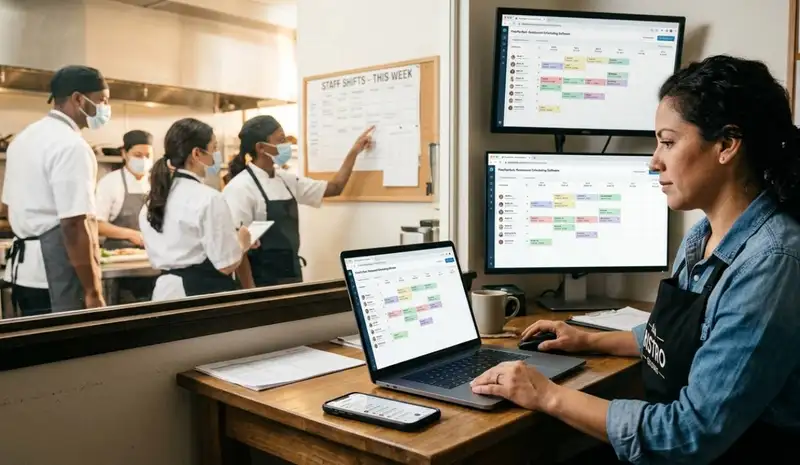
This is why every restaurant should have a written shift communication policy. Employees need to know exactly what to do when they cannot work a scheduled shift. Managers need a consistent process for approving changes. Without clear rules, one employee may text a coworker, another may post in a group chat, and another may assume the manager already knows. These small communication gaps can quickly turn into understaffed shifts.
A strong shift communication policy should define -
1. Call-in expectations - Employees should know how far in advance they must notify a manager if they cannot work.
2. Shift swap rules - Staff should understand whether they are allowed to trade shifts and what steps they must follow.
3. Manager approval - Every shift change should be approved by a manager before it becomes official.
4. Skill and role requirements - A server should not swap with an employee who is not trained for that role. A line cook should not be replaced by someone who cannot work the station.
5. Documentation - Schedule changes should be recorded in one place so managers can track who is responsible for each shift.
Manager approval is especially important because shift swaps can affect labor costs, overtime, compliance, and service quality. For example, if an employee who is close to overtime picks up an extra shift, that swap may cost more than expected. If an inexperienced employee takes over a busy dinner shift, service may slow down. A manager needs to review the change before it affects the operation.
Restaurants also need to be careful with last-minute schedule changes. In some locations, predictive scheduling or Fair Workweek rules may require advance notice, additional pay, or specific documentation when shifts are changed close to the scheduled date. Even where these laws do not apply, clear communication helps reduce confusion and protects the business from disputes.
Employees should know the process, managers should have final approval, and all changes should be visible before service begins. When communication rules are clear, restaurants can reduce no-shows, avoid unnecessary labor costs, and keep shifts running with fewer surprises.
Effortlessly Schedule, Seamlessly Manage
Schedule Like a Pro with Altametrics
Replace Manual Scheduling with Automation
The biggest problem with manual scheduling is that it is disconnected from real-time restaurant performance. A spreadsheet may show who is scheduled, but it usually does not show whether labor is already above budget, whether an employee is close to overtime, or whether sales are falling behind the forecast. By the time managers notice the problem, the labor cost may already be too high.
Restaurant scheduling software helps turn scheduling into a more controlled system by connecting labor planning, employee communication, compliance, and performance tracking in one place. Instead of rebuilding the schedule from scratch every week, managers can use templates, availability records, shift rules, and labor targets to make faster decisions.
Automation can improve restaurant staff scheduling in several ways -
1. Faster schedule creation - Managers can use saved templates based on sales volume, daypart, role, and location instead of starting with a blank spreadsheet.
2. Real-time labor tracking - Scheduling tools can show scheduled labor costs compared to projected sales before the schedule is published.
3. Overtime visibility - Managers can see when an employee is approaching overtime before assigning more hours.
4. Mobile access for employees - Staff can view schedules, request time off, and submit shift swap requests from their phones.
5. Manager-approved shift swaps - Employees can request coverage, but managers still control final approval to protect labor budgets and role coverage.
6. Compliance support - Automated alerts can help managers catch missed breaks, overtime risks, minor labor restrictions, and predictive scheduling issues where applicable.
The strongest results happen when scheduling software is connected to the restaurant's POS system. This allows managers to compare live sales against labor in real time. For example, if sales are lower than expected during a lunch shift, a manager can cut labor earlier. If sales are trending higher than forecasted, they can bring in extra support before service slows down.
Review Labor Performance Every Week
The first number to review is scheduled labor versus actual labor. For example, if a restaurant scheduled $8,000 in labor for the week but actual labor came in at $9,200, the schedule missed the target by $1,200. That difference may come from early clock-ins, late clock-outs, overtime, missed cuts, call-outs, or slower-than-expected sales. Without reviewing the gap, managers may repeat the same mistake the following week.
Managers should also compare labor cost against actual sales. If the restaurant projected $30,000 in weekly sales and scheduled labor at 30%, the labor budget would be $9,000. But if actual sales only reached $26,000 and labor stayed at $9,000, the labor cost percentage rises to about 34.6%. That means the schedule may have looked correct before the week started but became too expensive once demand changed.
A weekly labor review should focus on several key areas -
1. Scheduled labor vs. actual labor - Identify where hours increased beyond the original plan.
2. Labor cost percentage - Compare labor dollars against actual sales, not just projected sales.
3. Overtime hours - Review which employees went into overtime and whether it could have been prevented.
4. Early clock-ins - Check whether employees clocked in before they were needed.
5. Late clock-outs - Review whether staff stayed too long after the rush ended.
6. Sales by daypart - Compare lunch, dinner, late-night, delivery, and catering demand to the staffing plan.
7. Staff feedback - Ask employees whether shifts felt overstaffed, understaffed, or unbalanced.
This process also helps managers identify labor bleed. Labor bleed happens when small amounts of wasted labor accumulate across the week. One employee clocking in 15 minutes early may not seem serious. But if 10 employees do that several times per week, the cost adds up quickly. The same problem happens when employees stay on the clock after their work is done or when managers do not cut staff after traffic slows down.
Weekly reviews also protect employee morale. A schedule may look efficient on paper but still create stress if the wrong people are assigned to the wrong shifts. If cooks are overloaded during peak hours, servers are double-sat too often, or closing shifts are unevenly distributed, staff may burn out. Asking for feedback helps managers find problems the numbers may not show.
Create a Repeatable Scheduling System
A repeatable scheduling system should connect the main parts of labor planning -
1. Forecast demand first - Review sales history, recent trends, weather, holidays, and local events before assigning shifts.
2. Use staffing templates - Match each shift to the right staffing level based on expected sales, guest count, and order volume.
3. Respect employee availability - Build schedules around accurate availability, time-off requests, and role qualifications.
4. Set communication rules - Make call-ins, no-shows, shift swaps, and approvals easy to manage.
5. Track labor in real time - Compare scheduled labor against actual sales before labor costs get too high.
6. Review results weekly - Look at scheduled labor, actual labor, overtime, early clock-ins, late clock-outs, and staff feedback.
When these steps work together, scheduling becomes more accurate and less reactive. Managers can stop relying on memory, habit, or last-minute texting. Instead, they can build schedules based on demand, labor goals, employee needs, and real performance data.
This matters because labor is one of the largest controllable costs in a restaurant. A few extra hours per shift may not seem like much, but those hours can add up across the week. At the same time, cutting too aggressively can hurt service, increase stress, and push good employees away.
Schedule Smarter with Altametrics
Altametrics helps restaurants simplify employee scheduling, manage labor costs, and improve workforce visibility from one platform. With Altametrics, restaurant managers can build schedules faster, track labor performance, manage employee availability, reduce scheduling errors, and make better staffing decisions based on real business data.
Instead of relying on spreadsheets, paper schedules, and last-minute text messages, Altametrics gives restaurant teams the tools they need to schedule smarter and operate with more control.
Ready to improve your restaurant scheduling process? Learn how Altametrics can help your team save time, control labor costs, and build better schedules every week by clicking "Book a Demo" below.
Take Charge of Your Schedule
Smarter Scheduling Made Easy with Altametrics
Frequently
Asked Questions
What is the best way to schedule restaurant staff?
What causes poor restaurant scheduling?
What should be included in a restaurant scheduling policy?
What roles should be included in a restaurant staffing plan?
Must-Read Content

Employee Time Tracking Tips for Restaurants
Use these time tracking tips to improve restaurant employee timekeeping, reduce payroll errors, monitor overtime, track breaks, and simplify workforce management.
7 Scheduling Mistakes Restaurant Owners Should Stop Making
Avoid common scheduling mistakes by improving labor forecasting, balancing shift coverage, respecting employee availability, controlling overtime, and using scheduling software to optimize restaurant operations.

Human Resource Management for Restaurants
Effective human resource management for restaurants covers hiring, onboarding, scheduling, payroll, records, training, and retention, helping owners reduce turnover, ensure compliance, and build stronger, more profitable teams.

