



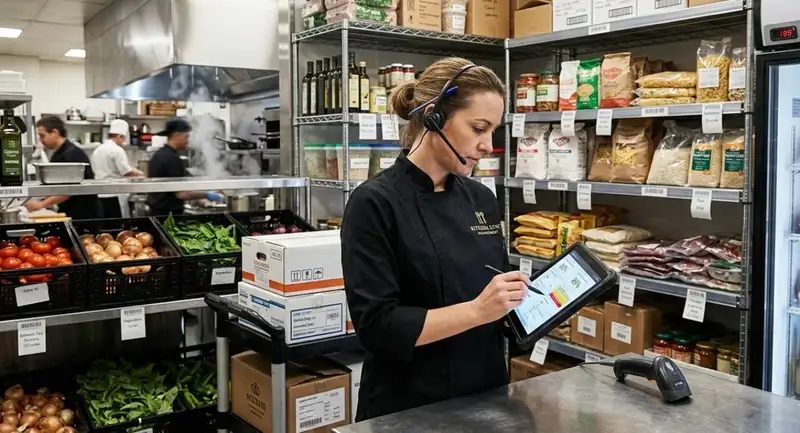
Why Stockouts Hurt Profitability
Stockouts do more than interrupt the kitchen. They reduce revenue, weaken customer trust, and make daily operations harder to control. When a restaurant runs out of a key ingredient, the first impact is usually a missed sale. A guest who wanted a popular burger, pasta dish, pizza topping, cocktail, or dessert may choose a cheaper substitute, order less, or leave disappointed. If the item is a best seller, the lost revenue can add up quickly during peak service.
Stockouts also hurt the guest experience. Customers expect the menu to be available, especially items promoted online, listed as specials, or known as signature dishes. Hearing "we are out of that" can make the restaurant feel unprepared. For first-time guests, one unavailable item may shape their opinion of the business. For loyal customers, repeated stockouts can reduce confidence and repeat visits.
The problem also affects employees. Servers must explain missing items, kitchen staff may adjust recipes, managers may call vendors, and cashiers may handle complaints. These disruptions slow service and increase mistakes.
Stockouts can also raise costs through rush orders, emergency substitutions, and higher vendor prices. Preventing them protects sales, guest satisfaction, employee efficiency, and menu consistency.
Stockouts also hurt the guest experience. Customers expect the menu to be available, especially items promoted online, listed as specials, or known as signature dishes. Hearing "we are out of that" can make the restaurant feel unprepared. For first-time guests, one unavailable item may shape their opinion of the business. For loyal customers, repeated stockouts can reduce confidence and repeat visits.
The problem also affects employees. Servers must explain missing items, kitchen staff may adjust recipes, managers may call vendors, and cashiers may handle complaints. These disruptions slow service and increase mistakes.
Stockouts can also raise costs through rush orders, emergency substitutions, and higher vendor prices. Preventing them protects sales, guest satisfaction, employee efficiency, and menu consistency.
What Causes Restaurant Stockouts
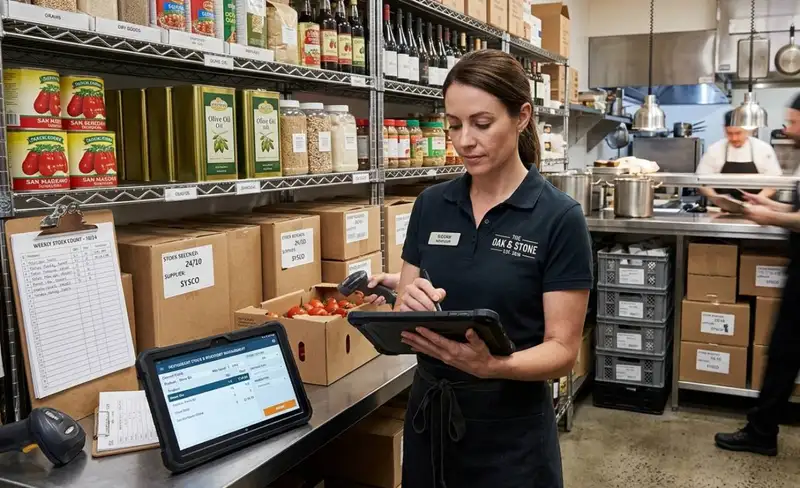
Restaurant stockouts usually happen when inventory decisions are based on incomplete or outdated data. A restaurant may think it has enough product on hand, but actual usage, waste, supplier timing, or demand may tell a different story. The issue is rarely one mistake. Most stockouts come from several small problems that build up before service begins.
1. Inaccurate inventory counts
If a manager records 20 pounds of chicken in the system but the kitchen only has 12 pounds available, the restaurant is already operating with an 8-pound gap. That gap can turn into unavailable menu items during a lunch rush, dinner rush, or catering order. Even small count errors can create major problems when the ingredient is used across several dishes.
2. Poor demand forecasting
Stockouts are also caused by underestimating demand. For example, if a restaurant usually sells 80 burgers on a Friday but a local event increases demand to 120 burgers, the kitchen needs enough buns, patties, cheese, toppings, and packaging to support that volume. If ordering is based only on a normal week, the restaurant may run out before peak service ends.
3. Supplier delays and short shipments
Vendor issues can quickly create inventory shortages. A delayed delivery, missing case, poor-quality product, or unavailable item can leave the restaurant without enough stock. This is especially risky when the restaurant depends on one supplier for key ingredients.
4. Waste, spoilage, and over-prepping
Inventory can disappear faster than expected when food is spoiled, over-portioned, dropped, burned, or prepped in excess. A restaurant may purchase enough product on paper, but if 10% is wasted before it reaches the customer, the available supply is lower than planned.
5. Manual ordering mistakes
Spreadsheets, handwritten lists, and memory-based ordering can lead to missed items. A manager may forget to order a slow-moving but essential ingredient, misread a par level, or assume another employee already placed the order.
To prevent stockouts, restaurant owners need to understand where the breakdown is happening. The problem may be counting, forecasting, supplier reliability, waste control, or purchasing. Once the cause is clear, the restaurant can fix the process before the shortage affects guests.
1. Inaccurate inventory counts
If a manager records 20 pounds of chicken in the system but the kitchen only has 12 pounds available, the restaurant is already operating with an 8-pound gap. That gap can turn into unavailable menu items during a lunch rush, dinner rush, or catering order. Even small count errors can create major problems when the ingredient is used across several dishes.
2. Poor demand forecasting
Stockouts are also caused by underestimating demand. For example, if a restaurant usually sells 80 burgers on a Friday but a local event increases demand to 120 burgers, the kitchen needs enough buns, patties, cheese, toppings, and packaging to support that volume. If ordering is based only on a normal week, the restaurant may run out before peak service ends.
3. Supplier delays and short shipments
Vendor issues can quickly create inventory shortages. A delayed delivery, missing case, poor-quality product, or unavailable item can leave the restaurant without enough stock. This is especially risky when the restaurant depends on one supplier for key ingredients.
4. Waste, spoilage, and over-prepping
Inventory can disappear faster than expected when food is spoiled, over-portioned, dropped, burned, or prepped in excess. A restaurant may purchase enough product on paper, but if 10% is wasted before it reaches the customer, the available supply is lower than planned.
5. Manual ordering mistakes
Spreadsheets, handwritten lists, and memory-based ordering can lead to missed items. A manager may forget to order a slow-moving but essential ingredient, misread a par level, or assume another employee already placed the order.
To prevent stockouts, restaurant owners need to understand where the breakdown is happening. The problem may be counting, forecasting, supplier reliability, waste control, or purchasing. Once the cause is clear, the restaurant can fix the process before the shortage affects guests.
Get Accurate Inventory Valuations
Manage Your Workforce with Altametrics
Track Inventory in Real Time
Real-time inventory tracking helps restaurant owners catch shortages before they become service problems. In many restaurants, inventory is counted once a day, once a week, or only when something looks low. That creates a timing gap. By the time the team realizes an ingredient is missing, the lunch rush, dinner rush, catering order, or delivery period may already be underway.
The goal of real-time tracking is not just to know what was purchased. It is to understand what is actually available after sales, prep, waste, transfers, and storage changes are considered.
1. Connect sales to ingredient usage
Every menu item uses ingredients. If a restaurant sells 100 chicken sandwiches and each sandwich uses 6 ounces of chicken, expected chicken usage is 600 ounces, or 37.5 pounds. If the system still shows 50 pounds available but the walk-in only has 25 pounds, there is a 25-pound inventory gap that needs to be investigated before the next order.
2. Monitor high-risk ingredients more often
Not every item needs the same level of attention. Restaurants should track fast-moving and high-value items more frequently, such as proteins, seafood, dairy, bread, produce, alcohol, and packaging. These items are more likely to cause stockouts because they are used often, spoil quickly, or have supplier lead times.
3. Compare expected stock to actual stock
Real-time tracking works best when the restaurant compares theoretical inventory against physical inventory. Theoretical inventory shows what should be available based on sales and recipes. Physical inventory shows what is actually on hand. The difference may point to waste, portioning errors, theft, spoilage, incorrect recipes, or missed deliveries.
4. Track inventory before peak service
A stockout discovered at 7.00 p.m. is much harder to fix than one found at 3.00 p.m. Restaurants should check key ingredients before high-volume periods so managers can adjust prep, update menus, contact vendors, or move inventory between locations if needed.
5. Use alerts for low-stock items
Manual checks depend on employees noticing problems. Inventory alerts make the process more proactive. When an item falls below a set level, the system can flag it before the restaurant runs out. This helps managers reorder earlier and avoid emergency purchases.
Real-time inventory tracking gives restaurant owners better control over daily operations. Instead of reacting after an item is already gone, the restaurant can see shortages developing, correct count errors, and make purchasing decisions based on current data.
The goal of real-time tracking is not just to know what was purchased. It is to understand what is actually available after sales, prep, waste, transfers, and storage changes are considered.
1. Connect sales to ingredient usage
Every menu item uses ingredients. If a restaurant sells 100 chicken sandwiches and each sandwich uses 6 ounces of chicken, expected chicken usage is 600 ounces, or 37.5 pounds. If the system still shows 50 pounds available but the walk-in only has 25 pounds, there is a 25-pound inventory gap that needs to be investigated before the next order.
2. Monitor high-risk ingredients more often
Not every item needs the same level of attention. Restaurants should track fast-moving and high-value items more frequently, such as proteins, seafood, dairy, bread, produce, alcohol, and packaging. These items are more likely to cause stockouts because they are used often, spoil quickly, or have supplier lead times.
3. Compare expected stock to actual stock
Real-time tracking works best when the restaurant compares theoretical inventory against physical inventory. Theoretical inventory shows what should be available based on sales and recipes. Physical inventory shows what is actually on hand. The difference may point to waste, portioning errors, theft, spoilage, incorrect recipes, or missed deliveries.
4. Track inventory before peak service
A stockout discovered at 7.00 p.m. is much harder to fix than one found at 3.00 p.m. Restaurants should check key ingredients before high-volume periods so managers can adjust prep, update menus, contact vendors, or move inventory between locations if needed.
5. Use alerts for low-stock items
Manual checks depend on employees noticing problems. Inventory alerts make the process more proactive. When an item falls below a set level, the system can flag it before the restaurant runs out. This helps managers reorder earlier and avoid emergency purchases.
Real-time inventory tracking gives restaurant owners better control over daily operations. Instead of reacting after an item is already gone, the restaurant can see shortages developing, correct count errors, and make purchasing decisions based on current data.
Forecast Demand Before Ordering
Demand forecasting helps restaurant owners prevent stockouts by estimating how much product the kitchen will need before an order is placed. Without forecasting, purchasing often depends on habit. A manager may order the same amount of chicken, produce, bread, or packaging every week, even when sales patterns are changing. That approach can lead to shortages during busy periods and excess inventory during slower periods.
The strongest forecasts connect sales history with upcoming demand signals. A restaurant should not only ask, "What did we order last week?" It should ask, "What are we likely to sell this week?"
1. Use sales history as the baseline
Past sales give the restaurant a starting point. If the restaurant sold 300 orders of a popular entree last week and each order used 8 ounces of beef, expected usage was 2,400 ounces, or 150 pounds. If sales are expected to stay the same, the next order should support that level of demand. If sales are expected to increase, the order needs to adjust before the shortage happens.
2. Account for day-of-week patterns
Most restaurants do not sell the same amount every day. A Friday dinner shift may require far more inventory than a Monday lunch. For example, if a restaurant sells 40 salmon dishes on weekdays but 90 on Saturdays, ordering based on the weekly average may leave the kitchen short before the busiest service period.
3. Watch promotions and menu changes
A discount, limited-time offer, catering push, delivery campaign, or new menu item can quickly change ingredient usage. If a pizza promotion increases pepperoni sales by 25%, the restaurant also needs more dough, cheese, sauce, boxes, and related prep items. Forecasting should include the full ingredient impact, not only the featured item.
4. Include outside demand drivers
Weather, holidays, local events, school schedules, tourism, sports games, and office traffic can all affect restaurant demand. A rainy week may increase delivery orders. A nearby concert may increase late-night traffic. A holiday weekend may raise demand for catering trays, desserts, beverages, or family meals.
5. Compare forecasted demand to available stock
Forecasting becomes more useful when it is compared against current inventory. If the restaurant expects to sell 120 chicken sandwiches tomorrow and each sandwich uses 6 ounces of chicken, the kitchen needs 720 ounces, or 45 pounds, before accounting for prep waste or safety stock. If only 30 pounds are available, the restaurant has a shortage risk before service even starts.
Demand forecasting turns ordering from a reactive task into a planning process. Instead of waiting until an ingredient runs out, restaurant owners can predict what they need, adjust purchase orders, prepare for demand spikes, and keep high-selling items available when customers are ready to order.
The strongest forecasts connect sales history with upcoming demand signals. A restaurant should not only ask, "What did we order last week?" It should ask, "What are we likely to sell this week?"
1. Use sales history as the baseline
Past sales give the restaurant a starting point. If the restaurant sold 300 orders of a popular entree last week and each order used 8 ounces of beef, expected usage was 2,400 ounces, or 150 pounds. If sales are expected to stay the same, the next order should support that level of demand. If sales are expected to increase, the order needs to adjust before the shortage happens.
2. Account for day-of-week patterns
Most restaurants do not sell the same amount every day. A Friday dinner shift may require far more inventory than a Monday lunch. For example, if a restaurant sells 40 salmon dishes on weekdays but 90 on Saturdays, ordering based on the weekly average may leave the kitchen short before the busiest service period.
3. Watch promotions and menu changes
A discount, limited-time offer, catering push, delivery campaign, or new menu item can quickly change ingredient usage. If a pizza promotion increases pepperoni sales by 25%, the restaurant also needs more dough, cheese, sauce, boxes, and related prep items. Forecasting should include the full ingredient impact, not only the featured item.
4. Include outside demand drivers
Weather, holidays, local events, school schedules, tourism, sports games, and office traffic can all affect restaurant demand. A rainy week may increase delivery orders. A nearby concert may increase late-night traffic. A holiday weekend may raise demand for catering trays, desserts, beverages, or family meals.
5. Compare forecasted demand to available stock
Forecasting becomes more useful when it is compared against current inventory. If the restaurant expects to sell 120 chicken sandwiches tomorrow and each sandwich uses 6 ounces of chicken, the kitchen needs 720 ounces, or 45 pounds, before accounting for prep waste or safety stock. If only 30 pounds are available, the restaurant has a shortage risk before service even starts.
Demand forecasting turns ordering from a reactive task into a planning process. Instead of waiting until an ingredient runs out, restaurant owners can predict what they need, adjust purchase orders, prepare for demand spikes, and keep high-selling items available when customers are ready to order.
Set Par Levels for Key Ingredients

Par levels help restaurant owners prevent stockouts by defining how much inventory should be on hand before the next order arrives. Instead of waiting until an item looks low, the restaurant uses a target number to decide when to reorder. This keeps purchasing more consistent and reduces the risk of running out of high-demand ingredients during service.
A par level is usually based on three numbers - expected usage, vendor lead time, and safety stock. For example, if a restaurant uses 20 pounds of chicken per day and the vendor delivers every 3 days, the restaurant needs at least 60 pounds to cover normal demand. If the owner adds 15 pounds of safety stock for demand spikes, prep waste, or delivery delays, the par level becomes 75 pounds.
1. Set par levels by ingredient usage
Each ingredient should have a par level based on how quickly it moves. A best-selling burger patty, pizza cheese, fryer oil, coffee milk, or takeout container may need a higher par level than a slow-moving specialty sauce. If an item is used across several menu items, it should be monitored more closely because one shortage can affect multiple dishes.
2. Separate minimum and maximum stock levels
A minimum level tells the restaurant when to reorder. A maximum level prevents overbuying. For example, a restaurant may set a minimum of 4 cases of tomatoes and a maximum of 8 cases. If the kitchen falls below 4 cases, the next order should bring inventory back up without creating excess spoilage risk.
3. Adjust par levels by day and season
Par levels should not stay the same all year. A seafood restaurant may need more fish before weekends. A pizzeria may need more dough and cheese before game days. A cafe may need more milk, cups, and pastries during morning rush periods. If demand increases by 20% during summer, holiday weeks, or local events, par levels should rise before the busy period begins.
4. Include supplier lead times
Vendor timing matters. If a supplier delivers daily, the restaurant can operate with lower par levels. If a vendor delivers twice per week, the restaurant needs enough inventory to cover the gap between deliveries. Longer lead times require higher safety stock because there are fewer chances to correct a shortage.
5. Review par levels against actual sales
Par levels should be checked regularly against sales and usage data. If the restaurant keeps running out of an item, the par level may be too low. If the item often expires before it is used, the par level may be too high. The aim is to keep enough inventory to support demand without tying up too much cash in unused stock.
Par levels give restaurant owners a practical inventory control system. They help managers know what to order, when to order it, and how much is needed to keep the menu available without overstocking the kitchen.
A par level is usually based on three numbers - expected usage, vendor lead time, and safety stock. For example, if a restaurant uses 20 pounds of chicken per day and the vendor delivers every 3 days, the restaurant needs at least 60 pounds to cover normal demand. If the owner adds 15 pounds of safety stock for demand spikes, prep waste, or delivery delays, the par level becomes 75 pounds.
1. Set par levels by ingredient usage
Each ingredient should have a par level based on how quickly it moves. A best-selling burger patty, pizza cheese, fryer oil, coffee milk, or takeout container may need a higher par level than a slow-moving specialty sauce. If an item is used across several menu items, it should be monitored more closely because one shortage can affect multiple dishes.
2. Separate minimum and maximum stock levels
A minimum level tells the restaurant when to reorder. A maximum level prevents overbuying. For example, a restaurant may set a minimum of 4 cases of tomatoes and a maximum of 8 cases. If the kitchen falls below 4 cases, the next order should bring inventory back up without creating excess spoilage risk.
3. Adjust par levels by day and season
Par levels should not stay the same all year. A seafood restaurant may need more fish before weekends. A pizzeria may need more dough and cheese before game days. A cafe may need more milk, cups, and pastries during morning rush periods. If demand increases by 20% during summer, holiday weeks, or local events, par levels should rise before the busy period begins.
4. Include supplier lead times
Vendor timing matters. If a supplier delivers daily, the restaurant can operate with lower par levels. If a vendor delivers twice per week, the restaurant needs enough inventory to cover the gap between deliveries. Longer lead times require higher safety stock because there are fewer chances to correct a shortage.
5. Review par levels against actual sales
Par levels should be checked regularly against sales and usage data. If the restaurant keeps running out of an item, the par level may be too low. If the item often expires before it is used, the par level may be too high. The aim is to keep enough inventory to support demand without tying up too much cash in unused stock.
Par levels give restaurant owners a practical inventory control system. They help managers know what to order, when to order it, and how much is needed to keep the menu available without overstocking the kitchen.
Transform Your Restaurant Operations Now!
Effortless Inventory Tracking with Altametrics!
Improve Supplier and Purchasing Processes
Supplier performance plays a major role in preventing restaurant stockouts. Even if a restaurant forecasts demand correctly and sets accurate par levels, the system can break down if purchase orders are late, deliveries are incomplete, or vendors cannot supply key ingredients on time. For restaurant owners, purchasing should be treated as a controlled process, not a last-minute task.
The goal is to make ordering predictable. A restaurant should know when orders are due, when deliveries arrive, which vendors are reliable, and what backup options are available when shortages happen.
1. Track vendor lead times
Lead time is the amount of time between placing an order and receiving the product. If a produce vendor needs 24 hours but a seafood vendor needs 72 hours, the restaurant must plan those orders differently. For example, if the kitchen uses 30 pounds of shrimp per day and the supplier needs 3 days to deliver, the restaurant needs at least 90 pounds available before the next shipment, plus safety stock for demand changes.
2. Measure order accuracy
A supplier may deliver on time but still create stockout risk if the order is incomplete. If a restaurant orders 10 cases of chicken and receives only 7, there is a 30% shortage before prep even begins. Tracking short shipments, substitutions, rejected items, and late deliveries helps owners identify which vendors are dependable and which ones need closer management.
3. Create backup vendor options
Relying on one supplier for every critical ingredient can increase risk. If that vendor runs out, delays a truck, or raises prices unexpectedly, the restaurant may have few options. Backup vendors are especially important for proteins, produce, dairy, bread, beverages, packaging, and high-volume menu items.
4. Standardize purchase orders
Purchase orders should be based on inventory counts, par levels, and forecasted demand. Without a standard process, managers may order too little, order too much, or forget essential items. A clear purchasing checklist helps ensure that high-risk ingredients, prep items, bar supplies, paper goods, and cleaning products are reviewed before the order is submitted.
5. Review purchasing data regularly
Restaurant owners should compare what was ordered, what was delivered, what was used, and what was wasted. If the restaurant repeatedly places emergency orders for the same item, the par level may be too low, the forecast may be inaccurate, or the supplier may be unreliable. If an item is often overordered, the restaurant may be tying up cash in inventory that does not turn quickly enough.
Improving supplier and purchasing processes gives restaurant owners more control over inventory availability. Instead of reacting after a delivery problem causes a stockout, the restaurant can plan around lead times, monitor vendor performance, use backup suppliers, and make ordering decisions based on real demand.
The goal is to make ordering predictable. A restaurant should know when orders are due, when deliveries arrive, which vendors are reliable, and what backup options are available when shortages happen.
1. Track vendor lead times
Lead time is the amount of time between placing an order and receiving the product. If a produce vendor needs 24 hours but a seafood vendor needs 72 hours, the restaurant must plan those orders differently. For example, if the kitchen uses 30 pounds of shrimp per day and the supplier needs 3 days to deliver, the restaurant needs at least 90 pounds available before the next shipment, plus safety stock for demand changes.
2. Measure order accuracy
A supplier may deliver on time but still create stockout risk if the order is incomplete. If a restaurant orders 10 cases of chicken and receives only 7, there is a 30% shortage before prep even begins. Tracking short shipments, substitutions, rejected items, and late deliveries helps owners identify which vendors are dependable and which ones need closer management.
3. Create backup vendor options
Relying on one supplier for every critical ingredient can increase risk. If that vendor runs out, delays a truck, or raises prices unexpectedly, the restaurant may have few options. Backup vendors are especially important for proteins, produce, dairy, bread, beverages, packaging, and high-volume menu items.
4. Standardize purchase orders
Purchase orders should be based on inventory counts, par levels, and forecasted demand. Without a standard process, managers may order too little, order too much, or forget essential items. A clear purchasing checklist helps ensure that high-risk ingredients, prep items, bar supplies, paper goods, and cleaning products are reviewed before the order is submitted.
5. Review purchasing data regularly
Restaurant owners should compare what was ordered, what was delivered, what was used, and what was wasted. If the restaurant repeatedly places emergency orders for the same item, the par level may be too low, the forecast may be inaccurate, or the supplier may be unreliable. If an item is often overordered, the restaurant may be tying up cash in inventory that does not turn quickly enough.
Improving supplier and purchasing processes gives restaurant owners more control over inventory availability. Instead of reacting after a delivery problem causes a stockout, the restaurant can plan around lead times, monitor vendor performance, use backup suppliers, and make ordering decisions based on real demand.
Reduce Waste and Inventory Variance
Waste and inventory variance can cause stockouts even when the restaurant appears to order enough product. A purchase order may show that the kitchen received the right amount of food, but the actual inventory available for guests can shrink because of spoilage, over-portioning, prep mistakes, theft, incorrect recipes, or unrecorded waste. This makes stockouts harder to predict because the shortage is not always caused by low purchasing. It is caused by product disappearing faster than expected.
Inventory variance is the difference between what the restaurant should have on hand and what it actually has. For example, if sales data shows that the kitchen should have 40 pounds of chicken left, but the walk-in only has 28 pounds, there is a 12-pound variance. That gap can turn into a stockout if it is not found before the next service period.
1. Track waste by ingredient
Waste should be recorded by item, quantity, reason, and date. If a restaurant throws away 8 pounds of lettuce because of spoilage, that loss should be visible before the next order is placed. Without waste tracking, the system may assume the lettuce is still available and underestimate the next purchase.
2. Control portion sizes
Small portioning errors can create large inventory problems. If a recipe calls for 6 ounces of steak but employees regularly serve 7 ounces, every 100 orders uses an extra 100 ounces, or 6.25 pounds. Over time, that extra usage can cause a shortage even when sales volume matches the forecast.
3. Compare recipes to actual usage
Recipes should match how the kitchen actually prepares each dish. If the system says a pasta dish uses 3 ounces of sauce but the line regularly uses 5 ounces, inventory counts will be inaccurate. The restaurant may run out of sauce before the system shows a problem.
4. Monitor spoilage and shelf life
Perishable items such as seafood, produce, dairy, meat, herbs, and prepared sauces need tighter controls. If an item has a short shelf life, the restaurant should check usage rates, storage conditions, and prep quantities more often. Spoiled inventory reduces available stock and can force the kitchen to remove menu items unexpectedly.
5. Investigate recurring variance
One variance may be a counting issue. Repeated variance is a pattern. If the same ingredient is missing every week, the restaurant should review receiving records, prep sheets, portioning habits, recipe setup, waste logs, and employee handling.
Reducing waste helps restaurant owners protect both inventory availability and profit margins. When waste, spoilage, and variance are tracked correctly, the restaurant can see where product is being lost, adjust purchasing more accurately, and keep key menu items available during service.
Inventory variance is the difference between what the restaurant should have on hand and what it actually has. For example, if sales data shows that the kitchen should have 40 pounds of chicken left, but the walk-in only has 28 pounds, there is a 12-pound variance. That gap can turn into a stockout if it is not found before the next service period.
1. Track waste by ingredient
Waste should be recorded by item, quantity, reason, and date. If a restaurant throws away 8 pounds of lettuce because of spoilage, that loss should be visible before the next order is placed. Without waste tracking, the system may assume the lettuce is still available and underestimate the next purchase.
2. Control portion sizes
Small portioning errors can create large inventory problems. If a recipe calls for 6 ounces of steak but employees regularly serve 7 ounces, every 100 orders uses an extra 100 ounces, or 6.25 pounds. Over time, that extra usage can cause a shortage even when sales volume matches the forecast.
3. Compare recipes to actual usage
Recipes should match how the kitchen actually prepares each dish. If the system says a pasta dish uses 3 ounces of sauce but the line regularly uses 5 ounces, inventory counts will be inaccurate. The restaurant may run out of sauce before the system shows a problem.
4. Monitor spoilage and shelf life
Perishable items such as seafood, produce, dairy, meat, herbs, and prepared sauces need tighter controls. If an item has a short shelf life, the restaurant should check usage rates, storage conditions, and prep quantities more often. Spoiled inventory reduces available stock and can force the kitchen to remove menu items unexpectedly.
5. Investigate recurring variance
One variance may be a counting issue. Repeated variance is a pattern. If the same ingredient is missing every week, the restaurant should review receiving records, prep sheets, portioning habits, recipe setup, waste logs, and employee handling.
Reducing waste helps restaurant owners protect both inventory availability and profit margins. When waste, spoilage, and variance are tracked correctly, the restaurant can see where product is being lost, adjust purchasing more accurately, and keep key menu items available during service.
Use Inventory Software to Prevent Stockouts
Inventory software helps restaurant owners prevent stockouts by turning inventory management into a measurable system. Instead of relying on memory, paper counts, spreadsheets, or last-minute checks, the restaurant can track what is on hand, what is being used, what needs to be ordered, and where shortages may happen next.
The main advantage is visibility. A restaurant may have hundreds of ingredients, beverages, packaging items, cleaning supplies, and prep products moving through the business each week. If those items are not tracked accurately, managers may not know a shortage is developing until a menu item is already unavailable.
1. Track stock levels automatically
Inventory software helps restaurants monitor stock movement as ingredients are purchased, received, prepped, sold, wasted, or transferred. For example, if the kitchen starts the day with 60 pounds of chicken and expected sales require 45 pounds, the system can show whether there is enough product to get through service. If sales rise faster than expected, managers can see the risk earlier.
2. Connect recipes to ingredient usage
Stockouts often happen when restaurants track menu sales but not ingredient depletion. If 100 pasta dishes are sold and each dish uses 5 ounces of sauce, the restaurant should expect 500 ounces of sauce to leave inventory. When recipes are connected to inventory, managers can compare expected usage against actual stock and catch problems before the item runs out.
3. Automate reorder alerts
Low-stock alerts help managers act before a shortage reaches the customer. If tomato inventory falls below the minimum par level, the system can flag the item for review. This reduces the chance that a manager forgets to order a key ingredient during a busy shift.
4. Improve purchasing accuracy
Inventory software can help turn purchasing into a data-driven process. Instead of ordering based on habit, managers can review sales trends, current stock, par levels, vendor lead times, and upcoming demand. This helps reduce both stockouts and overordering.
5. Monitor waste and variance
A restaurant may order enough food but still run out because of waste, spoilage, over-portioning, or incorrect prep. Inventory software can help track where product is being lost. If the system shows that 10 pounds of cheese should be available but only 6 pounds remain, managers can investigate the 4-pound variance before it becomes a repeated problem.
6. Support multi-location control
For restaurants with more than one location, stockouts can be harder to manage manually. One store may have too much of an ingredient while another store runs out. Inventory software gives owners better visibility across locations, helping them compare usage, identify shortages, and make smarter transfer or purchasing decisions.
Preventing restaurant stockouts is not only about ordering more food. It is about ordering the right amount, at the right time, based on accurate data. When inventory tracking, recipe usage, purchasing, vendor management, waste tracking, and reporting work together, restaurant owners can protect menu availability and reduce costly surprises.
Ready to prevent stockouts before they hurt your sales? Altametrics helps restaurant owners manage inventory with better visibility, smarter ordering, and real-time operational data. With Altametrics, restaurants can track stock, control food costs, reduce waste, and make purchasing decisions with more confidence. Learn more about Altametrics, by clicking "Book a Demo" below, to see how restaurant inventory management software can help keep your kitchen prepared, your menu available, and your business running smoothly.
The main advantage is visibility. A restaurant may have hundreds of ingredients, beverages, packaging items, cleaning supplies, and prep products moving through the business each week. If those items are not tracked accurately, managers may not know a shortage is developing until a menu item is already unavailable.
1. Track stock levels automatically
Inventory software helps restaurants monitor stock movement as ingredients are purchased, received, prepped, sold, wasted, or transferred. For example, if the kitchen starts the day with 60 pounds of chicken and expected sales require 45 pounds, the system can show whether there is enough product to get through service. If sales rise faster than expected, managers can see the risk earlier.
2. Connect recipes to ingredient usage
Stockouts often happen when restaurants track menu sales but not ingredient depletion. If 100 pasta dishes are sold and each dish uses 5 ounces of sauce, the restaurant should expect 500 ounces of sauce to leave inventory. When recipes are connected to inventory, managers can compare expected usage against actual stock and catch problems before the item runs out.
3. Automate reorder alerts
Low-stock alerts help managers act before a shortage reaches the customer. If tomato inventory falls below the minimum par level, the system can flag the item for review. This reduces the chance that a manager forgets to order a key ingredient during a busy shift.
4. Improve purchasing accuracy
Inventory software can help turn purchasing into a data-driven process. Instead of ordering based on habit, managers can review sales trends, current stock, par levels, vendor lead times, and upcoming demand. This helps reduce both stockouts and overordering.
5. Monitor waste and variance
A restaurant may order enough food but still run out because of waste, spoilage, over-portioning, or incorrect prep. Inventory software can help track where product is being lost. If the system shows that 10 pounds of cheese should be available but only 6 pounds remain, managers can investigate the 4-pound variance before it becomes a repeated problem.
6. Support multi-location control
For restaurants with more than one location, stockouts can be harder to manage manually. One store may have too much of an ingredient while another store runs out. Inventory software gives owners better visibility across locations, helping them compare usage, identify shortages, and make smarter transfer or purchasing decisions.
Preventing restaurant stockouts is not only about ordering more food. It is about ordering the right amount, at the right time, based on accurate data. When inventory tracking, recipe usage, purchasing, vendor management, waste tracking, and reporting work together, restaurant owners can protect menu availability and reduce costly surprises.
Ready to prevent stockouts before they hurt your sales? Altametrics helps restaurant owners manage inventory with better visibility, smarter ordering, and real-time operational data. With Altametrics, restaurants can track stock, control food costs, reduce waste, and make purchasing decisions with more confidence. Learn more about Altametrics, by clicking "Book a Demo" below, to see how restaurant inventory management software can help keep your kitchen prepared, your menu available, and your business running smoothly.
Streamline Your Inventory. Order Smartly.
Start Simplifying Your Orders with Altametrics
Frequently
Asked Questions
What ingredients are most likely to cause stockouts?
High-volume, high-value, and perishable ingredients are usually the most at risk. These may include proteins, seafood, produce, dairy, bread, sauces, beverages, alcohol, and takeout packaging. Items used across multiple menu items should be monitored closely.
What reports help restaurants prevent stockouts?
Useful reports include inventory usage reports, low-stock reports, waste reports, vendor performance reports, purchase history, recipe cost reports, and variance reports. These reports help owners see which items are moving quickly, which vendors are unreliable, and where product is being lost before it reaches the customer.
How can restaurants prevent stockouts?
Restaurants can prevent stockouts by tracking inventory regularly, setting par levels, forecasting demand, monitoring supplier performance, reducing waste, and using inventory software. The goal is to identify shortage risks before they affect service.
What are par levels in restaurant inventory?
Par levels are the minimum and maximum inventory amounts a restaurant should keep on hand for each item. They help managers know when to reorder and how much to buy based on usage, vendor lead time, and expected demand.
Must-Read Content
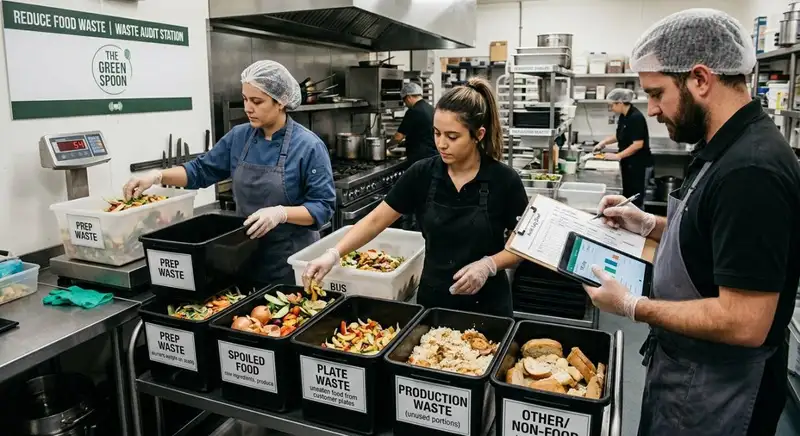
How to Conduct a Food Waste Audit in Your Restaurant
A food waste audit helps restaurant owners identify waste sources, track costs, improve inventory management, reduce food waste, and increase profitability.
The Complete Guide to Bar Inventory Management for Restaurants
This guide covers bar inventory management essentials - counting, tracking, ordering, storage, variance control, and cost strategies for restaurant profitability.

How to Calculate Liquor Cost in Your Restaurant
Learn how to calculate liquor cost using the correct formula, accurate inventory data, and step-by-step guidance for restaurant profitability.

