Restaurant Upselling Explained
Restaurant upselling is the practice of encouraging customers to choose a higher-value version of an item they already plan to order. This may include upgrading to a premium entree, selecting a larger drink, adding extra toppings, choosing a higher-quality ingredient, or including a side or dessert.
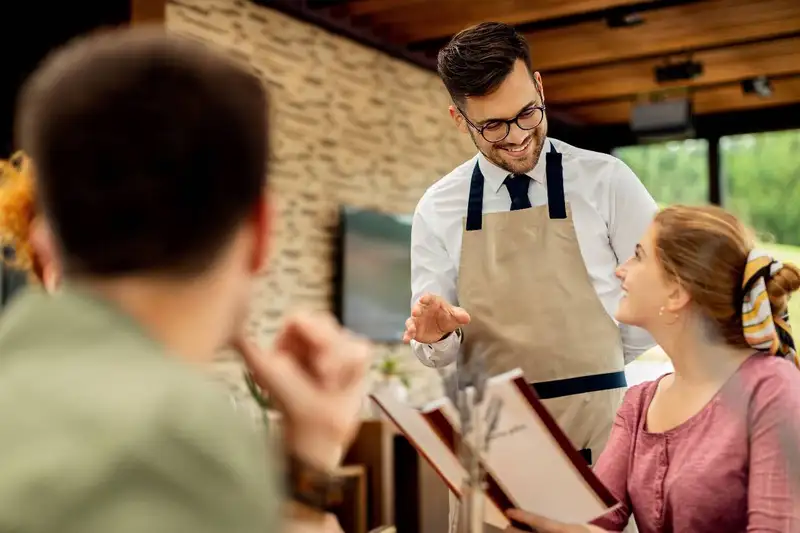
Effective upselling helps customers discover options that improve their meal while increasing the restaurant's average check size. A server might recommend adding grilled chicken to a salad, upgrading a standard spirit to a premium brand, or choosing a larger portion for a small additional charge.
Upselling is different from simply offering random extras. Recommendations should be relevant to the customer's order, preferences, and dining experience. When suggestions feel helpful and natural, guests are more likely to accept them. Aggressive or poorly timed recommendations can make customers uncomfortable and reduce trust.
For restaurant owners, even small upgrades can create meaningful revenue growth. If 100 customers each spend an additional $3 through upgrades or add-ons, the restaurant generates $300 more in sales. Repeating that result across multiple shifts can significantly increase monthly revenue.
A successful upselling strategy depends on menu design, staff training, product knowledge, timing, and clear sales goals. When these elements work together, upselling can increase sales while also helping guests enjoy a more complete dining experience.
Effective upselling helps customers discover options that improve their meal while increasing the restaurant's average check size. A server might recommend adding grilled chicken to a salad, upgrading a standard spirit to a premium brand, or choosing a larger portion for a small additional charge.
Upselling is different from simply offering random extras. Recommendations should be relevant to the customer's order, preferences, and dining experience. When suggestions feel helpful and natural, guests are more likely to accept them. Aggressive or poorly timed recommendations can make customers uncomfortable and reduce trust.
For restaurant owners, even small upgrades can create meaningful revenue growth. If 100 customers each spend an additional $3 through upgrades or add-ons, the restaurant generates $300 more in sales. Repeating that result across multiple shifts can significantly increase monthly revenue.
A successful upselling strategy depends on menu design, staff training, product knowledge, timing, and clear sales goals. When these elements work together, upselling can increase sales while also helping guests enjoy a more complete dining experience.
Recommend Premium Options and Larger Sizes
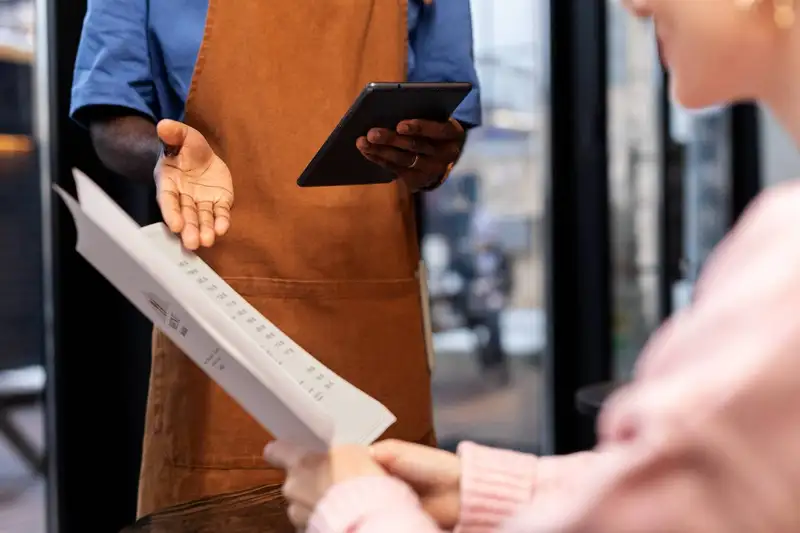
One of the easiest ways to increase restaurant sales is to give customers a clear opportunity to upgrade what they already want. Instead of introducing an unrelated item, the employee recommends a higher-value version that improves the original order.
1. Offer premium versions. Restaurants can upsell premium proteins, higher-quality ingredients, specialty cheeses, imported beverages, top-shelf spirits, or signature menu items. For example, a server might ask whether a guest would like to replace standard chicken with grilled salmon or upgrade a house spirit to a premium brand. The recommendation should explain the added value rather than focusing only on the higher price.
2. Suggest larger sizes. Customers may be willing to choose a larger drink, bigger side, expanded portion, or upgraded meal when the price difference feels reasonable. A cashier could ask whether the customer wants a large beverage for a small additional charge, while a server might mention that a larger appetizer is better for sharing.
Restaurants should keep upgrade options simple and easy to understand. Too many choices can slow down ordering and make the interaction feel forced. Staff should also avoid recommending oversized portions when they do not match the guest's needs.
The most effective premium and size upgrades provide clear value. When customers understand what they are receiving for the additional cost, they are more likely to accept the suggestion and feel satisfied with their purchase.
1. Offer premium versions. Restaurants can upsell premium proteins, higher-quality ingredients, specialty cheeses, imported beverages, top-shelf spirits, or signature menu items. For example, a server might ask whether a guest would like to replace standard chicken with grilled salmon or upgrade a house spirit to a premium brand. The recommendation should explain the added value rather than focusing only on the higher price.
2. Suggest larger sizes. Customers may be willing to choose a larger drink, bigger side, expanded portion, or upgraded meal when the price difference feels reasonable. A cashier could ask whether the customer wants a large beverage for a small additional charge, while a server might mention that a larger appetizer is better for sharing.
Restaurants should keep upgrade options simple and easy to understand. Too many choices can slow down ordering and make the interaction feel forced. Staff should also avoid recommending oversized portions when they do not match the guest's needs.
The most effective premium and size upgrades provide clear value. When customers understand what they are receiving for the additional cost, they are more likely to accept the suggestion and feel satisfied with their purchase.
Take Charge of Your Schedule
Smarter Scheduling Made Easy with Altametrics
Suggest Relevant Add-Ons and Side Dishes
Add-ons are one of the most practical restaurant upselling techniques because they increase the value of an existing order without requiring customers to choose a completely different meal. The key is to recommend extras that naturally improve the item the guest has already selected.
A customer ordering a burger may be interested in adding bacon, avocado, premium cheese, or a side of fries. Someone ordering pasta might appreciate garlic bread, a small salad, grilled chicken, or extra sauce. For breakfast orders, employees can suggest fruit, hash browns, an additional egg, or a specialty coffee.
Recommendations should be specific. Asking, "Would you like anything else?" places the decision entirely on the customer and often leads to a quick refusal. A more effective approach is to mention one or two relevant options, such as, "Would you like to add grilled chicken or avocado to your salad?"
Restaurant owners should focus on add-ons that are easy to prepare, profitable, and popular with guests. Complicated additions can slow kitchen operations, increase ticket times, and create ordering errors. High-margin options such as sauces, toppings, beverages, sides, and small appetizers often provide stronger financial value with limited additional labor.
Digital ordering menus can also support this technique by displaying recommended extras immediately after a customer selects an item. However, prompts should remain relevant and limited so customers do not feel overwhelmed.
When add-on suggestions are helpful, well-timed, and connected to the original order, they can increase average check size while giving guests more control over customizing their meals.
A customer ordering a burger may be interested in adding bacon, avocado, premium cheese, or a side of fries. Someone ordering pasta might appreciate garlic bread, a small salad, grilled chicken, or extra sauce. For breakfast orders, employees can suggest fruit, hash browns, an additional egg, or a specialty coffee.
Recommendations should be specific. Asking, "Would you like anything else?" places the decision entirely on the customer and often leads to a quick refusal. A more effective approach is to mention one or two relevant options, such as, "Would you like to add grilled chicken or avocado to your salad?"
Restaurant owners should focus on add-ons that are easy to prepare, profitable, and popular with guests. Complicated additions can slow kitchen operations, increase ticket times, and create ordering errors. High-margin options such as sauces, toppings, beverages, sides, and small appetizers often provide stronger financial value with limited additional labor.
Digital ordering menus can also support this technique by displaying recommended extras immediately after a customer selects an item. However, prompts should remain relevant and limited so customers do not feel overwhelmed.
When add-on suggestions are helpful, well-timed, and connected to the original order, they can increase average check size while giving guests more control over customizing their meals.
Food and Drink Pairing Recommendations
Pairing recommendations can increase sales by helping guests choose beverages or side dishes that complement their meals. Instead of presenting the suggestion as an extra purchase, staff can explain how the pairing improves flavor, balances the meal, or creates a more complete dining experience.
For example, a server may recommend a glass of red wine with steak, a light beer with fried food, or a specialty mocktail with a spicy entree. A customer ordering seafood may be interested in a crisp white wine, while someone choosing dessert may appreciate coffee, tea, or a dessert cocktail. Restaurants can also pair entrees with salads, vegetables, sauces, or shareable appetizers.
Strong pairing recommendations depend on three factors -
1. Menu knowledge - Employees should understand the flavors, ingredients, spice levels, and preparation methods of each item.
2. Simple explanations - Staff should briefly explain why the pairing works. Saying, "This citrus cocktail balances the heat in that dish," is more persuasive than simply asking whether the guest wants a drink.
3. Relevant pricing - Recommendations should match the customer's order and spending level. Suggesting an expensive bottle of wine with a low-priced lunch may feel inappropriate.
Restaurant owners can create a short pairing guide for servers, cashiers, and bartenders. The guide may list one or two recommended drinks, sides, or sauces for each popular entree. Digital menus can use similar prompts, such as "Pairs well with" or "Complete your meal."
When pairing suggestions are specific and helpful, they can increase beverage and side sales while making ordering easier for customers.
For example, a server may recommend a glass of red wine with steak, a light beer with fried food, or a specialty mocktail with a spicy entree. A customer ordering seafood may be interested in a crisp white wine, while someone choosing dessert may appreciate coffee, tea, or a dessert cocktail. Restaurants can also pair entrees with salads, vegetables, sauces, or shareable appetizers.
Strong pairing recommendations depend on three factors -
1. Menu knowledge - Employees should understand the flavors, ingredients, spice levels, and preparation methods of each item.
2. Simple explanations - Staff should briefly explain why the pairing works. Saying, "This citrus cocktail balances the heat in that dish," is more persuasive than simply asking whether the guest wants a drink.
3. Relevant pricing - Recommendations should match the customer's order and spending level. Suggesting an expensive bottle of wine with a low-priced lunch may feel inappropriate.
Restaurant owners can create a short pairing guide for servers, cashiers, and bartenders. The guide may list one or two recommended drinks, sides, or sauces for each popular entree. Digital menus can use similar prompts, such as "Pairs well with" or "Complete your meal."
When pairing suggestions are specific and helpful, they can increase beverage and side sales while making ordering easier for customers.
Promote Bundles and Meal Upgrades

Bundles make upselling easier by combining several menu items into one clear offer. Rather than asking customers to make multiple separate decisions, restaurants can present a complete meal that includes an entree, side, drink, appetizer, or dessert for a higher total price.
For example, a customer ordering a sandwich may be offered a meal upgrade that includes fries and a beverage. A family ordering several entrees might be interested in a package with shareable sides and drinks. Restaurants can also create lunch combinations, date-night packages, catering bundles, or group meals designed around common ordering patterns.
The bundle should provide a noticeable benefit without removing the restaurant's profit. Customers are more likely to upgrade when the package appears convenient and costs slightly less than purchasing every item separately. Restaurant owners should calculate the food cost, selling price, and contribution margin of each bundle before adding it to the menu.
Effective bundles usually have three qualities -
1. Clear value - Guests should quickly understand what is included and how much they save.
2. Simple choices - Limit the number of substitutions and upgrade paths to avoid slowing service.
3. Profitable components - Use high-margin drinks, sides, sauces, and desserts to strengthen the overall margin.
Employees should present meal upgrades at the right point in the ordering process. A cashier might ask, "Would you like to make that a meal with fries and a drink?" Online ordering systems can display the same option immediately after an entree is selected.
Restaurants should also review bundle performance regularly. If a package increases average order value but creates excessive waste, preparation time, or discounts, it may need to be adjusted. Well-designed bundles can improve convenience for guests while increasing sales across dine-in, takeout, delivery, and catering orders.
For example, a customer ordering a sandwich may be offered a meal upgrade that includes fries and a beverage. A family ordering several entrees might be interested in a package with shareable sides and drinks. Restaurants can also create lunch combinations, date-night packages, catering bundles, or group meals designed around common ordering patterns.
The bundle should provide a noticeable benefit without removing the restaurant's profit. Customers are more likely to upgrade when the package appears convenient and costs slightly less than purchasing every item separately. Restaurant owners should calculate the food cost, selling price, and contribution margin of each bundle before adding it to the menu.
Effective bundles usually have three qualities -
1. Clear value - Guests should quickly understand what is included and how much they save.
2. Simple choices - Limit the number of substitutions and upgrade paths to avoid slowing service.
3. Profitable components - Use high-margin drinks, sides, sauces, and desserts to strengthen the overall margin.
Employees should present meal upgrades at the right point in the ordering process. A cashier might ask, "Would you like to make that a meal with fries and a drink?" Online ordering systems can display the same option immediately after an entree is selected.
Restaurants should also review bundle performance regularly. If a package increases average order value but creates excessive waste, preparation time, or discounts, it may need to be adjusted. Well-designed bundles can improve convenience for guests while increasing sales across dine-in, takeout, delivery, and catering orders.
Capture Every Punch with Precision
Elevate Your Hospitality Operations with Altametrics
Upsell Desserts and Limited-Time Items
Desserts and limited-time items create strong upselling opportunities because they add excitement to the order and can increase the final check without changing the customer's main meal. The best results come from presenting these items at the right moment and making them sound specific, appealing, and easy to enjoy.
Servers should introduce desserts after entrees are cleared or when guests begin slowing down. Instead of asking a broad question such as, "Would you like dessert?" employees can describe one or two popular options. For example, "Our warm chocolate cake comes with vanilla ice cream and is large enough to share" gives the guest a clearer reason to consider ordering.
Visual presentation can also influence the decision. Restaurants may use dessert trays, menu photos, table displays, or digital images to show customers what is available. Staff can encourage shared orders when guests are hesitant to purchase a full dessert individually.
Limited-time items work differently because they create urgency. Seasonal drinks, holiday desserts, temporary appetizers, and chef specials give customers a reason to order before the item disappears. Employees can mention availability naturally by saying, "Our seasonal peach cobbler is only available this month."
Restaurant owners should select promotional items carefully. The strongest options are visually attractive, easy for staff to describe, operationally manageable, and profitable after ingredient and labor costs are considered.
Staff should never make customers feel rushed or pressured. One confident recommendation is often more effective than repeatedly asking. When desserts and limited-time items are promoted with appealing descriptions, strong timing, and genuine product knowledge, they can increase sales while making the dining experience feel more memorable.
Servers should introduce desserts after entrees are cleared or when guests begin slowing down. Instead of asking a broad question such as, "Would you like dessert?" employees can describe one or two popular options. For example, "Our warm chocolate cake comes with vanilla ice cream and is large enough to share" gives the guest a clearer reason to consider ordering.
Visual presentation can also influence the decision. Restaurants may use dessert trays, menu photos, table displays, or digital images to show customers what is available. Staff can encourage shared orders when guests are hesitant to purchase a full dessert individually.
Limited-time items work differently because they create urgency. Seasonal drinks, holiday desserts, temporary appetizers, and chef specials give customers a reason to order before the item disappears. Employees can mention availability naturally by saying, "Our seasonal peach cobbler is only available this month."
Restaurant owners should select promotional items carefully. The strongest options are visually attractive, easy for staff to describe, operationally manageable, and profitable after ingredient and labor costs are considered.
Staff should never make customers feel rushed or pressured. One confident recommendation is often more effective than repeatedly asking. When desserts and limited-time items are promoted with appealing descriptions, strong timing, and genuine product knowledge, they can increase sales while making the dining experience feel more memorable.
Menu Design and Digital Ordering
Restaurant upselling does not depend only on employees. A well-designed menu can guide customers toward profitable upgrades, add-ons, and premium items before a server says anything.
Start by placing high-margin items where customers are most likely to notice them. Signature entrees, premium drinks, popular appetizers, and profitable add-ons can be highlighted with short descriptions, icons, borders, or dedicated menu sections. However, too many visual elements can create clutter. The goal is to make selected items stand out without making the menu difficult to read.
Descriptions should focus on flavor and value. "Add cheese for $1" communicates the option, but "Add smoked cheddar for $1" makes the upgrade more appealing. Specific words such as house-made, slow-roasted, crispy, premium, and freshly baked can help customers understand why an item is worth the additional cost.
Digital ordering systems can automate these recommendations. After a customer selects an entree, the system might display compatible sides, toppings, beverages, or desserts. For example, someone ordering pizza could see prompts for extra cheese, dipping sauce, garlic bread, and a two-liter drink.
Add-ons should appear immediately after the related item is selected, while desserts or larger bundles may be more effective near checkout. Restaurants should avoid displaying too many pop-ups because repeated prompts can frustrate customers and increase order abandonment.
Owners should regularly review which recommendations customers accept. Metrics such as add-on conversion rate, average online order value, and checkout completion rate can show whether prompts are helping or creating friction.
When menu design and digital prompts are simple, relevant, and strategically placed, they can increase sales consistently across dine-in, takeout, kiosk, and online ordering channels.
Start by placing high-margin items where customers are most likely to notice them. Signature entrees, premium drinks, popular appetizers, and profitable add-ons can be highlighted with short descriptions, icons, borders, or dedicated menu sections. However, too many visual elements can create clutter. The goal is to make selected items stand out without making the menu difficult to read.
Descriptions should focus on flavor and value. "Add cheese for $1" communicates the option, but "Add smoked cheddar for $1" makes the upgrade more appealing. Specific words such as house-made, slow-roasted, crispy, premium, and freshly baked can help customers understand why an item is worth the additional cost.
Digital ordering systems can automate these recommendations. After a customer selects an entree, the system might display compatible sides, toppings, beverages, or desserts. For example, someone ordering pizza could see prompts for extra cheese, dipping sauce, garlic bread, and a two-liter drink.
Add-ons should appear immediately after the related item is selected, while desserts or larger bundles may be more effective near checkout. Restaurants should avoid displaying too many pop-ups because repeated prompts can frustrate customers and increase order abandonment.
Owners should regularly review which recommendations customers accept. Metrics such as add-on conversion rate, average online order value, and checkout completion rate can show whether prompts are helping or creating friction.
When menu design and digital prompts are simple, relevant, and strategically placed, they can increase sales consistently across dine-in, takeout, kiosk, and online ordering channels.
Train Staff and Track Upselling
The final restaurant upselling technique is building a staff training system that turns occasional recommendations into a consistent sales practice. Employees should understand that upselling is about improving the guest's order, not pressuring customers to spend more.
Training should begin with strong menu knowledge. Servers, bartenders, cashiers, and drive-thru employees need to know which items are premium, which add-ons have strong profit margins, and which foods and drinks pair well together. Staff should also be able to describe flavors, portion sizes, ingredients, and price differences clearly.
Restaurant owners can make training more practical by using short role-playing exercises. Employees can practice phrases such as -
- "Would you like to add grilled chicken or avocado to your salad?"
- "Our seasonal cocktail pairs well with that entree."
- "You can make that a meal with fries and a drink for $4 more."
Managers should encourage natural language rather than requiring employees to repeat rigid scripts. Recommendations should match the guest's order, budget, and dining situation.
Performance tracking is equally important. Restaurants can monitor -
1. Average check size - The average amount spent per order or customer.
2. Add-on attachment rate - The percentage of orders that include an extra topping, side, drink, or dessert.
3. Upgrade conversion rate - The percentage of customers who accept premium or larger options.
4. Sales by employee - The revenue or add-on sales generated by each team member.
5. Product sales mix - The percentage of sales coming from specific menu categories.
Managers should use these numbers for coaching rather than creating excessive pressure. Recognizing employees who make helpful recommendations can strengthen participation, but incentives should never encourage aggressive selling.
With regular training, supportive coaching, and clear performance data, restaurant owners can create an upselling program that increases sales while maintaining a positive customer experience.
Training should begin with strong menu knowledge. Servers, bartenders, cashiers, and drive-thru employees need to know which items are premium, which add-ons have strong profit margins, and which foods and drinks pair well together. Staff should also be able to describe flavors, portion sizes, ingredients, and price differences clearly.
Restaurant owners can make training more practical by using short role-playing exercises. Employees can practice phrases such as -
- "Would you like to add grilled chicken or avocado to your salad?"
- "Our seasonal cocktail pairs well with that entree."
- "You can make that a meal with fries and a drink for $4 more."
Managers should encourage natural language rather than requiring employees to repeat rigid scripts. Recommendations should match the guest's order, budget, and dining situation.
Performance tracking is equally important. Restaurants can monitor -
1. Average check size - The average amount spent per order or customer.
2. Add-on attachment rate - The percentage of orders that include an extra topping, side, drink, or dessert.
3. Upgrade conversion rate - The percentage of customers who accept premium or larger options.
4. Sales by employee - The revenue or add-on sales generated by each team member.
5. Product sales mix - The percentage of sales coming from specific menu categories.
Managers should use these numbers for coaching rather than creating excessive pressure. Recognizing employees who make helpful recommendations can strengthen participation, but incentives should never encourage aggressive selling.
With regular training, supportive coaching, and clear performance data, restaurant owners can create an upselling program that increases sales while maintaining a positive customer experience.
Simplify Multi-Channel Ordering
Get started with Altametrics to streamline your POS!
Frequently
Asked Questions
How does upselling increase restaurant sales?
Upselling increases the average amount customers spend per order. Even small additions, such as a beverage, topping, or side dish, can produce meaningful revenue growth over time.
What is the difference between upselling and cross-selling?
Upselling encourages customers to choose a more expensive version of an item, while cross-selling recommends complementary products. For example, upgrading to premium steak is upselling, while adding wine is cross-selling.
What are the best items to upsell in a restaurant?
Popular upselling options include premium proteins, larger drinks, extra toppings, appetizers, side dishes, specialty beverages, desserts, sauces, and meal upgrades.
What are effective restaurant upselling phrases?
Effective phrases include, "Would you like to add grilled chicken?" "Would you prefer the premium option?" and "Would you like to make that a meal?"
Must-Read Content
How to Use Restaurant Analytics to Improve Profitability
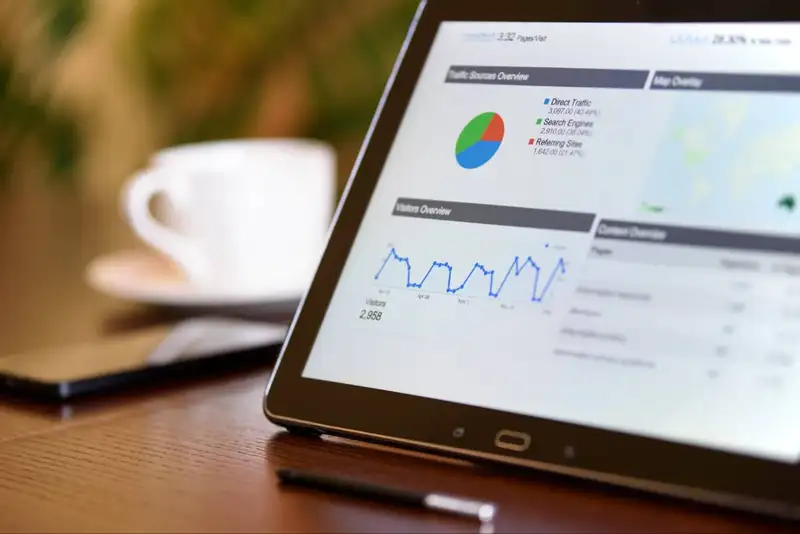
Restaurant analytics helps restaurant owners analyze sales, labor, food costs, inventory, and profitability metrics to improve margins and operational efficiency.
How to Increase Customer Spend in Your Restaurant
Discover practical strategies restaurants can use to increase customer spend through menu design, upselling, pricing, ambiance, and smart technology tools.
How to Predict Restaurant Sales Accurately
Learn how to predict restaurant sales accurately using historical data, seasonality, weather, local events, recent trends, and ongoing forecast analysis.