



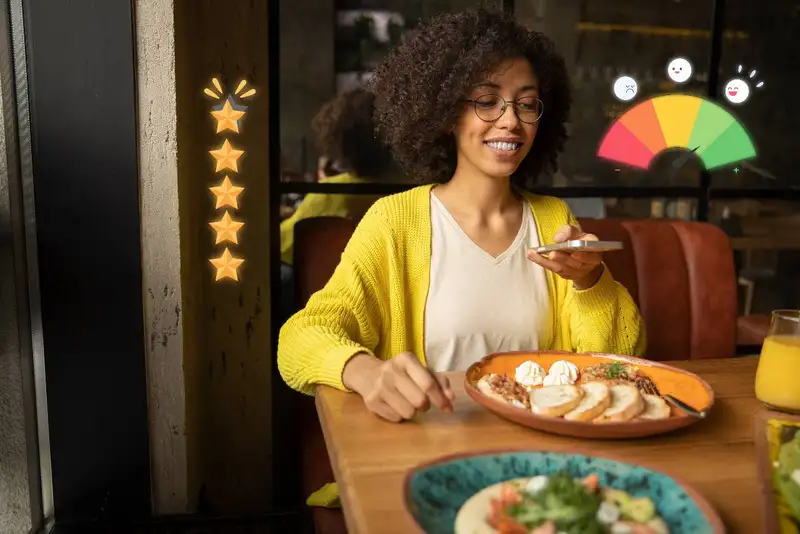
The 4 Review Signals
Reviews do three important jobs at the same time -
1) Reviews build trust fast. Most people don't know your restaurant yet. They don't know your food, your service, or what the experience feels like. Reviews help them "borrow confidence" from other customers. A steady stream of recent reviews tells people your restaurant is active, consistent, and worth trying.
2) Reviews increase your visibility online. On platforms like Google, review activity is a strong sign of relevance. The more review signals you have, the more likely you are to show up in local searches and map results. That means reviews don't just reflect your reputation - they can help drive more traffic to your listing, more calls, more direction requests, and more orders.
3) Reviews help you spot what customers actually notice. A review is feedback in plain language. Customers will mention the things you may not track on a spreadsheet- wait time, friendliness, cleanliness, portion size, temperature, parking, music volume, and more. When you read reviews as "patterns," they become a simple way to improve operations and marketing at the same time.
To understand why reviews matter, focus on four signals customers look at quickly -
1. Rating - Your average score (like 4.2 vs 4.7).
2. Volume - How many total reviews you have.
3. Recency - How recently people are leaving feedback.
4. Responses - Whether the owner replies and how they handle issues.
Here's the key - You need consistency. A restaurant with a strong flow of recent reviews and thoughtful responses often earns more trust than a restaurant with a slightly higher rating but no new activity for months.
Set Up Your Review Foundations

Start with the platforms that matter most for your restaurant. For most owners, that's Google first, then Yelp, Facebook, and TripAdvisor (depending on your market and tourist traffic). You don't need to be perfect everywhere, but you do need to look consistent and legit.
Claim and update your profiles
Go through each listing and confirm these basics are correct -
- Restaurant name (spelled the same everywhere)
- Address (suite numbers included)
- Phone number
- Hours (especially holidays)
- Website link or online ordering link
- Menu link (if available)
- Categories (like "Mexican restaurant" or "Pizza")
These details affect both customer trust and local search visibility. When customers see mismatched hours or an old phone number, they assume the business is sloppy - or closed.
Use the direct review link. Most platforms provide a link that opens the review screen right away. That's what you want. Don't send customers to your homepage, a long directory page, or a search results page. The fewer steps, the more reviews you'll get.
Choose one "main review destination." A common mistake is giving guests too many options - "Review us on Google or Yelp or Facebook!" That creates decision friction. Pick one main platform (again, usually Google) and make that your default. You can still monitor other sites, but your review requests should point to one place.
Make it mobile-friendly. Most reviews are written on phones. Test your review link on your own device. Make sure it loads fast and takes you straight to the review box.
If you do nothing else in this section, do this, get your Google review link, save it, and use it everywhere. Once the foundation is set, asking for reviews becomes easier - and the results show up faster.
Get Started with Smart Data Capture
Optimize Your Marketing Efforts with Altametrics
Ask at the Right Moment
The best review requests happen when the customer is already feeling positive. Your job is to catch that moment and make the next step easy.
Best moments to ask for a review -
1. Right after a compliment. If someone says, "This was amazing," or "We'll be back," that's your cue. A simple ask feels natural because the guest already opened the door.
2. After a smooth checkout. When the bill is paid and the experience ended well, customers are most likely to take a quick action.
3. When a manager does a table touch. If you check in and the guest says everything is great, you can ask in a way that feels personal.
4. After a successful takeout pickup. If the order was correct and fast, that's a "win moment."
5. After a delivery confirmation. If you have online ordering, a short follow-up text or email works well when it's sent soon after the meal.
Worst moments to ask -
1. During the rush. The guest is focused on leaving, and your team is focused on speed. The ask becomes forgettable or awkward.
2. Before the meal is finished. You don't know how the experience ends yet. One small issue at the end can change everything.
3. Right after a complaint. That's not a review moment - it's a service recovery moment. Fix the problem first.
4. When the guest looks stressed or in a hurry. If they're chasing kids, grabbing bags, or looking at the clock, they won't do it.
A simple timing rule - ask when you've earned the "yes," not when you need the review.
Here's a practical way to teach your team -
- Listen for a positive comment.
- Thank the guest.
- Ask with one sentence.
- Give one clear direction (QR code, receipt link, or text).
Even better, build it into the routine. For example, every cashier asks when they hear a compliment, or every manager asks two happy tables per shift. Small, consistent asks at the right moment will produce more reviews than big pushes that feel forced.
Use Simple Review Requests
A good review request has three parts -
1. Thank them
2. Make the ask
3. Point them to one simple action
In-person scripts (FOH, cashier, manager)
Use language that feels normal for your restaurant. Here are a few options your team can memorize quickly -
1. Cashier / counter service. "Thanks for coming in today. If you have 30 seconds, would you leave us a quick Google review? It really helps a small business like ours."
2. Server / table service. "I'm glad you enjoyed everything. If you're up for it, a quick review on Google helps more people find us."
3. Manager table touch. "Thanks for dining with us. If you can, we'd appreciate a quick Google review. It helps our team a lot."
Receipt, bag-stuffer, or table tent wording
Keep it readable and direct -
- "Enjoyed your meal? Leave us a quick Google review. Scan here."
- "Your feedback helps us improve. Tell us how we did - scan to review."
Add a tiny instruction line under the QR code -
"Open camera - scan - tap Write a review'"
Text and email (online orders + loyalty lists)
These work best when they're short and sent soon after the order -
- "Thanks for your order today! Would you leave us a quick Google review? Here's the link, [link]"
- "Quick favor, how was everything? If you enjoyed it, a short Google review helps us a lot, [link]"
What not to say (to avoid policy issues)
- Don't offer discounts, freebies, or giveaways for reviews.
- Don't ask only happy customers to review and route unhappy customers elsewhere.
- Don't argue or guilt guests ("We really need this" can feel uncomfortable).
The goal is to make it feel like a normal thank-you, not a marketing pitch. When your request is simple and consistent, reviews become a natural outcome of good service - not an awkward conversation.
Put Review Reminders
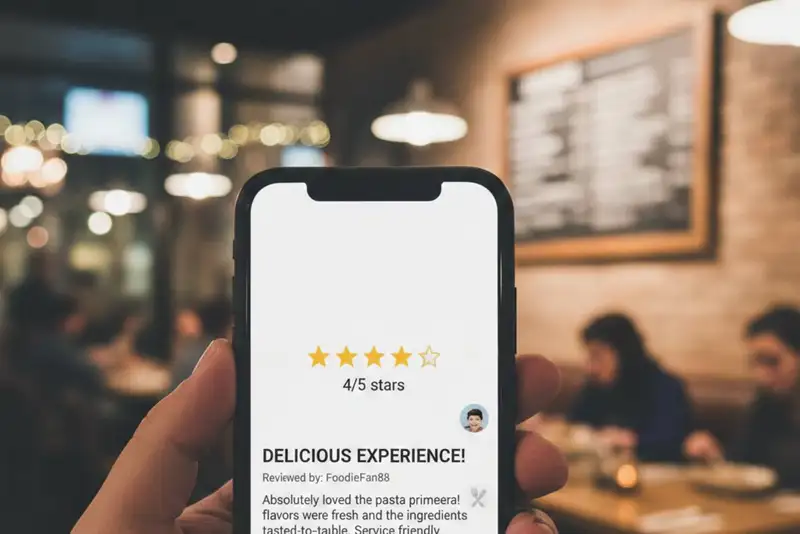
Start with one rule - the reminder should be easy to notice, and the path should be one step. If customers have to hunt for a link, type your name, or choose between three platforms, you'll lose most of them.
Best places to put review reminders
At checkout (highest conversion for most restaurants) -
- Counter sign near the card reader
- Small sign where customers wait for their receipt
- A sticker on the pickup shelf or register area
On tables (works well for dine-in) -
- Table tents
- QR code stickers on menu holders
- A small note on the check presenter
On receipts and order inserts -
- Printed receipt footer, "Leave a Google review, [short link or QR]"
- Bag stuffer for takeout/delivery pickups
- Catering invoice or delivery paperwork
On digital touchpoints (often overlooked) -
- Online order confirmation page
- "Thank you" screen after payment
- Post-visit text/email (with the direct review link)
- Wi-Fi splash page (only if it's not annoying)
QR code best practices
A QR code by itself is easy to ignore. Add one clear sentence above it -
- "Scan to leave a Google review (30 seconds)."
- "Tell us how we did - quick review here."
Under the QR code, add a simple instruction -
- "(1) Open your camera (2) scan (3) tap Write a review'"
Keep it "one scan, one tap"
This is the biggest mistake owners make, they link the QR code to a website page that then offers multiple buttons (Google, Yelp, Facebook, etc.). That extra step kills conversions.
Instead -
- Pick your main platform (usually Google)
- Link directly to the review box
- Use the same link everywhere
If you place reminders in 3-5 key spots and keep the action simple, review volume usually rises without needing constant pushing from staff. The reminder does the work for you - quietly and consistently.
Dive Deeper into Customer Insights!
Capture Key Insights with Altametrics
Train Your Team to Generate Reviews
The goal isn't to turn your staff into marketers. It's to teach a simple habit, thank the guest, listen for the cue, and make a quick ask.
Make it a standard step
Your team doesn't need to ask everyone. A better approach is to ask when you've earned it - like after a compliment or a smooth experience.
Teach this simple trigger -
- If a guest says "That was great," "Best ___ I've had," "We'll be back," or "Thank you," that's the moment to ask.
Decide who asks
Pick roles where it feels natural -
1. Cashier / counter - after payment, especially if the guest is smiling or giving positive feedback.
2. Server - after the check is dropped and the guest is satisfied.
3.Manager / shift lead - during table touches or after resolving small issues successfully.
One practical standard, each shift lead asks 2 happy guests per shift. That's small enough to be realistic, but consistent enough to move your numbers.
Give the team 12 approved phrases, not a long script. Example -
- "If you have a minute, would you leave us a quick Google review? It really helps."
Then train them on the last step, point to the QR code or link so the guest knows exactly what to do.
Use quick coaching moments -
1. Pre-shift reminder, "Listen for compliments. Ask when you hear one."
2. Post-shift check, "Did you have any guests who said everything was great?"
Know when NOT to ask
If a guest seems unhappy, rushed, or had a problem, don't push a review. Focus on service recovery instead. A fixed issue can still lead to a good review later - especially if you follow up with a link after making it right.
When review asks become a simple habit, your review growth becomes predictable. That's the real win.
Respond to Reviews to Get Even More Reviews
Think of responses as part of your "review engine." They help in three ways -
- They show you care.
- They reduce the damage of negative reviews.
- They encourage more customers to post because they feel heard.
A simple response formula that works
Use this structure for almost every review -
1. Thank them
2. Mention something specific
3. Invite them back
4. Move issues offline (if needed)
Example for a positive review -
- "Thanks for coming in, [Name]! We're glad you enjoyed the [item] and the service. Hope to see you again soon."
Example for a negative review (without arguing) -
- "Thanks for the feedback. I'm sorry we missed the mark on your visit. We'd like to learn more and make it right - please reach out at [email/phone]."
Specific details matter. Even one short line like "glad you liked the spicy chicken" feels real, not generic.
How to respond to bad reviews without making it worse
1. Don't debate the customer in public. You won't "win" the argument, and other guests are watching.
2. Own what you can, clarify what you must. Keep it calm and brief.
3. Offer a next step. A phone number or email is better than a long comment thread.
4. Don't share private details. Never mention order numbers, names, or personal info.
What about suspicious or fake reviews?
If a review seems fake, still respond professionally -
- "Thanks for posting. We can't find a visit matching your details, but we'd like to look into it. Please contact us at [email/phone] with the date and time you visited."
Then report it through the platform's process.
Set a response standard
Aim to respond to -
- All negative reviews
- A consistent portion of positive reviews (even 20-30%)
Fast, respectful responses improve trust - and over time, they help you earn more reviews simply because people see you're engaged.
Build Customer Loyalty!
Create your rewards program today!
Frequently
Asked Questions
How often should I ask customers for reviews?
How should I respond to bad reviews?
How do I train my team to help generate reviews?
How do I get my direct Google review link?
Must-Read Content
10 Employee Retention Strategies for Restaurant Owners
Restaurant owners can cut turnover by paying fairly, onboarding well, scheduling flexibly, promoting growth, recognizing effort, offering meaningful benefits, listening to feedback, and hiring carefully for fit.
How to Reduce Supply Costs in Your Restaurant
Cut restaurant supply costs by understanding spending, auditing expenses, engineering menus, negotiating with suppliers, controlling inventory, reducing waste, and using technology to monitor everything continuously.

The Ultimate Guide to Managing Food Allergens in Restaurants
Food allergens require accurate labeling, employee training, cross-contact prevention, safe food handling, and consistent procedures to protect customers and improve restaurant safety.

