Google Reviews and Restaurant Growth
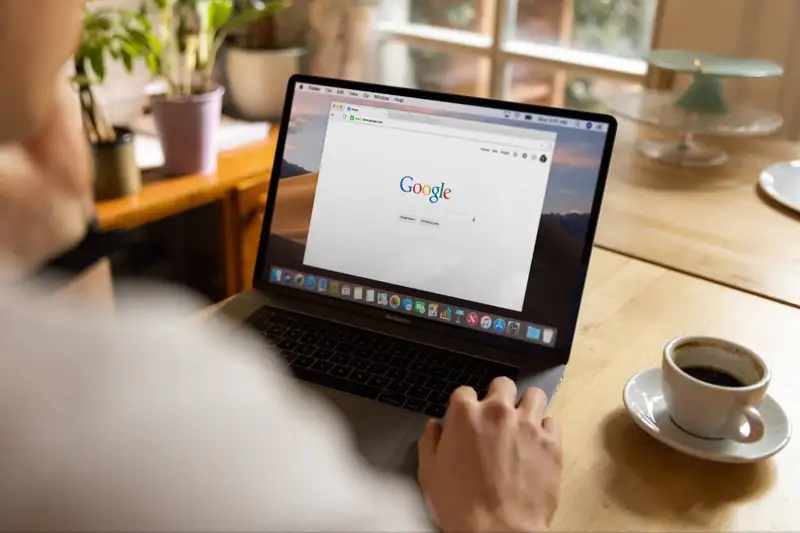
Google reviews play a major role in how customers discover, compare, and choose restaurants. Before making a reservation or placing an order, many diners check a restaurant's star rating, recent reviews, customer photos, and management responses. A strong review profile can make a restaurant appear more trustworthy, while a low rating or limited number of reviews may cause potential customers to choose a competitor.
Reviews can also support local search visibility. When someone searches for terms such as "restaurants near me," "best Italian restaurant," or "family restaurant nearby," Google often displays local businesses based on relevance, location, and online reputation. Restaurants with complete profiles, consistent activity, and a steady flow of genuine reviews may have a better chance of appearing prominently in local search results.
Google reviews also provide useful operational feedback. Customers may comment on food quality, service speed, staff friendliness, cleanliness, atmosphere, pricing, or order accuracy. Restaurant owners can use these comments to identify recurring problems and understand what guests value most.
The number and freshness of reviews matter as well. A restaurant with many recent reviews may appear more active and reliable than one whose latest feedback was posted several months ago. Consistent review growth shows potential customers that people are still visiting and engaging with the business.
For restaurant owners, getting more Google reviews is not only about improving a star rating. It is a practical way to strengthen online reputation, increase customer confidence, improve local visibility, and collect feedback that supports better business decisions.
Reviews can also support local search visibility. When someone searches for terms such as "restaurants near me," "best Italian restaurant," or "family restaurant nearby," Google often displays local businesses based on relevance, location, and online reputation. Restaurants with complete profiles, consistent activity, and a steady flow of genuine reviews may have a better chance of appearing prominently in local search results.
Google reviews also provide useful operational feedback. Customers may comment on food quality, service speed, staff friendliness, cleanliness, atmosphere, pricing, or order accuracy. Restaurant owners can use these comments to identify recurring problems and understand what guests value most.
The number and freshness of reviews matter as well. A restaurant with many recent reviews may appear more active and reliable than one whose latest feedback was posted several months ago. Consistent review growth shows potential customers that people are still visiting and engaging with the business.
For restaurant owners, getting more Google reviews is not only about improving a star rating. It is a practical way to strengthen online reputation, increase customer confidence, improve local visibility, and collect feedback that supports better business decisions.
Optimize Your Google Business Profile

Before asking customers for more reviews, restaurant owners should make sure their Google Business Profile is complete, accurate, and appealing. Reviews may attract attention, but customers still need reliable information before deciding to visit, call, order, or make a reservation.
Google reports that businesses with complete and accurate profile information are more likely to appear in relevant local search results. It also confirms that local rankings are mainly determined by relevance, distance, and prominence, with review quantity and positive ratings contributing to prominence.
The importance of profile optimization is supported by consumer behavior. BrightLocal's 2026 survey of 1,002 U.S. adults found that 97% of consumers read reviews for local businesses, while 41% always read reviews when researching a business. This means restaurant owners should treat their Google profile as a digital storefront rather than a basic business listing.
Restaurant owners should review these eight profile elements -
1. Business name - Use the restaurant's real-world name without adding promotional keywords.
2. Primary category - Select the category that best describes the concept, such as Italian restaurant, coffee shop, or fast-food restaurant.
3. Address and map location - Confirm that the address and map pin lead customers to the correct entrance.
4. Operating hours - Update regular, holiday, delivery, takeout, and special-event hours.
5. Phone number - Use a working local number that employees answer consistently.
6. Website and ordering links - Direct customers to the correct menu, reservation, or online-ordering page.
7. Menu information - Keep prices, item availability, dietary details, and menu links current.
8. Photos and videos - Upload clear images of popular dishes, dining areas, storefronts, staff, and amenities.
Owners should complete a profile audit at least once per month. Track incorrect-information reports, website clicks, calls, direction requests, bookings, menu views, and review growth through Google Business Profile performance data.
A well-maintained profile also makes customers more comfortable leaving feedback because they can quickly confirm that they are reviewing the correct restaurant. Accurate information, recent photos, and clear ordering options create confidence before and after the dining experience. That confidence can increase engagement and support a more consistent flow of genuine Google reviews.
Google reports that businesses with complete and accurate profile information are more likely to appear in relevant local search results. It also confirms that local rankings are mainly determined by relevance, distance, and prominence, with review quantity and positive ratings contributing to prominence.
The importance of profile optimization is supported by consumer behavior. BrightLocal's 2026 survey of 1,002 U.S. adults found that 97% of consumers read reviews for local businesses, while 41% always read reviews when researching a business. This means restaurant owners should treat their Google profile as a digital storefront rather than a basic business listing.
Restaurant owners should review these eight profile elements -
1. Business name - Use the restaurant's real-world name without adding promotional keywords.
2. Primary category - Select the category that best describes the concept, such as Italian restaurant, coffee shop, or fast-food restaurant.
3. Address and map location - Confirm that the address and map pin lead customers to the correct entrance.
4. Operating hours - Update regular, holiday, delivery, takeout, and special-event hours.
5. Phone number - Use a working local number that employees answer consistently.
6. Website and ordering links - Direct customers to the correct menu, reservation, or online-ordering page.
7. Menu information - Keep prices, item availability, dietary details, and menu links current.
8. Photos and videos - Upload clear images of popular dishes, dining areas, storefronts, staff, and amenities.
Owners should complete a profile audit at least once per month. Track incorrect-information reports, website clicks, calls, direction requests, bookings, menu views, and review growth through Google Business Profile performance data.
A well-maintained profile also makes customers more comfortable leaving feedback because they can quickly confirm that they are reviewing the correct restaurant. Accurate information, recent photos, and clear ordering options create confidence before and after the dining experience. That confidence can increase engagement and support a more consistent flow of genuine Google reviews.
Dive Deeper into Customer Insights!
Capture Key Insights with Altametrics
Right Time to Ask for Reviews
The timing of a review request can determine whether a customer responds or ignores it. Restaurant owners should ask while the dining experience is still fresh, but without interrupting the meal, rushing the guest, or creating pressure.
BrightLocal's 2026 survey found that 94% of consumers are open to writing a business review. Among consumers who were asked for feedback, 83% went on to leave a review, and 28% said they always write one when asked. However, the average consumer writes only four to six reviews per year, so restaurants must make their request relevant, convenient, and well-timed.
A practical timing system should reflect the type of restaurant transaction -
1. Dine-in customers - The best moment is after the bill has been paid and the guest's experience is complete. Servers can briefly mention that feedback is appreciated, while the receipt or table card provides the review link. Customers should be allowed to leave the review later rather than being pressured to complete it at the table.
2. Takeout customers - Allow enough time for the customer to open the order, eat the food, and evaluate its accuracy, temperature, portion size, and quality. An immediate request may arrive before the customer has experienced the product.
3. Delivery customers - Send the request only after the order should have arrived and the customer has had time to eat. Restaurants can test follow-up windows between one and three hours after delivery to identify which timing generates the strongest response rate.
4. Online-ordering customers - Automated email or text requests can be triggered after order completion. Google recommends sharing review links through thank-you emails, receipts, messages, and other customer communications.
5. Catering and large orders - These customers may need more time to assess delivery timing, setup, food quantity, presentation, and guest satisfaction. A next-day request is more appropriate than an immediate notification.
6. Customers with complaints - Managers should first address the problem and confirm that the resolution is complete. The restaurant may then request honest feedback, but it should not ask the customer to remove a negative review or promise compensation in return for changing it.
Restaurants should generate reviews continuously rather than relying on occasional campaigns. In 2026, 74% of consumers said they primarily care about reviews posted within the previous three months, while 32% look for reviews written within the previous two weeks. A steady weekly review-request process can therefore be more valuable than collecting many reviews during one short promotion.
Google allows businesses to request reviews based on genuine customer experiences. However, restaurants must not offer discounts or free products, selectively request only positive reviews, pressure customers to review the restaurant on-site, or tell customers what rating or wording to use.
BrightLocal's 2026 survey found that 94% of consumers are open to writing a business review. Among consumers who were asked for feedback, 83% went on to leave a review, and 28% said they always write one when asked. However, the average consumer writes only four to six reviews per year, so restaurants must make their request relevant, convenient, and well-timed.
A practical timing system should reflect the type of restaurant transaction -
1. Dine-in customers - The best moment is after the bill has been paid and the guest's experience is complete. Servers can briefly mention that feedback is appreciated, while the receipt or table card provides the review link. Customers should be allowed to leave the review later rather than being pressured to complete it at the table.
2. Takeout customers - Allow enough time for the customer to open the order, eat the food, and evaluate its accuracy, temperature, portion size, and quality. An immediate request may arrive before the customer has experienced the product.
3. Delivery customers - Send the request only after the order should have arrived and the customer has had time to eat. Restaurants can test follow-up windows between one and three hours after delivery to identify which timing generates the strongest response rate.
4. Online-ordering customers - Automated email or text requests can be triggered after order completion. Google recommends sharing review links through thank-you emails, receipts, messages, and other customer communications.
5. Catering and large orders - These customers may need more time to assess delivery timing, setup, food quantity, presentation, and guest satisfaction. A next-day request is more appropriate than an immediate notification.
6. Customers with complaints - Managers should first address the problem and confirm that the resolution is complete. The restaurant may then request honest feedback, but it should not ask the customer to remove a negative review or promise compensation in return for changing it.
Restaurants should generate reviews continuously rather than relying on occasional campaigns. In 2026, 74% of consumers said they primarily care about reviews posted within the previous three months, while 32% look for reviews written within the previous two weeks. A steady weekly review-request process can therefore be more valuable than collecting many reviews during one short promotion.
Google allows businesses to request reviews based on genuine customer experiences. However, restaurants must not offer discounts or free products, selectively request only positive reviews, pressure customers to review the restaurant on-site, or tell customers what rating or wording to use.
Train Restaurant Staff to Request Reviews
Restaurant employees are often the most effective people to request Google reviews because they interact directly with guests. However, owners should not simply tell staff to ask for reviews. The request should be supported by clear training, simple scripts, appropriate timing, and measurable goals.
Owners can build review-request training around five steps -
1. Identify Who Should Ask - Servers, bartenders, hosts, cashiers, and managers may all request feedback, but responsibilities should be clearly assigned. For example -
- Servers ask dine-in guests after payment.
- Cashiers provide review QR codes with takeout receipts.
- Managers follow up after resolving a service issue.
- Marketing teams send post-order email or text requests.
Assigning responsibility prevents customers from being asked multiple times during the same visit.
2. Give Employees a Simple Script
Staff should use short, natural language rather than delivering a long promotional message. A practical script is -
- "Thank you for dining with us. Your feedback helps our team improve. You can scan the QR code on your receipt to share an honest Google review."
Employees should request an honest review, not a positive review or five-star review. Google prohibits businesses from selectively requesting positive reviews, pressuring customers for specific ratings, or asking them to include particular content.
3. Practice During Pre-Shift Meetings
Managers can spend five minutes during pre-shift meetings practicing when and how to make the request. Role-playing can cover common situations, including satisfied guests, busy tables, takeout customers, complaints, and customers who decline.
4. Make the Request Easy to Complete
Employees are more likely to make requests consistently when they have a clear tool to share. Google allows restaurants to create a direct review link or QR code and place it on receipts, thank-you emails, chat messages, and printed materials inside the restaurant.
Staff should know exactly where the QR code appears and how to explain it in one sentence.
5. Track Staff Participation
Restaurant owners can monitor the process with four weekly metrics -
Eligible transactions - Completed orders or visits suitable for a review request.
Request rate - Review requests divided by eligible transactions.
Review conversion rate - New reviews divided by requests made.
Review growth - Total new Google reviews received each week.
For example, if employees make 200 review requests and the restaurant receives 30 new reviews, the review conversion rate is 15%. Management can compare results by shift or ordering channel without rewarding employees based on star ratings.
Staff should never receive bonuses for generating five-star reviews, and customers should not be offered discounts, free food, loyalty points, or other incentives in exchange for reviews. Google considers incentivized reviews prohibited content.
A structured training process helps employees make review requests confidently while protecting the restaurant from aggressive, inconsistent, or policy-violating practices.
Owners can build review-request training around five steps -
1. Identify Who Should Ask - Servers, bartenders, hosts, cashiers, and managers may all request feedback, but responsibilities should be clearly assigned. For example -
- Servers ask dine-in guests after payment.
- Cashiers provide review QR codes with takeout receipts.
- Managers follow up after resolving a service issue.
- Marketing teams send post-order email or text requests.
Assigning responsibility prevents customers from being asked multiple times during the same visit.
2. Give Employees a Simple Script
Staff should use short, natural language rather than delivering a long promotional message. A practical script is -
- "Thank you for dining with us. Your feedback helps our team improve. You can scan the QR code on your receipt to share an honest Google review."
Employees should request an honest review, not a positive review or five-star review. Google prohibits businesses from selectively requesting positive reviews, pressuring customers for specific ratings, or asking them to include particular content.
3. Practice During Pre-Shift Meetings
Managers can spend five minutes during pre-shift meetings practicing when and how to make the request. Role-playing can cover common situations, including satisfied guests, busy tables, takeout customers, complaints, and customers who decline.
4. Make the Request Easy to Complete
Employees are more likely to make requests consistently when they have a clear tool to share. Google allows restaurants to create a direct review link or QR code and place it on receipts, thank-you emails, chat messages, and printed materials inside the restaurant.
Staff should know exactly where the QR code appears and how to explain it in one sentence.
5. Track Staff Participation
Restaurant owners can monitor the process with four weekly metrics -
Eligible transactions - Completed orders or visits suitable for a review request.
Request rate - Review requests divided by eligible transactions.
Review conversion rate - New reviews divided by requests made.
Review growth - Total new Google reviews received each week.
For example, if employees make 200 review requests and the restaurant receives 30 new reviews, the review conversion rate is 15%. Management can compare results by shift or ordering channel without rewarding employees based on star ratings.
Staff should never receive bonuses for generating five-star reviews, and customers should not be offered discounts, free food, loyalty points, or other incentives in exchange for reviews. Google considers incentivized reviews prohibited content.
A structured training process helps employees make review requests confidently while protecting the restaurant from aggressive, inconsistent, or policy-violating practices.
Make Leaving a Google Review Easy

A customer may be willing to review a restaurant but abandon the process if they must search for the business, confirm the correct location, open the review section, and find the rating button. Restaurant owners can reduce these steps by giving customers a direct Google review link or QR code.
Reducing friction matters because review requests already generate strong participation. BrightLocal's 2026 survey of 1,002 U.S. adults found that 83% of consumers who were asked to leave a review went on to write one, while 28% said they always submit a review when asked. Restaurants can take advantage of this willingness by making the next action clear and convenient.
Create a Direct Google Review Link
Restaurant owners can generate a review link by opening their Google Business Profile, selecting Read Reviews, choosing Get More Reviews, and copying the provided link. Google also allows businesses to download a QR code from this section using a computer browser.
The link should take customers directly to the correct restaurant location. Multi-location operators must create a separate link for each location to prevent reviews from being posted on the wrong profile.
Place the Link Across Several Customer Touchpoints
Google recommends sharing review links or QR codes through receipts, thank-you emails, chat interactions, and printed materials displayed inside the business. Review requests can also be distributed through email, WhatsApp, and Facebook.
Restaurants can use the link in the following places -
1. Printed receipts - Add a short message and QR code near the bottom.
2. Digital receipts - Include a clickable review button rather than displaying a long URL.
3. Online-order emails - Send the link after customers have received and eaten their food.
4. Takeout packaging - Print the QR code on a bag insert, sticker, or thank-you card.
5. Table cards - Place a small code near the payment area without interrupting the meal.
6. Restaurant website - Add a feedback link to the contact or customer-support page.
7. Loyalty communication - Include an occasional review request in post-visit messages.
The call to action should remain simple -
- "Thank you for dining with us. Scan the QR code to share your honest experience on Google."
Avoid adding several competing actions to the same message. A receipt asking customers to join a loyalty program, follow three social accounts, complete a survey, and write a review may reduce attention given to the review request.
Keep the Process Voluntary
Convenience should not become pressure. Google allows businesses to request reviews based on genuine customer experiences, but it prohibits discounts, free products, payments, or other benefits in exchange for reviews. Restaurants must not selectively request feedback only from satisfied customers or require guests to submit reviews while they are still on the premises.
Restaurant owners should also avoid placing a shared tablet at the counter for customers to submit reviews. Encouraging multiple reviews from the same restaurant device or network may create suspicious activity patterns, while table-side completion can make guests feel pressured.
The most effective system gives every genuine customer an equal opportunity to provide feedback, offers a direct path to the correct Google profile, and allows the customer to complete the review voluntarily on their own device.
Reducing friction matters because review requests already generate strong participation. BrightLocal's 2026 survey of 1,002 U.S. adults found that 83% of consumers who were asked to leave a review went on to write one, while 28% said they always submit a review when asked. Restaurants can take advantage of this willingness by making the next action clear and convenient.
Create a Direct Google Review Link
Restaurant owners can generate a review link by opening their Google Business Profile, selecting Read Reviews, choosing Get More Reviews, and copying the provided link. Google also allows businesses to download a QR code from this section using a computer browser.
The link should take customers directly to the correct restaurant location. Multi-location operators must create a separate link for each location to prevent reviews from being posted on the wrong profile.
Place the Link Across Several Customer Touchpoints
Google recommends sharing review links or QR codes through receipts, thank-you emails, chat interactions, and printed materials displayed inside the business. Review requests can also be distributed through email, WhatsApp, and Facebook.
Restaurants can use the link in the following places -
1. Printed receipts - Add a short message and QR code near the bottom.
2. Digital receipts - Include a clickable review button rather than displaying a long URL.
3. Online-order emails - Send the link after customers have received and eaten their food.
4. Takeout packaging - Print the QR code on a bag insert, sticker, or thank-you card.
5. Table cards - Place a small code near the payment area without interrupting the meal.
6. Restaurant website - Add a feedback link to the contact or customer-support page.
7. Loyalty communication - Include an occasional review request in post-visit messages.
The call to action should remain simple -
- "Thank you for dining with us. Scan the QR code to share your honest experience on Google."
Avoid adding several competing actions to the same message. A receipt asking customers to join a loyalty program, follow three social accounts, complete a survey, and write a review may reduce attention given to the review request.
Keep the Process Voluntary
Convenience should not become pressure. Google allows businesses to request reviews based on genuine customer experiences, but it prohibits discounts, free products, payments, or other benefits in exchange for reviews. Restaurants must not selectively request feedback only from satisfied customers or require guests to submit reviews while they are still on the premises.
Restaurant owners should also avoid placing a shared tablet at the counter for customers to submit reviews. Encouraging multiple reviews from the same restaurant device or network may create suspicious activity patterns, while table-side completion can make guests feel pressured.
The most effective system gives every genuine customer an equal opportunity to provide feedback, offers a direct path to the correct Google profile, and allows the customer to complete the review voluntarily on their own device.
Empower Your Marketing Strategies!
Step Up Your Marketing with Altametrics
Use Digital Channels
Digital channels allow restaurants to request Google reviews consistently without depending entirely on employees to ask customers in person. Online ordering systems, email platforms, text messaging, loyalty programs, websites, and social media can all direct verified customers to the restaurant's review page.
A consistent digital strategy is important because 97% of consumers read online reviews for local businesses, and 71% use Google to find those reviews. Additionally, 74% primarily care about reviews written within the previous three months. Restaurants therefore need a steady flow of recent feedback rather than a one-time campaign that produces a temporary increase.
1. Send Post-Order Emails
Email is especially useful for online ordering, reservations, catering, and loyalty programs. BrightLocal's 2025 consumer survey found that 40% of consumers said email was the method most likely to encourage them to leave a review, making it the leading review-request format in that survey.
A restaurant can automatically send an email several hours after an order or the morning after a reservation. The message should contain -
- The restaurant's name and location
- A brief thank-you message
- One clear review button
- A direct link to the correct Google profile
- A request for honest feedback
Avoid including multiple promotions, surveys, and loyalty offers in the same email. The Google review should be the primary call to action.
2. Use Text Messages Carefully
Text messages work well for customers who have agreed to receive restaurant communications. They are particularly useful after takeout, delivery, curbside pickup, and mobile orders.
The message should be short -
"Thank you for ordering from [Restaurant Name]. Tell us about your experience by leaving an honest Google review - [link]."
Restaurants should send the request after customers have had enough time to receive and eat their food.
They should also avoid repeatedly messaging customers who have already received a request.
3. Add Requests to Online Ordering Workflows
Review requests can be built into the customer journey without adding work for employees. Common automation points include -
1. Order-completion emails
2. Digital receipts
3. Delivery confirmation messages
4. Reservation follow-ups
5. Catering follow-up emails
6. Loyalty account notifications
Google specifically recommends placing review links in thank-you emails and sharing them through email, WhatsApp, Facebook, receipts, and customer communications.
Multi-location restaurants should connect each ordering location to its own review link. Sending every customer to a corporate profile can prevent individual locations from building accurate review histories.
4. Use Loyalty Programs Without Incentivizing Reviews
Loyalty programs provide access to customers who have completed genuine transactions, making them useful for review requests. Restaurants can send a review invitation after a member's first purchase, third visit, catering order, or completed loyalty redemption.
However, loyalty points, discounts, free menu items, contest entries, and other benefits must not be offered in exchange for a review. Google prohibits reviews influenced by payments, discounts, free products, services, or other incentives.
The request and the loyalty reward should remain separate. Customers may earn points for their purchase, but not for posting, changing, or removing a review.
5. Add a Review Link to the Restaurant Website
Customers may visit a restaurant's website after checking its reputation. BrightLocal reports that 54% of consumers visit a business's website after reading positive reviews. A clearly labeled feedback link can give returning customers another way to reach the restaurant's Google review page.
Suitable locations include -
- The contact page
- The order-confirmation page
- The reservation confirmation page
- The website footer
- The customer-support page
The website should not display a review gate that asks customers whether they had a positive experience and sends only satisfied customers to Google. Every customer should receive the same opportunity to leave honest feedback.
A consistent digital strategy is important because 97% of consumers read online reviews for local businesses, and 71% use Google to find those reviews. Additionally, 74% primarily care about reviews written within the previous three months. Restaurants therefore need a steady flow of recent feedback rather than a one-time campaign that produces a temporary increase.
1. Send Post-Order Emails
Email is especially useful for online ordering, reservations, catering, and loyalty programs. BrightLocal's 2025 consumer survey found that 40% of consumers said email was the method most likely to encourage them to leave a review, making it the leading review-request format in that survey.
A restaurant can automatically send an email several hours after an order or the morning after a reservation. The message should contain -
- The restaurant's name and location
- A brief thank-you message
- One clear review button
- A direct link to the correct Google profile
- A request for honest feedback
Avoid including multiple promotions, surveys, and loyalty offers in the same email. The Google review should be the primary call to action.
2. Use Text Messages Carefully
Text messages work well for customers who have agreed to receive restaurant communications. They are particularly useful after takeout, delivery, curbside pickup, and mobile orders.
The message should be short -
"Thank you for ordering from [Restaurant Name]. Tell us about your experience by leaving an honest Google review - [link]."
Restaurants should send the request after customers have had enough time to receive and eat their food.
They should also avoid repeatedly messaging customers who have already received a request.
3. Add Requests to Online Ordering Workflows
Review requests can be built into the customer journey without adding work for employees. Common automation points include -
1. Order-completion emails
2. Digital receipts
3. Delivery confirmation messages
4. Reservation follow-ups
5. Catering follow-up emails
6. Loyalty account notifications
Google specifically recommends placing review links in thank-you emails and sharing them through email, WhatsApp, Facebook, receipts, and customer communications.
Multi-location restaurants should connect each ordering location to its own review link. Sending every customer to a corporate profile can prevent individual locations from building accurate review histories.
4. Use Loyalty Programs Without Incentivizing Reviews
Loyalty programs provide access to customers who have completed genuine transactions, making them useful for review requests. Restaurants can send a review invitation after a member's first purchase, third visit, catering order, or completed loyalty redemption.
However, loyalty points, discounts, free menu items, contest entries, and other benefits must not be offered in exchange for a review. Google prohibits reviews influenced by payments, discounts, free products, services, or other incentives.
The request and the loyalty reward should remain separate. Customers may earn points for their purchase, but not for posting, changing, or removing a review.
5. Add a Review Link to the Restaurant Website
Customers may visit a restaurant's website after checking its reputation. BrightLocal reports that 54% of consumers visit a business's website after reading positive reviews. A clearly labeled feedback link can give returning customers another way to reach the restaurant's Google review page.
Suitable locations include -
- The contact page
- The order-confirmation page
- The reservation confirmation page
- The website footer
- The customer-support page
The website should not display a review gate that asks customers whether they had a positive experience and sends only satisfied customers to Google. Every customer should receive the same opportunity to leave honest feedback.
Respond to Positive and Negative Reviews
Google reviews are part of restaurant reputation management. Owners must respond consistently to show that management listens and values feedback. BrightLocal's 2026 research found that 89% of consumers expect responses, while 80% are likely to choose a business that replies to every review.
Set a Clear Response-Time Target
Response speed affects how customers judge a restaurant. In 2026 -
1. 19% expect a same-day response
2. 32% expect a reply by the following day
3. 81% expect a response within one week
Restaurants should answer urgent complaints within 24 hours and other reviews within two to three business days.
Personalize Every Response
Generic replies can reduce trust. BrightLocal found that 50% of consumers are unlikely to choose a business when responses appear copied. Each reply should mention a specific detail, such as the dish ordered, employee named, occasion, or concern.
For example -
- "Thank you for mentioning the grilled salmon and Maria's service. We are pleased that both made your dinner enjoyable."
Respond Positively and Resolve Complaints
A positive response should -
1. Thank the customer.
2. Mention a specific detail.
3. Invite the guest to return.
Negative reviews need a structured approach because 77% of consumers say negative feedback makes them less likely to use a business. Managers should acknowledge the issue, show empathy, apologize when appropriate, explain the next step, and move detailed discussions offline.
For example -
- "We are sorry your takeout order was incomplete. We are reviewing our order-checking process. Please contact our manager so we can address the issue directly."
Protect Privacy and Follow Policy
Never reveal addresses, payment details, health information, or employee records. Avoid arguments, threats, or emotional language. Report reviews only when they violate Google policies, including spam, harassment, fake engagement, or conflicts of interest.
Track Response Performance
Track response rate, average response time, resolution rate, recurring issue rate, and updated-review rate. If a restaurant answers 36 of 40 reviews, its response rate is 90%. If eight reviews mention slow service, the recurring issue rate is 20%.
These patterns connect Google reviews to staffing, ticket times, cleanliness, order accuracy, and operational improvements.
Set a Clear Response-Time Target
Response speed affects how customers judge a restaurant. In 2026 -
1. 19% expect a same-day response
2. 32% expect a reply by the following day
3. 81% expect a response within one week
Restaurants should answer urgent complaints within 24 hours and other reviews within two to three business days.
Personalize Every Response
Generic replies can reduce trust. BrightLocal found that 50% of consumers are unlikely to choose a business when responses appear copied. Each reply should mention a specific detail, such as the dish ordered, employee named, occasion, or concern.
For example -
- "Thank you for mentioning the grilled salmon and Maria's service. We are pleased that both made your dinner enjoyable."
Respond Positively and Resolve Complaints
A positive response should -
1. Thank the customer.
2. Mention a specific detail.
3. Invite the guest to return.
Negative reviews need a structured approach because 77% of consumers say negative feedback makes them less likely to use a business. Managers should acknowledge the issue, show empathy, apologize when appropriate, explain the next step, and move detailed discussions offline.
For example -
- "We are sorry your takeout order was incomplete. We are reviewing our order-checking process. Please contact our manager so we can address the issue directly."
Protect Privacy and Follow Policy
Never reveal addresses, payment details, health information, or employee records. Avoid arguments, threats, or emotional language. Report reviews only when they violate Google policies, including spam, harassment, fake engagement, or conflicts of interest.
Track Response Performance
Track response rate, average response time, resolution rate, recurring issue rate, and updated-review rate. If a restaurant answers 36 of 40 reviews, its response rate is 90%. If eight reviews mention slow service, the recurring issue rate is 20%.
These patterns connect Google reviews to staffing, ticket times, cleanliness, order accuracy, and operational improvements.
Get Started with Smart Data Capture
Optimize Your Marketing Efforts with Altametrics
Frequently
Asked Questions
What Google review metrics should restaurant owners track?
Important metrics include new reviews, average star rating, review recency, response rate, average response time, reviews per 1,000 transactions, review conversion rate, and recurring customer complaints.
What is review gating?
Review gating is the practice of screening customers before requesting a public review and directing only satisfied customers to Google. Restaurants should avoid this practice and give every genuine customer the same opportunity to provide honest feedback.
When should restaurant staff ask customers for a Google review?
Staff should ask after the customer has completed the dining or ordering experience. For dine-in guests, this may be after payment. For takeout or delivery customers, restaurants should wait until they have received and eaten their food.
Where should restaurants place a Google review QR code?
Restaurants can place review QR codes on printed receipts, table cards, takeout inserts, packaging stickers, checkout counters, and catering follow-up materials. The code should be easy to scan without pressuring customers to leave a review immediately.
Must-Read Content
How to Manage Tasks in a Restaurant
Learn how to manage tasks in a restaurant by organizing responsibilities, prioritizing duties, assigning employees, tracking progress, and using technology effectively.

The Complete Guide to Restaurant Reputation Management
Restaurant reputation management helps restaurant owners monitor reviews, respond to feedback, improve customer experiences, protect their reputation, and build trust.

How Much Should a Restaurant Spend on Marketing?
Restaurants should base how much to spend on marketing on revenue, growth stage, size, and specific business goals.