QR Menus in Restaurants
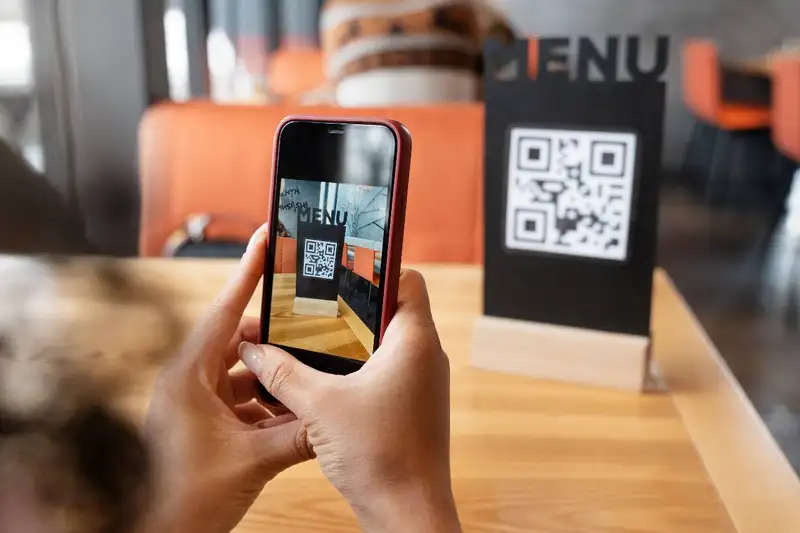
A QR code menu is more than a digital copy of a printed menu. For restaurant owners, it is an operational tool that controls how guests view items, prices, specials, modifiers, allergens, add-ons, and ordering options. When guests scan the code with their phone, they should reach a menu that is easy to read, accurate, and built for mobile use.
The difference between a basic QR menu and a strong one is usability. A basic version may open a PDF, which often forces guests to zoom, scroll, and search. A better QR code menu uses clear categories, readable text, updated pricing, and simple navigation so guests can decide faster.
The biggest value for owners is speed and control. Printed menus can become outdated when food costs change, items sell out, or specials rotate. A digital menu allows managers to update prices, remove unavailable items, promote high-margin dishes, and adjust descriptions without reprinting.
A QR code menu can also support staff during busy service. Instead of repeatedly answering basic menu questions, employees can focus on hospitality, accuracy, and guest needs. When the menu is simple, fast, and accurate, it improves both the customer experience and restaurant operations.
The difference between a basic QR menu and a strong one is usability. A basic version may open a PDF, which often forces guests to zoom, scroll, and search. A better QR code menu uses clear categories, readable text, updated pricing, and simple navigation so guests can decide faster.
The biggest value for owners is speed and control. Printed menus can become outdated when food costs change, items sell out, or specials rotate. A digital menu allows managers to update prices, remove unavailable items, promote high-margin dishes, and adjust descriptions without reprinting.
A QR code menu can also support staff during busy service. Instead of repeatedly answering basic menu questions, employees can focus on hospitality, accuracy, and guest needs. When the menu is simple, fast, and accurate, it improves both the customer experience and restaurant operations.
Best Uses for QR Menus
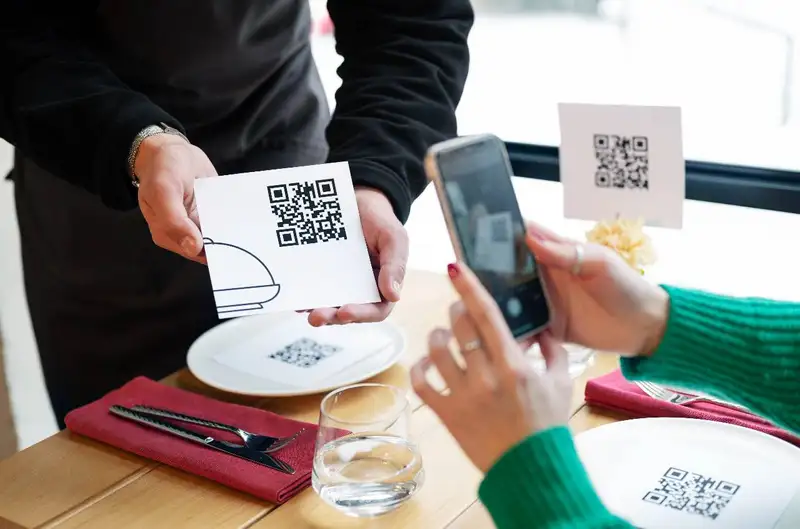
A QR code menu makes the most sense when it solves a real operational problem. Restaurant owners should not add one only because it feels modern. The better question is- will it improve speed, accuracy, menu control, or guest convenience? If the answer is yes, then a QR code menu can be a practical tool for improving the way the restaurant operates.
For high-volume restaurants, QR code menus can help reduce friction during busy periods. When guests can scan the menu as soon as they sit down, stand in line, or wait for a table, they start making decisions earlier. This can shorten the time between arrival and order placement. In fast-casual restaurants, coffee shops, bars, food trucks, and quick-service concepts, even small time savings per customer can add up across the day.
QR code menus are also useful for restaurants with frequent menu changes. If prices, specials, seasonal items, happy hour offers, or limited-time products change often, printed menus can quickly become outdated. A digital menu gives owners more control because updates can be made faster. This is especially important when food costs move, ingredients become unavailable, or the kitchen needs to remove an item before more guests order it.
Restaurant owners should also consider their customer base. A younger, tech-comfortable audience may use a QR code menu without hesitation. A business lunch crowd may appreciate speed and convenience. A bar crowd may use QR codes to view drinks, specials, or late-night food options quickly. However, restaurants that serve older guests, families with children, or customers who expect traditional service should still keep printed menus available.
The best approach is not always "QR code only." Many restaurants benefit from a hybrid setup. QR codes can support fast access and easy updates, while printed menus protect the guest experience for customers who prefer a physical menu or do not want to use their phone.
Before switching, owners should review four practical questions -
1. Do guests often wait for menus during busy periods?
2. Does the restaurant update prices, specials, or availability often?
3. Are staff spending too much time explaining basic menu details?
4. Would digital access improve speed without hurting hospitality?
If the QR code menu helps answer these problems, it can be a strong fit. If it only adds another step for the guest, it may create more frustration than value.
For high-volume restaurants, QR code menus can help reduce friction during busy periods. When guests can scan the menu as soon as they sit down, stand in line, or wait for a table, they start making decisions earlier. This can shorten the time between arrival and order placement. In fast-casual restaurants, coffee shops, bars, food trucks, and quick-service concepts, even small time savings per customer can add up across the day.
QR code menus are also useful for restaurants with frequent menu changes. If prices, specials, seasonal items, happy hour offers, or limited-time products change often, printed menus can quickly become outdated. A digital menu gives owners more control because updates can be made faster. This is especially important when food costs move, ingredients become unavailable, or the kitchen needs to remove an item before more guests order it.
Restaurant owners should also consider their customer base. A younger, tech-comfortable audience may use a QR code menu without hesitation. A business lunch crowd may appreciate speed and convenience. A bar crowd may use QR codes to view drinks, specials, or late-night food options quickly. However, restaurants that serve older guests, families with children, or customers who expect traditional service should still keep printed menus available.
The best approach is not always "QR code only." Many restaurants benefit from a hybrid setup. QR codes can support fast access and easy updates, while printed menus protect the guest experience for customers who prefer a physical menu or do not want to use their phone.
Before switching, owners should review four practical questions -
1. Do guests often wait for menus during busy periods?
2. Does the restaurant update prices, specials, or availability often?
3. Are staff spending too much time explaining basic menu details?
4. Would digital access improve speed without hurting hospitality?
If the QR code menu helps answer these problems, it can be a strong fit. If it only adds another step for the guest, it may create more frustration than value.
Streamline Operations
Control Menus, Items, and Prices Seamlessly with Altametrics
Operational Benefits of QR Code Menu
A QR code menu can improve restaurant operations when it is used to reduce friction, not just replace paper. The real benefit is not the code itself. The value comes from faster menu access, easier updates, fewer manual steps, and better control over what guests see before they order.
One of the biggest operational benefits is speed. When guests can scan a menu immediately, they do not have to wait for a host, server, cashier, or bartender to hand them one. This matters during peak periods, when small delays can slow down the entire service flow. If a table waits several minutes just to see the menu, order timing gets pushed back, ticket times can stretch, and table turnover may suffer. A QR code menu helps guests start reviewing options earlier, which can shorten the time between seating and ordering.
QR code menus also make menu updates easier. Restaurant owners deal with changing food costs, supplier shortages, seasonal items, limited-time offers, and sold-out ingredients. With printed menus, every change may require reprinting, crossing out items, or relying on staff to explain updates. That creates room for mistakes. A digital menu allows owners or managers to update pricing, remove unavailable items, adjust descriptions, and promote specials more quickly.
Another benefit is staff efficiency. Servers and cashiers should not spend valuable time repeating information that the menu can clearly show. When descriptions, modifiers, allergens, sides, and add-ons are easy to find, staff can focus on higher-value service tasks. That includes answering specific questions, checking on guests, managing timing, upselling intentionally, and solving problems before they affect the experience.
For multi-location restaurants, QR code menus can also improve consistency. Owners can manage menu content from one place instead of depending on each location to update printed materials correctly. This helps reduce pricing errors, outdated promotions, and inconsistent item descriptions across stores.
A QR code menu can support stronger operational control in several ways -
1. Faster guest access to menu information
2. Fewer delays during ordering
3. Quicker updates to prices, specials, and availability
4. Less printing waste and reprint expense
5. More consistent menus across locations
6. Better support for upsells, add-ons, and modifiers
7. Fewer staff interruptions for basic menu questions
When a QR code menu is accurate, organized, and easy to use, it helps both guests and employees move through the dining experience with less confusion and more control.
One of the biggest operational benefits is speed. When guests can scan a menu immediately, they do not have to wait for a host, server, cashier, or bartender to hand them one. This matters during peak periods, when small delays can slow down the entire service flow. If a table waits several minutes just to see the menu, order timing gets pushed back, ticket times can stretch, and table turnover may suffer. A QR code menu helps guests start reviewing options earlier, which can shorten the time between seating and ordering.
QR code menus also make menu updates easier. Restaurant owners deal with changing food costs, supplier shortages, seasonal items, limited-time offers, and sold-out ingredients. With printed menus, every change may require reprinting, crossing out items, or relying on staff to explain updates. That creates room for mistakes. A digital menu allows owners or managers to update pricing, remove unavailable items, adjust descriptions, and promote specials more quickly.
Another benefit is staff efficiency. Servers and cashiers should not spend valuable time repeating information that the menu can clearly show. When descriptions, modifiers, allergens, sides, and add-ons are easy to find, staff can focus on higher-value service tasks. That includes answering specific questions, checking on guests, managing timing, upselling intentionally, and solving problems before they affect the experience.
For multi-location restaurants, QR code menus can also improve consistency. Owners can manage menu content from one place instead of depending on each location to update printed materials correctly. This helps reduce pricing errors, outdated promotions, and inconsistent item descriptions across stores.
A QR code menu can support stronger operational control in several ways -
1. Faster guest access to menu information
2. Fewer delays during ordering
3. Quicker updates to prices, specials, and availability
4. Less printing waste and reprint expense
5. More consistent menus across locations
6. Better support for upsells, add-ons, and modifiers
7. Fewer staff interruptions for basic menu questions
When a QR code menu is accurate, organized, and easy to use, it helps both guests and employees move through the dining experience with less confusion and more control.
How QR Code Menus Affect Guest Experience
A QR code menu can either make the guest experience smoother or make it more frustrating. The difference usually comes down to design, speed, and how much thought the restaurant puts into the customer journey.
Imagine a guest sits down, scans the code, and the menu opens quickly. The categories are clear. The text is easy to read. Prices are visible. Photos help explain the dishes. Allergens and modifiers are easy to find. Within seconds, the guest understands what to order. That is a good digital experience.
Now imagine the opposite. The QR code opens a blurry PDF. The guest has to zoom in, drag the screen left and right, search for prices, and scroll through too many pages. The Wi-Fi is weak, the link loads slowly, or the menu does not match what the kitchen actually has available. At that point, the QR code menu is not helping service. It is creating friction before the guest even orders.
For restaurant owners, the guest experience should be measured by ease of use. A QR code menu should help customers make faster, more confident decisions. If guests are confused, asking staff how to use it, or requesting printed menus every time, the system is not working as intended.
The strongest QR code menus usually support three guest needs -
1. Speed - Guests should be able to open the menu quickly without downloading an app or going through unnecessary steps.
2. Clarity - Menu categories, item names, descriptions, prices, modifiers, and dietary notes should be simple to understand.
3. Confidence - Guests should know what they are ordering, what it costs, and what options are available before they place the order.
This is where data becomes useful. Owners can watch for signs that the QR code menu is improving or hurting the experience. If scan rates are high but order conversion is low, guests may be browsing but not finding what they want. If certain items receive many views but few orders, the description, price, photo, or placement may need adjustment. If staff still answer the same menu questions repeatedly, the digital menu may not be clear enough.
Hospitality also matters. A QR code menu should never make guests feel ignored. Staff should still greet customers, offer help, explain specials, and provide printed menus when needed. The technology should support service, not replace it.
The best guest experience happens when the QR code menu feels simple, fast, and optional. Guests who want digital convenience can use it. Guests who prefer human support can still receive it. That balance helps restaurants improve efficiency without losing the personal service that keeps customers coming back.
Imagine a guest sits down, scans the code, and the menu opens quickly. The categories are clear. The text is easy to read. Prices are visible. Photos help explain the dishes. Allergens and modifiers are easy to find. Within seconds, the guest understands what to order. That is a good digital experience.
Now imagine the opposite. The QR code opens a blurry PDF. The guest has to zoom in, drag the screen left and right, search for prices, and scroll through too many pages. The Wi-Fi is weak, the link loads slowly, or the menu does not match what the kitchen actually has available. At that point, the QR code menu is not helping service. It is creating friction before the guest even orders.
For restaurant owners, the guest experience should be measured by ease of use. A QR code menu should help customers make faster, more confident decisions. If guests are confused, asking staff how to use it, or requesting printed menus every time, the system is not working as intended.
The strongest QR code menus usually support three guest needs -
1. Speed - Guests should be able to open the menu quickly without downloading an app or going through unnecessary steps.
2. Clarity - Menu categories, item names, descriptions, prices, modifiers, and dietary notes should be simple to understand.
3. Confidence - Guests should know what they are ordering, what it costs, and what options are available before they place the order.
This is where data becomes useful. Owners can watch for signs that the QR code menu is improving or hurting the experience. If scan rates are high but order conversion is low, guests may be browsing but not finding what they want. If certain items receive many views but few orders, the description, price, photo, or placement may need adjustment. If staff still answer the same menu questions repeatedly, the digital menu may not be clear enough.
Hospitality also matters. A QR code menu should never make guests feel ignored. Staff should still greet customers, offer help, explain specials, and provide printed menus when needed. The technology should support service, not replace it.
The best guest experience happens when the QR code menu feels simple, fast, and optional. Guests who want digital convenience can use it. Guests who prefer human support can still receive it. That balance helps restaurants improve efficiency without losing the personal service that keeps customers coming back.
QR Code Menu Design Best Practices
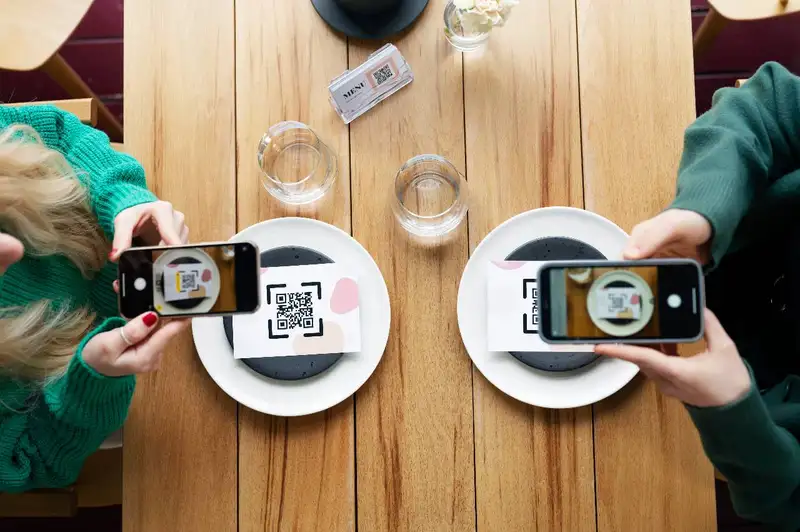
A QR code menu should be built for how guests actually use their phones inside a restaurant. Most customers are not sitting quietly at a desk comparing options. They may be standing in line, sitting with friends, holding a child, talking to a server, or trying to order quickly before the lunch rush gets worse. That means the menu needs to be fast, clear, and easy to navigate.
The first rule is simple - do not make guests work too hard. A digital menu should not feel like a document they have to decode. It should feel like a guided path from I'm hungry to I know what I want.
Start with the layout. Categories should follow the way customers think, not the way the kitchen is organized. For example, a guest expects to see sections such as appetizers, entrees, burgers, salads, drinks, desserts, kids meals, and specials. If the menu has too many categories or unclear labels, guests may scroll longer and order slower.
Descriptions should also be short but useful. A good item description helps the guest understand flavor, portion, ingredients, and value. It does not need to be overly creative. For example, instead of writing "signature house favorite," describe what the guest actually gets - grilled chicken, roasted vegetables, garlic sauce, and choice of side. Clear descriptions reduce questions and help staff move service forward.
Photos can help, but they should be used carefully. Strong photos can increase confidence and make high-margin items more appealing. Poor photos can make food look less attractive than it really is. If a restaurant uses images, they should be clear, updated, and consistent with the actual plate presentation.
Owners should also design the QR code menu around profitability. High-margin items, add-ons, combos, premium sides, specialty drinks, and desserts should be easy to find. This does not mean cluttering the menu with too many promotions. It means placing profitable options where guests naturally look.
Before launching, test the menu like a customer -
1. Scan the QR code from multiple tables or service areas.
2. Open it on both iPhone and Android devices.
3. Check loading speed without relying only on restaurant Wi-Fi.
4. Confirm prices, modifiers, allergens, and availability are accurate.
5. Make sure guests can read the menu without zooming in.
6. Test every link, button, category, and ordering step.
7. Ask staff what questions guests are likely to have.
A well-designed QR code menu should reduce confusion, not create more of it. If guests can scan, read, decide, and order with fewer questions, the design is working. If staff constantly need to explain where items are, how to find prices, or why the menu is outdated, the system needs improvement.
The first rule is simple - do not make guests work too hard. A digital menu should not feel like a document they have to decode. It should feel like a guided path from I'm hungry to I know what I want.
Start with the layout. Categories should follow the way customers think, not the way the kitchen is organized. For example, a guest expects to see sections such as appetizers, entrees, burgers, salads, drinks, desserts, kids meals, and specials. If the menu has too many categories or unclear labels, guests may scroll longer and order slower.
Descriptions should also be short but useful. A good item description helps the guest understand flavor, portion, ingredients, and value. It does not need to be overly creative. For example, instead of writing "signature house favorite," describe what the guest actually gets - grilled chicken, roasted vegetables, garlic sauce, and choice of side. Clear descriptions reduce questions and help staff move service forward.
Photos can help, but they should be used carefully. Strong photos can increase confidence and make high-margin items more appealing. Poor photos can make food look less attractive than it really is. If a restaurant uses images, they should be clear, updated, and consistent with the actual plate presentation.
Owners should also design the QR code menu around profitability. High-margin items, add-ons, combos, premium sides, specialty drinks, and desserts should be easy to find. This does not mean cluttering the menu with too many promotions. It means placing profitable options where guests naturally look.
Before launching, test the menu like a customer -
1. Scan the QR code from multiple tables or service areas.
2. Open it on both iPhone and Android devices.
3. Check loading speed without relying only on restaurant Wi-Fi.
4. Confirm prices, modifiers, allergens, and availability are accurate.
5. Make sure guests can read the menu without zooming in.
6. Test every link, button, category, and ordering step.
7. Ask staff what questions guests are likely to have.
A well-designed QR code menu should reduce confusion, not create more of it. If guests can scan, read, decide, and order with fewer questions, the design is working. If staff constantly need to explain where items are, how to find prices, or why the menu is outdated, the system needs improvement.
Centralize Your Menus Today!
Manage Everything In One Place with Altametrics
Data from QR Menus
A QR code menu gives restaurant owners something a printed menu cannot- visibility into how guests interact with the menu before they order. A paper menu can show what the restaurant offers, but it cannot show what customers looked at, which categories received attention, or where guests dropped off before making a decision.
That data can help owners make smarter menu decisions. The goal is not to track numbers just for the sake of tracking them. The goal is to understand what guests are doing and use that information to improve pricing, layout, promotions, and profitability.
A practical way to look at QR code menu data is to separate it into three areas - traffic, behavior, and sales impact.
Traffic data shows how often guests are scanning the menu. Owners can review total scans by day, time, table, location, or service period. If scan volume is highest during lunch but low during dinner, that may show how guests use the restaurant differently by day-part. If scans are low overall, the issue may be QR code placement, poor signage, or staff not pointing guests to the menu.
Behavior data shows what guests are viewing. This can include the most viewed categories, most viewed items, time spent on the menu, and which sections guests open first. For example, if cocktails or desserts receive high views but low orders, the restaurant may need better pricing, photos, descriptions, or server prompts. If guests rarely view add-ons or premium sides, those options may need better placement.
Sales impact data connects menu activity to actual orders when ordering is enabled. Owners can review conversion rates, average order value, modifier usage, add-on performance, and item-level sales. This helps identify whether the QR code menu is simply being viewed or actually helping guests place orders.
Restaurant owners should track metrics such as -
1. Total QR code scans
2. Scans by day-part or table area
3. Most viewed menu categories
4. Most viewed menu items
5. Menu views compared with completed orders
6. Average order value from QR orders
7. Add-on, modifier, and combo usage
8. Items with high views but low sales
9. Items with low views but strong margins
10. Repeat usage across regular customers
This information can support better menu engineering. If a high-margin item is profitable but rarely viewed, it may need stronger placement. If an item receives many views but few orders, the price, description, photo, or value perception may be weak. If add-ons are underused, the ordering flow may not be presenting them clearly enough.
The most useful data is the data owners act on. A QR code menu should help answer practical questions - What are guests interested in? What are they skipping? Which items drive larger checks? Where is the menu slowing down the order? When owners review those answers regularly, the QR code menu becomes more than a convenience tool. It becomes a decision-making tool for improving sales, speed, and menu performance.
That data can help owners make smarter menu decisions. The goal is not to track numbers just for the sake of tracking them. The goal is to understand what guests are doing and use that information to improve pricing, layout, promotions, and profitability.
A practical way to look at QR code menu data is to separate it into three areas - traffic, behavior, and sales impact.
Traffic data shows how often guests are scanning the menu. Owners can review total scans by day, time, table, location, or service period. If scan volume is highest during lunch but low during dinner, that may show how guests use the restaurant differently by day-part. If scans are low overall, the issue may be QR code placement, poor signage, or staff not pointing guests to the menu.
Behavior data shows what guests are viewing. This can include the most viewed categories, most viewed items, time spent on the menu, and which sections guests open first. For example, if cocktails or desserts receive high views but low orders, the restaurant may need better pricing, photos, descriptions, or server prompts. If guests rarely view add-ons or premium sides, those options may need better placement.
Sales impact data connects menu activity to actual orders when ordering is enabled. Owners can review conversion rates, average order value, modifier usage, add-on performance, and item-level sales. This helps identify whether the QR code menu is simply being viewed or actually helping guests place orders.
Restaurant owners should track metrics such as -
1. Total QR code scans
2. Scans by day-part or table area
3. Most viewed menu categories
4. Most viewed menu items
5. Menu views compared with completed orders
6. Average order value from QR orders
7. Add-on, modifier, and combo usage
8. Items with high views but low sales
9. Items with low views but strong margins
10. Repeat usage across regular customers
This information can support better menu engineering. If a high-margin item is profitable but rarely viewed, it may need stronger placement. If an item receives many views but few orders, the price, description, photo, or value perception may be weak. If add-ons are underused, the ordering flow may not be presenting them clearly enough.
The most useful data is the data owners act on. A QR code menu should help answer practical questions - What are guests interested in? What are they skipping? Which items drive larger checks? Where is the menu slowing down the order? When owners review those answers regularly, the QR code menu becomes more than a convenience tool. It becomes a decision-making tool for improving sales, speed, and menu performance.
Common QR Code Menu Mistakes to Avoid
A QR code menu should make ordering easier. When it is poorly planned, it does the opposite. It slows guests down, creates more questions for staff, and makes the restaurant look less organized. Most problems are not caused by the QR code itself. They happen because the menu is treated like a one-time setup instead of a live operating tool.
One of the most common mistakes is linking the QR code to a PDF that was designed for print. A printed menu may look good on paper, but it often performs poorly on a phone. Guests may need to zoom in, scroll sideways, or search through small text to find basic information. If the digital menu is hard to read, customers will either ask for help, request a printed menu, or become frustrated before ordering.
Another major mistake is failing to keep the menu updated. If a guest scans the menu and sees an item that is no longer available, the restaurant creates disappointment. If the price on the QR code menu does not match the POS, it creates confusion and trust issues. Owners should treat digital menu accuracy the same way they treat food safety, labor scheduling, or inventory counts. It needs routine review.
Poor QR code placement is another issue. A small code in the corner of a table tent may not be enough. Guests should be able to find and scan the code without asking where it is. Codes should be placed where ordering decisions happen, such as tables, counters, bar tops, host stands, takeout areas, and window signage.
Restaurant owners should also watch for these avoidable problems -
1. Broken links - Test the QR code regularly. A code that opens an error page immediately damages the guest experience.
2. Slow-loading menus - Large image files, poor hosting, or too many steps can slow down access. Guests should not wait long just to view the menu.
3. Too many clicks - Customers should not have to create an account, download an app, or enter unnecessary information just to browse food and drinks.
4. Cluttered design - Too many pop-ups, promotions, categories, or photos can make the menu harder to use.
5. Missing item details - Prices, modifiers, sides, allergens, portion details, and availability should be clear.
6. No printed backup - Some guests may not have a phone, battery, internet access, or comfort using QR codes. A printed option protects the experience.
7. Ignoring security risks - QR stickers can be tampered with. Staff should check that codes have not been replaced or covered with fake links.
The best way to avoid these mistakes is to assign ownership. One manager or team member should be responsible for checking the QR code menu on a schedule. That review should include pricing, availability, links, layout, photos, and ordering flow.
A QR code menu is only useful when guests can trust it. If it is accurate, fast, and easy to use, it supports service. If it is outdated, confusing, or difficult to scan, it becomes another operational problem the staff has to fix during service.
One of the most common mistakes is linking the QR code to a PDF that was designed for print. A printed menu may look good on paper, but it often performs poorly on a phone. Guests may need to zoom in, scroll sideways, or search through small text to find basic information. If the digital menu is hard to read, customers will either ask for help, request a printed menu, or become frustrated before ordering.
Another major mistake is failing to keep the menu updated. If a guest scans the menu and sees an item that is no longer available, the restaurant creates disappointment. If the price on the QR code menu does not match the POS, it creates confusion and trust issues. Owners should treat digital menu accuracy the same way they treat food safety, labor scheduling, or inventory counts. It needs routine review.
Poor QR code placement is another issue. A small code in the corner of a table tent may not be enough. Guests should be able to find and scan the code without asking where it is. Codes should be placed where ordering decisions happen, such as tables, counters, bar tops, host stands, takeout areas, and window signage.
Restaurant owners should also watch for these avoidable problems -
1. Broken links - Test the QR code regularly. A code that opens an error page immediately damages the guest experience.
2. Slow-loading menus - Large image files, poor hosting, or too many steps can slow down access. Guests should not wait long just to view the menu.
3. Too many clicks - Customers should not have to create an account, download an app, or enter unnecessary information just to browse food and drinks.
4. Cluttered design - Too many pop-ups, promotions, categories, or photos can make the menu harder to use.
5. Missing item details - Prices, modifiers, sides, allergens, portion details, and availability should be clear.
6. No printed backup - Some guests may not have a phone, battery, internet access, or comfort using QR codes. A printed option protects the experience.
7. Ignoring security risks - QR stickers can be tampered with. Staff should check that codes have not been replaced or covered with fake links.
The best way to avoid these mistakes is to assign ownership. One manager or team member should be responsible for checking the QR code menu on a schedule. That review should include pricing, availability, links, layout, photos, and ordering flow.
A QR code menu is only useful when guests can trust it. If it is accurate, fast, and easy to use, it supports service. If it is outdated, confusing, or difficult to scan, it becomes another operational problem the staff has to fix during service.
How to Launch and Maintain a QR Code Menu
Launching a QR code menu should be treated like an operational rollout, not a quick design task. The aim is to make sure the menu is accurate, easy to use, easy for staff to explain, and useful for the business long after launch day.
Start with the menu structure. Before creating the QR code, owners should review the actual menu content - item names, categories, descriptions, prices, modifiers, allergens, add-ons, combos, and availability rules. If the printed menu is already confusing, turning it into a digital menu will not fix the problem. A QR code menu works best when the content is organized first.
Next, decide what the QR code should do. Some restaurants only need a view-only digital menu. Others may want ordering, payment, loyalty signup, waitlist access, or promotional offers connected to the experience. The right choice depends on the restaurant's service model. A full-service restaurant may use QR codes for browsing while servers still take orders. A fast-casual restaurant may use QR codes to reduce lines and push guests toward self-ordering.
Once the menu is built, placement matters. QR codes should be easy to find in the places where customers make decisions. Common placement areas include -
1. Tables and table tents
2. Bar tops
3. Counter service areas
4. Host stands
5. Takeout bags
6. Receipts
7. Window signage
8. Drive-thru or pickup areas, if relevant
Staff training is just as important as the technology. Employees should know how the QR code menu works, what to say when guests ask for help, and when to offer a printed menu. A simple staff script can help - "You can scan this code to view our current menu, and I'm happy to bring a printed menu if you prefer." This keeps the experience helpful instead of forced.
After launch, owners should set a maintenance schedule. At minimum, the QR code menu should be reviewed weekly for broken links, outdated prices, sold-out items, incorrect descriptions, missing modifiers, and slow loading issues. Restaurants with frequent price changes or seasonal specials may need daily checks.
The data should also be reviewed regularly. Owners should look at scan volume, most viewed items, order conversion, add-on usage, and average order value if ordering is enabled. These numbers can show whether the menu is supporting sales or creating friction.
A QR code menu should never be "set it and forget it." It should be updated as the restaurant changes. When managed properly, it becomes a practical tool for improving menu accuracy, guest convenience, staff efficiency, and sales performance.
Start with the menu structure. Before creating the QR code, owners should review the actual menu content - item names, categories, descriptions, prices, modifiers, allergens, add-ons, combos, and availability rules. If the printed menu is already confusing, turning it into a digital menu will not fix the problem. A QR code menu works best when the content is organized first.
Next, decide what the QR code should do. Some restaurants only need a view-only digital menu. Others may want ordering, payment, loyalty signup, waitlist access, or promotional offers connected to the experience. The right choice depends on the restaurant's service model. A full-service restaurant may use QR codes for browsing while servers still take orders. A fast-casual restaurant may use QR codes to reduce lines and push guests toward self-ordering.
Once the menu is built, placement matters. QR codes should be easy to find in the places where customers make decisions. Common placement areas include -
1. Tables and table tents
2. Bar tops
3. Counter service areas
4. Host stands
5. Takeout bags
6. Receipts
7. Window signage
8. Drive-thru or pickup areas, if relevant
Staff training is just as important as the technology. Employees should know how the QR code menu works, what to say when guests ask for help, and when to offer a printed menu. A simple staff script can help - "You can scan this code to view our current menu, and I'm happy to bring a printed menu if you prefer." This keeps the experience helpful instead of forced.
After launch, owners should set a maintenance schedule. At minimum, the QR code menu should be reviewed weekly for broken links, outdated prices, sold-out items, incorrect descriptions, missing modifiers, and slow loading issues. Restaurants with frequent price changes or seasonal specials may need daily checks.
The data should also be reviewed regularly. Owners should look at scan volume, most viewed items, order conversion, add-on usage, and average order value if ordering is enabled. These numbers can show whether the menu is supporting sales or creating friction.
A QR code menu should never be "set it and forget it." It should be updated as the restaurant changes. When managed properly, it becomes a practical tool for improving menu accuracy, guest convenience, staff efficiency, and sales performance.
Accept, Process, and Profit with Ease!
Streamline Your Online Orders with Altametrics
Frequently
Asked Questions
Where should restaurants place QR codes?
QR codes should be placed where guests naturally make ordering decisions. Common areas include tables, table tents, bar tops, counters, host stands, takeout bags, receipts, windows, and pickup areas. The code should be large enough to scan easily and placed where lighting does not interfere.
Can QR code menus help with upselling?
Yes. A well-designed QR code menu can make upselling easier by showing add-ons, premium sides, drink pairings, combos, desserts, and upgrades at the right point in the ordering process. The key is to keep suggestions relevant instead of overwhelming guests with too many options.
What type of restaurants benefit most from QR code menus?
QR code menus often work well for fast-casual restaurants, full-service restaurants, bars, coffee shops, food trucks, hotels, and multi-location brands. They are especially valuable in high-volume environments where faster menu access, fewer menu questions, and quicker updates can improve service flow.
What data can restaurants track from QR code menus?
Restaurant owners may be able to track total scans, most viewed items, popular categories, scan activity by daypart, conversion from menu view to order, average order value, modifier usage, and add-on performance. This data can help owners improve menu layout, pricing, promotions, and item placement.
Must-Read Content
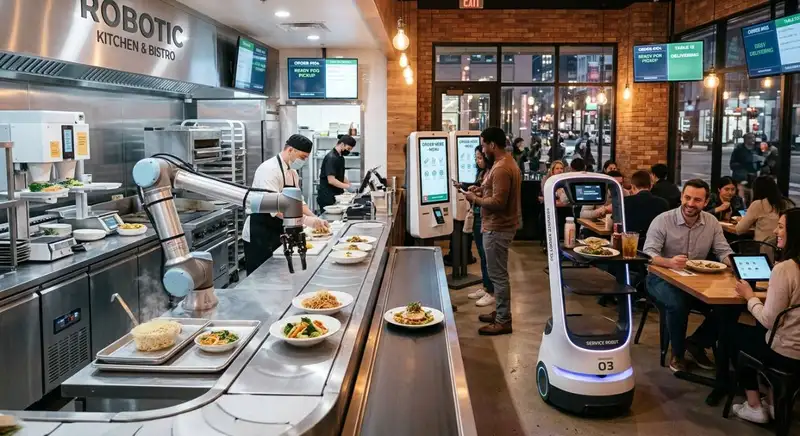
How Restaurant Automation Can Streamline Daily Operations
Restaurant automation streamlines daily operations by reducing manual tasks, improving workforce management, controlling inventory, minimizing errors, and increasing overall efficiency.
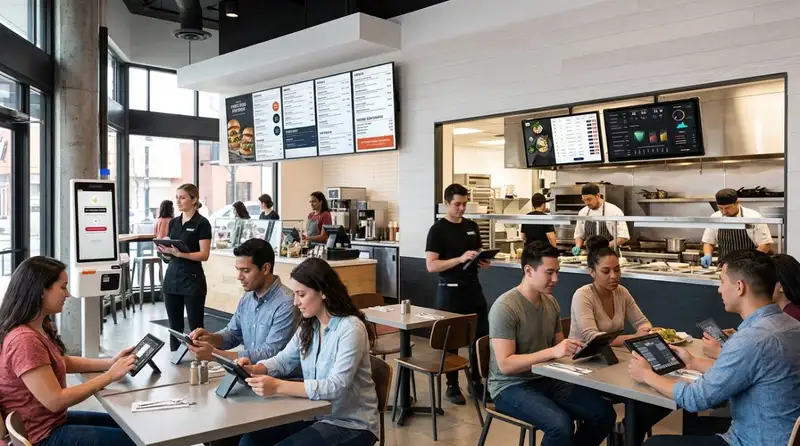
Smart Ways to Use AI in Your Restaurant
Discover smart ways to use AI in your restaurant to optimize operations, reduce costs, improve customer experiences, and increase profitability.
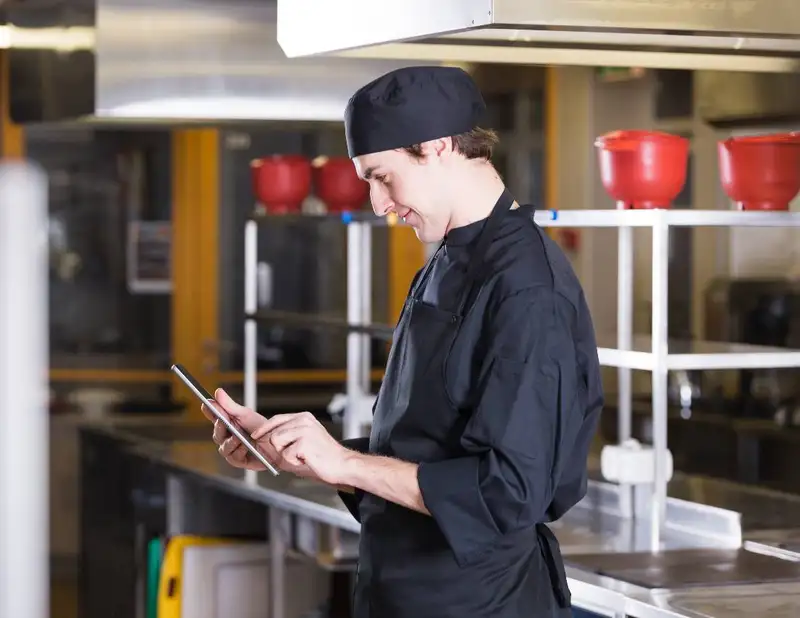
10 Ways Technology Can Help Control Food Cost in Restaurants
Technology helps restaurants control food cost through smarter inventory management, automated purchasing, recipe costing, waste tracking, forecasting, and real-time reporting.