Selecting the Right Kiosk Solution
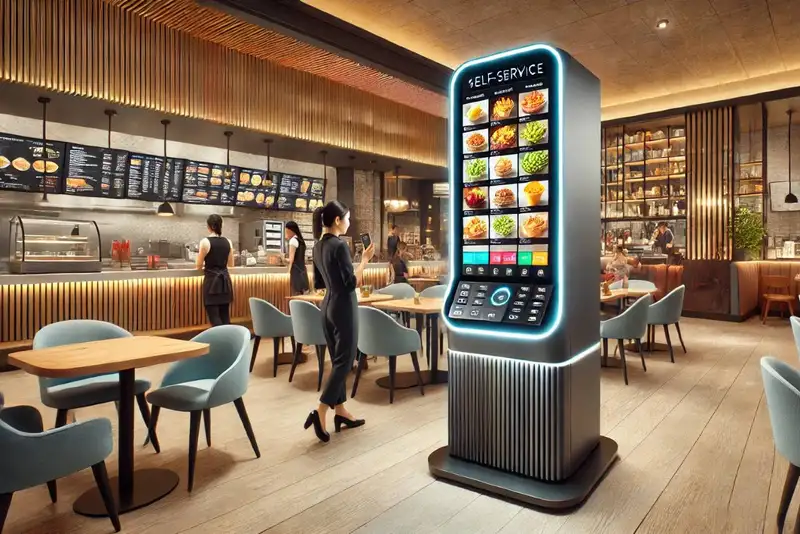
The restaurant industry is highly competitive, and finding ways to differentiate your establishment and improve efficiency is crucial. Self-serve kiosks offer a modern solution that addresses several challenges faced by restaurant owners. They can expedite the ordering process, reduce wait times, and improve order accuracy, leading to increased customer satisfaction. Additionally, self-serve kiosks free up staff to focus on other important tasks, such as food preparation and customer service, ultimately enhancing the overall efficiency of the restaurant.
Implementing a self-serve kiosk system requires careful consideration of various factors, including the specific needs of your restaurant, key features to look for in a kiosk, comparative analysis of available options, cost considerations, customization and branding, implementation processes, and staff training. By the end of this guide, you should be well-equipped to choose the right self-serve kiosk that meets your restaurant's unique requirements.
Understanding Your Restaurant's Needs
The first step is to identify the specific goals you aim to achieve with the kiosk system. Are you looking to reduce wait times during peak hours? Do you want to improve order accuracy and reduce human error? Are you aiming to enhance the customer experience by providing a more interactive and personalized service? By clearly defining your goals, you can better evaluate which kiosk features are most important for your restaurant.
For instance, if your primary goal is to reduce wait times, you might prioritize kiosks with fast processing speeds and intuitive interfaces. If improving order accuracy is your main objective, look for kiosks that offer detailed menu options and customization features. Understanding your goals will guide you in selecting a kiosk that aligns with your restaurant's operational needs.
Next, consider your restaurant's size, customer base, and operational flow. A busy quick-service restaurant with high foot traffic will have different needs compared to a small, fine-dining establishment. Evaluate the volume of customers you serve daily, the peak times, and how the kiosk system can help manage the flow of customers and orders.
Assessing your restaurant's size and layout is crucial for determining the number and placement of kiosks. High-traffic areas may require multiple kiosks to prevent bottlenecks and ensure a smooth customer experience. Additionally, understanding your customer base can help tailor the kiosk features to meet their preferences. For example, a tech-savvy younger demographic may appreciate advanced digital features, while older customers might prefer a more straightforward interface.
Determine the primary functions you need from the kiosk. Common functionalities include ordering, payment processing, loyalty program integration, and menu browsing. Prioritize these functions based on your restaurant's specific needs and goals. For instance, if reducing order errors is a top priority, focus on kiosks with advanced order customization features and clear, easy-to-navigate interfaces.
Ordering and payment processing are fundamental functions of any self-serve kiosk. The ability to seamlessly browse the menu, customize orders, and complete transactions quickly and securely is essential. Loyalty program integration can also enhance customer engagement by allowing patrons to earn and redeem rewards directly through the kiosk. Understanding the primary functions will help you select a kiosk that meets your operational requirements.
Simplify Multi-Channel Ordering
Get started with Altametrics to streamline your POS!
Key Features to Look For
User Interface
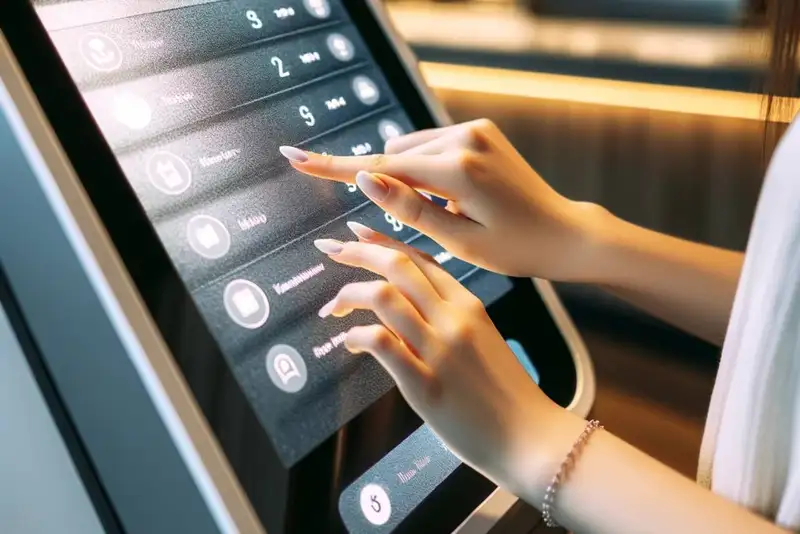
The user interface is a crucial aspect of any self-serve kiosk. It should be intuitive and easy for customers to navigate, ensuring a seamless and enjoyable experience. A well-designed interface can reduce the time customers spend placing orders and minimize the likelihood of errors. Look for kiosks with clear, visually appealing layouts, large touchscreens, and straightforward navigation paths.
An intuitive user interface enhances the customer experience by making it easy to browse the menu, customize orders, and complete transactions. The interface should be designed with the end-user in mind, incorporating large buttons, clear instructions, and visually appealing graphics. A user-friendly interface can also reduce the learning curve for new customers and encourage repeat use.
Customizability
Customizability is another important feature. Your kiosk should offer options to tailor the user interface to match your restaurant's branding and menu. This includes incorporating your restaurant's colors, logos, and unique menu items. A customizable kiosk allows you to maintain brand consistency and create a cohesive customer experience.
Customizability extends beyond visual elements to include functionality. For example, you may want to customize the kiosk's order flow to match your restaurant's specific operational processes. This could involve adding custom menu categories, modifying the layout of the ordering screen, or integrating promotional offers and upselling options. The ability to customize the kiosk ensures it aligns with your brand and meets your operational needs.
Payment Processing
Payment processing capabilities are essential for a self-serve kiosk. Ensure the kiosk supports secure and versatile payment options, including credit and debit cards, mobile payments, and contactless transactions. The payment process should be smooth and quick, providing customers with a hassle-free experience.
Secure payment processing is critical for building customer trust and ensuring the safety of sensitive information. Look for kiosks that comply with industry standards for payment security, such as PCI-DSS (Payment Card Industry Data Security Standard). Additionally, offering multiple payment options can enhance convenience for customers and reduce barriers to completing transactions.
Integration
Compatibility with existing point of sale (POS) and inventory systems is crucial for seamless operations. The kiosk should integrate smoothly with your restaurant's current technology infrastructure, allowing for real-time updates on orders and inventory levels. Effective system integration can enhance operational efficiency and reduce the likelihood of errors.
Integration with your POS system enables the kiosk to sync with your restaurant's existing workflows, ensuring accurate order processing and inventory management. This can help streamline operations by reducing manual data entry and minimizing discrepancies between the kiosk and other systems. Additionally, integration with loyalty programs and customer relationship management (CRM) systems can enhance customer engagement and provide valuable insights into customer behavior.
Given the high-traffic environment of a restaurant, the kiosk hardware should be durable and robust. It should withstand constant use and potential spills or accidents. Look for kiosks made from high-quality materials that are easy to clean and maintain.
Comparative Analysis of Kiosk Systems
Design and User Experience
Evaluate the design and user experience of each kiosk system. A well-designed kiosk should be visually appealing and provide a smooth, intuitive experience for customers. Consider the layout, graphics, and overall aesthetic of the kiosk interface. A positive user experience can enhance customer satisfaction and encourage repeat visits.
The design of the kiosk should align with your restaurant's branding and create a cohesive visual experience for customers. This includes the use of colors, fonts, and graphics that match your restaurant's identity. Additionally, consider the overall user experience, including the ease of navigation, responsiveness of the touchscreen, and clarity of instructions. A well-designed kiosk can enhance the overall dining experience and contribute to customer satisfaction.
Functionality
Compare the range of features offered by different kiosk systems. Assess how well each system meets your restaurant's specific needs, such as ordering, payment processing, and loyalty program integration. Ensure the kiosk system provides the functionalities that align with your operational goals.
Functionality is a key consideration when evaluating kiosk systems. Look for kiosks that offer the features you need to achieve your operational goals, such as detailed menu customization, secure payment processing, and integration with loyalty programs. Additionally, consider any advanced features that may enhance the customer experience, such as voice recognition, multilingual support, or personalized recommendations. The right functionality can improve efficiency and customer satisfaction.
Ease of Integration
Assess how well each kiosk system integrates with your existing restaurant technology. Compatibility with your POS system, inventory management software, and other essential tools is crucial for seamless operations. Effective system integration ensures real-time updates and reduces the risk of errors.
Integration is a critical factor in ensuring the smooth operation of the kiosk system. Look for kiosks that offer seamless integration with your existing technology infrastructure, including your POS system, inventory management software, and other essential tools. This will enable real-time updates and accurate order processing, reducing the likelihood of errors and improving operational efficiency. Additionally, consider the ease of integration, including the availability of APIs and support from the kiosk provider.
Scalability
Consider the scalability of each kiosk system. As your restaurant grows, you may need additional kiosks or upgraded functionalities. Choose a system that can scale with your business, accommodating future expansion and technological advancements.
Scalability is an important consideration for ensuring the long-term success of the kiosk system. Choose a kiosk that can grow with your business, accommodating additional kiosks and upgraded functionalities as needed. This will enable you to expand your operations and stay ahead of technological advancements without needing to replace the entire system. Additionally, consider the flexibility of the kiosk system, including the ability to add new features and integrate with emerging technologies.
Customer Support
Customer support is a critical factor when selecting a kiosk system. Compare the quality and availability of support services offered by different providers. Reliable customer support can address technical issues promptly, ensuring minimal disruption to your operations.
Reliable customer support is essential for ensuring the smooth operation of the kiosk system. Look for providers that offer comprehensive support services, including phone and email support, remote troubleshooting, and on-site assistance if needed. Additionally, consider the availability of regular software updates and maintenance services to ensure the kiosk remains functional and up-to-date. Good customer support can minimize downtime and ensure the kiosk operates smoothly.
Cost Considerations

Initial Purchase Costs
Initial costs include the hardware, software, and installation expenses. The price of the kiosk hardware can vary depending on the features and quality. Additionally, consider the cost of software licenses and any installation fees. Ensure the initial investment aligns with your budget and provides good value for money.
The initial purchase costs of a self-serve kiosk can vary significantly depending on the features and quality. Consider the cost of the hardware, including the touchscreen, enclosure, and other components. Additionally, factor in the cost of software licenses and any installation fees. Ensure the initial investment aligns with your budget and provides good value for money. Additionally, consider any discounts or financing options that may be available.
Ongoing Costs
Ongoing costs include maintenance, updates, and support fees. Regular maintenance is necessary to keep the kiosks in optimal condition and prevent technical issues. Software updates may also incur additional costs. Budget for these ongoing expenses to ensure the kiosk system remains functional and up-to-date.
Ongoing costs are an important consideration when evaluating the total cost of ownership of a self-serve kiosk. Regular maintenance is necessary to keep the kiosks in optimal condition and prevent technical issues. This may include cleaning the touchscreen, updating software, and replacing worn components. Additionally, consider the cost of software updates and support fees. Budget for these ongoing expenses to ensure the kiosk system remains functional and up-to-date.
Hidden Costs
Hidden costs can arise from training staff, customizing the system, and integrating it with existing technology. Training staff to use the kiosk effectively is crucial for smooth operations. Customization and integration may require additional expenses, depending on the complexity of the process. Be prepared for these potential costs to avoid unexpected financial burdens.
Hidden costs are an important consideration when evaluating the total cost of ownership of a self-serve kiosk. Training staff to use the kiosk effectively is crucial for smooth operations. This may require additional expenses for training materials, workshops, or on-site training sessions. Additionally, consider the cost of customizing the system to match your restaurant's branding and integrating it with existing technology. These hidden costs can add up quickly, so be prepared for them to avoid unexpected financial burdens.
Return on Investment (ROI)
Evaluate the potential return on investment (ROI) from implementing the kiosk system. Consider the cost savings from reduced labor expenses, increased order accuracy, and enhanced customer satisfaction. A well-implemented kiosk system can lead to increased revenue and improved operational efficiency, providing a positive ROI.
The return on investment (ROI) from implementing a self-serve kiosk can be significant. Consider the cost savings from reduced labor expenses, increased order accuracy, and enhanced customer satisfaction. A well-implemented kiosk system can lead to increased revenue and improved operational efficiency, providing a positive ROI. Additionally, consider the long-term benefits of the kiosk system, such as improved customer loyalty and increased repeat business. Evaluating the potential ROI can help justify the initial investment and ongoing costs.
Streamline Operations
Control Menus, Items, and Prices Seamlessly with Altametrics
Customization and Branding
Brand consistency helps reinforce your restaurant's identity and creates a memorable experience for customers. Your kiosk's design should align with your restaurant's overall aesthetic, including colors, logos, and menu items. A cohesive brand experience can enhance customer loyalty and encourage repeat visits.
Brand consistency is crucial for creating a cohesive customer experience and reinforcing your restaurant's identity. Your kiosk's design should align with your restaurant's overall aesthetic, including colors, logos, and menu items. This helps create a memorable experience for customers and enhances customer loyalty. Additionally, consider the overall user experience, including the ease of navigation, responsiveness of the touchscreen, and clarity of instructions. A well-designed kiosk can enhance the overall dining experience and contribute to customer satisfaction.
Your kiosk should offer options to customize the user interface to match your restaurant's branding. This includes incorporating your restaurant's colors, logos, and unique menu items. A customizable kiosk allows you to create a visually appealing and cohesive customer experience.
Customizability is an important feature for ensuring the kiosk aligns with your brand and meets your operational needs. Your kiosk should offer options to customize the user interface to match your restaurant's branding. This includes incorporating your restaurant's colors, logos, and unique menu items. Additionally, consider the ability to customize the order flow and integrate promotional offers and upselling options. A customizable kiosk ensures it aligns with your brand and meets your operational needs.
Effective kiosk branding goes beyond just the visual elements. It includes creating an intuitive and engaging user experience that reflects your restaurant's values and personality. For example, if your restaurant is known for its family-friendly atmosphere, your kiosk should have a playful and welcoming design that appeals to children and parents alike.
Effective kiosk branding is crucial for creating a memorable experience for customers and reinforcing your restaurant's identity. This goes beyond just the visual elements and includes creating an intuitive and engaging user experience that reflects your restaurant's values and personality. For example, if your restaurant is known for its family-friendly atmosphere, your kiosk should have a playful and welcoming design that appeals to children and parents alike. Additionally, consider the overall user experience, including the ease of navigation, responsiveness of the touchscreen, and clarity of instructions. A well-designed kiosk can enhance the overall dining experience and contribute to customer satisfaction.
Implementation and Staff Training
Steps for a Smooth Implementation
1. Planning - Develop a detailed plan for implementing the kiosk system, including timelines, responsibilities, and budget.
2. Installation - Work with the kiosk provider to install the hardware and software. Ensure the installation process is smooth and minimally disruptive to your operations.
3. Testing - Test the kiosk system thoroughly to identify and resolve any issues before going live.
4. Launch - Roll out the kiosk system gradually, starting with a pilot phase to gather feedback and make necessary adjustments.
Smooth implementation is crucial for ensuring the success of the kiosk system. Start by developing a detailed plan for implementing the kiosk system, including timelines, responsibilities, and budget. Work with the kiosk provider to install the hardware and software, ensuring the installation process is smooth and minimally disruptive to your operations. Test the kiosk system thoroughly to identify and resolve any issues before going live. Roll out the kiosk system gradually, starting with a pilot phase to gather feedback and make necessary adjustments.
Importance of Staff Training
Proper staff training is crucial for the successful implementation of a self-serve kiosk system. Staff should be trained on both the technical aspects of the kiosk and how to assist customers with using it. Well-trained staff can ensure a smooth and positive customer experience.
Staff training is crucial for the successful implementation of a self-serve kiosk system. Proper training ensures that staff are proficient with the technical aspects of the kiosk and can assist customers with using it. Well-trained staff can ensure a smooth and positive customer experience, reducing the likelihood of issues and enhancing customer satisfaction. Additionally, ongoing training and support can help staff stay proficient with the kiosk system and handle any new features or updates.
Training Tips
1. Technical Training - Train staff on how to use the kiosk system, including troubleshooting common issues and performing routine maintenance.
2. Customer Interaction - Train staff on how to assist customers with using the kiosk, including answering questions and providing support.
3. Ongoing Training - Provide ongoing training and support to ensure staff remain proficient with the kiosk system and can handle any new features or updates.
Effective training is essential for ensuring the success of the kiosk system. Train staff on how to use the kiosk system, including troubleshooting common issues and performing routine maintenance. Additionally, train staff on how to assist customers with using the kiosk, including answering questions and providing support. Provide ongoing training and support to ensure staff remain proficient with the kiosk system and can handle any new features or updates. Well-trained staff can ensure a smooth and positive customer experience, reducing the likelihood of issues and enhancing customer satisfaction.
Recap of the Key Points
The benefits of a well-implemented self-serve kiosk system are numerous. It can expedite the ordering process, reduce wait times, improve order accuracy, and enhance the overall customer experience. Additionally, it can free up staff to focus on other important tasks, such as food preparation and customer service, ultimately enhancing the overall efficiency of the restaurant.
As the restaurant industry continues to evolve, embracing new technologies like self-serve kiosks can provide a competitive edge and help you meet the changing demands of your customers. By carefully selecting the right kiosk solution, you can create a more efficient, enjoyable, and profitable dining experience for your customers.
Incorporating online ordering for restaurants further enhances the customer experience by providing more convenient and flexible options for placing orders. Integrating self-serve kiosks with your online ordering system can create a seamless and cohesive experience for your customers, both in-store and online.
In summary, choosing the right self-serve kiosk involves understanding your restaurant's needs, evaluating key features, comparing different options, and considering costs and customization. With careful planning and implementation, a self-serve kiosk can significantly enhance your restaurant's operations and customer satisfaction, providing a positive return on investment and helping you stay competitive in the ever-evolving restaurant industry.
Centralize Your Menus Today!
Manage Everything In One Place with Altametrics
Frequently
Asked Questions
Why should my restaurant implement a self-serve kiosk?
What should I consider when comparing different kiosk systems?
What are the benefits of integrating self-serve kiosks with online ordering?
Can self-serve kiosks help reduce labor costs?
Must-Read Content
How AI Is Transforming Multi-Unit Restaurant Management
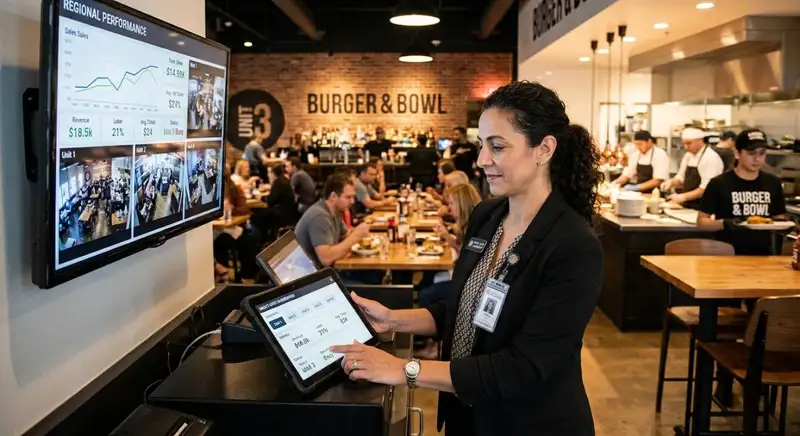
AI helps multi-unit restaurant operators forecast demand, optimize labor, detect anomalies, ensure consistency, refine menus and pricing, and adopt tools gradually, freeing managers to focus on hospitality.

Restaurant ERP Explained - What It Is, How It Works, and Its Benefits
Restaurant ERP connects essential operations, improves cost control, centralizes business information, streamlines workflows, and helps owners make informed management decisions.

10 Benefits of All-in-One Restaurant Management Software
All-in-one restaurant management software streamlines operations, improves communication, reduces administrative work, controls costs, strengthens workforce management, and supports informed business decisions.