How a Kitchen Display System Works
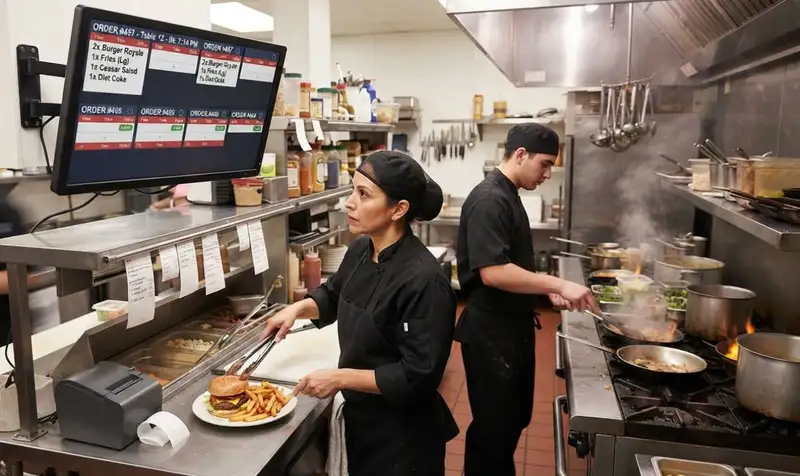
Understanding how a kitchen display system works starts with the connection between the restaurant's point-of-sale (POS) system and kitchen operations. When a customer places an order, the POS system sends the order details directly to the appropriate kitchen display screen. Employees can view menu items, special instructions, modifiers, and preparation requirements without manually handling paper tickets. As food preparation progresses, staff update order statuses so other employees can monitor progress in real time.
A KDS also helps restaurant owners improve kitchen visibility and workflow management. Managers can monitor incoming orders, identify preparation delays, coordinate multiple kitchen stations, and keep employees informed about order priorities. These capabilities help reduce communication gaps, prevent missed tickets, and support more consistent service during busy periods.
For restaurant owners, learning how this technology works provides a clearer understanding of how digital order management can simplify daily operations, improve kitchen coordination, and create a more efficient restaurant workflow.
Step 1. Customer Orders Are Entered into the POS System
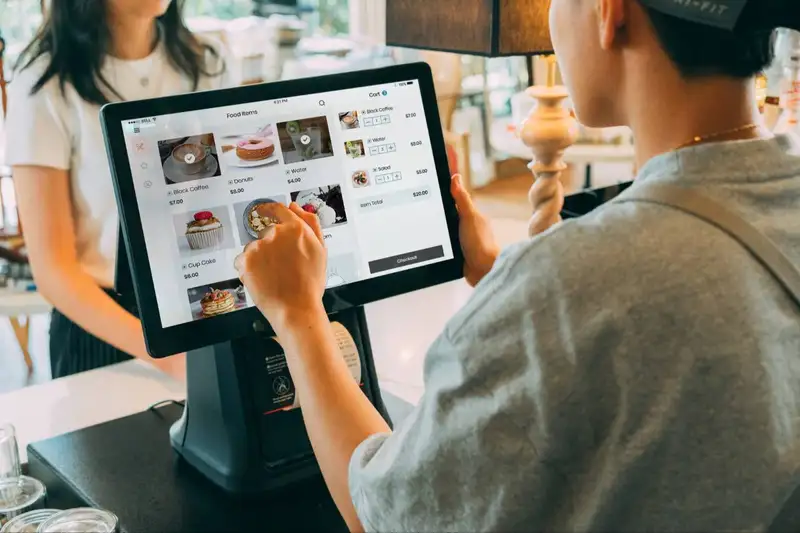
When an employee enters an order, the POS records important details, including menu items, quantities, cooking preferences, ingredient modifications, and special instructions. For example, a customer might request a burger without onions, a salad with dressing on the side, or a steak cooked medium rare. Recording these details digitally helps ensure that kitchen employees receive clear preparation instructions rather than relying on verbal communication.
POS integration plays an important role in this process. Once the order is submitted, the POS system automatically transmits the information to the connected kitchen display system. This eliminates the need for employees to print tickets or manually deliver order slips to the kitchen.
Restaurant owners should also consider how their POS handles orders from multiple channels. A properly integrated system can consolidate dine-in, takeout, delivery, and online orders into a centralized workflow. This gives kitchen employees better visibility into incoming demand and helps restaurant teams manage different order types without relying on separate manual processes.
Simplify Multi-Channel Ordering
Get started with Altametrics to streamline your POS!
Step 2. Orders Are Automatically Routed to Kitchen Stations
For example, a restaurant may divide its kitchen into several stations based on food preparation responsibilities -
1. Grill station - Receives orders for burgers, steaks, grilled chicken, and other grilled items.
2. Fryer station - Displays orders for french fries, chicken tenders, and other fried foods.
3. Salad station - Receives instructions for salads, cold appetizers, and other chilled menu items.
4. Beverage station - Displays drink orders that need to be prepared alongside meals.
5. Expeditor station - Provides an overview of orders across different stations so employees can coordinate completed items.
Automated routing allows multiple employees to work on different components of the same customer order without relying on printed tickets or verbal instructions. When an order contains items prepared at different stations, each employee receives the relevant information on their designated screen.
Restaurant owners can configure routing rules based on their menu, kitchen layout, and staffing structure. This makes it easier to distribute preparation responsibilities, reduce unnecessary communication, and prevent employees from overlooking assigned orders. By directing tickets to the right stations, a kitchen display system creates a more organized workflow and helps teams coordinate food preparation during busy service periods.
Step 3. Kitchen Staff View and Prioritize Incoming Orders
A kitchen display system also helps employees determine which orders require attention first. Rather than handling tickets without a clear sequence, staff can use digital indicators to identify order priorities and monitor preparation progress. Common KDS features that support this process include -
1. Order timestamps - Show when each order was submitted, helping employees understand how long tickets have been waiting.
2. Preparation timers - Track elapsed preparation time and help staff identify orders taking longer than expected.
3. Color-coded tickets - Use visual indicators to distinguish between new, active, delayed, and completed orders.
4. Priority settings - Allow employees or managers to highlight urgent orders based on restaurant workflows.
5. Order status labels - Display whether an order is waiting, in preparation, or ready for the next stage.
These features give kitchen employees a clearer view of their responsibilities and help them organize preparation tasks. During peak service periods, multiple orders may arrive within a short timeframe. Digital ticket visibility allows staff to monitor the queue, recognize pending items, and coordinate their workload across different stations.
For restaurant owners, this level of organization improves kitchen visibility and makes it easier to identify delays before they affect customer service. Managers can also use order information to understand workload distribution and determine whether certain stations need additional support.
Step 4. Kitchen Employees Prepare Orders and Update Their Status
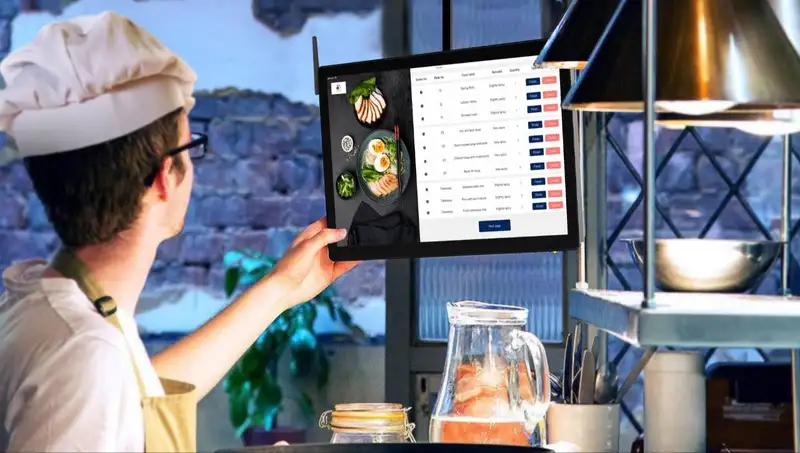
As preparation progresses, employees can interact with the KDS to update the status of individual items or entire orders. For example, an employee working at the grill station can mark a burger as being prepared, while another employee at the fryer station updates the status of french fries. These changes provide other kitchen employees with real-time information about preparation progress.
Real-time status updates also help coordinate multiple kitchen stations. When an order includes items that require different preparation times, employees can monitor each component and organize their work accordingly. This helps prevent situations where one item is completed too early while other components of the same order are still being prepared.
Restaurant owners should look for KDS features that support the following activities -
1. Item-level tracking - Allows employees to update individual menu items instead of changing the status of an entire ticket.
2. Preparation time monitoring - Helps staff identify items that are taking longer than expected.
3. Station coordination - Keeps employees informed about the progress of food items being prepared elsewhere in the kitchen.
4. Special instruction visibility - Keeps modifications and preparation requirements accessible throughout the cooking process.
By connecting preparation activities with digital order tracking, a kitchen display system helps employees maintain better coordination. Restaurant managers also gain greater visibility into kitchen progress, making it easier to identify delays, distribute responsibilities, and maintain consistent food preparation during service.
From Click to Kitchen
Handle All Your Online Orders with Altametrics
Step 5. Completed Orders Are Reviewed and Marked Ready
In restaurants with multiple preparation stations, the expeditor often oversees this stage of the workflow. The expeditor monitors the kitchen display screen to confirm that all components of an order have been prepared. For example, if a customer orders a burger, french fries, and a beverage, the expeditor can check whether each item has been completed before releasing the order for service.
Before marking an order as ready, employees should verify several details -
1. Order completeness - Confirm that every item included in the ticket has been prepared.
2. Special instructions - Check that ingredient modifications, cooking preferences, and customer requests have been followed.
3. Order accuracy - Verify that the correct menu items and quantities are included.
4. Presentation quality - Ensure food is properly assembled and ready for delivery or pickup.
After completing these checks, employees can mark the order as ready on the kitchen display system. Depending on the system's configuration, the completed ticket may disappear from the active order queue, move to a completed section, or trigger a notification for front-of-house employees.
This process helps restaurant owners maintain better control over order completion and reduce the likelihood of incomplete meals reaching customers. It also creates a more organized handoff between kitchen employees and service staff, keeping orders moving through the restaurant without unnecessary delays.
Step 6. Front-of-House Staff Receive Completed Order Notifications
For dine-in orders, servers can use order status updates to determine when meals are ready to be delivered to their assigned tables. For takeout and delivery orders, pickup employees can monitor completed tickets and organize meals for customer collection or driver handoff. This makes it easier to manage different service channels while keeping order information accessible to the appropriate employees.
A kitchen display system can support this handoff through several features -
1. Real-time order notifications - Alert front-of-house employees when kitchen staff complete an order.
2. Order identification - Display ticket numbers, table numbers, or customer order details to help employees identify the correct meals.
3. Pickup status tracking - Help employees distinguish between orders being prepared, completed, and awaiting collection.
4. Order history - Allow staff to review completed tickets when they need to verify order details or investigate service delays.
Effective communication between front-of-house and back-of-house teams is essential for maintaining an organized restaurant workflow. Without clear order status updates, servers may interrupt kitchen employees to ask about meal progress, while completed orders can remain unattended at the pickup counter.
By providing shared visibility into order completion, a kitchen display system helps reduce unnecessary communication, improve service coordination, and keep meals moving from the kitchen to customers. For restaurant owners, this creates a more structured service process and helps employees manage orders more efficiently during busy operating hours.
How a Kitchen Display System Improves Restaurant Operations
Several operational improvements come from using a KDS -
1. Improved order accuracy. Digital tickets display menu selections, ingredient modifications, and special instructions clearly. This helps employees follow customer requests and reduces misunderstandings caused by handwritten notes or verbal communication.
2. Faster order processing. Automated order transmission eliminates manual ticket delivery and helps kitchen employees begin preparation sooner. Preparation timers and priority indicators also help staff manage their workload.
3. Better kitchen communication. Real-time updates keep employees informed about order progress across different preparation stations. This reduces unnecessary interruptions and helps teams coordinate their responsibilities.
4. Reduced missed orders. Digital ticket queues make incoming orders easier to track. Employees can monitor pending tickets and identify orders that have not progressed as expected.
5. Greater operational visibility. Managers can monitor preparation times, active orders, and station workloads. This information helps identify bottlenecks and determine where kitchen processes need improvement.
6. More efficient employee workflows. Automated routing assigns orders to the appropriate stations, allowing employees to focus on their preparation responsibilities instead of manually sorting tickets.
To achieve these benefits, restaurant owners should consider several factors when implementing a kitchen display system. POS integration is essential because it allows order information to move directly from the sales system to kitchen screens. The hardware should also be suitable for the kitchen environment, easy for employees to operate, and reliable during busy service periods. Proper employee training is equally important to ensure staff understand how to receive tickets, update order statuses, and manage completed orders.
Streamline Operations
Control Menus, Items, and Prices Seamlessly with Altametrics
Frequently
Asked Questions
How does a kitchen display system improve order accuracy?
How does a kitchen display system receive orders?
What features should restaurant owners look for in a kitchen display system?
Does a kitchen display system help manage kitchen staff?
Must-Read Content
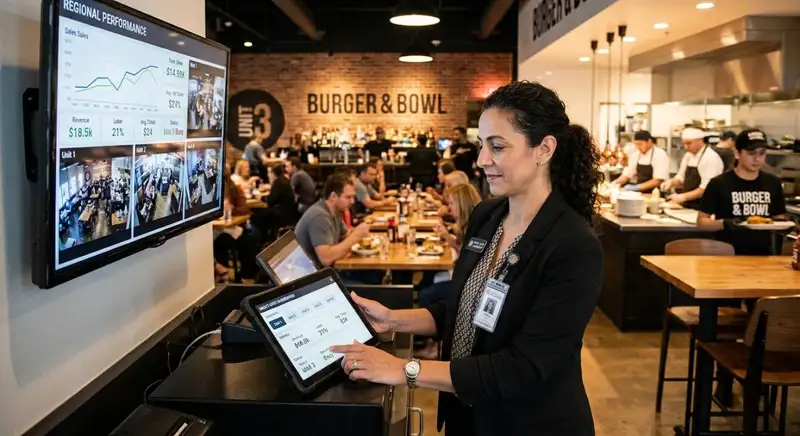
How AI Is Transforming Multi-Unit Restaurant Management
AI helps multi-unit restaurant operators forecast demand, optimize labor, detect anomalies, ensure consistency, refine menus and pricing, and adopt tools gradually, freeing managers to focus on hospitality.

Restaurant ERP Explained - What It Is, How It Works, and Its Benefits
Restaurant ERP connects essential operations, improves cost control, centralizes business information, streamlines workflows, and helps owners make informed management decisions.
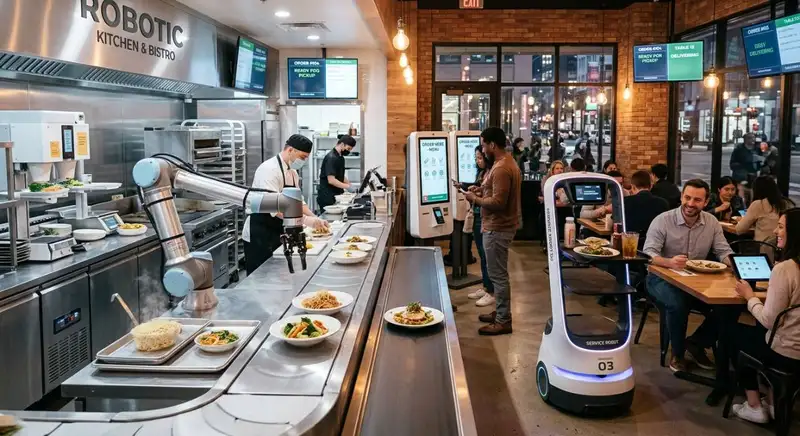
How Restaurant Automation Can Streamline Daily Operations
Restaurant automation streamlines daily operations by reducing manual tasks, improving workforce management, controlling inventory, minimizing errors, and increasing overall efficiency.