How to Update Menu Prices Across Multiple Restaurant Locations
Updating menu prices across multiple restaurants requires understanding costs, choosing a pricing structure, centralizing management, updating every channel, planning rollouts, communicating clearly, and monitoring results afterward.

 Restaurant management
Why Multi-Location Price Updates Are Harder Than They Look
Every location typically runs on several moving parts that all display or process prices. There's the point-of-sale system, the printed menus and menu boards, the online ordering page, the website, and the third-party delivery apps. If even one of these is updated late or entered incorrectly, the result is a mismatch that customers notice quickly. A guest who sees one price on the menu and a different one on the receipt isn't likely to assume it was an innocent mistake.
The complexity grows further when pricing isn't meant to be identical everywhere. Many multi-location operators charge different prices based on local rent, wages, competition, and customer demographics. That means a price update isn't one change, but several, each tailored to a specific location or group of locations. Keeping track of what should be different, and what should stay the same, requires a clear system.
The risks of getting this wrong are real -
1. Pricing errors - A typo or a missed update can mean selling an item below cost for days or weeks before anyone catches it.
2. Customer confusion and distrust - Inconsistent prices between the menu, the app, and the register erode trust and can lead to complaints or negative reviews.
3. Margin leakage - When increases roll out unevenly, some locations continue absorbing higher food and labor costs while others have already adjusted.
4. Operational strain - Managers and staff are left to field questions they weren't prepared for, pulling attention away from service.
Despite these challenges, price updates are unavoidable. Ingredient costs shift, wages rise, and supplier contracts change. Operators who wait too long to adjust prices often find their margins squeezed, while those who change them carelessly risk alienating the guests they've worked hard to earn.
With the right planning, a clear workflow, and consistent communication, you can update prices across every location accurately and with minimal disruption.
Decide What Needs to Change and Why
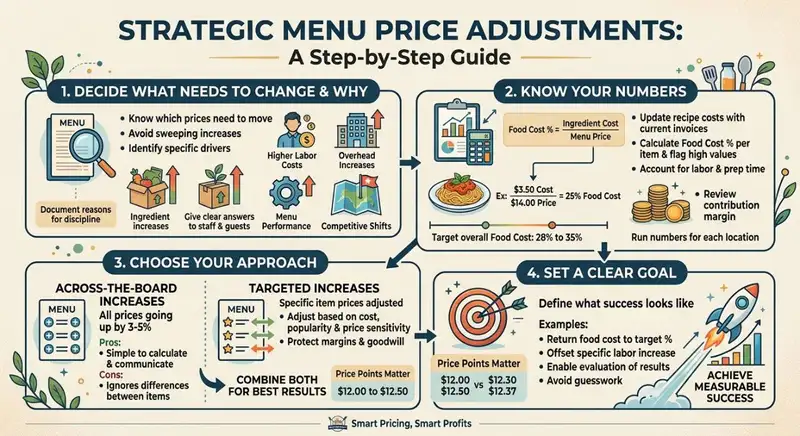
Most menu price updates start with one or more of these triggers -
1. Rising ingredient costs - Supplier price increases, seasonal shortages, or changes in distributor contracts can push the cost of key items higher almost overnight.
2. Increased labor costs - Minimum wage changes, competitive hiring pressure, and overtime expenses all affect what it costs to produce and serve each dish.
3. Overhead increases - Rent, utilities, insurance, and credit card processing fees can all climb, especially across leases that renew at different times.
4. Menu performance data - Sales reports may reveal items that sell well but carry thin margins, or items that sell poorly and drag down profitability.
5. Competitive shifts - If nearby restaurants have raised their prices, you may have room to do the same without losing customers.
Writing down the specific reason behind each change helps you stay disciplined. It also gives managers a clear explanation when staff or guests ask why prices went up.
Know Your Numbers
The foundation of any smart price change is an accurate picture of what each item costs you to make. Start with food cost percentage, which is the cost of ingredients for a dish divided by its menu price. For example, if a pasta dish costs $3.50 in ingredients and sells for $14.00, its food cost is 25%.
Most restaurants aim for an overall food cost somewhere between 28% and 35%, though the right target varies by concept, cuisine, and service style. A fine dining steakhouse will have very different targets than a pizza counter.
To work out where you stand -
1. Update your recipe costs. Use current invoice prices, not the figures from last year. Costs can drift significantly without anyone noticing.
2. Calculate the current food cost percentage for each item. Flag anything that has crept above your target.
3. Factor in labor and prep time. Some dishes look profitable on ingredients alone but require substantial labor to produce.
4. Check contribution margin. This is the dollar amount an item contributes after its food cost, and it often matters more than the percentage alone.
If you operate multiple locations, run these numbers for each one. Ingredient costs can differ by region, and a dish that is comfortably profitable in one market may be squeezed in another.
Choose Between Across-the-Board and Targeted Increases
Once you know where the pressure is, you can decide how to respond. There are two main approaches.
Across-the-board increases raise every price by a set percentage, such as 3% to 5%. This approach is simple to calculate and communicate, and it works well when costs have risen broadly. The drawback is that it treats every item the same, even though some can absorb an increase more easily than others.
Targeted increases adjust specific items based on their cost, popularity, and price sensitivity. You might raise prices more on items with high demand and weak margins, hold steady on well-known staples that guests use to judge your value, and make smaller adjustments elsewhere. This takes more analysis but usually protects both margins and customer goodwill.
Many operators combine the two, applying a modest baseline increase and then fine-tuning individual items. Whichever route you choose, round prices thoughtfully. A change from $12.00 to $12.50 feels different to guests than a change from $12.00 to $12.37, and clean price points are easier to enter correctly across multiple systems.
Finally, define what success looks like. Are you aiming to bring food cost back to a target percentage, offset a specific labor increase, or simply protect current margins? Having a measurable goal lets you evaluate the results later and prevents the project from drifting into guesswork.
Simplify Multi-Channel Ordering
Get started with Altametrics to streamline your POS!
Uniform vs. Location-Based Pricing
Charging identical prices everywhere is the simplest approach, and it offers real advantages -
1. Brand consistency - Guests know what to expect regardless of which location they visit.
2. Easier management - One price list means fewer chances for errors and faster updates.
3. Simpler marketing - National or regional promotions, printed materials, and digital ads can use one set of prices.
Uniform pricing works best when your locations share similar costs and customer profiles, such as several restaurants within the same city or metro area. It is also common among quick-service and fast-casual brands that compete on predictability.
When to Adjust by Location
Costs and customer expectations can differ sharply from one market to another. Consider varying prices when you see differences in -
1. Rent and occupancy costs - A downtown or tourist-area location may carry far higher overhead than a suburban one.
2. Local wages - Minimum wage laws and labor markets vary by city and state.
3. Ingredient and distribution costs - Remote or high-cost regions may pay more for the same supplies.
4. Competition - Prices that look expensive in one neighborhood may be perfectly normal in another.
5. Customer demographics - Income levels, dining habits, and willingness to pay can differ from location to location.
Charging the same price everywhere in these situations can mean underpricing in expensive markets or overpricing in price-sensitive ones.
Use Pricing Tiers to Stay Organized
If you decide to vary prices, avoid setting a unique price for every item at every location. That quickly becomes unmanageable. Instead, group locations into pricing tiers or zones.
For example -
1. Tier 1 - High-cost urban or tourist locations, with prices set at a premium.
2. Tier 2 - Standard locations, using your base price list.
3. Tier 3 - Lower-cost or highly competitive markets, with slightly reduced prices.
Each tier can be defined as a percentage adjustment from your base menu, such as +6%, base, or -3%. When costs change, you update the base prices and the tier adjustments flow through, which reduces manual work and keeps relationships between locations consistent.
Price differences are more acceptable when they feel logical. Guests who live near several of your locations may notice discrepancies, so keep gaps modest and tied to clear market differences. Large or unexplained variations can create frustration and invite complaints, especially on social media.
Also consider how delivery platforms display your prices, since customers can easily compare menus across locations in one app.
Whichever structure you choose, write down the rules. Record which locations belong to which tier, how adjustments are calculated, and who can approve exceptions.
Build a Centralized Price Management Process
Your first goal is to create one master price list that serves as the official record of what every item should cost at every location. All other systems, from the POS to printed menus, should be updated from this list, never the other way around.
A strong master list includes -
1. Item names and identifiers - Use consistent naming and item codes so the same dish isn't entered three different ways.
2. Base price and tier adjustments - Show the starting price and the resulting price for each location or pricing tier.
3. Effective dates - Record when each price takes effect and keep a history of past changes.
4. Channel-specific prices - Note any separate pricing for dine-in, takeout, or delivery platforms.
Limit editing access to a small group. The more people who can change the master list, the more likely errors and unauthorized edits become.
Every price change should have a clear owner and a defined path to approval. A simple workflow might look like this -
1. Proposal - A finance, operations, or culinary lead submits recommended changes with supporting cost data.
2. Review - A second person checks the math, rounding, and tier calculations.
3. Approval - A designated decision-maker, such as the owner or operations director, signs off.
4. Implementation - The responsible team updates each system according to a checklist.
5. Verification - Someone other than the person who made the changes confirms accuracy.
Separating these steps catches mistakes before they reach guests. Also decide how location managers can request exceptions, such as a one-off adjustment for a local event, and who has the authority to grant them.
Spreadsheet or Dedicated Software?
Smaller operations with a handful of locations can often manage with a well-structured spreadsheet. It is inexpensive, flexible, and familiar. However, spreadsheets rely heavily on manual entry and careful version control, which becomes risky as you grow.
Dedicated menu management or POS platforms can push price updates to multiple locations at once, apply tier rules automatically, and maintain a change log. When evaluating options, look for -
- Support for location groups or pricing tiers
- Integration with your POS, online ordering, and delivery platforms
- Scheduled price changes with effective dates
- Audit trails showing who changed what and when
The right choice depends on your size, budget, and the systems you already use.
Whichever tool you use, save a dated record of every price list. If an error surfaces, you can quickly see what changed and revert if needed.
With a reliable process in place, you can move on to the practical work of updating every system and channel where your prices appear.
Update Prices Across Every Channel and System
Start With Your Core Systems
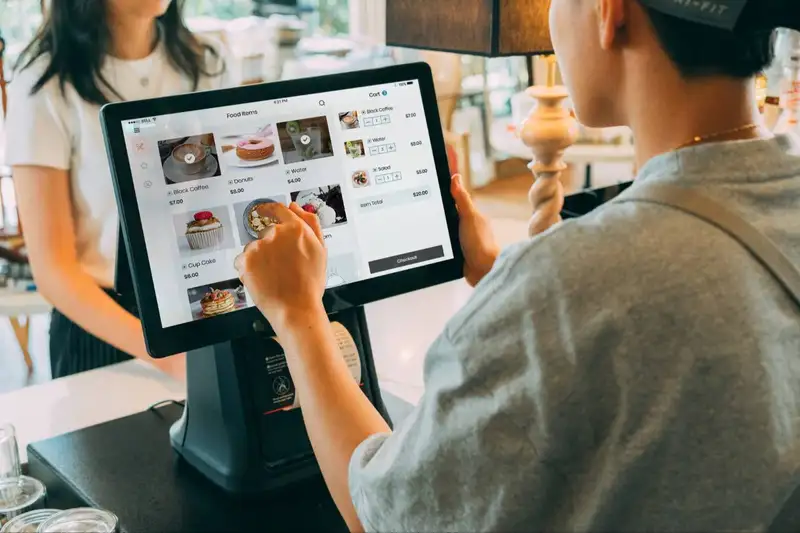
1. Point-of-sale (POS) - This is the system that determines what guests actually pay, so it should be updated first. If your POS supports scheduled price changes, set the effective date and time in advance rather than making edits manually on launch day. Confirm that tier adjustments are applied correctly for each location.
2. Kitchen display and inventory systems - If these are linked to menu items, check that item names and codes still match after the update. Mismatches can cause ordering errors or break reporting.
Update Customer-Facing Menus
1. Printed menus - Order new menus early, since print lead times can delay your launch. Proofread every price against the master list before printing, and have a second person review the final proof. Plan for removing old menus from every location, including those tucked away in to-go bags or table caddies.
2. Menu boards - Digital boards can often be updated remotely, while static boards may need physical replacement. Schedule installation so the new board goes up at the same moment the POS changes.
3. QR code menus - These are easy to update but easy to forget. Confirm the linked page or PDF shows current prices, and check that cached or saved versions aren't still circulating.
Don't Forget Digital Channels
1. Your website and online ordering - Update prices on your site, ordering platform, and any pages that list menus, such as location pages or catering sheets.
2. Third-party delivery platforms - Apps like DoorDash, Uber Eats, and Grubhub each maintain their own menus, and they typically require separate updates. Some allow bulk uploads; others require item-by-item edits. Allow extra time here, as changes may take hours or days to appear.
3. Online listings - Google Business Profile, Yelp, and social media pages may display menus or photos with outdated prices.
Many operators price items higher on delivery apps to offset commissions, which often range from 15% to 30%. If you do this, decide on a consistent markup, such as 10% to 15% above in-store prices, and record it in your master list. Be aware that some platforms have rules about price parity, so review your agreement. Keep the markup modest, since customers can compare prices easily.
Create a checklist for each location listing every system and channel, with a column for who updated it, when, and who verified it. This prevents anything from slipping through and gives you a clear record if questions arise later.
Streamline Operations
Control Menus, Items, and Prices Seamlessly with Altametrics
Plan Your Rollout and Timing
Simultaneous vs. Phased Rollout
A simultaneous rollout changes prices at all locations on the same date. This keeps pricing consistent across your brand, simplifies communication, and avoids situations where a guest visits two locations in the same week and sees different prices. The tradeoff is risk - if there's an error in the price list or a system problem, it affects every location at once.
A phased rollout introduces changes in stages, perhaps starting with one or two pilot locations before expanding to the rest. This lets you test your process, catch mistakes, and gauge customer reaction on a smaller scale. The downside is a period of temporary inconsistency, and it requires more coordination over a longer time.
For smaller groups with similar locations, a simultaneous launch is often practical. Larger operations, or those making significant increases, may benefit from a pilot first.
Pick the Right Timing
When you launch matters almost as much as what you change. Consider these options -
1. Menu relaunches or seasonal changes - Guests expect updates when new dishes appear, so price changes feel natural alongside them.
2. Slower periods - Launching during a quieter week gives staff time to adjust and handle questions without the pressure of a rush.
3. Start of a pay period or week - A clean start date makes reporting and comparison easier.
Avoid launching right before major holidays, big local events, or your busiest weekends. These are the moments when errors are most costly and managers have the least time to troubleshoot.
Create a Timeline
Work backward from your launch date and assign deadlines to each task. A sample timeline might include -
1. Four to six weeks before - Finalize prices and secure approvals.
2. Three to four weeks before - Order printed menus and begin preparing digital updates.
3. Two weeks before - Train managers and brief staff on the changes.
4. One week before - Proof all materials and schedule POS and online updates.
5. Launch day - Swap menus, confirm systems are live, and verify prices.
6. First week after - Monitor for errors and gather feedback.
Provide every manager with a checklist covering their responsibilities - removing old menus, confirming POS prices, checking online listings, and reporting problems. Include a point of contact at head office for questions on launch day.
Decide in advance what happens if something goes wrong. Who can pause the rollout? How will you correct a pricing error quickly? Having answers ready keeps small issues from becoming larger ones.
Use Restaurant Technology to Simplify Menu Price Updates
Several technology capabilities can help restaurant operators simplify this process -
1. Centralized Menu Management Systems
A centralized menu management system allows restaurant operators to manage menu information from a single platform. Instead of requiring individual managers to update prices separately, authorized users can make changes centrally and distribute them to the appropriate locations.
This approach reduces repetitive administrative tasks and gives corporate teams greater control over menu information. It also makes it easier to maintain standardized prices across restaurants while managing location-specific variations.
2. Bulk Price Update Capabilities
Bulk update functionality allows operators to change the prices of multiple menu items or apply adjustments across several locations simultaneously. This is particularly useful for restaurant chains that regularly revise prices because of changing ingredient costs or operating expenses.
Rather than entering each adjustment manually, managers can select the relevant items and locations, apply approved changes, and review the updates before implementation. This reduces the time required to complete pricing changes and minimizes the possibility of manual entry errors.
3. POS Integration and Menu Synchronization
Point-of-sale (POS) integration helps ensure that updated menu prices are reflected in the systems used to process customer orders. When menu information is synchronized properly, restaurants can reduce discrepancies between approved selling prices and the prices displayed during transactions.
Operators should also consider how menu changes affect other ordering channels, including self-service kiosks, mobile ordering applications, and third-party delivery platforms. Coordinating these updates helps maintain consistent pricing wherever customers place orders.
4. Automated Scheduling and Price Changes
Some restaurant management platforms support scheduled updates that allow operators to determine when new prices become effective. This eliminates the need for managers to manually activate changes at every location.
Scheduling is especially useful when restaurant chains introduce company-wide price adjustments. Corporate teams can prepare changes in advance and coordinate their implementation around specific business dates or operating schedules.
5. Centralized Reporting and Pricing Visibility
Reporting tools help restaurant operators monitor menu performance and evaluate the financial impact of pricing decisions. By reviewing sales data, food costs, and item-level profitability, management can identify which products may require further adjustments.
Centralized reporting also makes it easier to compare performance across locations. Operators can identify differences in sales patterns, monitor food cost percentages, and determine whether updated prices are supporting profitability targets.
Restaurant technology helps multi-location operators replace disconnected manual processes with more organized pricing management. By combining centralized menu controls, bulk updates, POS integration, scheduling, and reporting, restaurant chains can improve pricing accuracy and maintain better control over menu changes.
Common Mistakes to Avoid When Updating Menu Prices
1. Updating Prices at Some Locations While Overlooking Others
One common mistake is applying price changes to selected restaurants without confirming that every affected location has received the update. This can result in customers paying different prices for identical menu items across locations that are supposed to follow the same pricing structure. Restaurant operators should maintain a centralized list of locations and use an implementation checklist to verify that every required restaurant has completed the update.
2. Changing Prices Without Reviewing Food Costs
Increasing selling prices without evaluating ingredient expenses, recipe costs, and profit margins can lead to poor pricing decisions. Some menu items may need price adjustments because of rising supplier costs, while others may remain profitable at their current prices. Operators should review actual food costs, theoretical food costs, and contribution margins before approving changes.
3. Failing to Communicate Changes With Restaurant Managers and Employees
Restaurant managers and employees need to understand when new prices take effect and which menu items are affected. Poor communication can result in employees quoting outdated prices, struggling to answer customer questions, or using incorrect information during order processing. Corporate teams should distribute updated pricing information in advance and ensure that location managers confirm receipt.
4. Forgetting to Update POS Systems and Digital Menus
Changing prices on printed menus without updating POS systems or digital ordering channels creates inconsistencies. Customers may see one price online and encounter another when placing an order or paying at the restaurant. Operators should coordinate updates across POS terminals, websites, mobile applications, self-service kiosks, delivery platforms, and digital menu boards.
5. Implementing Changes Without Verifying Their Accuracy
Assuming that every price update was applied correctly can expose restaurants to unnecessary errors. Incorrect item prices, missed products, and location-specific discrepancies may go unnoticed until customers or employees report them. Restaurant operators should verify updated prices at every affected location and compare them against the approved pricing records.
6. Making Frequent Adjustments Without Monitoring Sales Performance
Repeated price increases without evaluating customer demand can negatively affect menu item sales. A higher selling price may improve the margin on individual orders but reduce overall sales volume if customers consider the item too expensive. Operators should monitor transaction data, item popularity, and contribution margins after implementing changes.
Avoiding these mistakes helps restaurant chains maintain accurate pricing, reduce operational disruptions, and make better financial decisions. A consistent review and verification process ensures that menu price updates are implemented correctly across all locations.
Centralize Your Menus Today!
Manage Everything In One Place with Altametrics
Frequently
Asked Questions
How often should I update menu prices?
What is a pricing tier?
How can restaurants maintain consistent menu prices across different ordering channels?
What is bulk menu price updating?
Must-Read Content

10 Benefits of All-in-One Restaurant Management Software
All-in-one restaurant management software streamlines operations, improves communication, reduces administrative work, controls costs, strengthens workforce management, and supports informed business decisions.

How to Get More Customers in a Restaurant
Learn how to get more customers in a restaurant through local marketing, social media, promotions, customer reviews, loyalty programs, and retention strategies.
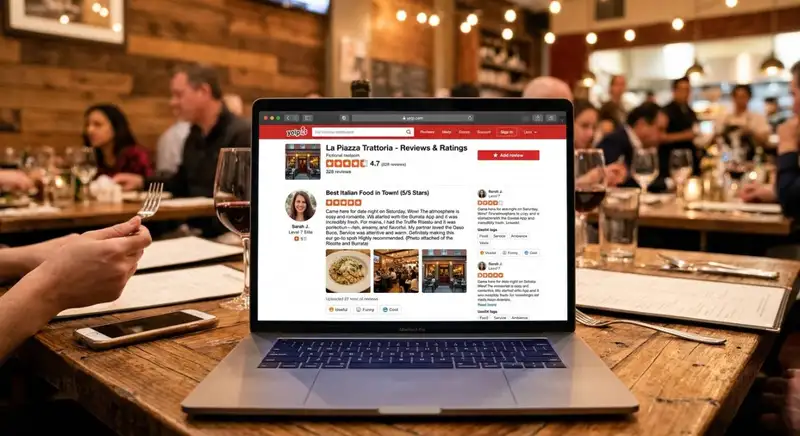
How to Get More Yelp Reviews for Your Restaurant
Learn how to improve Yelp reviews by optimizing your restaurant profile, delivering excellent service, managing feedback, and building a trustworthy online reputation.