What promotions increase restaurant online orders?
Limited-time offers, meal bundles, order-size incentives, loyalty rewards, and promotions targeting slower periods can encourage more online orders without requiring constant discounts across the entire menu.
How to Increase Restaurant Online Ordering Sales

Online Ordering as a Growth Lever
A few years ago, online ordering was a nice-to-have - a backup option for customers who didn't feel like calling in. That's no longer true. For a growing share of diners, it's the default. They open an app or a website, scroll, tap, and expect food to show up or be ready when promised. If that experience is clunky, confusing, or slow, they don't call your restaurant to complain. They just order somewhere else.
That shift matters for more than convenience. Online ordering, when it runs through your own website or app rather than a third-party marketplace, is one of the few channels where you keep control over the customer relationship, the data, and - critically - the margin. Third-party delivery apps typically take a commission of 15% to 30% per order. Every order that moves to a direct channel instead is money that stays in your business rather than going to a platform.
But simply having an online ordering system isn't enough to capture that value. Most restaurant owners already have one. The difference between a system that quietly loses money and one that actively drives revenue comes down to how well it's optimized - the menu, the flow, the offers, and the relationship-building that happens after the first order.
Optimizing Your Online Menu
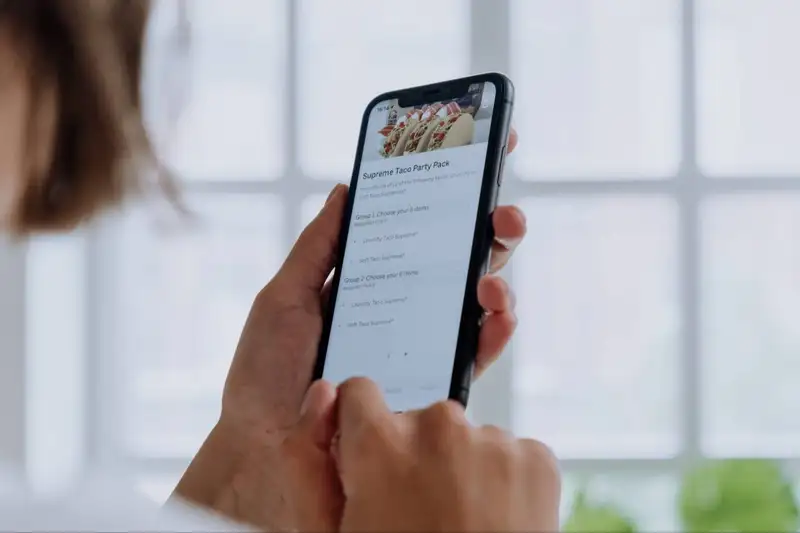
Your online menu isn't just a list of what you serve - it's your entire sales floor. There's no server to answer questions, no smell of food cooking, no ambiance doing the persuading for you. Every word, photo, and price has to do that work instead. Small changes here tend to produce some of the fastest, cheapest wins in online ordering.
1. Structure categories the way customers think. Kitchens often group items by prep station or course. Customers don't think that way - they think "what am I in the mood for." Categories like "Best Sellers," "Under 600 Calories," or "Ready in 10 Minutes" often convert better than generic labels like "Entrees" or "Sides." Put your best sellers and highest-margin items at the top of the menu and within each category - position matters more than most owners expect, since attention drops sharply the further customers scroll.
2. Write descriptions that sell. "Grilled chicken sandwich" tells a customer what it is. "Grilled chicken breast, applewood bacon, and melted cheddar on a toasted brioche bun" tells them why they want it. Focus on ingredients, preparation method, and sensory detail - but keep it to one or two lines. Long paragraphs get skimmed or skipped entirely on mobile screens.
3. Use photos strategically. High-quality photos can lift conversion significantly for items that are visual or unfamiliar - a striking dessert, a new menu item, a dish whose name doesn't explain itself. But inconsistent photo quality across a menu can do more harm than good; a few great photos next to a wall of text is often more effective than mediocre photos on every item. Prioritize photographing your bestsellers, your highest-margin dishes, and anything a first-time customer might not recognize by name alone.
4. Apply basic pricing psychology
A few adjustments can nudge average order value up without changing what you charge for individual staples -
- Remove currency symbols where possible ("12" instead of "$12") - subtle, but shown to reduce price sensitivity slightly
- Use price anchoring, placing a premium item near a mid-tier one makes the mid-tier option feel like better value
- Bundle strategically (a "meal" combo priced just below the sum of its parts) rather than discounting individual items
A menu with 80 items can overwhelm a customer browsing on a phone screen. If your full menu is extensive, consider a curated "Popular Items" section at the top for online ordering specifically, even if the complete menu is available further down. Fewer, clearer choices at the moment of decision tend to reduce hesitation and cart abandonment.
Navigate Ordering and Delivery with Precision
Empower Your Restaurant Business with Altametrics
Ordering Experience That Reduces Drop-Off
You can have the best menu in the world, but if the ordering process itself is frustrating, customers will abandon their cart before they ever reach checkout. In online retail, cart abandonment rates commonly run above 60-70%, and food ordering isn't immune to the same dynamics - arguably it's worse, since hungry customers have even less patience for friction than average online shoppers. This section is about closing that gap.
1. Minimize the number of steps to checkout. Every additional screen, form field, or click is a chance for a customer to lose interest or get distracted. Map out your current ordering flow from "menu opened" to "order confirmed" and count the steps. If it takes more than 3-4 screens for a returning customer to complete a simple order, look for steps that can be combined, removed, or made optional.
2. Design mobile-first. Most online food orders now happen on phones, not desktops. If your ordering site or app was designed primarily for a desktop screen and just "shrinks" on mobile, buttons may be too small to tap accurately, text may require zooming, and menus may require excessive scrolling. Test the entire ordering flow yourself on your own phone, ideally on a slower connection, before assuming it works well.
3. Offer guest checkout. Requiring a new customer to create a password-protected account before they can order is one of the most common causes of abandonment. Let people order as a guest, and offer account creation as an easy option afterward (or automatically, using their order info) rather than a gate they have to pass through first.
4. Set clear expectations on timing. Customers want to know two things almost immediately - when will this be ready, and where is it right now. Clear pickup or delivery time estimates at the point of ordering, followed by order status updates (confirmed, being prepared, out for delivery), reduce the anxiety that leads to repeat "where's my order" calls - and reduce the temptation to switch to a competitor's app instead.
Some drop-off is unavoidable, but not all of it needs to be permanent -
- Saved carts that persist if a customer closes the tab and comes back later
- Automated reminder emails or texts for logged-in customers who leave items unpurchased
- Exit-intent prompts on desktop (e.g., a discount offer when a cursor moves toward closing the tab)
None of these fixes require rebuilding your ordering system from scratch. Often it's a matter of walking through the process as a first-time customer would and removing whatever made you hesitate along the way.
Upselling and Cross-Selling
Upselling gets a bad reputation because it's often done badly - aggressive pop-ups, irrelevant suggestions, or prompts that slow down checkout. Done well, it doesn't feel like upselling at all. It feels like a helpful suggestion at exactly the right moment, and it can meaningfully increase average order value without hurting the customer experience.
1. Place add-ons where decisions are already being made. The best time to suggest a drink isn't after checkout - it's right when someone has just added a burger to their cart, while they're still in a "building my meal" mindset. Placing relevant add-ons directly on the item page or immediately after adding an item to the cart tends to convert better than a generic upsell screen buried later in the flow.
2. Use "frequently ordered together" logic. If your ordering platform supports it, showing genuine pairing data ("customers who order this also order...") feels less like a sales tactic and more like useful information. Even without sophisticated data, you likely already know your natural pairings - fries with a burger, a specific sauce with your wings, a dessert with a family meal - and can hardcode these suggestions manually.
3. Set smart defaults. Instead of asking "would you like to upgrade your size?" as a passive checkbox, consider making a slightly larger size or a popular side the pre-selected default, with an easy option to downgrade. This is a common effective retail tactic - most customers won't bother changing a reasonable default, but they will also rarely feel tricked by it, as long as the option to opt out is clear and easy.
4. Be thoughtful about timing. There's a balance between reminding customers of upsell opportunities and slowing down their checkout with too many prompts -
- One well-placed suggestion on the item page or cart summary usually outperforms multiple pop-ups
- Avoid stacking upsells at the final checkout screen - that's when customers most want to finish and least want to be interrupted
- Test whether a single combined prompt ("add fries and a drink for $3 more") performs better than separate individual add-on prompts
Bundled upsells work best when the value is immediately clear - "add a drink for $1.50" is more persuasive than "add a drink" at full price, because the discount signals that this is a deliberate, good-value option rather than just an upcharge.
Promotions and Incentives
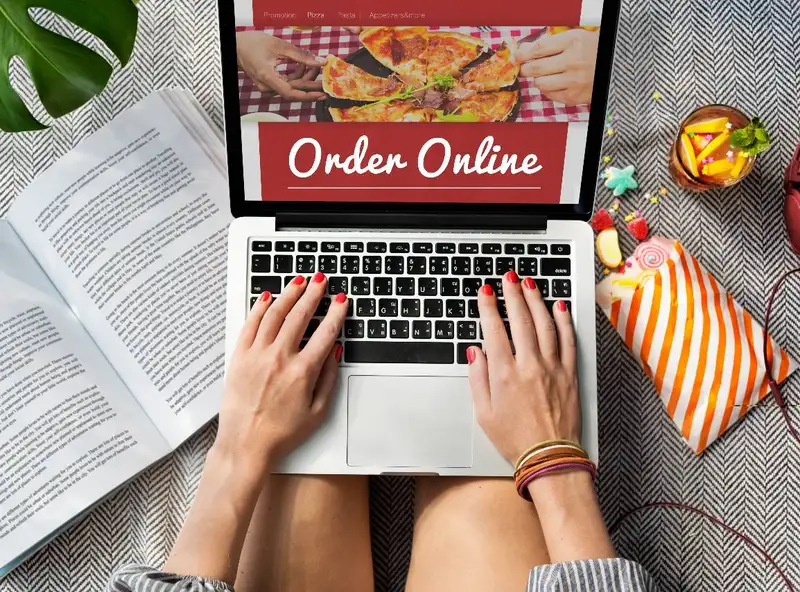
Promotions can be one of the fastest ways to boost online ordering volume - and one of the fastest ways to quietly erode your margins if they're not used with a clear purpose. The goal isn't just to discount for the sake of activity. It's to use offers strategically to change customer behavior - get a first order, encourage a bigger order, or bring back someone who hasn't ordered in a while.
1. First-order discounts. Offering a discount to first-time online customers is a common and effective way to overcome the initial hesitation of trying a new ordering channel. But it's worth calculating the actual cost per acquisition before running these broadly - a 20% discount on a $20 order is $4 off, which is manageable; the same discount stacked with free delivery and a low order minimum can turn a customer acquisition tool into a loss-maker. Set a reasonable minimum order value for any first-order promotion.
2. Use urgency to prompt action. Limited-time offers work because they create a reason to order now rather than "eventually." A "20% off today only" or "free dessert with orders before 8pm" promotion tends to outperform an open-ended discount that never expires, because there's no cost to waiting with the latter. Keep these time-boxed and genuinely limited - if "limited-time" offers run constantly, customers learn to wait for the next one instead of ordering at full price.
3. Bundle instead of blanket-discounting. Rather than discounting your whole menu, consider combo pricing that bundles a main, a side, and a drink at a set price point. This tends to increase order value (customers add items they might not have ordered individually) while protecting margin better than a straight percentage-off promotion across the board.
4. Tie promotions to loyalty milestones. Instead of discounting every order, consider triggering offers at specific points in the customer relationship -
- A reward after every 5th or 10th order
- A birthday or anniversary offer
- A "you're close to free delivery" nudge when a cart is just below the threshold
These feel more like a relationship being built than a generic sale, and they tend to reinforce ordering directly from you rather than from a marketplace app.
A promotion that gets heavily redeemed isn't automatically a good promotion - if it's mostly used by customers who would have ordered anyway, it's just reduced margin on orders you already had. Track whether a promotion is bringing in new customers, increasing order frequency, or increasing order size specifically, and be willing to retire offers that aren't moving one of those numbers.

Customer Retention Strategy
Acquiring a new online customer is almost always more expensive than keeping an existing one ordering. Yet many restaurants pour most of their marketing effort into attracting first-time orders and very little into what happens after. A solid retention strategy is often the single highest-leverage thing you can do for online ordering revenue, because it compounds - every retained customer keeps generating orders without a new acquisition cost each time.
1. Use email and SMS to bring customers back. If your ordering platform captures customer contact information (and it should), that's a direct line to people who have already proven they'll order from you. A simple, consistent cadence works better than sporadic blasts -
- A "thanks for your order" follow-up that makes reordering easy
- A monthly or biweekly update on new items or limited specials
- Reminder messages timed to typical reorder windows (if someone usually orders every two weeks, a nudge around day 12-14 can catch them before they default to a competitor)
2. Build a loyalty program. A loyalty program only helps your margins if it's steering people toward your own website or app rather than third-party marketplaces. Points, stamps, or cashback that only accrue on direct orders give customers a concrete reason to order through you instead of a delivery app - even if the delivery app shows up first when they're hungry and searching.
3. Personalize offers using order history. Generic promotions get reasonable results. Offers based on what someone has actually ordered tend to perform meaningfully better -
- Suggesting a reorder of their usual item with one tap
- Offering a discount on a category they've never tried, if you're trying to expand what they order
- Recognizing and rewarding your highest-frequency customers differently than occasional ones
This doesn't require sophisticated software - even a basic segmentation (new customers, regulars, lapsed customers) run through simple email tools can support meaningfully different messaging for each group.
4. Win back customers who've drifted away. Some customers will naturally go quiet - not because they had a bad experience, but because life got busy or a habit broke. A win-back campaign targeted specifically at customers who haven't ordered in, say, 45-60 days (with a modest incentive to return) is usually one of the better-performing email segments, because you're not trying to convince a stranger - you're reminding someone who already liked you enough to order once.
The restaurants that do this well tend to treat retention as an ongoing operational habit regularly reviewing who's ordering, who's slowing down, and who's gone quiet rather than an occasional marketing push. Even a simple monthly review of order frequency by customer can surface who needs a nudge before they're gone for good.
Leveraging Data and Technology
Everything covered so far works better when it's guided by actual data rather than guesswork. Most online ordering platforms already collect far more information than restaurant owners typically use. This section is about putting that data to work.
1. Start with your ordering platform's built-in analytics. Before investing in anything new, review what your current system already tracks - which items sell best, what times of day and days of week drive the most volume, where in the ordering flow customers tend to drop off, and average order value over time. Even basic dashboards usually surface patterns that aren't obvious from day-to-day operations - a "best seller" you assumed was popular might actually be a mid-tier performer once you look at the numbers.
2. A/B test rather than assume. Instead of guessing whether a new menu layout, a different promotion, or an alternate item description will perform better, test it directly where possible. This could be as simple as running one version for two weeks and comparing it to the previous period, or as sophisticated as a platform that splits traffic automatically. Small, low-stakes tests - a new photo on a slow-selling item, a repositioned upsell prompt - are a low-risk way to build a habit of decision-making based on results rather than instinct.
3. Connect your POS and CRM. When your point-of-sale system and your customer contact/marketing tools are disconnected, you end up with a fragmented picture - online order history in one place, in-person visit data in another, email engagement somewhere else entirely. Integrating these systems (even loosely, through basic syncing) makes personalization and retention efforts in Section 6 far more effective, because offers and messaging can be based on a customer's complete relationship with your restaurant, not just one channel.
4. Automate what can be automated. Manually tracking every customer's order frequency or manually sending win-back emails doesn't scale much past a handful of regulars. Basic marketing automation triggered by behavior rather than sent manually - allows retention and promotional tactics to run consistently in the background -
- A welcome sequence triggered by a first order
- A reorder reminder triggered by typical time-between-orders
- A win-back offer triggered by a defined period of inactivity
The point of automation isn't to make things feel impersonal - it's to make sure the right message reaches the right customer at the right time, consistently, without requiring manual effort every single day.
A single deep dive into your ordering analytics is useful, but the real value comes from checking in regularly - monthly is often a reasonable cadence for a small or mid-sized restaurant. Trends shift with seasons, menu changes, and local competition, and a promotion or menu layout that worked well six months ago may need revisiting.
A Simple Action Plan for Owners
Below is a practical way to sequence these changes, starting with what's fastest to implement and building toward longer-term strategy.
Quick wins to implement this week
These require little to no technical work and can often be done in an afternoon -
- Reorder your menu categories to put best sellers and high-margin items first
- Rewrite descriptions for your top 5-10 items with more sensory, specific language
- Add photos to your 3-5 best-selling or highest-margin dishes if they're missing
- Turn on guest checkout if it isn't already the default
- Add one simple upsell prompt (a drink or side) to your top-selling item's page
Medium-term improvements (1-3 months)
These take a bit more planning but are still manageable without a major overhaul -
- Audit your full ordering flow for unnecessary steps and friction points
- Set up a basic first-order promotion with a sensible minimum order value
- Build a simple combo/bundle pricing structure around your most popular items
- Set up a basic email or SMS sequence for post-order follow-up
- Review your platform's analytics dashboard and identify your actual drop-off points and best/worst performing items
Long-term strategy for sustained growth
These build on the foundation above and tend to compound over time -
- Launch or refine a loyalty program that rewards direct ordering specifically
- Integrate your POS and CRM systems for a unified customer view
- Build out automated retention flows (welcome, reorder reminder, win-back)
- Establish a regular (monthly or quarterly) habit of reviewing data and testing changes to menu layout, pricing, and promotions
Key metrics to track ongoing success
As you make these changes, a handful of numbers will tell you whether they're working -
1. Average order value - is upselling and bundling increasing what customers spend per order?
2. Conversion rate - what percentage of people who start an order actually complete it?
3. Cart abandonment rate - where specifically are customers dropping off?
4. Repeat order rate - what percentage of customers order again within a set window (30, 60, 90 days)?
5. Direct order share - what percentage of total online orders come through your own channel versus third-party marketplaces?
6. Customer acquisition cost - what are you actually spending, in discounts or marketing, to get a new online customer?
The restaurants that see the biggest gains in online ordering sales usually aren't doing one dramatic thing. They're consistently doing the smaller things well, and paying attention to what the numbers tell them along the way.
Restaurant management
How to Manage Tasks in a Restaurant
Inventory management
How to Conduct a Food Waste Audit in Your Restaurant
Software integration
Smart Ways to Use AI in Your Restaurant

Employee scheduling
Employee Time Tracking Tips for Restaurants
Employee scheduling
7 Scheduling Mistakes Restaurant Owners Should Stop Making

Employee scheduling
Human Resource Management for Restaurants
Employee scheduling
Common Payroll Challenges in Restaurants

Sales forecasting
How to Use Restaurant Analytics to Improve Profitability

Restaurant management
The Complete Guide to Restaurant Reputation Management
Frequently Asked Questions
How can restaurants get customers to order online?
Promote online ordering through the restaurant website, social media, email, SMS, receipts, packaging, in-store signage, and QR codes. Make the ordering option highly visible and easy to access.
What should restaurants track for online ordering?
Key metrics include online order volume, conversion rate, average order value, repeat order rate, cart abandonment rate, customer acquisition cost, and sales by ordering channel.
How can QR codes increase restaurant online orders?
QR codes can provide a direct path to the online ordering menu. Restaurants can place them on receipts, packaging, table signage, menus, and promotional materials to make ordering accessible at the moment customers are most likely to purchase.
How can restaurants increase online order value?
Restaurants can increase average order value by offering meal bundles, suggesting relevant sides and beverages, promoting upgrades, and using targeted add-ons throughout the ordering process.