Overview
A well-designed POS system does more than just process payments. It keeps lines moving, helps staff take orders accurately, and even allows mobile and online ordering. Some systems also connect with kitchen displays, making it easier for staff to prepare orders quickly and correctly. For drive-thru restaurants, a good POS system ensures that orders are processed smoothly without delays.
In addition to speed and convenience, a POS system can also help track sales, manage inventory, and provide useful reports. These features help restaurant owners make better decisions about pricing, staffing, and menu options. Choosing the best POS system for a QSR depends on factors like transaction speed, easy-to-use features, and integration with other tools.
Speed and Efficiency in Order Processing
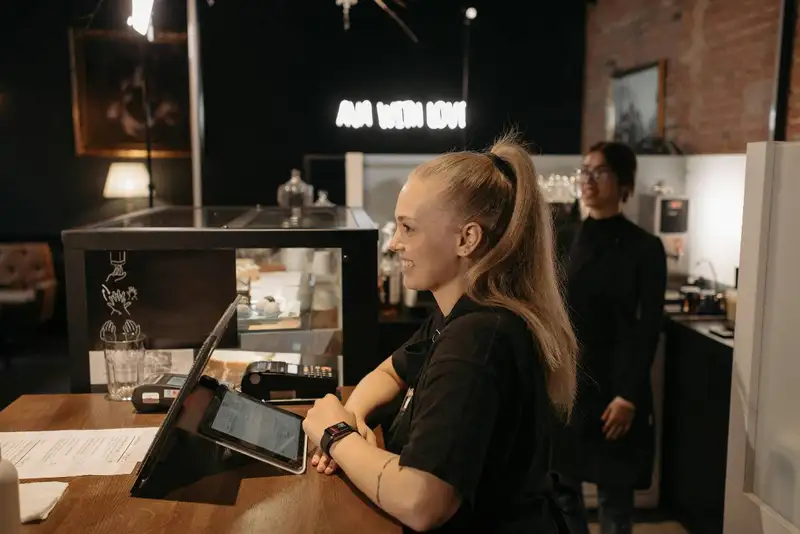
A good POS system allows employees to take orders quickly with an easy-to-use touchscreen interface. The best systems reduce the number of steps needed to complete a transaction, allowing staff to move on to the next order without delays. Some POS systems also have built-in shortcuts for popular menu items, making it faster to enter orders, especially during busy hours.
Another important feature is order accuracy. A well-designed POS system helps reduce mistakes by clearly displaying order details for both customers and employees. Many systems also integrate with kitchen display screens, ensuring that the kitchen receives clear and accurate instructions without the risk of miscommunication from handwritten notes.
For even greater efficiency, some POS systems support contactless and mobile payments, which speed up the checkout process. Instead of handling cash or swiping cards, customers can tap their phones or credit cards for instant payment. This not only speeds up transactions but also improves hygiene and customer convenience.
Simplify Multi-Channel Ordering
Get started with Altametrics to streamline your POS!
Self-Service Kiosks and Mobile Ordering
Self-service kiosks allow customers to browse the menu, customize their orders, and pay without needing help from an employee. This reduces wait times at the counter and frees up staff to focus on preparing food and managing other tasks. Kiosks also improve order accuracy because customers can review their selections before finalizing their purchase. Many restaurants see an increase in average order value with kiosks since customers feel more comfortable adding extras and upgrades without feeling rushed.
Mobile ordering is another important feature that many POS systems offer. Customers can place orders ahead of time using a mobile app or website and pick up their food when it's ready. This reduces congestion inside the restaurant and speeds up service, especially during peak hours. For QSRs with drive-thru service, mobile ordering can also help cut wait times by allowing customers to check in and receive their food quickly.
By choosing a POS system that supports self-service kiosks and mobile ordering, restaurant owners can improve efficiency, reduce labor costs, and give customers a better experience. These features not only make ordering easier but also help increase sales by encouraging larger and more frequent purchases.
Drive-Thru Optimization with POS Integration
One key feature of a good POS system for drive-thrus is fast order entry. Employees should be able to quickly take orders and send them directly to the kitchen without delay. Many modern POS systems include voice-ordering capabilities, touchscreen interfaces, and customizable menus that allow employees to enter orders with minimal effort.
Another important feature is order queue management. A drive-thru POS should track the order sequence, ensuring that customers receive their food in the correct order, even during rush hours. Some POS systems also allow for dual-lane ordering, where two customers can place orders simultaneously, reducing bottlenecks.
Kitchen integration is also essential. The POS system should send orders directly to kitchen display screens, eliminating the need for employees to manually relay information. This reduces errors and speeds up food preparation.
For payment processing, a POS system with contactless and mobile payment support can speed up transactions and reduce the need for cash handling. Customers can tap their phones or cards, making the process faster and more convenient.
By optimizing the drive-thru with the right POS system, restaurants can serve more customers in less time, improve accuracy, and create a smoother overall experience. Investing in a POS that supports efficient drive-thru operations helps increase sales and keeps customers coming back.
Payment Flexibility and Contactless Transactions

One of the most important features of a modern POS system is contactless payment support. Contactless payments, such as tap-to-pay credit cards and mobile wallets like Apple Pay and Google Pay, allow customers to complete transactions instantly. This speeds up the checkout process, eliminates the need to handle cash, and improves hygiene by reducing physical contact.
A good POS system should also support split payments, allowing customers to divide the bill between multiple payment methods or among different people. This is especially useful for group orders and can make the checkout process more efficient.
For quick-service restaurants, drive-thru payment processing should also be seamless. A POS system that allows for wireless or tablet-based payment processing makes it easier for employees to handle payments without customers needing to pass cash or cards through a window. Some systems also offer pre-payment options for mobile and online orders, reducing transaction time at the pickup window.
Security is another crucial factor. A POS system should include encryption and fraud protection features to keep customer payment data safe. By choosing a POS that offers flexible and secure payment options, restaurants can speed up service, improve customer experience, and boost sales.
Streamline Operations
Control Menus, Items, and Prices Seamlessly with Altametrics
Inventory Management and Menu Customization
With automated inventory tracking, a POS system can deduct ingredients as orders are placed. This helps prevent situations where customers order something that is out of stock, improving order accuracy and customer satisfaction. Additionally, some POS systems send alerts when inventory levels are low, allowing restaurant owners to restock before running out of key ingredients. This feature helps reduce waste and keeps costs under control.
Menu customization is another essential feature. Quick-service restaurants often introduce limited-time offers, seasonal specials, or pricing adjustments. A POS system should allow easy modifications to the menu without complicated steps. Whether adjusting prices, adding new items, or removing discontinued products, the system should update changes across all ordering channels, including self-service kiosks, mobile apps, and drive-thru menus.
By integrating inventory management with menu customization, a POS system helps restaurant owners maintain better control over their food costs and menu offerings. This leads to a more efficient operation, reduced waste, and the ability to offer customers fresh and available menu options at all times.
Reporting and Sales Analytics for Data-Driven Decisions
One of the most useful features of a POS system is sales tracking. By reviewing sales reports, restaurant owners can see which menu items are selling the most and which are under-performing. This helps in menu planning, pricing adjustments, and inventory control. For example, if a certain item is consistently selling out, restaurant owners can increase stock levels or promote higher-margin alternatives.
POS systems also provide insights into customer purchasing habits. By analyzing order history, restaurants can identify trends such as which items are frequently purchased together. This information can be used to create special promotions, meal bundles, or loyalty program rewards to encourage repeat business.
Staff performance tracking is another valuable feature. A POS system can generate reports on employee sales, helping restaurant owners identify top-performing team members and those who may need additional training.
With data reporting, restaurants can also monitor peak hours to ensure proper staffing. By identifying busy and slow periods, managers can adjust work schedules to optimize labor costs without over-staffing or under-serving customers.
By using the reporting and analytics tools in a POS system, quick-service restaurants can make smarter decisions that improve efficiency, increase revenue, and enhance the customer experience.
Key Takeaways
Speed and efficiency are critical in a fast-paced QSR environment. A POS system that allows for quick order entry, reduces mistakes, and integrates with kitchen displays helps staff serve more customers in less time. Additionally, offering self-service kiosks and mobile ordering can help reduce wait times, improve order accuracy, and boost sales by allowing customers to customize their selections without feeling rushed.
For restaurants with drive-thru service, the right POS system ensures smooth order flow, reduces bottlenecks, and integrates payment processing for faster transactions. Payment flexibility and contactless transactions have become essential for customer convenience, allowing for faster and more secure checkouts.
Inventory management and menu customization are also key features of a modern POS system. By tracking stock levels and allowing easy menu updates, restaurant owners can reduce waste, prevent shortages, and introduce new offerings seamlessly. Additionally, data reporting and sales analytics help businesses make informed decisions about pricing, staffing, and promotions.
Ultimately, the best POS system for a QSR should be user-friendly, fast, and capable of handling high-volume orders efficiently. Investing in the right system ensures smoother operations, happier customers, and increased profitability for quick-service restaurant owners.
Centralize Your Menus Today!
Manage Everything In One Place with Altametrics
Frequently
Asked Questions
Can a POS system help track customer preferences?
Can a POS system handle multiple tax rates for different locations?
Can a POS system generate reports on food cost vs. sales?
What is an integrated POS system?
Must-Read Content
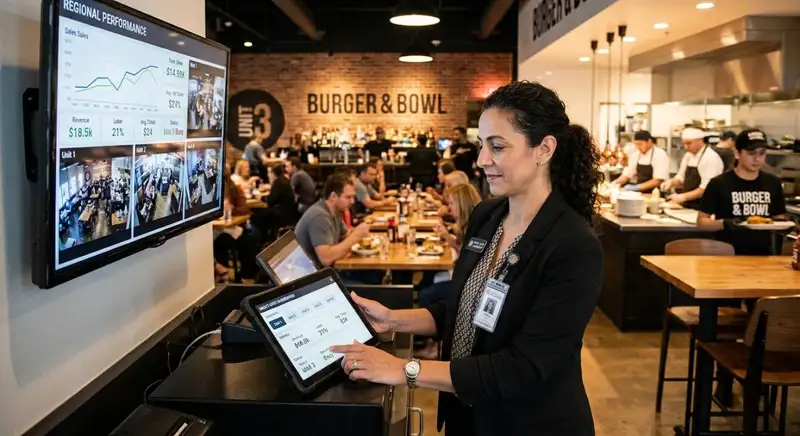
How AI Is Transforming Multi-Unit Restaurant Management
AI helps multi-unit restaurant operators forecast demand, optimize labor, detect anomalies, ensure consistency, refine menus and pricing, and adopt tools gradually, freeing managers to focus on hospitality.

Restaurant ERP Explained - What It Is, How It Works, and Its Benefits
Restaurant ERP connects essential operations, improves cost control, centralizes business information, streamlines workflows, and helps owners make informed management decisions.

10 Benefits of All-in-One Restaurant Management Software
All-in-one restaurant management software streamlines operations, improves communication, reduces administrative work, controls costs, strengthens workforce management, and supports informed business decisions.