
The Role of Visual Elements in Menu Design
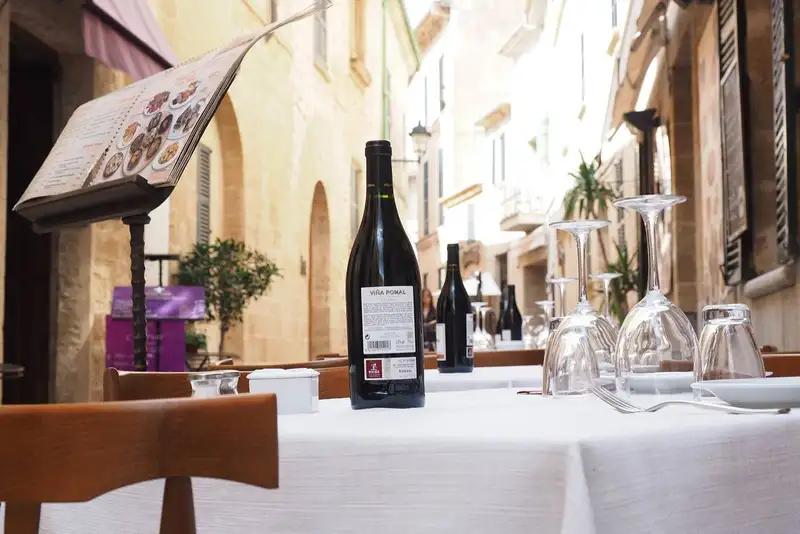
Visual elements such as images, icons, and illustrations are powerful tools in menu design. They can evoke emotions, highlight key items, and create a visual hierarchy that guides the customer's gaze. High-quality images of dishes can stimulate appetite and interest, making it more likely that customers will choose those items. Icons can be used to denote special dietary options, such as vegan or gluten-free dishes, helping customers quickly identify suitable choices. Illustrations, on the other hand, can add a touch of artistry and uniqueness, reflecting the restaurant's brand and theme.
When selecting visual elements for a menu, it is essential to ensure they align with the restaurant's overall aesthetic and target audience. High-resolution images should be used to maintain a professional look. It is also important to avoid clutter; each visual element should serve a purpose and add value to the menu display.
Here are some tips for incorporating visual elements effectively
1. Highlight Signature Dishes - Use images to showcase your best dishes. Make sure these images are appealing and professionally taken.
2. Use Icons for Clarity - Icons can simplify the menu by indicating dietary preferences, spice levels, or chef's recommendations.
3. Maintain Consistency - Ensure that the style of images, icons, and illustrations is consistent throughout the menu to create a cohesive look.
4. Strategic Placement - Position visual elements where they can catch the eye, such as near high-margin items or specials.
Visual elements are a key component of menu design. By thoughtfully selecting and incorporating images, icons, and illustrations, restaurant owners can create a menu that is not only visually appealing but also effective in guiding customer choices and enhancing their overall dining experience.
The Psychology Behind Menu Layout
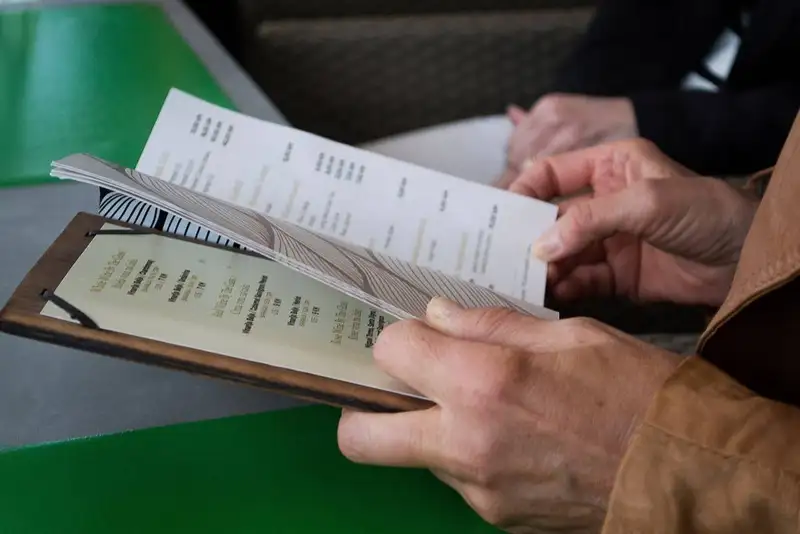
Menu layout can significantly impact how customers perceive and choose menu items. By strategically arranging items, restaurant owners can highlight high-profit dishes, manage customer attention, and ultimately drive sales. An effective layout leverages psychological principles to subtly nudge customers towards specific choices.
Two critical concepts in menu layout psychology are the Golden Triangle and the primacy and recency effects. The Golden Triangle refers to the areas of the menu that naturally attract the most attention- the center and the top right corner. These spots are where customers' eyes typically fall first, making them prime real estate for high-margin items.
The primacy and recency effects explain that people tend to remember the first and last items they see. This means that placing high-profit dishes at the beginning and end of each section increases the likelihood of these items being ordered. By understanding and utilizing these concepts, restaurant owners can design a menu that enhances profitability and customer satisfaction.
Tips for Placing High-Profit Items in Prime Locations
1. Highlight High-Margin Items - Position your most profitable dishes in the Golden Triangle areas. Use boxes or borders to draw attention to these items.
2. Strategic Placement - Place high-profit items at the top and bottom of each section to leverage the primacy and recency effects. Customers are more likely to notice and order these dishes.
3. Use Visual Cues - Incorporate images or icons next to high-profit items to make them stand out. This can attract attention and increase the likelihood of these items being chosen.
4. Limit Choices - Avoid overwhelming customers with too many options. A streamlined menu with strategically placed high-profit items can guide customers towards the choices you want them to make.
By applying these psychological principles and tips, restaurant owners can create a menu layout that not only looks appealing but also drives customer decisions in a way that enhances profitability.
Simplify Multi-Channel Ordering
Get started with Altametrics to streamline your POS!
Effective Use of Colors and Fonts
Colors evoke emotions and set the mood. For instance, warm colors like red and orange can stimulate appetite and create a sense of urgency, while cool colors like blue and green tend to have a calming effect. The choice of color can also signal the type of cuisine and the dining experience customers can expect. For example, a rustic Italian restaurant might use earthy tones to convey warmth and tradition, whereas a modern sushi bar might use sleek, minimalist colors to suggest sophistication and freshness.
Fonts, on the other hand, affect readability and the overall aesthetic of the menu. The style of the font can convey different messages; a classic serif font might suggest elegance and formality, while a playful sans-serif font can create a casual and fun atmosphere. It's important that fonts are not only visually appealing but also easy to read, ensuring that customers can effortlessly navigate the menu.
Guidelines for Choosing Colors and Fonts
1. Evoking Desired Emotions - Choose colors that align with the restaurant's theme and desired customer emotions. For a cozy, intimate setting, warm and earthy tones work well. For a lively, energetic atmosphere, bright and bold colors are more suitable.
2. Enhancing Readability - Select fonts that are clear and legible. Avoid overly decorative fonts that might be hard to read, especially for longer descriptions. Combining different font styles for headings and body text can add variety without sacrificing readability.
Tips for Creating a Cohesive and Attractive Visual Theme
1. Consistency - Maintain a consistent color palette and font style throughout the menu. This creates a cohesive look and reinforces the restaurant's brand identity.
2. Contrast - Use contrast effectively to highlight important sections and items. For example, a dark font on a light background is easier to read and can draw attention to key dishes.
3. Hierarchy - Establish a visual hierarchy with font sizes and colors. Use larger, bolder fonts for headings and important items, and smaller, simpler fonts for descriptions.
4. Balance - Ensure a balanced use of colors and fonts to avoid overwhelming customers. A well-balanced menu is visually appealing and easy to navigate.
By thoughtfully selecting and combining colors and fonts, restaurant owners can create a menu that not only looks attractive but also enhances customer satisfaction and drives sales.
Designing for Readability and Clarity
When customers can easily read and navigate a menu, it reduces decision fatigue and enhances their overall dining satisfaction. Clear and readable menus also minimize misunderstandings and errors in orders, leading to better service and customer retention. A menu that is difficult to read can frustrate customers, potentially driving them away.
Tips for Ensuring Readability
1. Appropriate Font Sizes - Use font sizes that are large enough to be read comfortably from a distance. Headings should be significantly larger than item descriptions to create a clear hierarchy. Typically, menu item names should be at least 12-14 points, and descriptions should be around 10-12 points.
2. Spacing and Contrast - Adequate spacing between lines and items prevents the menu from looking cluttered. Use generous margins and padding to give each item room to breathe. High contrast between text and background enhances readability; for example, dark text on a light background or vice versa ensures that the text stands out.
Layout for Clear and Organized Information
1. Logical Grouping - Organize items into logical sections, such as appetizers, entrees, desserts, and beverages. Use headings and subheadings to clearly define these sections. This structure helps customers find what they are looking for quickly.
2. Visual Hierarchy - Establish a visual hierarchy through the use of font sizes, weights, and styles. Headings should be bold and prominent, while item names and descriptions can be slightly smaller but still readable. This guides the customer's eye through the menu in a logical flow.
3. Consistent Layout - Maintain consistency in layout throughout the menu. This includes consistent use of fonts, colors, and spacing. A consistent layout creates a cohesive look and helps customers easily navigate different sections of the menu.
By focusing on readability and clarity, restaurant owners can create a menu that enhances customer experience, making it easy for customers to make choices and enjoy their dining experience. This attention to detail can significantly impact customer satisfaction and loyalty.
Highlighting Key Items and Specials
Techniques for Highlighting Specials and High-Margin Items
1. Using Boxes and Borders - Placing high-margin items or specials within boxes or borders can make them visually distinct from the rest of the menu. This technique helps to create a focal point, drawing the customer's eye directly to these highlighted areas.
2. Callouts - Adding callouts such as "Chef's Special" or "Customer Favorite" can provide additional emphasis. These callouts can be styled differently, such as using a contrasting color or a different font, to stand out from regular menu items.
Strategic Placement of Highlighted Items
1. Prime Locations - Place high-margin items and specials in prime locations on the menu, such as the top right corner or the center. These areas naturally attract more attention due to common reading patterns. Utilizing the psychology behind the "Golden Triangle" can ensure that these key items are seen first.
2. Repetition - Occasionally, repeating a special or key item in more than one section can reinforce its presence and encourage customers to order it. For example, a popular dish can be featured both as a special and under its regular category.
Incorporating Appealing Images
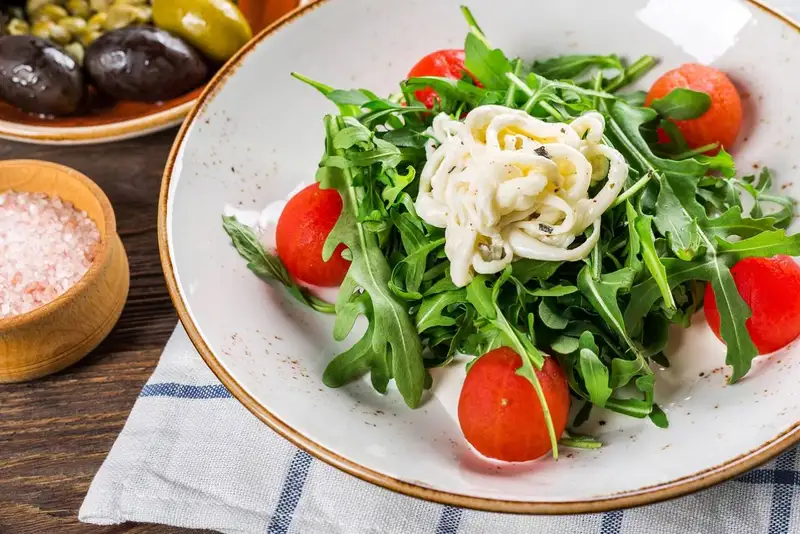
1. Visual Appeal - Including high-quality, appetizing images of key items can significantly influence customer decisions. People eat with their eyes first, and a well-shot photo can make a dish appear irresistible.
2. Placement of Images - Strategically place images next to high-margin items or specials to enhance their appeal. Ensure that these images are professionally taken to reflect the quality of the food and the restaurant's brand.
While highlighting specials and key items is important, it's crucial to maintain a balance between visual and textual elements to avoid overwhelming the customer. Proper use of visuals, callouts, and strategic placement not only draws attention but also enhances the readability of the menu. This approach ensures that customers can easily navigate the menu and make informed choices about what to order.
By effectively highlighting key items and specials, restaurant owners can influence customer choices, increase sales of high-margin dishes, and ultimately improve their bottom line. Attention to detail in menu design, including the strategic highlighting of certain items, helps in managing food prices effectively while maximizing profitability.
Streamline Operations
Control Menus, Items, and Prices Seamlessly with Altametrics
Balancing Creativity and Functionality
Creativity in menu design involves the use of unique layouts, artistic elements, and engaging visual themes that set the restaurant apart from competitors. However, these creative aspects should not compromise the menu's usability. Customers should be able to quickly and easily find the information they need, such as dish descriptions, prices, and dietary options. A menu that is overly complex or visually cluttered can frustrate customers, leading to a negative dining experience.
Tips for Maintaining a Balance Between Creativity and Functionality
1. Clear Organization - Ensure that the menu is organized in a logical and intuitive manner. Group similar items together and use headings and subheadings to clearly define sections. This makes it easier for customers to find what they are looking for.
2. Readable Fonts and Colors - Use fonts and colors that are not only visually appealing but also easy to read. Avoid overly ornate fonts that can be difficult to decipher and ensure that there is sufficient contrast between text and background colors.
3. Strategic Use of Visuals - Incorporate images and illustrations sparingly to enhance the menu without overwhelming it. Visual elements should complement the text and help guide the customer's attention, not distract from it.
4. Interactive Elements - For digital menus, consider adding interactive elements such as clickable links to detailed descriptions or videos of the dishes being prepared. This adds a creative touch while providing valuable information to customers.
Examples of Creative yet Functional Design Elements
1. Infographics - Use infographics to present information in a visually appealing and easily digestible format. For instance, a visual guide to the spiciness level of dishes can be both creative and informative.
2. Storytelling - Incorporate storytelling elements into the menu design. A brief story about the origin of a dish or the chef's inspiration can add a personal touch without compromising functionality.
3. Themed Sections - Design sections of the menu to reflect different themes or concepts. For example, a seafood section could have a nautical design, while a dessert section might feature whimsical illustrations. These themes can enhance the visual appeal while keeping the menu organized.
By carefully balancing creativity with functionality, restaurant owners can create a menu that is both attractive and user-friendly. This approach ensures that customers are not only impressed by the menu's design but also able to easily navigate it and make informed choices, leading to a better dining experience and increased satisfaction.
Menu Testing and Feedback
Testing the menu allows restaurant owners to see how customers interact with it in real-world settings. This can reveal unexpected challenges, such as difficulty in understanding certain descriptions or confusion over menu layout. It also provides an opportunity to gauge customer reactions to new items or design elements. A well-tested menu is more likely to be user-friendly, making it easier for customers to make decisions quickly and accurately, which can lead to higher satisfaction and repeat business.
Methods for Gathering Feedback
1. Surveys - Distribute surveys to customers after their dining experience to collect detailed feedback on the menu. Questions can cover aspects such as readability, layout, item descriptions, and overall satisfaction. Online surveys can be sent to customers who order through digital platforms, providing a broader range of responses.
2. Direct Observation - Observe customers as they interact with the menu. Note any points where they hesitate or seem confused. This method can provide immediate, qualitative insights into how customers are using the menu and where improvements might be needed.
3. Focus Groups - Conduct focus groups with a diverse selection of customers. This allows for in-depth discussions about the menu design and more nuanced feedback.
Making Iterative Improvements Based on Feedback
The feedback collected through these methods should be carefully analyzed to identify common themes and areas for improvement.
1. Prioritize Changes - Focus on the most critical issues that affect customer experience. For example, if many customers find the font size too small, this should be addressed promptly.
2. Implement Changes - Make the necessary adjustments to the menu design based on the feedback. This might involve redesigning certain sections, rewriting descriptions, or rethinking the layout.
3. Retest - After making changes, retest the menu to ensure that the adjustments have resolved the issues. This iterative process may need to be repeated several times to perfect the menu.
By continually testing and refining the menu, restaurant owners can create a design that not only looks good but also works well for their customers. This ongoing process of iteration ensures that the menu remains relevant, effective, and aligned with customer expectations, ultimately contributing to a better dining experience and higher satisfaction rates.
Finalizing and Printing the Menu
Steps to Finalize the Design
1. Review and Revise - Carefully review the final version of the menu. Ensure that all text is free of errors, images are correctly placed, and all visual elements are aligned with the overall theme. This is the last opportunity to make any necessary adjustments before the menu goes to print.
2. Proofreading - Have multiple people proofread the menu to catch any remaining typos or inconsistencies. Fresh eyes can often spot mistakes that might have been overlooked.
3. Final Approval - Obtain final approval from all relevant stakeholders, including chefs, managers, and branding experts. This ensures that the menu meets the restaurant's standards and objectives.
Quality Check for Printing
1. High-Quality Prints - Ensure that the menu is printed on high-quality paper or cardstock to reflect the restaurant's brand. The choice of paper can impact the menu's durability and overall aesthetic.
2. Accurate Colors - Check that the printed colors match the design specifications. Colors can sometimes look different on screen versus in print, so it's important to do a test print to confirm accuracy.
3. Professional Printing Services - Consider using professional printing services to achieve the best results. They can offer advice on paper types, finishes, and printing techniques to enhance the final product.
Adapting the Design for Digital Display
1. Responsive Design - When adapting the design restaurant menu for digital platforms, ensure that it is responsive and looks good on various devices, including desktops, tablets, and smartphones. A responsive design adjusts to different screen sizes, providing a seamless user experience.
2. Interactive Elements - For digital menus, incorporate interactive elements such as clickable links to detailed dish descriptions, videos, or nutritional information. These features can enhance customer engagement and provide additional value.
3. Online Accessibility - Ensure that the digital menu is easily accessible through the restaurant's website and any associated apps. Optimize loading times and ensure the menu is easy to navigate online.
By meticulously finalizing and quality-checking the menu for both print and digital formats, restaurant owners can present a professional and appealing menu that enhances the dining experience. This attention to detail not only reflects the quality of the restaurant but also ensures that customers can easily access and enjoy the menu, whether they are dining in or ordering online.
Centralize Your Menus Today!
Manage Everything In One Place with Altametrics
Frequently
Asked Questions
What is the Golden Triangle in menu layout?
What methods can I use to gather feedback on my menu?
How does menu layout influence customer decisions?
How can I ensure my menu is readable and clear?
Must-Read Content

Why Do Restaurant Staff Quit? Common Reasons and How to Prevent Them
Restaurant staff quit because of low wages, poor management, burnout, and scheduling issues. Learn practical strategies to improve retention and reduce turnover.

How to Get More Customers in a Restaurant
Learn how to get more customers in a restaurant through local marketing, social media, promotions, customer reviews, loyalty programs, and retention strategies.
How to Maintain Hiring Compliance Across Multiple Restaurant Locations
Restaurant groups can maintain hiring compliance by standardizing processes, centralizing records, assigning ownership, training managers, adapting to local laws, auditing regularly, and using technology for ongoing monitoring.