What Restaurant Automation Means
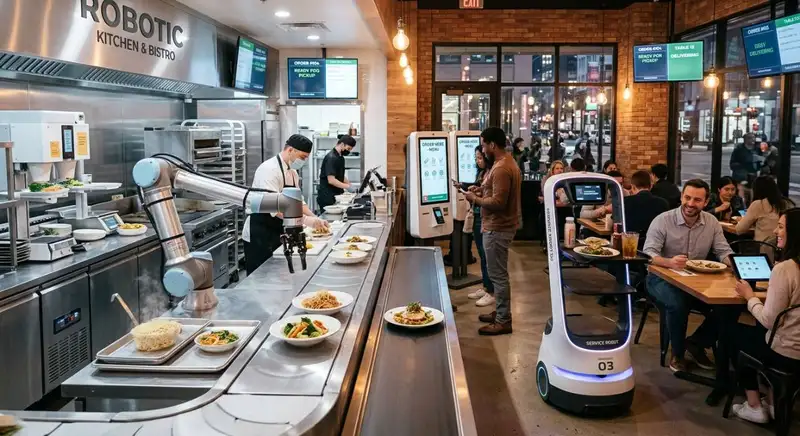
Restaurant automation is the use of technology to perform repetitive tasks, manage operational processes, and coordinate activities that would otherwise require significant manual effort. It helps restaurant owners simplify everyday responsibilities by automating tasks such as employee scheduling, inventory tracking, order processing, sales reporting, and administrative work.
Rather than relying on employees or managers to handle every operational detail manually, automated systems collect information, perform routine calculations, send notifications, and update records based on predefined rules or real-time activity. This makes daily workflows more consistent and reduces the time spent switching between different responsibilities.
Restaurant automation can be applied across several areas of daily operations -
1. Front-of-House Operations - Automation helps manage order processing, payment transactions, customer reservations, and communication between service staff and kitchen employees. These processes reduce manual coordination and help maintain smoother service during busy periods.
2. Back-of-House Operations - Kitchen display systems, digital preparation workflows, and automated inventory tracking help employees organize orders, monitor ingredients, and maintain consistent kitchen operations.
3. Workforce Management - Automated scheduling and timekeeping simplify shift planning, employee attendance tracking, labor monitoring, and timesheet management. Managers can spend less time handling scheduling adjustments and calculating employee hours.
4. Inventory and Purchasing - Automated inventory processes track stock levels, monitor ingredient consumption, identify shortages, and support purchasing decisions. This helps restaurants maintain appropriate stock levels while reducing overordering and food waste.
5. Administrative and Financial Tasks - Automation simplifies sales reporting, expense tracking, recordkeeping, and routine administrative responsibilities. Managers can access organized operational information without manually collecting data from multiple sources.
How Restaurant Automation Works
Most restaurant automation follows a straightforward process - collecting information, applying predefined rules, and completing an action or updating a record.
For example, an automated inventory process may deduct ingredient quantities from available stock when sales and recipe data are connected. When inventory falls below a predefined threshold, the system can notify the manager that additional supplies may be needed. Similarly, timekeeping systems can record employee clock-in and clock-out times, calculate working hours, and organize attendance information for payroll processing.
Automation can also connect different operational systems so information does not need to be entered repeatedly. For instance, sales information can help managers understand ingredient demand, evaluate labor requirements, and review restaurant performance.
Not every automated process operates independently. Some tasks still require managers to review information, approve decisions, or address exceptions. The technology handles repetitive work while employees remain responsible for judgment, supervision, and customer-facing activities.
Rather than relying on employees or managers to handle every operational detail manually, automated systems collect information, perform routine calculations, send notifications, and update records based on predefined rules or real-time activity. This makes daily workflows more consistent and reduces the time spent switching between different responsibilities.
Restaurant automation can be applied across several areas of daily operations -
1. Front-of-House Operations - Automation helps manage order processing, payment transactions, customer reservations, and communication between service staff and kitchen employees. These processes reduce manual coordination and help maintain smoother service during busy periods.
2. Back-of-House Operations - Kitchen display systems, digital preparation workflows, and automated inventory tracking help employees organize orders, monitor ingredients, and maintain consistent kitchen operations.
3. Workforce Management - Automated scheduling and timekeeping simplify shift planning, employee attendance tracking, labor monitoring, and timesheet management. Managers can spend less time handling scheduling adjustments and calculating employee hours.
4. Inventory and Purchasing - Automated inventory processes track stock levels, monitor ingredient consumption, identify shortages, and support purchasing decisions. This helps restaurants maintain appropriate stock levels while reducing overordering and food waste.
5. Administrative and Financial Tasks - Automation simplifies sales reporting, expense tracking, recordkeeping, and routine administrative responsibilities. Managers can access organized operational information without manually collecting data from multiple sources.
How Restaurant Automation Works
Most restaurant automation follows a straightforward process - collecting information, applying predefined rules, and completing an action or updating a record.
For example, an automated inventory process may deduct ingredient quantities from available stock when sales and recipe data are connected. When inventory falls below a predefined threshold, the system can notify the manager that additional supplies may be needed. Similarly, timekeeping systems can record employee clock-in and clock-out times, calculate working hours, and organize attendance information for payroll processing.
Automation can also connect different operational systems so information does not need to be entered repeatedly. For instance, sales information can help managers understand ingredient demand, evaluate labor requirements, and review restaurant performance.
Not every automated process operates independently. Some tasks still require managers to review information, approve decisions, or address exceptions. The technology handles repetitive work while employees remain responsible for judgment, supervision, and customer-facing activities.
Automating Employee Scheduling and Timekeeping
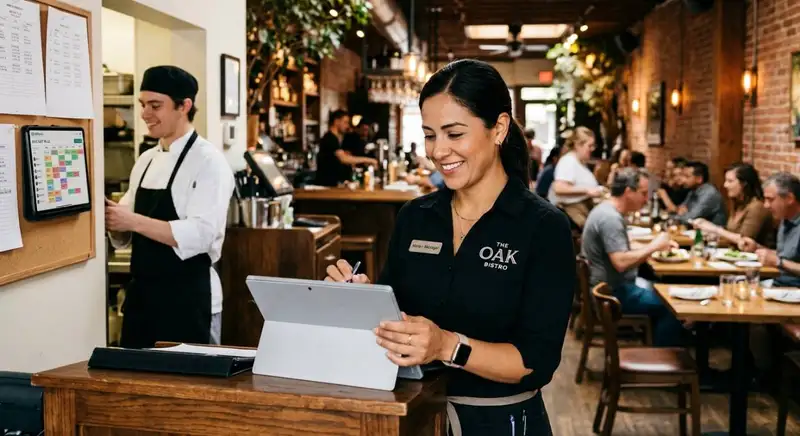
Managing restaurant employees requires constant coordination. Restaurant managers must create schedules, account for employee availability, monitor attendance, handle shift changes, and ensure enough staff members are available during busy periods. When these responsibilities are handled manually, scheduling becomes time-consuming, and mistakes can lead to understaffed shifts, unnecessary labor expenses, and payroll discrepancies.
Automating employee scheduling and timekeeping helps restaurants organize their workforce while reducing repetitive administrative work. Technology can simplify shift planning, record employee hours, and provide managers with better visibility into labor activities.
Automate Employee Scheduling Based on Business Demand
Creating employee schedules involves balancing customer demand, labor budgets, employee availability, and operational requirements. Automated scheduling tools help managers organize these factors when assigning shifts.
For example, restaurant owners can use historical sales information and demand patterns to estimate staffing requirements for different days and times. Managers can then use this information to allocate employees according to expected workloads rather than relying entirely on guesswork.
Automated scheduling can also simplify several routine responsibilities -
1. Employee Availability - Maintain employee availability records to help managers identify suitable shifts.
2. Shift Assignments - Organize employee schedules based on job roles, availability, and staffing requirements.
3. Schedule Notifications - Distribute schedules and notify employees when changes are made.
4. Shift Changes - Help managers review shift swaps and identify potential scheduling conflicts.
5. Labor Forecasting - Compare planned staffing levels with expected business demand and labor budgets.
These capabilities reduce the time managers spend preparing schedules and make it easier to maintain appropriate staffing levels.
Simplify Time and Attendance Tracking
Tracking employee hours manually can create problems when employees forget to record their working time or managers need to correct inaccurate timesheets. Automated timekeeping systems record clock-in and clock-out activity, organize attendance information, and calculate working hours.
This reduces dependence on handwritten timesheets and manual calculations. Managers can review attendance records, identify missed punches, and investigate unusual time entries without manually checking every employee's hours.
Automated timekeeping can also help restaurants monitor -
- Employee clock-in and clock-out times.
- Late arrivals and early departures.
- Missed punches and attendance discrepancies.
- Actual hours worked compared with scheduled hours.
- Overtime and labor utilization.
When timekeeping information is organized accurately, payroll preparation becomes easier because managers have more reliable records to review before processing employee payments.
Improve Labor Cost Control
Labor is one of the largest operating expenses for many restaurants. Automated workforce management helps owners compare scheduled hours with actual hours worked and identify differences that may affect labor budgets.
For example, managers can review whether employees are consistently working beyond their scheduled shifts or whether certain periods require more staffing than necessary. This information helps them adjust future schedules and make better staffing decisions.
Ultimately, automating employee scheduling and timekeeping reduces administrative responsibilities while improving workforce visibility. Restaurant managers spend less time managing spreadsheets and attendance records and more time supervising employees, maintaining service standards, and controlling labor expenses.
Automating employee scheduling and timekeeping helps restaurants organize their workforce while reducing repetitive administrative work. Technology can simplify shift planning, record employee hours, and provide managers with better visibility into labor activities.
Automate Employee Scheduling Based on Business Demand
Creating employee schedules involves balancing customer demand, labor budgets, employee availability, and operational requirements. Automated scheduling tools help managers organize these factors when assigning shifts.
For example, restaurant owners can use historical sales information and demand patterns to estimate staffing requirements for different days and times. Managers can then use this information to allocate employees according to expected workloads rather than relying entirely on guesswork.
Automated scheduling can also simplify several routine responsibilities -
1. Employee Availability - Maintain employee availability records to help managers identify suitable shifts.
2. Shift Assignments - Organize employee schedules based on job roles, availability, and staffing requirements.
3. Schedule Notifications - Distribute schedules and notify employees when changes are made.
4. Shift Changes - Help managers review shift swaps and identify potential scheduling conflicts.
5. Labor Forecasting - Compare planned staffing levels with expected business demand and labor budgets.
These capabilities reduce the time managers spend preparing schedules and make it easier to maintain appropriate staffing levels.
Simplify Time and Attendance Tracking
Tracking employee hours manually can create problems when employees forget to record their working time or managers need to correct inaccurate timesheets. Automated timekeeping systems record clock-in and clock-out activity, organize attendance information, and calculate working hours.
This reduces dependence on handwritten timesheets and manual calculations. Managers can review attendance records, identify missed punches, and investigate unusual time entries without manually checking every employee's hours.
Automated timekeeping can also help restaurants monitor -
- Employee clock-in and clock-out times.
- Late arrivals and early departures.
- Missed punches and attendance discrepancies.
- Actual hours worked compared with scheduled hours.
- Overtime and labor utilization.
When timekeeping information is organized accurately, payroll preparation becomes easier because managers have more reliable records to review before processing employee payments.
Improve Labor Cost Control
Labor is one of the largest operating expenses for many restaurants. Automated workforce management helps owners compare scheduled hours with actual hours worked and identify differences that may affect labor budgets.
For example, managers can review whether employees are consistently working beyond their scheduled shifts or whether certain periods require more staffing than necessary. This information helps them adjust future schedules and make better staffing decisions.
Ultimately, automating employee scheduling and timekeeping reduces administrative responsibilities while improving workforce visibility. Restaurant managers spend less time managing spreadsheets and attendance records and more time supervising employees, maintaining service standards, and controlling labor expenses.
Take Charge of Your Schedule
Smarter Scheduling Made Easy with Altametrics
Streamlining Inventory Management and Food Cost Control
Managing restaurant inventory involves tracking ingredient quantities, monitoring stock movement, placing orders, and identifying products that may expire before they are used. When these responsibilities depend on manual counts and spreadsheets, managers can struggle to maintain accurate records and respond quickly to changing inventory needs. Restaurant automation simplifies inventory management by tracking stock levels, monitoring ingredient usage, and helping owners make more informed purchasing decisions.
Automate Inventory Tracking and Stock Monitoring
Manual inventory counts require employees to inspect storage areas, record ingredient quantities, and update inventory records. This process takes time and can produce inaccurate information when counts are missed or entries are recorded incorrectly.
Automated inventory systems help reduce this workload by organizing stock information and updating records as ingredients are received, transferred, or used. When connected with sales and recipe data, these systems can estimate ingredient consumption based on completed orders.
For example, when a restaurant sells a menu item, its associated recipe quantities can be deducted from recorded inventory. Managers can use this information to understand which ingredients are moving quickly and which products are remaining in storage.
Simplify Purchasing and Prevent Stock Shortages
Ordering too much inventory ties up cash and increases the risk of spoilage, while ordering too little can leave restaurants without essential ingredients during busy periods.
Automation helps managers monitor stock levels and establish minimum inventory thresholds. When ingredient quantities fall below predefined levels, automated alerts can notify responsible employees that additional supplies may be needed.
These processes support more consistent purchasing decisions by helping restaurants consider -
- Current stock quantities and ingredient usage.
- Historical sales and expected customer demand.
- Supplier delivery schedules and lead times.
- Minimum stock requirements and reorder points.
- Upcoming expiration dates and product shelf life.
Improve Food Cost Visibility and Reduce Waste
Food cost control requires understanding how much ingredients cost, how much each recipe consumes, and where differences occur between expected and actual usage.
Automated recipe costing can update ingredient costs when supplier prices change, helping managers understand how those changes affect menu item profitability. Inventory tracking can also help identify discrepancies between theoretical ingredient usage and actual stock consumption.
For example, unexpected inventory differences may indicate overportioning, spoilage, preparation errors, or inaccurate stock records. Managers can investigate these issues and introduce corrective measures before they significantly affect profitability.
By automating inventory management, restaurant owners can reduce repetitive counting and recordkeeping while improving purchasing accuracy and food cost visibility. This creates a more organized approach to managing ingredients, controlling waste, and protecting restaurant profit margins.
Automate Inventory Tracking and Stock Monitoring
Manual inventory counts require employees to inspect storage areas, record ingredient quantities, and update inventory records. This process takes time and can produce inaccurate information when counts are missed or entries are recorded incorrectly.
Automated inventory systems help reduce this workload by organizing stock information and updating records as ingredients are received, transferred, or used. When connected with sales and recipe data, these systems can estimate ingredient consumption based on completed orders.
For example, when a restaurant sells a menu item, its associated recipe quantities can be deducted from recorded inventory. Managers can use this information to understand which ingredients are moving quickly and which products are remaining in storage.
Simplify Purchasing and Prevent Stock Shortages
Ordering too much inventory ties up cash and increases the risk of spoilage, while ordering too little can leave restaurants without essential ingredients during busy periods.
Automation helps managers monitor stock levels and establish minimum inventory thresholds. When ingredient quantities fall below predefined levels, automated alerts can notify responsible employees that additional supplies may be needed.
These processes support more consistent purchasing decisions by helping restaurants consider -
- Current stock quantities and ingredient usage.
- Historical sales and expected customer demand.
- Supplier delivery schedules and lead times.
- Minimum stock requirements and reorder points.
- Upcoming expiration dates and product shelf life.
Improve Food Cost Visibility and Reduce Waste
Food cost control requires understanding how much ingredients cost, how much each recipe consumes, and where differences occur between expected and actual usage.
Automated recipe costing can update ingredient costs when supplier prices change, helping managers understand how those changes affect menu item profitability. Inventory tracking can also help identify discrepancies between theoretical ingredient usage and actual stock consumption.
For example, unexpected inventory differences may indicate overportioning, spoilage, preparation errors, or inaccurate stock records. Managers can investigate these issues and introduce corrective measures before they significantly affect profitability.
By automating inventory management, restaurant owners can reduce repetitive counting and recordkeeping while improving purchasing accuracy and food cost visibility. This creates a more organized approach to managing ingredients, controlling waste, and protecting restaurant profit margins.
Improving Kitchen Operations and Order Management
Restaurant kitchens operate under constant pressure to prepare orders accurately, maintain food quality, and meet customer expectations during busy service periods. When employees rely on verbal instructions, handwritten tickets, or disconnected processes, orders can be delayed, preparation mistakes can occur, and communication between front-of-house and back-of-house teams can become difficult. Restaurant automation helps streamline kitchen operations by organizing order information, improving team communication, and reducing repetitive manual tasks.
Automate Order Processing and Communication
Order management is one of the first areas where automation can improve restaurant workflows. Digital ordering systems can send customer orders directly to kitchen employees without requiring servers to communicate every detail verbally or manually transfer information.
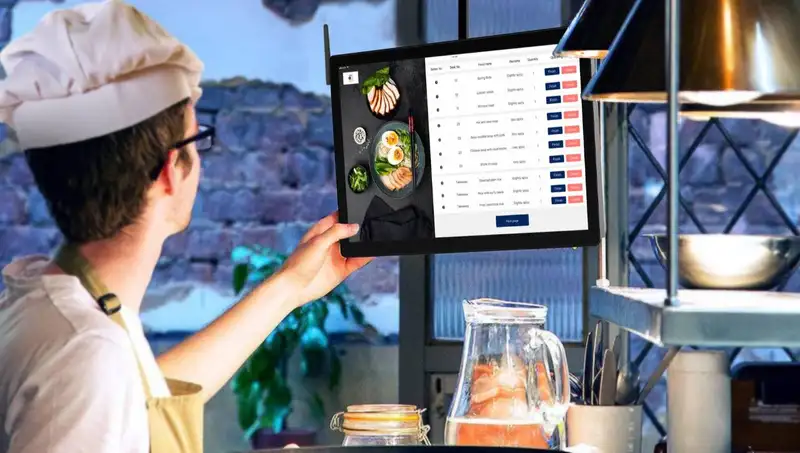
When connected to a kitchen display system, incoming orders appear on screens where employees can review items, special instructions, and preparation requirements. This reduces the risk of misplaced tickets, incorrect orders, and communication gaps between service staff and kitchen teams.
Automated order routing can also direct specific items to the appropriate preparation stations. For example, food orders can be sent to the grill, salad, or dessert station based on the items selected. This helps employees organize their responsibilities and avoid unnecessary coordination during peak service hours.
Improve Food Preparation and Kitchen Coordination
Kitchen employees often manage multiple orders simultaneously, making it difficult to determine which tasks require immediate attention. Automation helps organize preparation workflows by displaying incoming orders, tracking their progress, and highlighting outstanding items.
Kitchen display systems can help employees -
1. Prioritize Incoming Orders - Organize orders according to their arrival times and preparation requirements.
2. Track Preparation Status - Show which orders are pending, being prepared, or completed.
3. Coordinate Preparation Stations - Distribute relevant order information to different kitchen stations.
4. Reduce Preparation Errors - Display specific ingredients, modifications, and special instructions.
5. Improve Service Timing - Help kitchen teams coordinate preparation so multiple items can be completed together.
These capabilities make it easier for kitchen employees to understand their responsibilities and maintain consistent preparation routines.
Maintain Consistency and Reduce Operational Delays
Automation can also support standardized kitchen processes. Digital preparation instructions, recipe information, and task checklists help employees follow consistent procedures when preparing menu items or completing routine responsibilities.
For example, digital checklists can remind employees to complete opening preparations, inspect equipment, or perform cleaning tasks before service begins. Automated notifications can also alert managers when assigned responsibilities remain incomplete.
By automating order management and kitchen workflows, restaurants can reduce communication errors, improve preparation coordination, and maintain more consistent service. Employees spend less time searching for information or managing manual tickets and more time focusing on food quality, preparation accuracy, and customer satisfaction.
Automate Order Processing and Communication
Order management is one of the first areas where automation can improve restaurant workflows. Digital ordering systems can send customer orders directly to kitchen employees without requiring servers to communicate every detail verbally or manually transfer information.
When connected to a kitchen display system, incoming orders appear on screens where employees can review items, special instructions, and preparation requirements. This reduces the risk of misplaced tickets, incorrect orders, and communication gaps between service staff and kitchen teams.
Automated order routing can also direct specific items to the appropriate preparation stations. For example, food orders can be sent to the grill, salad, or dessert station based on the items selected. This helps employees organize their responsibilities and avoid unnecessary coordination during peak service hours.
Improve Food Preparation and Kitchen Coordination
Kitchen employees often manage multiple orders simultaneously, making it difficult to determine which tasks require immediate attention. Automation helps organize preparation workflows by displaying incoming orders, tracking their progress, and highlighting outstanding items.
Kitchen display systems can help employees -
1. Prioritize Incoming Orders - Organize orders according to their arrival times and preparation requirements.
2. Track Preparation Status - Show which orders are pending, being prepared, or completed.
3. Coordinate Preparation Stations - Distribute relevant order information to different kitchen stations.
4. Reduce Preparation Errors - Display specific ingredients, modifications, and special instructions.
5. Improve Service Timing - Help kitchen teams coordinate preparation so multiple items can be completed together.
These capabilities make it easier for kitchen employees to understand their responsibilities and maintain consistent preparation routines.
Maintain Consistency and Reduce Operational Delays
Automation can also support standardized kitchen processes. Digital preparation instructions, recipe information, and task checklists help employees follow consistent procedures when preparing menu items or completing routine responsibilities.
For example, digital checklists can remind employees to complete opening preparations, inspect equipment, or perform cleaning tasks before service begins. Automated notifications can also alert managers when assigned responsibilities remain incomplete.
By automating order management and kitchen workflows, restaurants can reduce communication errors, improve preparation coordination, and maintain more consistent service. Employees spend less time searching for information or managing manual tickets and more time focusing on food quality, preparation accuracy, and customer satisfaction.
Simplifying Administrative Tasks and Restaurant Reporting
Restaurant managers spend a considerable amount of time handling administrative responsibilities, including reviewing sales figures, preparing reports, recording expenses, monitoring daily tasks, and maintaining operational documents. When these activities depend on manual data entry and separate spreadsheets, managers may struggle to keep information accurate and up to date. Restaurant automation simplifies administrative work by collecting operational data, organizing records, and generating reports with less manual intervention.
Automate Data Collection and Recordkeeping
Restaurant operations generate information throughout the day, including sales transactions, employee hours, inventory movements, purchasing records, and expenses. Collecting this information manually can create unnecessary administrative work and increase the risk of missing or incorrectly recording important details.
Automated systems can capture and organize information as transactions and operational activities occur. For example, sales data can be recorded automatically, while timekeeping systems maintain employee attendance records. Inventory processes can also update stock information as ingredients are received or consumed.
Centralizing these records makes it easier for managers to access relevant information without searching through multiple spreadsheets, paper documents, or disconnected files. It also reduces repetitive data entry and helps maintain more consistent business records.
Simplify Restaurant Reporting and Performance Monitoring
Preparing operational reports manually requires managers to collect information from different departments, organize figures, and calculate performance metrics. Automated reporting reduces this workload by compiling available data into organized summaries and dashboards.
Restaurant owners can use automated reports to monitor several important areas -
1. Sales Performance - Review daily revenue, transaction volumes, and sales trends.
2. Labor Expenses - Compare scheduled and actual working hours while monitoring labor costs.
3. Inventory Performance - Track stock movements, ingredient consumption, and inventory discrepancies.
4. Food Costs - Monitor ingredient expenses and evaluate changes in recipe costs.
5. Operational Productivity - Review completed tasks, outstanding responsibilities, and workflow performance.
Having access to updated information helps managers identify operational problems earlier and make decisions based on measurable performance rather than incomplete records.
Automate Task Assignments and Daily Responsibilities
Administrative automation also helps managers organize recurring responsibilities. Digital task management systems allow managers to assign duties, establish deadlines, send reminders, and monitor completion status.
For example, opening procedures, equipment inspections, cleaning schedules, and closing responsibilities can be organized into digital checklists. Employees can review assigned tasks and update their status once completed, giving managers better visibility into daily operations.
Automated reminders also reduce the need for managers to repeatedly follow up with employees about routine responsibilities.
By automating administrative tasks and restaurant reporting, owners can reduce paperwork, improve recordkeeping, and gain better visibility into business performance. This allows managers to spend less time gathering information and more time identifying operational improvements, supporting employees, and maintaining consistent restaurant operations.
Automate Data Collection and Recordkeeping
Restaurant operations generate information throughout the day, including sales transactions, employee hours, inventory movements, purchasing records, and expenses. Collecting this information manually can create unnecessary administrative work and increase the risk of missing or incorrectly recording important details.
Automated systems can capture and organize information as transactions and operational activities occur. For example, sales data can be recorded automatically, while timekeeping systems maintain employee attendance records. Inventory processes can also update stock information as ingredients are received or consumed.
Centralizing these records makes it easier for managers to access relevant information without searching through multiple spreadsheets, paper documents, or disconnected files. It also reduces repetitive data entry and helps maintain more consistent business records.
Simplify Restaurant Reporting and Performance Monitoring
Preparing operational reports manually requires managers to collect information from different departments, organize figures, and calculate performance metrics. Automated reporting reduces this workload by compiling available data into organized summaries and dashboards.
Restaurant owners can use automated reports to monitor several important areas -
1. Sales Performance - Review daily revenue, transaction volumes, and sales trends.
2. Labor Expenses - Compare scheduled and actual working hours while monitoring labor costs.
3. Inventory Performance - Track stock movements, ingredient consumption, and inventory discrepancies.
4. Food Costs - Monitor ingredient expenses and evaluate changes in recipe costs.
5. Operational Productivity - Review completed tasks, outstanding responsibilities, and workflow performance.
Having access to updated information helps managers identify operational problems earlier and make decisions based on measurable performance rather than incomplete records.
Automate Task Assignments and Daily Responsibilities
Administrative automation also helps managers organize recurring responsibilities. Digital task management systems allow managers to assign duties, establish deadlines, send reminders, and monitor completion status.
For example, opening procedures, equipment inspections, cleaning schedules, and closing responsibilities can be organized into digital checklists. Employees can review assigned tasks and update their status once completed, giving managers better visibility into daily operations.
Automated reminders also reduce the need for managers to repeatedly follow up with employees about routine responsibilities.
By automating administrative tasks and restaurant reporting, owners can reduce paperwork, improve recordkeeping, and gain better visibility into business performance. This allows managers to spend less time gathering information and more time identifying operational improvements, supporting employees, and maintaining consistent restaurant operations.
Cut Down Prep Time and Boost Accuracy
Automate Your Kitchen with Altametrics!
How to Implement Restaurant Automation Successfully
Introducing automation into restaurant operations requires more than adopting new technology. Restaurant owners must identify which processes need improvement, evaluate available solutions, and prepare employees to work with automated systems. A poorly planned implementation can create confusion, disrupt established workflows, and introduce unnecessary expenses. A structured approach helps restaurants adopt automation gradually while ensuring that technology addresses real operational challenges.
1. Identify Repetitive Tasks and Operational Bottlenecks
Start by reviewing everyday activities that consume significant employee time or frequently result in mistakes. Look for processes involving repetitive data entry, manual calculations, unnecessary paperwork, and communication delays.
Common automation opportunities include employee scheduling, timekeeping, inventory tracking, order processing, and daily reporting. Prioritize tasks that create the most operational difficulties or require frequent management attention.
2. Prioritize Automation Based on Business Needs
Not every restaurant process needs to be automated immediately. Focus on areas where automation can deliver measurable improvements in productivity, accuracy, and operating costs.
For example, restaurants experiencing frequent inventory discrepancies may benefit from automating stock tracking before introducing additional administrative tools. Businesses struggling with scheduling conflicts may prioritize workforce management.
Consider the following factors when evaluating priorities -
- Time employees spend completing repetitive tasks.
- Frequency of manual errors and operational delays.
- Potential reductions in unnecessary labor hours.
- Impact on food costs and inventory accuracy.
- Importance of improving customer service and employee productivity.
3. Evaluate Technology and System Compatibility
Choose automation solutions based on operational requirements, restaurant size, budget, and existing technology. Consider whether different systems can exchange information effectively rather than creating additional disconnected processes.
For example, connecting sales information with inventory tracking can help managers understand ingredient consumption more accurately. Similarly, integrating timekeeping with payroll processes can reduce repeated data entry and simplify employee hour calculations.
4. Introduce Automation Gradually
Implementing several automated processes simultaneously can overwhelm employees and disrupt daily responsibilities. Start with one or two high-priority areas, evaluate their performance, and expand automation as teams become comfortable with the changes.
A gradual rollout also gives managers time to identify technical problems, adjust workflows, and establish clear procedures.
5. Train Employees and Monitor Performance
Employees need to understand how automated systems work and how these tools affect their responsibilities. Provide practical training, explain updated procedures, and establish clear expectations for using the technology.
After implementation, monitor performance indicators such as administrative hours saved, inventory discrepancies, scheduling errors, and task completion rates.
Successful restaurant automation depends on choosing the right processes, preparing employees, and continuously evaluating results. By introducing technology strategically, restaurant owners can improve daily workflows without creating unnecessary complexity or compromising service quality.
1. Identify Repetitive Tasks and Operational Bottlenecks
Start by reviewing everyday activities that consume significant employee time or frequently result in mistakes. Look for processes involving repetitive data entry, manual calculations, unnecessary paperwork, and communication delays.
Common automation opportunities include employee scheduling, timekeeping, inventory tracking, order processing, and daily reporting. Prioritize tasks that create the most operational difficulties or require frequent management attention.
2. Prioritize Automation Based on Business Needs
Not every restaurant process needs to be automated immediately. Focus on areas where automation can deliver measurable improvements in productivity, accuracy, and operating costs.
For example, restaurants experiencing frequent inventory discrepancies may benefit from automating stock tracking before introducing additional administrative tools. Businesses struggling with scheduling conflicts may prioritize workforce management.
Consider the following factors when evaluating priorities -
- Time employees spend completing repetitive tasks.
- Frequency of manual errors and operational delays.
- Potential reductions in unnecessary labor hours.
- Impact on food costs and inventory accuracy.
- Importance of improving customer service and employee productivity.
3. Evaluate Technology and System Compatibility
Choose automation solutions based on operational requirements, restaurant size, budget, and existing technology. Consider whether different systems can exchange information effectively rather than creating additional disconnected processes.
For example, connecting sales information with inventory tracking can help managers understand ingredient consumption more accurately. Similarly, integrating timekeeping with payroll processes can reduce repeated data entry and simplify employee hour calculations.
4. Introduce Automation Gradually
Implementing several automated processes simultaneously can overwhelm employees and disrupt daily responsibilities. Start with one or two high-priority areas, evaluate their performance, and expand automation as teams become comfortable with the changes.
A gradual rollout also gives managers time to identify technical problems, adjust workflows, and establish clear procedures.
5. Train Employees and Monitor Performance
Employees need to understand how automated systems work and how these tools affect their responsibilities. Provide practical training, explain updated procedures, and establish clear expectations for using the technology.
After implementation, monitor performance indicators such as administrative hours saved, inventory discrepancies, scheduling errors, and task completion rates.
Successful restaurant automation depends on choosing the right processes, preparing employees, and continuously evaluating results. By introducing technology strategically, restaurant owners can improve daily workflows without creating unnecessary complexity or compromising service quality.
Elevate Your Restaurant's Operations
Swift Inventory Solutions with Altametrics!
Frequently
Asked Questions
What Are the Main Benefits of Restaurant Automation?
The main benefits include reduced manual work, improved operational accuracy, faster workflows, better inventory control, simplified employee management, and more efficient reporting. Automation also gives restaurant managers more time to focus on service quality and business growth.
Can Restaurant Automation Help Reduce Food Waste?
Yes. Automated inventory tracking, ingredient monitoring, and purchasing alerts help restaurants identify excess stock, monitor ingredient usage, and avoid unnecessary orders. When connected with recipe and sales data, these processes also help managers identify potential food waste and improve purchasing decisions.
How Does Automation Help Reduce Restaurant Labor Costs?
Automation reduces administrative workloads, improves employee scheduling, and helps managers monitor actual working hours. These capabilities make it easier to identify unnecessary labor expenses, optimize staffing levels, and allocate employees according to business demand.
How Does Automation Help Restaurants Manage Multiple Locations?
Automation centralizes operational information and standardizes processes across different locations. Restaurant owners can monitor employee hours, inventory levels, sales performance, and task completion while maintaining consistent operating procedures across their businesses.
Must-Read Content
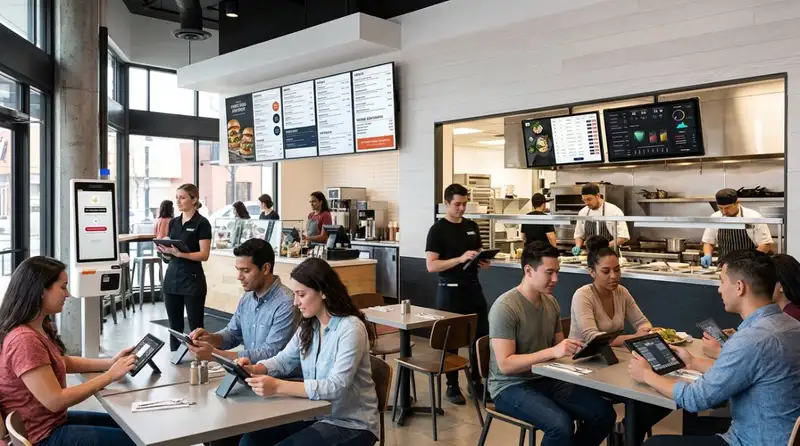
Smart Ways to Use AI in Your Restaurant
Discover smart ways to use AI in your restaurant to optimize operations, reduce costs, improve customer experiences, and increase profitability.
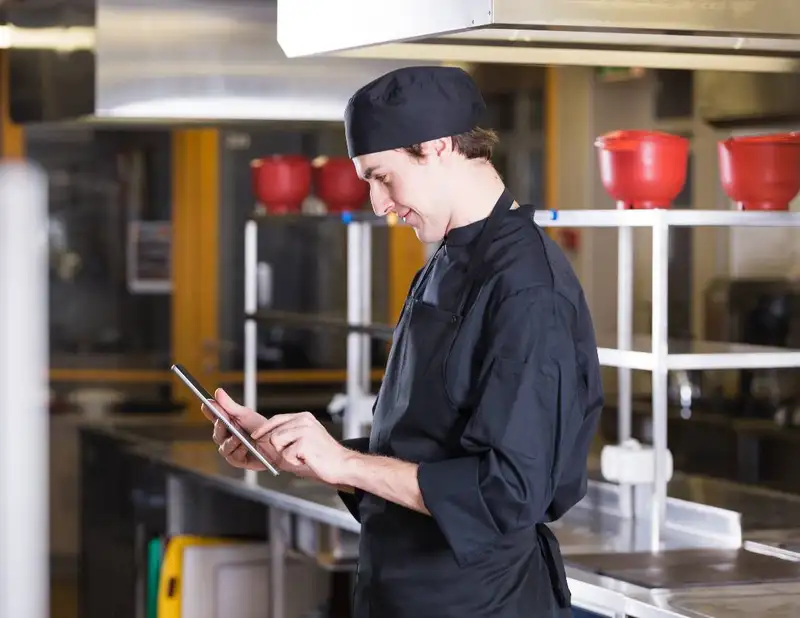
10 Ways Technology Can Help Control Food Cost in Restaurants
Technology helps restaurants control food cost through smarter inventory management, automated purchasing, recipe costing, waste tracking, forecasting, and real-time reporting.
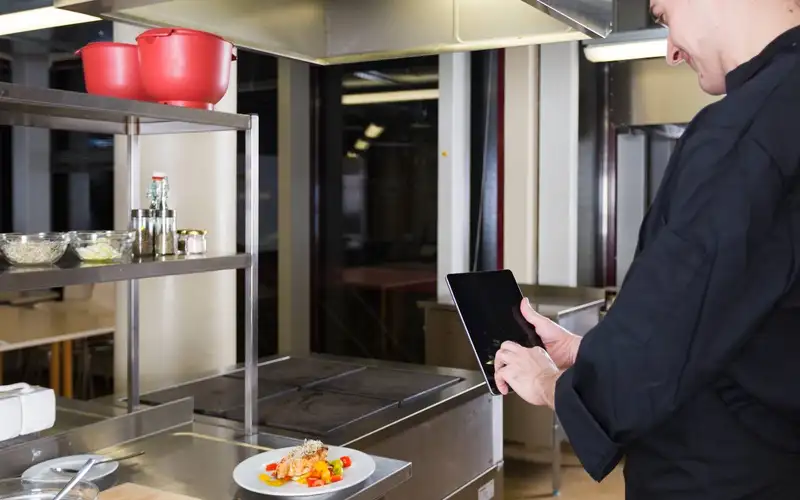
How to Automate Your Restaurant Back Office
Use restaurant back office automation to reduce repetitive tasks, improve data accuracy, strengthen reporting, and give managers greater operational visibility.