
Why Efficient Inventory Checks Matter
The problem is, many restaurant owners avoid inventory checks because they think it will take too much time or get in the way of daily operations. The good news is, it doesn't have to be that way. With a few simple changes, you can fit inventory checks into your routine without slowing things down or stressing out your team.
In this guide, we'll show you how to do just that. You'll learn when to check inventory so it doesn't interfere with service, how to use checklists to speed things up, and how technology can make the whole process easier. These steps aren't complicated - but they can make a big difference in how your restaurant runs and how much money you save. Let's break it down and make inventory work for you, not against you.
Identify the Right Time to Conduct Inventory Checks
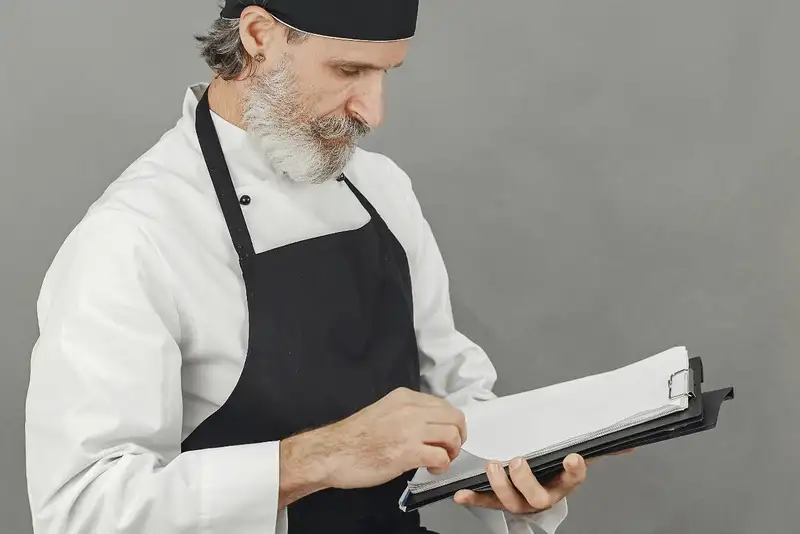
The best times are usually early in the morning before the restaurant opens, mid-afternoon after the lunch crowd clears out, or late at night after closing. These off-hours allow your team to move around the storage areas, coolers, and kitchen without stepping over each other or interrupting service. If you run a 24-hour or late-night spot, consider early mornings when overnight staff is wrapping up.
It also helps to keep inventory checks consistent. Doing them at the same time each week builds a habit and keeps your food costs in check. For example, many restaurants choose to do a full inventory once a week, and quick spot checks on key items - like meats, dairy, and produce - every day.
You don't need to count everything all the time. If certain items don't move quickly, they might only need a check once or twice a month. Focus your efforts where it matters most - on the ingredients that are used the most or cost the most. That way, you get the biggest return on your time without interrupting your day-to-day operations.
Transform Your Restaurant Operations Now!
Effortless Inventory Tracking with Altametrics!
Prioritize What to Count and How Often
Start by grouping your inventory into three main categories - high-use perishables, dry goods, and non-food supplies. Perishables like produce, dairy, meat, and seafood should be checked daily or at least several times a week. These items spoil quickly, are used in large volumes, and can affect your food cost if they go bad or run out unexpectedly.
Dry goods like pasta, flour, canned goods, and spices can be checked weekly. These products usually have a longer shelf life and don't need daily attention. Non-food items like cleaning supplies, paper products, and to-go containers can be reviewed every two to four weeks depending on how quickly you go through them.
To make this easier, use a daily checklist to track the most important perishable items. That way, you stay ahead of shortages without doing a full count every day. Keep the checklist short - only the top 10 to 20 items you rely on the most.
By prioritizing what to count and how often, you'll stay more organized and reduce the risk of running out of key ingredients. Plus, your staff won't feel like they're drowning in paperwork or stuck doing long counts during busy hours.
Assign Roles and Standardize the Process
Start by deciding who will be responsible for inventory checks. It's best to assign this task to one or two trusted team members who understand your food storage layout and how to count accurately. Having the same people do it regularly builds consistency and cuts down on training time.
Next, split up the inventory into zones - walk-in cooler, freezer, dry storage, bar, prep stations - and assign each person specific sections. This makes the task more manageable and helps avoid overlap or missed areas. If possible, pair up team members so one person counts and the other double-checks and records. This two-person method greatly reduces errors.
Use the same method and unit of measurement every time. If you count cheese in pounds one week and bags the next, your data won't make sense. Keep your units consistent and easy to understand for your team.
Finally, create a simple routine to follow - same time of day, same people, same tools. This standard approach turns inventory from a headache into a habit. When your team knows what to expect and how to do it, the process becomes faster, more accurate, and far less disruptive to your day-to-day restaurant flow.
Use Checklists to Speed Up the Process

Start by building a checklist based on your storage areas. Group items by location - walk-in cooler, freezer, dry storage, bar, and prep stations. This way, your team can move through the restaurant in an organized path instead of jumping back and forth. It also helps to list items in the order they appear on the shelf, so the process becomes muscle memory over time.
Each checklist should include the item name, unit of measurement (like pounds, cases, gallons, or individual items), and a space to write the count. Make sure it's easy to read and doesn't overwhelm your team with unnecessary details. You can use printed checklists on a clipboard or go digital if your team prefers using tablets or smartphones.
If certain items need to be counted more often - like fresh produce or high-cost meats - you can create separate daily or weekly checklists for them. This lets you stay on top of critical inventory without doing a full count every time.
A good checklist isn't just a time-saver - it also builds a habit. When your team uses the same list every time, they're more likely to catch mistakes, notice patterns, and finish the task quickly. It's one small tool that can have a big impact on your food cost and inventory accuracy.
Elevate Your Restaurant's Operations
Swift Inventory Solutions with Altametrics!
Avoid Disruptions by Preparing in Advance
First, decide when you'll do the check and communicate it to your team in advance. A quick heads-up during a staff meeting or a note on the prep board helps everyone stay in the loop. This way, employees won't be surprised when someone starts counting items during a lull in service.
Before starting, make sure all the tools you need are ready - clipboards, pens, scales, thermometers (if needed), flashlights for dim storage areas, and any printed or digital checklists. Having everything within reach prevents delays and helps your team stay focused.
Also, take a few minutes to organize your storage areas. Clear any clutter from shelves, label items that are hard to identify, and make sure packaging is sealed or stacked properly. A tidy space makes it easier to count quickly and accurately.
If you're using a digital system, check that your tablet or device is charged and logged in. For printed checklists, attach them to clipboards and label them by section.
Finally, minimize distractions. Schedule the check for a quiet time of day and make sure whoever is counting won't be pulled into other tasks. With a little preparation, your inventory check can happen smoothly - without slowing down your kitchen or annoying your staff.
Use Technology to Eliminate Manual Errors
Digital inventory tools can take a lot of this pressure off your staff. Many of these tools allow you to log counts on a phone or tablet, automatically calculate totals, and alert you when items are running low. Some systems even let you snap photos of your stock so you have a visual reference for future checks.
One powerful way to streamline your process is through POS integration. When your inventory system connects directly to your point-of-sale (POS) system, it can automatically subtract items from your stock in real time as they're sold. This gives you a much clearer picture of what's been used and what still needs to be counted. It also helps spot discrepancies faster - so you can tell if something is being overused, lost, or wasted.
Other tech features to look for include cloud syncing (for access across locations), barcode scanning, and the ability to generate reports without needing spreadsheets. While switching to digital might feel like a big step at first, it quickly pays off in saved time, fewer mistakes, and better inventory control. The right tools don't just make counting easier - they help you run your restaurant smarter.
Track Progress and Make It a Habit
Start by setting a schedule and sticking to it. For example, do a full inventory check every Monday morning, spot checks on key items every day, and a review of dry storage items once a month. Once your team gets used to the routine, they'll be able to move through it faster and with fewer mistakes.
Track your inventory data over time. Look for trends - are you constantly running out of certain items before the next order arrives? Are you over ordering products that end up being tossed? Use the data from your inventory checks to guide your purchasing decisions and adjust portion sizes if needed.
It also helps to keep a log or folder (digital or paper) with completed checklists. This gives you a clear record of what was counted, when, and by whom. If something goes wrong, you can go back and figure out where the issue started.
Most importantly, make inventory a team habit. Talk to your staff about why it matters and how it helps the business. When your team understands that accurate inventory leads to better ordering, less waste, and smoother operations, they'll take it seriously. In the long run, consistency is what turns a task into a tool that drives real results.
Get Accurate Inventory Valuations
Manage Your Workforce with Altametrics
Frequently
Asked Questions
When is the best time to perform an inventory check in a restaurant?
What should I include in an inventory checklist?
How can I reduce errors during inventory checks?
What common mistakes should I avoid during inventory checks?
Must-Read Content

Why Do Restaurant Staff Quit? Common Reasons and How to Prevent Them
Restaurant staff quit because of low wages, poor management, burnout, and scheduling issues. Learn practical strategies to improve retention and reduce turnover.

How to Get More Customers in a Restaurant
Learn how to get more customers in a restaurant through local marketing, social media, promotions, customer reviews, loyalty programs, and retention strategies.
How to Maintain Hiring Compliance Across Multiple Restaurant Locations
Restaurant groups can maintain hiring compliance by standardizing processes, centralizing records, assigning ownership, training managers, adapting to local laws, auditing regularly, and using technology for ongoing monitoring.