
Self-Ordering in Restaurants
POS (Point of Sale) apps are at the heart of this self-ordering revolution. These applications are sophisticated software solutions designed to facilitate sales transactions, manage inventory, and integrate various aspects of restaurant management. By leveraging POS apps, restaurants can offer a seamless self-ordering experience to their customers. When customers enter a restaurant equipped with a POS app, they can browse the menu, customize their orders, and complete the transaction, all without the need for direct interaction with the staff. This process is intuitive and user-friendly, making it accessible to a wide range of customers.
The adoption of self-ordering technology through POS apps is crucial for several reasons. First, it significantly reduces labor costs. With customers handling the ordering process themselves, restaurants can operate with fewer front-of-house staff, thereby cutting down on labor expenses. Secondly, it enhances order accuracy. By allowing customers to input their orders directly, the risk of miscommunication and errors is minimized. Thirdly, it improves efficiency. Orders are processed faster, reducing wait times and improving table turnover rates.
The Evolution of Restaurant Ordering Systems
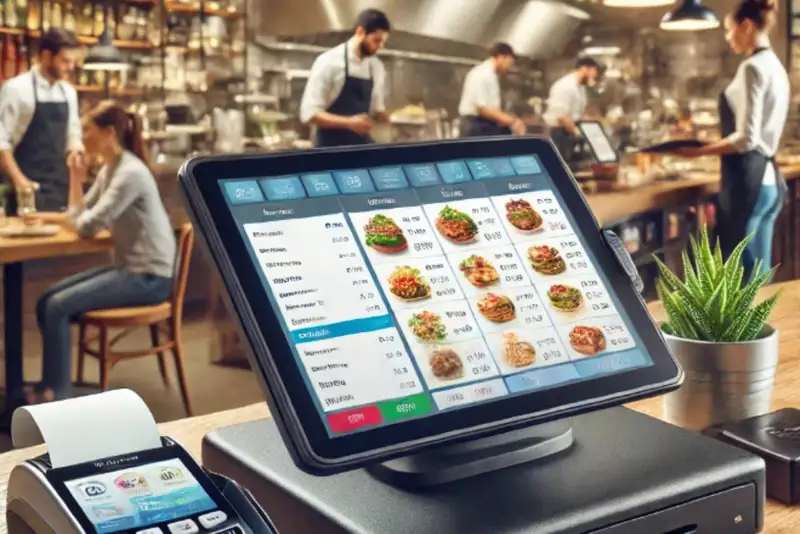
The transition from paper-based orders to digital systems marked a pivotal shift in the industry. With the advent of computers and the internet, restaurants began to adopt electronic point of sale (POS) systems. These early digital systems replaced handwritten orders with electronic entries, significantly reducing human error and streamlining the communication between the front of house and kitchen staff. Orders could be sent directly from a terminal to the kitchen display systems, ensuring greater accuracy and faster processing times. This transition not only improved operational efficiency but also paved the way for advanced data analytics, allowing restaurant owners to better manage inventory, track sales, and analyze customer preferences.
Building on the foundation of digital POS systems, the introduction of self-ordering kiosks and tablets has further revolutionized the ordering process. Self-ordering kiosks and tablets empower customers to place their orders directly, providing a more interactive and personalized dining experience. These devices feature user-friendly interfaces that allow customers to browse the menu, customize their orders, and complete transactions independently. This innovation has not only enhanced the customer experience but also addressed labor cost challenges by reducing the need for front-of-house staff.
Simplify Multi-Channel Ordering
Get started with Altametrics to streamline your POS!
Benefits of Customer Self-Ordering
In addition to labor cost reduction, self-ordering systems significantly increase order accuracy. Traditional ordering methods, which involve verbal communication between customers and staff, are prone to errors. Miscommunication, misunderstandings, and mistakes in transcription can lead to incorrect orders, resulting in customer dissatisfaction and food waste. Self-ordering systems mitigate these issues by allowing customers to input their orders directly. This direct input reduces the margin for error, ensuring that orders are accurate and precisely meet customer specifications.
Another significant benefit of self-ordering is the enhanced customer experience. These systems provide customers with greater control over their orders. They can take their time to browse the menu, customize their selections, and make special requests without feeling rushed. This autonomy not only improves satisfaction but also caters to the growing demand for personalized dining experiences. Customers appreciate the convenience and flexibility that self-ordering offers, which can lead to increased loyalty and repeat business.
Finally, self-ordering systems improve overall efficiency. Orders are processed faster when customers enter their choices directly into the system, reducing wait times both for placing orders and receiving food. This efficiency leads to quicker table turnovers, allowing restaurants to serve more customers in less time and ultimately increasing revenue. In a fast-paced industry where time is money, the ability to process orders swiftly and accurately is invaluable.
The benefits of customer self-ordering systems are manifold, including labor cost reduction, increased order accuracy, enhanced customer experience, and improved operational efficiency. These advantages make self-ordering a worthwhile investment for restaurants aiming to optimize their operations and provide superior service.
Features to Look for in a POS App
Another vital feature is menu customization. Restaurants frequently update their menus to introduce new dishes, adjust prices, or cater to seasonal offerings. A robust POS app should allow easy and flexible menu customization. This capability enables restaurant owners to make real-time updates to the menu, ensuring that the latest items are always available for ordering and that pricing changes are promptly reflected.
Integration with existing systems is also a crucial aspect to consider. A POS app should seamlessly integrate with kitchen displays, inventory management systems, and payment processing platforms. This integration ensures that orders are directly communicated to the kitchen, inventory levels are accurately tracked, and payments are processed efficiently. By having all systems interconnected, restaurants can operate more cohesively and avoid discrepancies that could disrupt service.
Support for multiple languages is another important feature, especially for restaurants in diverse or tourist-heavy areas. A POS app that offers multi-language support can cater to a broader customer base, making it easier for non-native speakers to place orders and enhancing their overall dining experience.
Lastly, real-time data and analytics are invaluable for restaurant management. Access to real-time data allows owners and managers to monitor sales, track inventory, and analyze customer preferences instantly. This information is crucial for making informed decisions, optimizing menu offerings, and improving operational efficiency. Real-time analytics can also help identify trends and patterns, enabling proactive adjustments to meet customer demand and maximize profitability.
When choosing a POS app for your restaurant, prioritize features such as a user-friendly interface, menu customization, seamless integration with existing systems, multi-language support, and real-time data and analytics. These features will ensure that your POS app meets the needs of your business and contributes to a streamlined and efficient operation.
Implementing a POS App in Your Restaurant
Choosing the right POS app is the next critical step. When selecting a POS app, consider factors like ease of use, cost, scalability, and customer support. A user-friendly POS app will ensure that your staff can quickly adapt to the new system, while scalability will allow your POS system to grow with your business. Additionally, evaluate the app's ability to integrate with your existing systems, such as kitchen displays, payment processors, and inventory management software. This integration is vital for a seamless operation and real-time data synchronization.
Training staff and customers is essential for the successful adoption of a new POS app. Provide comprehensive training sessions to ensure that your staff is comfortable using the app's features and can assist customers effectively. Training should cover all aspects of the POS System, including order processing, payment handling, and troubleshooting common issues. For customers, clear instructions and support should be available to help them navigate the self-ordering process.
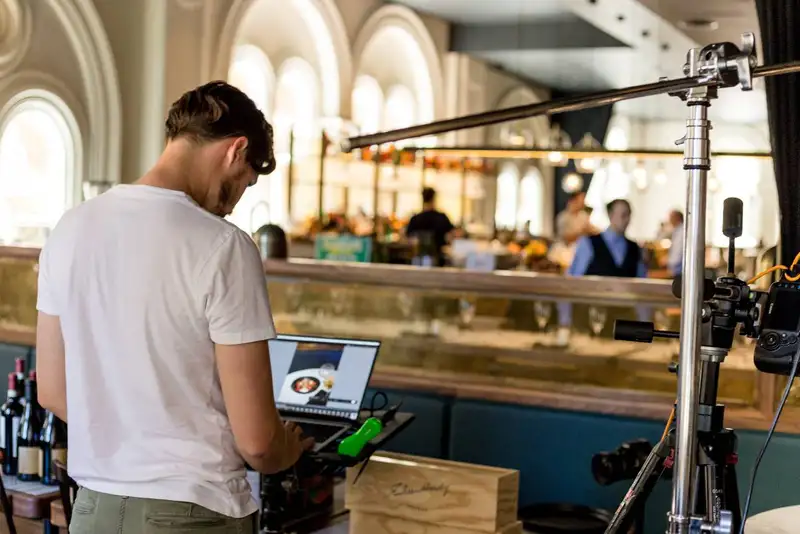
Setting up the system involves several steps to ensure proper configuration and functionality. Begin by installing the necessary hardware, such as tablets or kiosks, and configuring the software according to your restaurant's requirements. Customize the menu, set up user accounts, and integrate the POS app with existing systems. Perform thorough testing to identify and resolve any issues before going live. Once the system is fully operational, monitor its performance closely and make adjustments as needed to optimize efficiency and customer satisfaction.
Streamline Operations
Control Menus, Items, and Prices Seamlessly with Altametrics
Overcoming Challenges in Implementation
Technical issues are another common challenge. A new POS system may encounter technical glitches, software bugs, or hardware failures. To handle these potential problems, choose a POS provider with a strong reputation for reliability and robust customer support. Ensure that there is a comprehensive support plan in place, including access to a dedicated support team, training resources, and regular software updates. Establishing a good relationship with the provider can help ensure prompt resolution of any technical issues that arise.
Customer adaptation is also a critical factor. Customers who are accustomed to traditional ordering methods might find it challenging to transition to self-ordering systems. To ease this transition, provide clear, easy-to-understand instructions on how to use the new system. Staff members should be trained to assist customers and address any questions or concerns they might have. Offering incentives, such as discounts for using the self-ordering system, can also encourage customers to adapt to the new technology.
Staff resistance is another hurdle that can impact the successful implementation of a POS system. Employees may be apprehensive about learning new technology or concerned about potential changes to their roles. To manage this resistance, involve staff in the selection and implementation process. Provide thorough training and emphasize the benefits of the new system, such as reduced manual work and improved efficiency. Address their concerns openly and offer ongoing support to help them feel comfortable and confident using the new system.
Monitoring and Optimizing the System
Collecting feedback from both customers and staff is another vital component of optimizing your POS system. Customers can provide insights into the user-friendliness and efficiency of the self-ordering process, while staff can highlight any operational challenges or technical difficulties they encounter. Implementing a structured feedback system, such as surveys or comment cards, can help gather this valuable information. Analyzing this feedback allows you to identify areas for improvement and make necessary adjustments to enhance the overall experience for both customers and employees.
Analyzing data generated by the POS system is instrumental in optimizing menu offerings and streamlining operations. POS systems provide a wealth of data, including sales reports, inventory levels, and customer preferences. By regularly reviewing this data, you can gain insights into which menu items are most popular, which ones may need to be adjusted or removed, and how to better manage inventory. Data analytics can also help identify peak hours, allowing you to optimize staffing levels and improve service efficiency. Additionally, tracking sales trends and customer behavior can inform marketing strategies and promotional efforts.
Monitoring and optimizing your POS system involve regular maintenance and updates, collecting and analyzing feedback, and leveraging data analytics to refine operations. By staying proactive in these areas, you can ensure that your POS system continues to deliver maximum benefits, improving efficiency, customer satisfaction, and overall business performance. Maintaining an optimized POS system is an ongoing process that requires attention and adaptation to meet the evolving needs of your restaurant.
Importance of Implementing a POS app
One of the primary benefits of a POS app is the reduction in labor costs. By enabling customers to place their own orders using kiosks or tablets, the need for extensive front-of-house staff is minimized. This allows your existing staff to focus on other critical areas, such as food preparation and customer service, ultimately leading to a more streamlined operation.
Another significant advantage is the increase in order accuracy. Traditional ordering methods often involve a high risk of miscommunication and errors. With a POS app, customers enter their orders directly, ensuring that their specific requests are accurately captured and transmitted to the kitchen. This reduction in errors not only improves customer satisfaction but also reduces waste and costs associated with incorrect orders.
The enhancement of the customer experience is another key benefit. A POS app provides customers with greater control over their dining experience. They can take their time to browse the menu, customize their orders, and make special requests without feeling rushed. This level of autonomy is increasingly demanded by modern consumers, who value convenience and personalization.
Efficiency is further improved through the use of a POS app. Orders are processed faster, leading to reduced wait times and quicker table turnovers. This is particularly beneficial during peak hours, when managing a high volume of orders efficiently can significantly impact your revenue.
Additionally, the advent of mobile POS systems allows for even greater flexibility and convenience. Mobile POS systems enable staff to take orders and process payments anywhere in the restaurant, further enhancing the efficiency and fluidity of operations.
In conclusion, implementing a POS app for self-ordering offers a multitude of benefits, including labor cost reduction, increased order accuracy, enhanced customer experience, and improved operational efficiency. As the restaurant industry continues to evolve, adopting such technology is not just advantageous but essential for staying competitive and meeting the growing expectations of today's tech-savvy consumers.
Centralize Your Menus Today!
Manage Everything In One Place with Altametrics
Frequently
Asked Questions
What features should I look for in a POS app?
How does a POS app reduce labor costs?
How does a POS app enhance the customer experience?
What operational efficiencies can a POS app bring to a restaurant?
Must-Read Content
10 Employee Retention Strategies for Restaurant Owners
Restaurant owners can cut turnover by paying fairly, onboarding well, scheduling flexibly, promoting growth, recognizing effort, offering meaningful benefits, listening to feedback, and hiring carefully for fit.
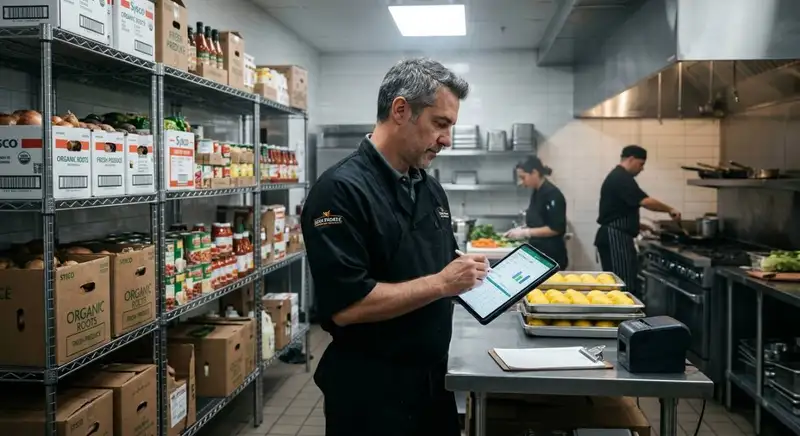
How to Reduce Supply Costs in Your Restaurant
Cut restaurant supply costs by understanding spending, auditing expenses, engineering menus, negotiating with suppliers, controlling inventory, reducing waste, and using technology to monitor everything continuously.

The Ultimate Guide to Managing Food Allergens in Restaurants
Food allergens require accurate labeling, employee training, cross-contact prevention, safe food handling, and consistent procedures to protect customers and improve restaurant safety.