


What is inventory software?
Inventory software is a digital system that tracks what food you have on hand, what you buy, and what you use. It helps restaurants count inventory, set par levels, place orders, monitor costs, and spot waste or variance quickly.
How Restaurant Inventory Software Helps Control Food Costs

Food Cost Basics
When restaurant owners say they want to "control food costs," they usually don't mean they want the cheapest ingredients possible. They mean they want food costs to be predictable, explainable, and stable - so margins don't swing wildly from week to week.
At its core, controlling food costs is about reducing the gap between what your food should cost (based on sales and recipes) and what it actually costs (based on what you bought and what's missing from inventory). If your food cost percentage jumps from 28% to 34% with no obvious reason, that's not just "higher costs." That's a lack of control. And it's often caused by small leaks that compound - over-portioning, spoilage, inconsistent prep, inaccurate ordering, missed invoice credits, or counts that don't match reality.
Cost control is a system. It's the repeatable process that helps you answer questions like -
- Did we order too much, or did we sell more than expected?
- Are we losing product through waste, comps, or mistakes?
- Did vendor pricing change, or did we miss a credit?
- Is this a real problem - or just a counting issue?
This is where inventory software becomes valuable - not because it magically lowers costs, but because it helps you measure consistently, spot exceptions quickly, and take action with confidence. Without a system, most restaurants only get "food cost feedback" when the P&L shows up weeks later. By then, the opportunity to fix the problem is already gone. Control means shortening that feedback loop - so you can catch issues in days, not weeks.
Par Levels and Smart Reorder Points
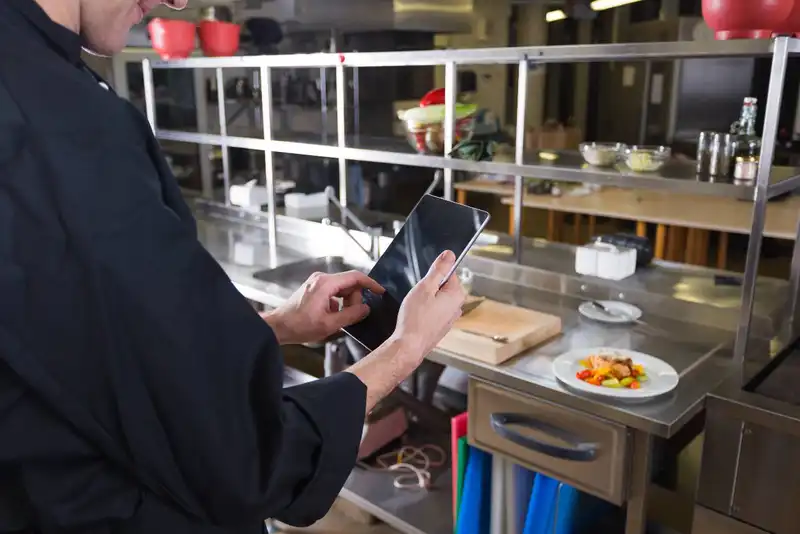
One of the fastest ways to control food costs is to prevent "invisible waste" before it happens - and over-ordering is one of the biggest sources. When you bring in more product than your restaurant can realistically sell or use before it expires, you're almost guaranteed to lose money through spoilage, quality drop-offs, rushed specials, or unnecessary comps to move product. Inventory software helps by turning ordering from a gut-feel habit into a consistent system using par levels and reorder points.
A par level is your target on-hand amount - what you want to have after you receive an order. Think of it as the sweet spot between running out and overstocking. To set pars correctly, you need a few operational realities- average usage (based on sales or past consumption), vendor lead times, delivery schedules, shelf life, and available storage space. For example, if you sell 30 pounds of chicken per day and your vendor delivers every two days, your par has to cover demand between deliveries plus a buffer for unexpected spikes. But that buffer should be intentional - not a blanket "just in case" that leads to waste.
Inventory software typically makes this easier because it can calculate suggested order quantities based on current on-hand, par targets, and sometimes historical usage. Instead of ordering "two cases because that feels safe," you order what closes the gap. (par - on hand) = order quantity. This simple logic creates big benefits quickly -
- You reduce cash tied up in inventory sitting on shelves.
- You reduce spoilage and expired product.
- You stabilize week-to-week purchasing, making food cost trends easier to read.
The next layer is reorder points and min/max controls. A reorder point is the trigger that tells you, "If we drop below this level, we need to reorder." Min/max helps prevent extreme swings - you don't want to reorder so late you stock out, and you don't want to buy so much you can't rotate product properly.
The key is treating pars as living numbers. Update them when you run promotions, change hours, adjust menu mix, enter a new season, or see supplier lead times shift. With accurate pars and reorder points, you're not guessing - you're controlling what enters your building, which is where food cost control starts.

Theoretical vs. Actual Usage
If you only take one concept from inventory software, make it this- theoretical vs. actual usage. It's the simplest way to find where food cost is leaking - without relying on hunches or waiting for the P&L to tell you something went wrong.
Theoretical usage is what you should have used based on what you sold. It's calculated from your sales mix and your recipes - if you sold 100 burgers and each burger is supposed to use 6 oz of beef, your theoretical beef usage is 600 oz (37.5 lbs). Multiply that across every menu item and ingredient, and you get a "should-have-used" number for the week.
Actual usage is what you actually used based on inventory movement -
Beginning inventory + Purchases - Ending inventory = Actual usage
This formula is powerful because it turns your inventory count into a real performance metric. If the system says you used 50 lbs of beef but you only "should" have used 37.5 lbs, you have a gap to explain.
That gap doesn't automatically mean theft or wrongdoing. In practice, big theoretical vs. actual gaps usually come from a short list of causes -
1. Portioning drift - Scoops, ladles, and "eyeballing" add up fast - especially on proteins and high-cost items.
2. Untracked waste - Overcooked items, spoilage, prep mistakes, and returns that never get logged.
3. Ringing errors - Items not entered correctly at the POS, wrong modifiers, or staff ringing one item while serving another.
4. Recipe or yield inaccuracies - Your recipe says 6 oz, but your real build is closer to 7 oz; or your yield loss isn't accounted for.
5. Count/receiving issues - Miscounts, wrong units, or invoices received incorrectly can distort ending inventory.
Inventory software helps because it doesn't just show you a monthly food cost percentage - it shows you which ingredients are out of control and by how much. You can narrow your focus to "top variance items" instead of chasing everything. For example, if five items account for 70% of your variance dollars (common in many restaurants), you know exactly where to investigate first.
Variance Tracking

Variance tracking is where many restaurants get stuck. They see numbers that don't match - then they shrug because they don't know what to do next. Inventory software becomes valuable when variance tracking is treated like an action tool, not a "report you glance at." The goal is to turn variance into a repeatable investigation process that points to the root cause and a fix you can implement before the next count.
First, it helps to understand what "variance" is really measuring. Variance is the gap between expected outcomes and reality. In food cost control, the most useful variances usually fall into a few categories -
1. Usage variance - The difference between theoretical usage (what you should have used) and actual usage (what inventory movement says you used).
2. Count variance - Differences caused by counting errors, wrong units, missed storage areas, or inconsistent counting methods.
3. Purchase variance (price variance) - When the same item costs more from a vendor week-over-week, changing your costs even if usage stays steady.
Inventory software can highlight variance by item, category, and dollar impact, which is key - because not all variance matters equally. A 30% variance on parsley might be annoying, but it's not where your money is. A 5-10% variance on proteins, cheese, oils, or alcohol (if applicable) can be thousands of dollars a month. The best approach is to work from largest dollar impact first.
A simple variance workflow looks like this -
1. Start with the top 5-10 items by variance dollars.
2. Validate the count. Were units correct? Did you count everything (walk-in, prep line, freezer, backups)?
3. Check receiving and invoices. Did you receive the right quantity? Any substitutions, short ships, or missing credits?
4. Review waste and adjustments. Did someone log spoilage, comps, or prep mistakes - or did it go untracked?
5. Audit recipe + portioning. Is the recipe accurate? Are people building consistently? Are yields realistic?
The key is to set thresholds so variance doesn't become an endless rabbit hole. For example, you might investigate items that exceed a certain dollar amount, exceed a percentage, or appear on your top variance list two weeks in a row. That creates focus and prevents your team from burning time on noise.
When variance tracking is done weekly, it becomes a control loop, (1) Measure (3) Investigate (4) correct (5) re-measure. Over time, your "normal" variance shrinks, ordering becomes tighter, and food cost becomes stable enough to manage proactively - not reactively.
Receiving, Invoices, and Price Monitoring
Even if your kitchen executes perfectly, food costs can still climb quietly through receiving mistakes, invoice errors, and gradual price increases. This is where inventory software can protect you - because it creates a consistent paper trail and makes "cost creep" visible before it shows up on your monthly financials.
Start with receiving. In many restaurants, deliveries are checked quickly (or not at all) during a busy shift, and the invoice gets filed away. The problem is that small issues add up- shorted quantities, wrong pack sizes, substitutions, damaged product, and missing items that still get billed. Inventory software helps by standardizing what "good receiving" looks like. Instead of relying on memory, you can compare what was ordered vs. delivered, confirm quantities in the same units you track inventory, and log exceptions immediately. That one habit alone can reduce waste and stop you from paying for product you never received.
Next is invoice capture and matching. Vendor invoices often include price changes, incorrect pricing, and missed credits (returns, quality issues, negotiated discounts). When invoices are processed manually, these issues can slip through - especially when you're juggling multiple vendors and multiple locations. Inventory software typically allows you to record invoice details (quantities and prices) in a structured way so you can spot -
- Unexpected price increases on key items (proteins, dairy, oils)
- Unit price changes hidden inside case pricing changes
- Duplicate charges or items billed twice
- Credits that never appeared after a return or complaint
The most powerful part is price monitoring over time. Many restaurants only notice price increases after food cost has already risen and margins have already been hit. With proper tracking, you can see price trends week-to-week and month-to-month, then respond early- renegotiate, switch pack sizes, change purchasing quantities, adjust pars, or update menu pricing strategically. This is especially important for "basket drivers" - items you buy constantly that have an outsized impact on your overall spend.
A practical approach is to build a simple routine - identify your top 10 cost-driving ingredients, track their unit prices consistently, and set an internal rule for action (for example, investigate any price increase over a certain percentage or dollar amount). That turns vendor pricing into something you manage proactively - not something that surprises you after the fact.
When receiving and invoice processes are consistent, inventory data becomes more accurate, usage reports become more reliable, and food cost control becomes much easier - because you're not fighting hidden pricing problems at the same time as operational ones.
Transform Your Restaurant Operations Now!
Effortless Inventory Tracking with Altametrics!
Waste, Transfers, and Production Logging
If theoretical vs. actual usage is the "truth test," then waste, transfers, and production are the reasons that truth often looks ugly. These are the areas where food cost gets lost in real life - not because the restaurant is careless, but because the activity isn't consistently tracked. Inventory software helps control food costs by making these "in-between" events visible and measurable instead of invisible and assumed.
Start with waste. Most restaurants have waste every day - overcooked items, dropped pans, spoilage, prep errors, expired product, customer returns, and comps. The problem isn't that waste happens - it's that waste often goes unlogged. When it's not recorded, it shows up later as unexplained variance. Inventory software supports waste control by giving you an easy place to log waste by item, reason, and quantity, so it becomes a management signal. Over time, patterns appear - the same shift over-preps, the same item spoils, or a certain station consistently misfires. That's actionable.
Next is transfers. Transfers can happen between locations, between storage areas (walk-in to line), or between departments (kitchen to catering). If transfers aren't tracked correctly, you'll see "mystery usage" in one place and "phantom inventory" in another. Inventory software helps by giving you structured transfer records - what moved, how much, when, and where it went. This matters even in single-location operations, because accurate transfers keep counts clean and prevent teams from blaming food cost on bad numbers when the real issue is missing movement tracking.
Then there's production and batch prep. Big batches (sauces, soups, dressings, cooked proteins) can distort inventory if you only track raw ingredients and never record what got produced. For example, if you use 20 pounds of tomatoes and a case of oil to make sauce, your raw inventory drops immediately, but the value didn't disappear - it turned into a prepared item. Without production logging, it can look like your ingredients were "used" without sales to justify them, especially if the batch is sold over several days. Production tracking creates a bridge - raw ingredients are converted into a finished/prepped item with a known yield.
The best part is that logging doesn't have to be complicated. The goal is consistency, not perfection. A simple standard works -
1. Log waste daily (top items + big-dollar events)
2. Record transfers whenever product changes "ownership"
3. Record batch production when it's a meaningful volume or high-cost recipe
When these hidden drivers are tracked, your variance reports become clearer, your team has fewer "mystery" conversations, and food cost control becomes a process you can manage week by week.

Employee scheduling
Human Resource Management for Restaurants
Employee scheduling
Common Payroll Challenges in Restaurants

Sales forecasting
How to Use Restaurant Analytics to Improve Profitability

Restaurant management
The Complete Guide to Restaurant Reputation Management

Accounting payroll
Restaurant Cash Handling Procedures

Accounting payroll
How to Manage Restaurant Finances

Employee scheduling
How to Motivate Restaurant Staff

Software integration
10 Ways Technology Can Help Control Food Cost in Restaurants
Frequently Asked Questions
What are the most common reasons for high variance?
The most common causes are - inconsistent portioning, unlogged waste, inaccurate counts, receiving/invoice mistakes, recipe or yield issues, and POS ringing/modifier errors.
How do reorder points differ from pars?
Pars are the target amount you want on hand. Reorder points are the level that triggers reordering so you don't run out before the next delivery. Using both helps prevent over-ordering and stockouts.
How do I know if it's portioning or counting causing the variance?
If the same items are off every week and sales are steady, it's often portioning/recipe/yield. If variance jumps randomly and changes items often, it's usually counting/receiving/unit errors.
How does theoretical vs. actual usage help find food cost problems?
Theoretical usage estimates what you should have used based on sales and recipes. Actual usage is based on inventory movement. The gap between them points to issues like portion drift, waste, ringing errors, yield assumptions, miscounts, or receiving errors.

