


What is a KPI?
A KPI (key performance indicator) is a measurable number that shows whether your business is hitting a goal. In restaurants, KPIs track areas like sales, labor, food cost, and service so you can spot issues early and improve performance consistently.
Restaurant KPI Basics Every Owner Should Track

Overview
Restaurant KPIs (key performance indicators) are the few numbers that tell you if your operation is healthy - not just whether you were busy. A KPI is different from data because it has a job - it should help you make a decision, spot a problem early, or measure improvement after you change something. If a metric doesn't change what you do, it's probably noise.
Think of KPIs as your restaurant's dashboard. You don't need every possible statistic on the screen - you need the ones that prevent expensive surprises. For example, sales can look fine while profits shrink if your prime cost (labor + food cost) is creeping up. Reviews can stay steady while repeat visits drop if speed of service is slipping during peak hours. KPIs give you early warning signals so you can correct small issues before they become big ones.
The reason KPIs matter so much in restaurants is that operations are a constant trade-off between profit, guest experience, and team execution. Tracking the right KPIs helps you balance those trade-offs with clarity. Instead of saying, "Labor feels high," you can see labor % and sales per labor hour by daypart. Instead of guessing why food cost is up, you can look at inventory variance, waste, and portioning indicators.
How to Build a KPI System That Works

The best KPI system is the one you'll actually use when the restaurant gets busy. Start by keeping it small and focused - most owners need 10-15 core KPIs, not 50. If you track too many, you'll stop reviewing them, your managers will ignore them, and the numbers won't drive action. The goal is a simple rhythm you can repeat every week.
First, choose KPIs that match the outcomes you care about most - profitability, service quality, and operational consistency. A practical way to do this is to pick a few KPIs in each category (sales, labor, food cost, guest experience, cash/profit). Then write down a one-sentence definition for each KPI so everyone measures it the same way. For example, "Labor % = total labor dollars / total sales" and "Inventory variance = expected inventory usage vs. actual counts." This prevents the most common problem in KPI tracking - people arguing over what the number really means.
Next, set a tracking cadence that fits how restaurants run -
1. Daily KPIs - quick checks that protect the shift (sales vs. forecast, labor hours, voids/comps, ticket times).
2. Weekly KPIs - trend and performance reviews (labor %, SPLH, food cost %, inventory variance, review trends).
3. Monthly KPIs - bigger picture decisions (menu mix, pricing, vendor performance, controllable expenses, break-even progress).
Finally, build two dashboards - an Owner Dashboard and a Manager Shift Dashboard. The owner version is higher level and trend-focused - perfect for a weekly 30-minute review. The manager version is simpler, more immediate, and designed for coaching during the week. To make the system stick, assign an owner to each KPI (who checks it and takes action), and add a simple rule - when a KPI is off, you don't just "watch it" - you write down one corrective action and a deadline. That's how KPIs become a tool for improvement instead of a report you forget.
Sales and Menu KPIs to Track First
Sales KPIs are where most owners start, but the trick is tracking sales quality, not just total revenue. Total sales tell you what happened. The right sales and menu KPIs tell you why it happened - and what to change next week to improve results without relying on constant discounts.
Start with sales by daypart and channel. A restaurant can have strong weekly sales but still struggle because lunch is slow, weekends are overstaffed, or delivery commissions are eating margin. Track sales split by breakfast/lunch/dinner (or your peak windows) and by dine-in, takeout, delivery, catering, and online ordering. This helps you staff accurately and push the right offers to the right channel.
Next, watch average check and items per ticket. These are two of the fastest levers you can pull without raising prices. If average check drops, you may have a mix problem (too many low-margin items), a training problem (weak upselling), or a menu design problem (attachments aren't obvious). Pair this with category mix - how much of your sales come from high-margin categories versus low-margin ones. Even small shifts in mix can meaningfully change profit.
You should also track top sellers and low movers. Top sellers tell you what to protect (prep levels, quality standards, speed). Low movers quietly tie up inventory, increase waste risk, and complicate execution. Low movers aren't always "bad," but they should earn their spot by margin, brand value, or strategic purpose.
Finally, include discount and comp rate. Discounts can create short-term traffic while masking long-term problems. Tracking discount/comp dollars as a percentage of sales helps you spot leakage and tighten controls. When these KPIs are reviewed weekly, they guide smarter actions - adjust menu layout, run targeted promotions, improve server scripts, tweak portions, or re-train on add-ons. In other words, sales KPIs don't just report revenue - they help you improve how you earn it.
Labor and Scheduling KPIs
Labor is usually your biggest controllable cost - and the easiest place to make changes that hurt service if you're not careful. These KPIs help you control labor while still protecting speed, quality, and team morale.
1) Track labor percent - Labor % (total labor dollars / total sales) is your baseline. To make it useful, keep the definition consistent (wages only vs. wages + taxes/benefits) and review it by daypart and, if possible, by role group (FOH, BOH, management). A weekly average can hide the real issue - like lunch being overstaffed while dinner is short-handed.
2) Add a productivity KPI - Use Sales Per Labor Hour (SPLH) (sales / total labor hours) to see if labor is actually producing revenue. Labor % can "look better" on a busy week even if staffing was inefficient. If SPLH drops, look for coverage timing problems, slow line/production bottlenecks, or too many trainees scheduled at once.
3) Watch overtime - Track overtime hours and overtime cost weekly. Recurring overtime usually points to a scheduling gap (not enough coverage in a key role), weak shift handoffs, poor cut procedures, or unreliable availability that forces last-minute extensions.
4) Measure schedule accuracy - Compare forecast vs. actual sales and forecast vs. actual labor hours. If forecasts are consistently off, you'll either overspend or burn out your team by constantly playing catch-up. Even a simple forecast based on last year's sales by day of week is better than guessing.
5) Monitor timekeeping exceptions - Track missed punches, early clock-ins, late clock-outs, long breaks, and frequent manual edits. These exceptions often reveal unclear rules, weak manager habits, or process issues - and fixing them improves payroll accuracy and accountability.
When you review these KPIs weekly, labor stops being a guessing game. You'll know exactly whether the fix is better scheduling templates, smarter cuts, faster training, tighter controls, or a process improvement that reduces labor pressure without sacrificing service.
Food Cost and Inventory KPIs
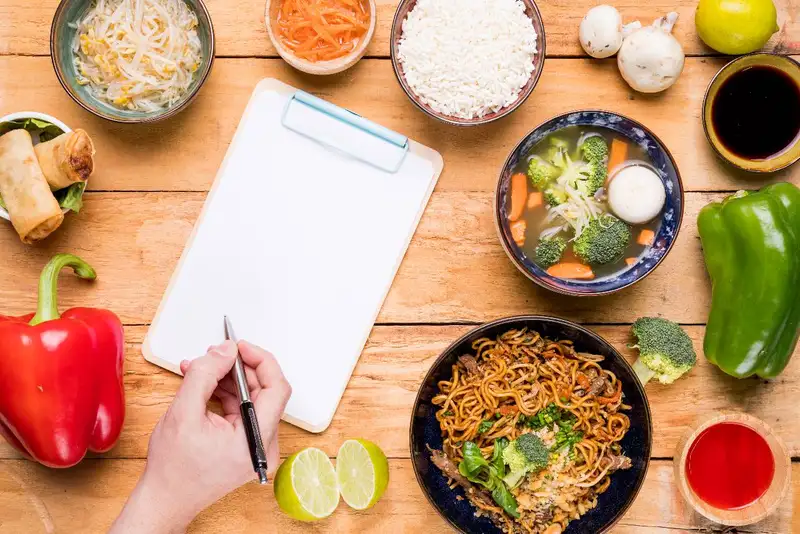
Food cost problems rarely show up all at once - they leak margin a little at a time through waste, portioning, bad ordering, and pricing changes. These KPIs help you catch the leak early and fix the cause instead of just "hoping next week is better."
1) Track food cost percent - Food cost % (food/paper cost / food sales) is a core KPI, but it becomes powerful when you review it alongside menu mix and purchasing. If food cost % jumps, it could be higher vendor prices, more discounts, a shift in what guests are buying, or operational waste. The KPI tells you where to look next rather than just confirming "something is wrong."
2) Use inventory variance - Inventory variance is the gap between what you should have used (based on sales and recipes) and what your counts show you actually used. High variance usually points to counting mistakes, portioning drift, waste, theft, unrecorded comps, or transfer issues. Even if you don't have perfect recipe costing, variance trends are extremely helpful for spotting problems before they hit your P&L.
3) Measure waste - Track waste/spoilage, comps, and voids - especially for high-cost items. The key is consistency - log waste by item and reason (expired, overcooked, remake, prep error). You'll quickly see patterns tied to specific shifts, stations, or training gaps.
4) Watch portioning and recipe - Portioning drift is one of the most common margin killers. Look for indicators like "high-cost item usage vs. sales" (example - chicken pounds used vs. chicken dishes sold). If usage climbs but sales don't, you likely have over-portioning, trimming issues, or prep waste.
5) Track purchasing performance and vendor - Monitor vendor price changes, order accuracy, and fill rate (how often you get what you ordered). Pricing changes can quietly raise food cost even when operations are solid. Ordering and receiving KPIs help you catch errors, substitutions, and short shipments that create emergency buys and inconsistency.
When these KPIs are reviewed weekly, you move from "food cost is high" to specific actions - tighten receiving, retrain portions, adjust prep pars, fix transfers, update recipes, or re-price items based on real costs.
Transform Your Restaurant Operations Now!
Effortless Inventory Tracking with Altametrics!
Guest Experience and Service KPIs
Guest experience can feel subjective until you start tracking a few consistent KPIs. When you do, you can spot service problems early, coach your team with clarity, and improve repeat visits without guessing.
1) Track speed of service - Speed isn't just "fast or slow" - it's whether you're hitting expectations during peak windows. Track ticket times (or order-to-serve time) by daypart and channel. Averages can hide the truth, so pay attention to peak periods and spikes. If ticket times jump at the same time every day, you probably have a staffing or bottleneck issue (expo, grill, fryer, drinks, packaging) rather than a general "team problem."
2) Measure order accuracy - Accuracy issues are expensive because they create rework, comps, negative reviews, and lost repeat customers. Track remake count, refund/void reasons, and (if applicable) delivery issues like missing items and chargebacks. More importantly, categorize the cause - wrong modifier, missing item, over/undercooked, packaging error, or miscommunication between FOH and BOH. This turns "we need to be more careful" into a fixable process.
3) Treat reviews and feedback - Star rating is helpful, but trends are better. Track the themes that show up most often (speed, friendliness, cleanliness, accuracy, value). Even a simple weekly tally of "top 3 complaints" gives you a clear coaching agenda and helps you confirm whether changes are working.
4) Track complaints - Create a basic complaint log (in-person and online) and tag each issue- food quality, service, wait time, cleanliness, pricing, delivery. When one category rises, you can focus your training and operations where it counts instead of trying to "fix everything."
5) Add one repeat-visit signal - Not every restaurant has loyalty data, but you can still track a repeat signal- loyalty visits, repeat online orders, email/offer redemptions, or even a simple "regular count" during peak hours. Repeat behavior is the real proof that guest experience is improving.
These KPIs keep guest experience from being vague. They help you identify exactly what's breaking - speed, accuracy, cleanliness, or hospitality - and fix it with targeted actions your team can execute.
Profitability and Cash KPIs
You can be "busy" and still be struggling if profitability and cash controls aren't tight. These KPIs help you understand what you're actually keeping, what's putting pressure on cash, and what needs attention before it becomes a bigger problem.
1) Track prime cost - Prime cost is labor + food cost (usually shown as a % of sales). It's one of the fastest ways to see whether operational decisions are protecting margin. If prime cost is rising, don't assume it's "just prices." Use it as a trigger to review labor productivity, menu mix, waste, and overtime patterns.
2) Watch contribution margin - Contribution margin looks at what's left after variable costs (often COGS + variable labor) and helps you understand how profitable different dayparts, channels, or menu categories are. This is especially important if delivery is a big part of your business, since fees and refunds can silently reduce what you keep.
3) Know your break-even sales target - Break-even sales tells you what you must sell to cover fixed costs (rent, insurance, salaried labor, loan payments, etc.). Once you know your break-even number, you can translate it into daily and weekly targets and plan staffing, promos, and hours with more confidence.
4) Track cash signals - At minimum, monitor cash on hand, upcoming bills, and weekly cash movement. Profit on paper doesn't always mean cash in the bank - especially with payroll timing, vendor terms, and repairs. A simple weekly cash check keeps you proactive.
5) Review budget vs. actual variance - Track key controllables like supplies, repairs and maintenance, utilities, and credit card fees. The goal isn't perfect forecasting - it's spotting when a category drifts and asking "why" before it becomes the new normal.
Make KPI Tracking Automatic with Altametrics
If you're ready to spend less time pulling reports and more time improving operations, Altametrics can help you centralize labor, sales, and operational data into actionable insights - so you can track KPIs consistently, spot issues faster, and drive better decisions across locations. Learn more about Altametrics by clicking "Book a Demo" below.

Inventory management
How to Conduct a Food Waste Audit in Your Restaurant
Software integration
Smart Ways to Use AI in Your Restaurant

Employee scheduling
Employee Time Tracking Tips for Restaurants
Employee scheduling
7 Scheduling Mistakes Restaurant Owners Should Stop Making

Employee scheduling
Human Resource Management for Restaurants
Employee scheduling
Common Payroll Challenges in Restaurants

Sales forecasting
How to Use Restaurant Analytics to Improve Profitability

Restaurant management
The Complete Guide to Restaurant Reputation Management

Accounting payroll
Restaurant Cash Handling Procedures
Frequently Asked Questions
How many KPIs should a restaurant owner track?
Most owners should track 10-15 core KPIs. Enough to cover sales, labor, food cost, guest experience, and profitability - without creating "report overload."
What's the difference between a KPI and a metric?
A KPI should drive a decision or action. A metric can be interesting, but if it doesn't change what you do, it's probably not a KPI.
How do I set KPI targets?
Start with your own last 4-8 weeks as a baseline, then improve gradually. Targets should match your concept, channel mix, staffing model, and seasonality.
What's the easiest way to make KPI tracking consistent?
Standardize definitions, automate reporting where possible, and schedule a weekly 30-minute KPI review. Consistency beats complexity every time.

