




What POS Integration Means
POS integration means your point-of-sale (POS) system "talks to" your labor tools automatically - instead of your managers copying numbers from one place to another.
Most restaurants use more than one system to run labor. For example -
- Scheduling software (building shifts and staffing plans)
- Timekeeping (clock-ins, breaks, edits, approvals)
- Payroll (pay rates, overtime, tips, pay rules)
- Labor reporting (labor % and performance dashboards)
When these systems are not integrated, your team usually has to do extra work like exporting files, retyping numbers, or reconciling reports that don't match. That's where problems start - because labor decisions depend on accurate sales and labor data.
With POS integration, key data moves automatically between systems, such as -
- Sales data (total sales, sales by hour, daypart, and channel)
- Transactions and order counts (so you can staff to real guest traffic, not guesses)
- Labor hours and punches (so labor reporting reflects what actually happened)
- Roles or job codes (so you can see labor cost by position, not just total hours)
When sales and labor data stay connected, you can calculate labor cost correctly, spot issues faster, and build schedules that match demand.
Most restaurants use more than one system to run labor. For example -
- Scheduling software (building shifts and staffing plans)
- Timekeeping (clock-ins, breaks, edits, approvals)
- Payroll (pay rates, overtime, tips, pay rules)
- Labor reporting (labor % and performance dashboards)
When these systems are not integrated, your team usually has to do extra work like exporting files, retyping numbers, or reconciling reports that don't match. That's where problems start - because labor decisions depend on accurate sales and labor data.
With POS integration, key data moves automatically between systems, such as -
- Sales data (total sales, sales by hour, daypart, and channel)
- Transactions and order counts (so you can staff to real guest traffic, not guesses)
- Labor hours and punches (so labor reporting reflects what actually happened)
- Roles or job codes (so you can see labor cost by position, not just total hours)
When sales and labor data stay connected, you can calculate labor cost correctly, spot issues faster, and build schedules that match demand.
The Core Problem It Solves

Most labor problems don't start with a bad manager. They start with bad inputs. If your scheduling and labor reports aren't tied to your POS sales data, your team is making staffing decisions based on incomplete or delayed information.
Here's what that looks like in real life. A manager builds next week's schedule using memory ("Mondays are usually slow") or a quick glance at last week's totals. But total sales don't explain when the business happens. You might have a slow day overall with a brutal lunch rush, or a strong day where sales are spread out and easier to staff. Without hourly or daypart detail from the POS, it's easy to overstaff the wrong hours and understaff the moments that matter.
The same problem shows up after the week is over. You try to review labor performance, but the numbers don't line up. Your POS shows one sales total, your labor system shows another, and your labor percentage changes depending on which report you open. That usually happens because systems are tracking different things - like net vs. gross sales, different day cutoffs, or missing sales channels like third-party delivery.
When sales and labor data aren't connected, you also lose visibility into key drivers of labor costs, such as -
- Order volume vs. sales dollars (a lot of small tickets can require more labor than fewer large tickets)
- Channel mix (delivery and pickup can shift prep workload without adding dining room work)
- Daypart patterns (open, rush, and close workloads are not the same)
POS integration fixes the core issue by creating a clean link between real demand and staffing decisions. When your schedule is built using accurate POS trends - by hour, daypart, and channel - you stop guessing. You can staff to the business you actually have, not the business you think you have.
Here's what that looks like in real life. A manager builds next week's schedule using memory ("Mondays are usually slow") or a quick glance at last week's totals. But total sales don't explain when the business happens. You might have a slow day overall with a brutal lunch rush, or a strong day where sales are spread out and easier to staff. Without hourly or daypart detail from the POS, it's easy to overstaff the wrong hours and understaff the moments that matter.
The same problem shows up after the week is over. You try to review labor performance, but the numbers don't line up. Your POS shows one sales total, your labor system shows another, and your labor percentage changes depending on which report you open. That usually happens because systems are tracking different things - like net vs. gross sales, different day cutoffs, or missing sales channels like third-party delivery.
When sales and labor data aren't connected, you also lose visibility into key drivers of labor costs, such as -
- Order volume vs. sales dollars (a lot of small tickets can require more labor than fewer large tickets)
- Channel mix (delivery and pickup can shift prep workload without adding dining room work)
- Daypart patterns (open, rush, and close workloads are not the same)
POS integration fixes the core issue by creating a clean link between real demand and staffing decisions. When your schedule is built using accurate POS trends - by hour, daypart, and channel - you stop guessing. You can staff to the business you actually have, not the business you think you have.
Simplify Multi-Channel Ordering
Get started with Altametrics to streamline your POS!
Better Labor Cost Tracking
If you're trying to control labor, you need numbers you can trust. The problem is that labor cost looks different depending on where you pull the data from. Your POS might show one sales number, your labor tool might show another, and your accounting report might show something else. When the sales side and the labor side don't match, your labor percentage becomes a moving target.
POS integration helps by making sure sales and labor are calculated from the same source of truth, using the same rules and time windows. That matters because small differences create big confusion, like -
- Gross vs. net sales (discounts, promos, refunds)
- Sales channels included or missing (in-store vs. online vs. delivery)
- Day close timing (sales after midnight, late-night shifts)
- Tips and service charges (where they show up, and how they're counted)
Once the systems agree, you can track labor in a way that actually helps you run the business. Instead of only seeing one weekly labor % number, you can break it down into views that explain why labor is high or low.
With integrated POS data, owners can track -
- Labor % by daypart (breakfast, lunch, dinner, late night). This shows where you're overstaffed or where the rush is undercovered.
- Labor $ and hours by role (cashier, cook, prep, manager). This helps you see which positions are driving labor, not just total hours.
- Sales per labor hour (SPLH) and labor dollars per hour. These connect staffing levels to output, which is more useful than labor % alone.
Labor % by location (for multi-unit operators). So you can compare stores fairly using consistent sales rules.
The aim is to get answers fast - Which daypart is bleeding labor? Which role is over-scheduled? Which location is out of line - and is it sales mix or staffing?
POS integration helps by making sure sales and labor are calculated from the same source of truth, using the same rules and time windows. That matters because small differences create big confusion, like -
- Gross vs. net sales (discounts, promos, refunds)
- Sales channels included or missing (in-store vs. online vs. delivery)
- Day close timing (sales after midnight, late-night shifts)
- Tips and service charges (where they show up, and how they're counted)
Once the systems agree, you can track labor in a way that actually helps you run the business. Instead of only seeing one weekly labor % number, you can break it down into views that explain why labor is high or low.
With integrated POS data, owners can track -
- Labor % by daypart (breakfast, lunch, dinner, late night). This shows where you're overstaffed or where the rush is undercovered.
- Labor $ and hours by role (cashier, cook, prep, manager). This helps you see which positions are driving labor, not just total hours.
- Sales per labor hour (SPLH) and labor dollars per hour. These connect staffing levels to output, which is more useful than labor % alone.
Labor % by location (for multi-unit operators). So you can compare stores fairly using consistent sales rules.
The aim is to get answers fast - Which daypart is bleeding labor? Which role is over-scheduled? Which location is out of line - and is it sales mix or staffing?
Smarter Scheduling
Scheduling is where labor costs are decided. Once the week starts, you can only "manage" labor so much. The schedule you publish is the biggest factor in whether you hit your labor target or miss it.
Without POS integration, scheduling often becomes guesswork. Managers rely on memory, last week's totals, or a rough idea of when the rush hits. That can lead to two expensive problems at the same time - overstaffing slow hours and understaffing busy ones. Overstaffing drives labor % up. Understaffing hurts speed, service, and team morale - then managers react by calling in extra people, keeping staff late, or approving overtime.
POS integration makes scheduling smarter because it brings demand data into the planning process. Instead of only looking at total daily sales, you can schedule using patterns like -
- Sales by hour (when business actually happens)
- Order counts (how many transactions you need to handle)
- Daypart trends (open, rush, close workloads)
- Channel mix (dine-in vs. pickup vs. delivery)
This allows you to build schedules around real coverage needs. For example, you can staff heavier during your true peak hours and trim labor where sales consistently drop. You can also plan prep and setup time more accurately, so you're not paying for extra hours that don't match demand.
A big benefit is consistency. With POS-driven forecasts, managers can create -
- Daypart-based shift templates (standard staffing patterns that match your sales curve)
- Labor hour targets by day (how many total hours you can spend to stay on budget)
- Role-based coverage plans (how many cooks, cashiers, and leaders you need per hour)
This doesn't remove manager judgment - it improves it. Managers still account for local events, promotions, school schedules, or weather. But now they're adjusting from a strong baseline instead of starting from scratch.
Without POS integration, scheduling often becomes guesswork. Managers rely on memory, last week's totals, or a rough idea of when the rush hits. That can lead to two expensive problems at the same time - overstaffing slow hours and understaffing busy ones. Overstaffing drives labor % up. Understaffing hurts speed, service, and team morale - then managers react by calling in extra people, keeping staff late, or approving overtime.
POS integration makes scheduling smarter because it brings demand data into the planning process. Instead of only looking at total daily sales, you can schedule using patterns like -
- Sales by hour (when business actually happens)
- Order counts (how many transactions you need to handle)
- Daypart trends (open, rush, close workloads)
- Channel mix (dine-in vs. pickup vs. delivery)
This allows you to build schedules around real coverage needs. For example, you can staff heavier during your true peak hours and trim labor where sales consistently drop. You can also plan prep and setup time more accurately, so you're not paying for extra hours that don't match demand.
A big benefit is consistency. With POS-driven forecasts, managers can create -
- Daypart-based shift templates (standard staffing patterns that match your sales curve)
- Labor hour targets by day (how many total hours you can spend to stay on budget)
- Role-based coverage plans (how many cooks, cashiers, and leaders you need per hour)
This doesn't remove manager judgment - it improves it. Managers still account for local events, promotions, school schedules, or weather. But now they're adjusting from a strong baseline instead of starting from scratch.
Prevent Overtime and Punch Issues
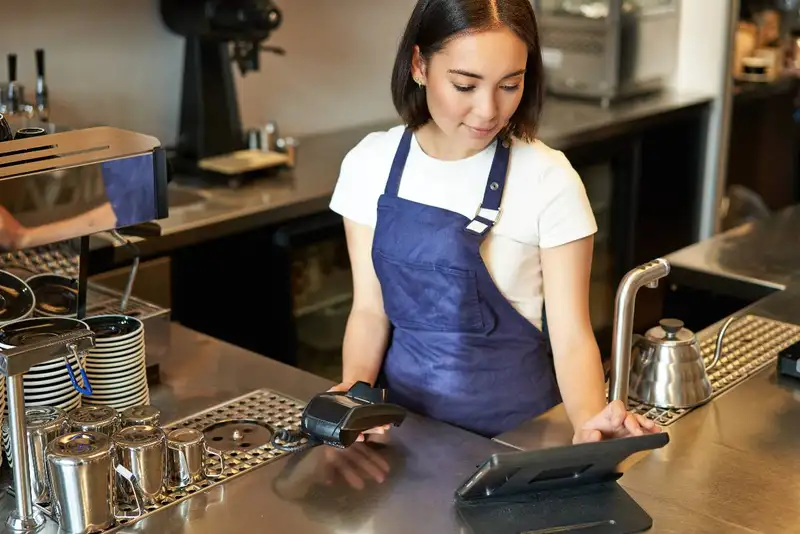
Overtime and timekeeping problems usually don't show up all at once. They build quietly during the week - then you see the damage when payroll is due. By that point, your options are limited. You either pay the extra cost, or you spend hours digging through punches and edits to figure out what happened.
POS integration helps because it gives you faster, clearer visibility into labor in progress. When sales and labor data are connected, managers can see labor performance against real demand while shifts are happening - not days later.
This matters for a few common labor leaks -
1. Early clock-ins - One person clocks in 10-15 minutes early every shift. Multiply that by a week and a full staff, and it adds up fast.
2. Late clock-outs - Closers stay late because the earlier schedule didn't match the workload, or because side work isn't planned.
3. Missed breaks or long breaks - Break compliance issues can trigger penalties in some areas, and long breaks can create coverage gaps that cause overtime later.
4. "Just one more hour" decisions - Managers keep someone on because it feels safer, without seeing how far it pushes the store over target.
With integration, managers can monitor key signals during the pay period -
- Hours-to-sales trend by hour or daypart (are we running heavy for today's demand?)
- Overtime risk by employee (who is approaching weekly thresholds?)
- Punch exceptions (meal break issues, long shifts, missed punches)
- Schedule vs. actual (who came in early, who stayed late, and why)
The point isn't to micromanage. It's to catch problems early, while small adjustments still work. Maybe you cut one shift by 30 minutes, send someone home after the rush, or move side work earlier. Those decisions are much easier mid-week than after payroll closes.
This also protects your managers. When labor data is clear and up to date, they don't have to "feel" their way through the day. They can make decisions with confidence and document why changes were made.
POS integration helps because it gives you faster, clearer visibility into labor in progress. When sales and labor data are connected, managers can see labor performance against real demand while shifts are happening - not days later.
This matters for a few common labor leaks -
1. Early clock-ins - One person clocks in 10-15 minutes early every shift. Multiply that by a week and a full staff, and it adds up fast.
2. Late clock-outs - Closers stay late because the earlier schedule didn't match the workload, or because side work isn't planned.
3. Missed breaks or long breaks - Break compliance issues can trigger penalties in some areas, and long breaks can create coverage gaps that cause overtime later.
4. "Just one more hour" decisions - Managers keep someone on because it feels safer, without seeing how far it pushes the store over target.
With integration, managers can monitor key signals during the pay period -
- Hours-to-sales trend by hour or daypart (are we running heavy for today's demand?)
- Overtime risk by employee (who is approaching weekly thresholds?)
- Punch exceptions (meal break issues, long shifts, missed punches)
- Schedule vs. actual (who came in early, who stayed late, and why)
The point isn't to micromanage. It's to catch problems early, while small adjustments still work. Maybe you cut one shift by 30 minutes, send someone home after the rush, or move side work earlier. Those decisions are much easier mid-week than after payroll closes.
This also protects your managers. When labor data is clear and up to date, they don't have to "feel" their way through the day. They can make decisions with confidence and document why changes were made.
Achieve More with Less Hassle!
Integrate, Manage, and Drive Results with Altametrics
Labor Allocation Across Roles and Tasks
Even when your total labor hours look "fine," you can still be overspending in the wrong places. That's because labor isn't one bucket. A cook hour isn't the same as a cashier hour. A manager covering a station isn't the same as a manager leading the shift. If your systems aren't connected and your roles aren't tracked cleanly, you end up with labor reports that are too generic to act on.
POS integration helps you allocate labor more accurately by tying sales activity to the labor that supported it - especially when your timekeeping and scheduling system uses clear job codes or roles.
Here's why that matters -
- People float between stations. In most restaurants, staff jump in where needed. Someone starts on register, then helps with prep, then runs expo. If your system can't capture that time by role, you don't know where labor really went.
- Managers often "plug holes." If a manager spends two hours on the line, that's not leadership time. It might be necessary, but it should show up clearly in reporting so you can fix the staffing plan.
- Not all work is tied to peak sales. Prep, setup, and cleaning are real labor drivers. If those tasks aren't scheduled intentionally, they get done at the wrong time - often during rushes or after close - which increases labor cost.
When roles and time are tracked properly, your labor reporting becomes more useful. Instead of only seeing "total hours," you can answer questions like -
- Are we scheduling too many cashier hours for the number of transactions we do?
- Are kitchen hours rising because prep isn't planned, or because ticket volume is up?
- Are closers consistently staying late because side work is too heavy for the shift design?
- Are managers spending too much time in production because coverage is thin?
This is where POS integration supports better scheduling. Once you can see labor by role next to real demand patterns (sales, orders, dayparts), you can redesign shifts with purpose - moving hours to the roles that need them and trimming hours that aren't driving output.
POS integration helps you allocate labor more accurately by tying sales activity to the labor that supported it - especially when your timekeeping and scheduling system uses clear job codes or roles.
Here's why that matters -
- People float between stations. In most restaurants, staff jump in where needed. Someone starts on register, then helps with prep, then runs expo. If your system can't capture that time by role, you don't know where labor really went.
- Managers often "plug holes." If a manager spends two hours on the line, that's not leadership time. It might be necessary, but it should show up clearly in reporting so you can fix the staffing plan.
- Not all work is tied to peak sales. Prep, setup, and cleaning are real labor drivers. If those tasks aren't scheduled intentionally, they get done at the wrong time - often during rushes or after close - which increases labor cost.
When roles and time are tracked properly, your labor reporting becomes more useful. Instead of only seeing "total hours," you can answer questions like -
- Are we scheduling too many cashier hours for the number of transactions we do?
- Are kitchen hours rising because prep isn't planned, or because ticket volume is up?
- Are closers consistently staying late because side work is too heavy for the shift design?
- Are managers spending too much time in production because coverage is thin?
This is where POS integration supports better scheduling. Once you can see labor by role next to real demand patterns (sales, orders, dayparts), you can redesign shifts with purpose - moving hours to the roles that need them and trimming hours that aren't driving output.
Cleaner Payroll and Fewer Disputes
Payroll problems are rarely "big mistakes." They're usually a pile of small issues - missing punches, wrong roles, unclear edits, mismatched tip totals, or hours that don't tie back to what actually happened. When your POS, scheduling, and timekeeping systems aren't connected, those small issues are harder to spot and easier to repeat.
POS integration improves payroll accuracy because it reduces manual handoffs and keeps the same data flowing through the whole labor chain, (1) Schedule (2) Punches (3) Payroll review (4) Reporting. When systems share consistent information, you spend less time reconciling and more time approving with confidence.
Here are common payroll pain points that get worse without clean integration -
- Missing or incorrect punches that require manager edits
- Wrong job codes or roles that change pay rates or labor reporting
- Tip and service charge confusion, especially when different channels are involved
- Overtime disagreements when hours aren't tracked consistently
- Break compliance questions (when breaks were taken, how long they were, and whether they were recorded correctly)
Even if your payroll system is technically accurate, disputes happen when employees don't trust the process. Integration helps here too because it supports a better audit trail. A good audit trail answers basic questions fast -
- What was the original punch time?
- What was edited?
- Who edited it, and when?
- Was the change approved?
When those answers are easy to find, employee conversations are shorter and less emotional. Managers don't have to "recreate" the week from memory, and payroll doesn't turn into a detective job.
Cleaner data also helps owners during payroll review. Instead of checking everything manually, you can focus on exceptions - like unusual overtime, repeated late clock-outs, or patterns of missed breaks. That makes payroll faster and reduces the chance that errors slip through.
POS integration improves payroll accuracy because it reduces manual handoffs and keeps the same data flowing through the whole labor chain, (1) Schedule (2) Punches (3) Payroll review (4) Reporting. When systems share consistent information, you spend less time reconciling and more time approving with confidence.
Here are common payroll pain points that get worse without clean integration -
- Missing or incorrect punches that require manager edits
- Wrong job codes or roles that change pay rates or labor reporting
- Tip and service charge confusion, especially when different channels are involved
- Overtime disagreements when hours aren't tracked consistently
- Break compliance questions (when breaks were taken, how long they were, and whether they were recorded correctly)
Even if your payroll system is technically accurate, disputes happen when employees don't trust the process. Integration helps here too because it supports a better audit trail. A good audit trail answers basic questions fast -
- What was the original punch time?
- What was edited?
- Who edited it, and when?
- Was the change approved?
When those answers are easy to find, employee conversations are shorter and less emotional. Managers don't have to "recreate" the week from memory, and payroll doesn't turn into a detective job.
Cleaner data also helps owners during payroll review. Instead of checking everything manually, you can focus on exceptions - like unusual overtime, repeated late clock-outs, or patterns of missed breaks. That makes payroll faster and reduces the chance that errors slip through.
Navigate Ordering and Delivery with Precision
Empower Your Hospitality Business with Altametrics
Frequently
Asked Questions
How does POS integration reduce time theft?
It makes early clock-ins, late clock-outs, long breaks, and frequent punch edits easier to spot so managers can correct patterns quickly.
What's a simple way to tell if I need POS integration?
If you export spreadsheets, retype sales into schedules, debate which report is "right," or regularly get surprised by labor % - you'll likely benefit.
How does integration help multi-location restaurants?
It standardizes sales and labor metrics across stores so you can compare locations fairly and spot outliers faster.
What labor metrics improve the most with POS integration?
Labor % accuracy, sales per labor hour (SPLH), labor dollars per hour, schedule vs. actual hours, and labor by daypart/role are usually the biggest wins.
Must-Read Content
Smart Ways to Use AI in Your Restaurant
Discover smart ways to use AI in your restaurant to optimize operations, reduce costs, improve customer experiences, and increase profitability.
10 Ways Technology Can Help Control Food Cost in Restaurants
Technology helps restaurants control food cost through smarter inventory management, automated purchasing, recipe costing, waste tracking, forecasting, and real-time reporting.
How to Automate Your Restaurant Back Office
Use restaurant back office automation to reduce repetitive tasks, improve data accuracy, strengthen reporting, and give managers greater operational visibility.

