


What basic technology does a small restaurant need?
At a minimum, you should have a POS with reports, a time clock and scheduling tool, and some way to track inventory and key numbers. These tools help you see sales, labor, and food cost clearly instead of guessing from memory.
Restaurant Operations Management Made Simple

Overview
Running a restaurant is more than cooking good food and being friendly to guests. Day to day, you are dealing with schedules, late deliveries, missing items, staff calling out, and cost increases. It is easy to feel like you are just putting out fires.
This is where restaurant operations management comes in. In simple terms, it is how you run the work behind the scenes so the restaurant can open on time, serve guests safely, and make a profit. It covers how you hire and schedule staff, how you order and track inventory, how you deliver service, and how you control food and labor costs.
For first-time owners, this does not have to be complex. You need a few basic systems, clear roles for your team, and a steady habit of looking at your numbers each week.
The Core Pillars of Restaurant Operations Management
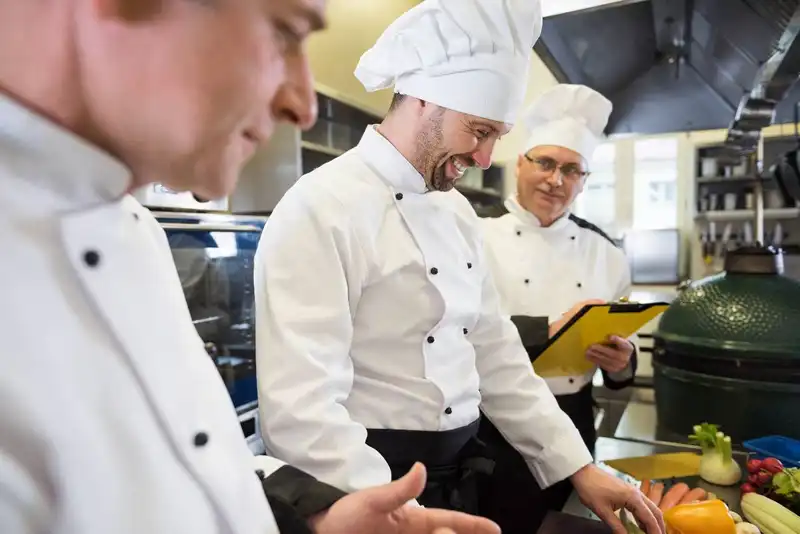
When you hear "operations management," it can sound big and confusing. In reality, it comes down to a few simple pillars that you work on every day - staffing, inventory, service, and cost control. If you focus on these four areas, the restaurant becomes easier to run and more profitable.
1. Staffing is about having the right people, in the right roles, at the right times. This includes how you hire, train, schedule, and coach your team. When staffing is off, you see slow service, low morale, and high turnover. When it is right, shifts feel calmer and guests get better service.
2. Inventory is everything you buy to sell- food, beverages, paper goods, and cleaning supplies. You want enough on hand to serve guests but not so much that it spoils or sits on shelves. Good inventory habits prevent waste, missing items, and surprise costs.
3. Service execution is how the guest experiences your restaurant. This covers speed, accuracy, friendliness, and how well the kitchen and front of house work together. Strong service execution leads to better reviews, more repeat visits, and higher sales per guest.
4. Cost control is how you watch your key numbers, especially food cost % and labor %. These numbers show how well your systems are working. Even small improvements can protect thousands of dollars a year.
The common thread across all four pillars is systems, not memory. Simple checklists, clear steps, and basic reports turn daily chaos into a repeatable routine. Instead of fixing the same problems over and over, you build a way of working that your whole team can follow.
Staffing and Scheduling
Strong operations start with a strong team. If you have the right people in the right places, everything else gets easier. If staffing is weak, no system can fully save the shift.
First, be clear about roles. In the front of house (FOH), you may have hosts, servers, bussers, cashiers, and bartenders. In the back of house (BOH), you have line cooks, prep cooks, dishwashers, and possibly a kitchen lead. Write down what each role is responsible for. For example, who checks side work, who handles comps, who is in charge when you are not on site. Clear roles reduce finger-pointing and confusion.
Next, match your schedule to your sales, not to guesswork. Look at your POS data or simple sales logs for a few weeks. Note which days and times are busy and which are slow. Schedule more staff during peak hours and fewer during slow times. Avoid the habit of "just in case" overstaffing. Extra people on the floor increase labor cost without adding sales.
Use simple scheduling rules to protect both the business and the staff. Examples -
- Post the schedule at the same time each week.
- Set clear cut times so people know when they may be sent home.
- Avoid giving your best people every tough shift while others get the easy ones.
Cross-training is a big help in operations management. A server who can also host, or a line cook who can also handle prep, gives you more flexibility when someone calls out. Cross-training also helps staff understand how their work affects the rest of the team.
Finally, keep basic records - who is often late, who swaps shifts, who steps up during rush. Use this to decide who you coach, who you promote, and who may not be a long-term fit. A steady, reliable team is the base that supports every other part of your restaurant operations.
Inventory and Purchasing
Inventory is one of the biggest costs in a restaurant, and it is also one of the easiest places to lose money. Too little inventory and you 86 menu items and disappoint guests. Too much inventory and you throw away spoiled product or let items sit on the shelf for weeks. Good operations management aims for "just enough."
Start with par levels. A par is the target amount of each item you want on hand. For example, you might decide you need 4 cases of chicken, 3 cases of fries, and 2 cases of lettuce to get through a normal week. To set pars, look at your sales history and how often you get deliveries. If you receive chicken twice a week, you do not need two weeks of chicken in your cooler.
Use an order guide when placing orders. This is a simple list of items, vendors, pack sizes, and par levels. Each order day, you walk the storage areas with the guide, count how much you have, and order the difference between what you have and your par. This keeps ordering consistent, even if a different manager places the order.
Make inventory counts a regular habit, not something you do once in a while. A weekly count of key items (meat, seafood, dairy, high-cost items) is a good starting point. Use these counts with your purchasing and sales numbers to estimate food cost %. Over time, you can see if your food cost is rising because of waste, over-portioning, or theft.
Watch for common warning signs- overstuffed coolers, dry storage full of slow-moving items, frequent last-minute "emergency" orders, and a lot of waste in the trash at closing. Each of these signals a gap in your inventory process.
Tight inventory and purchasing do not mean cutting quality. They mean buying the right amount, at the right time, and using clear routines so anyone on your team can follow the same process.
Service Execution and Guest Experience
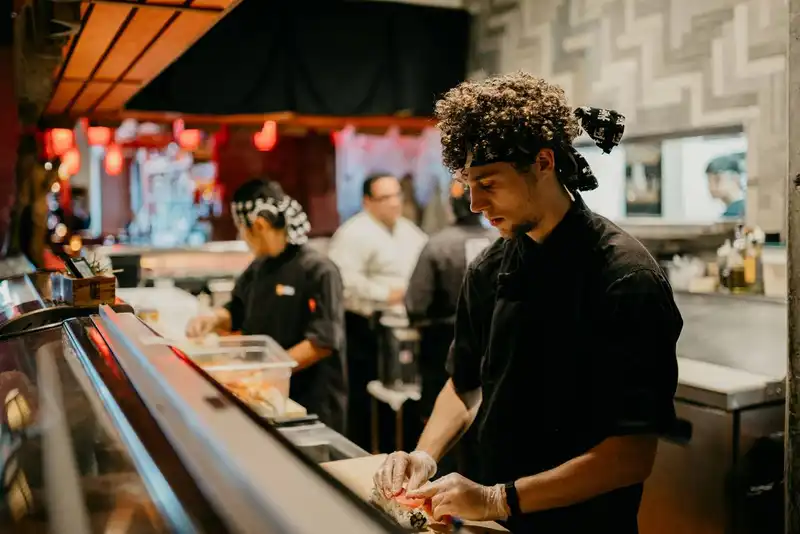
Guests do not see your schedules, invoices, or inventory counts. They see how they are greeted, how fast they get their food, and how problems are handled. Service execution is how you turn your standards into the same good experience, every time.
Start by writing simple steps of service. For example, in a full-service restaurant, you might set - greet within 1 minute, drinks in 3 minutes, appetizer in 8-10 minutes, entree in 15-20 minutes, check dropped when the guest is about 75% done. In a counter-service or fast casual setup, you may focus on order accuracy, speed from payment to pickup, and clear table bussing. Put these steps in writing and review them with the team.
Next, look at your flow of tickets or tables. In the kitchen, tickets should move in an order that makes sense, not pile up at one station while another is idle. Simple tools like an expo (one person calling and checking plates), clear station charts, and proper prep can cut ticket times and reduce mistakes.
Use pre-shift meetings to keep everyone aligned. In 5-10 minutes, cover- expected sales, large parties, menu 86s, and any promos or changes. This quick habit helps staff feel prepared and reduces mid-shift surprises.
Guest experience is also about cleanliness and atmosphere. Tables, restrooms, entryway, and visible kitchen areas must stay clean. Smells, noise level, and lighting all impact how guests feel about their visit. Make these items part of your checklists, not just "if we have time."
Pay attention to guest feedback. Track common complaints - long waits, cold food, wrong orders, or unfriendly service. Even if only a few people say something, there are usually more who stay silent. Use this feedback in your manager meetings to decide what to fix first.
When service standards are clear, trained, and checked, you get fewer surprises and more repeat guests. Good service execution is not about perfection. It is about having a simple, consistent way your team handles each shift.
Create, Implement, and Execute Multiple Daily Checklists
Streamline Your Operations with Altametrics
Cost Control Basics
If you do not track your costs, profit can disappear even when sales look good. Cost control is not about cutting corners. It is about knowing where your money goes and fixing small problems before they become big ones.
The three key numbers to watch are food cost %, labor %, and prime cost.
Food cost % shows how much you spend on food compared to the food sales you bring in. A simple version is -
Food Cost % = (Food Purchases / Food Sales) x 100
If you buy $8,000 of food and sell $25,000 in food, your food cost % is (8,000 / 25,000) x 100 = 32%. Watching this number weekly helps you spot issues like waste, over-portioning, or rising prices.
Labor % is your total labor cost (wages, taxes, and sometimes benefits) divided by total sales -
Labor % = (Total Labor Cost / Total Sales) x 100
If you paid $7,000 in labor and your sales were $25,000, labor % is (7,000 / 25,000) x 100 = 28%. High labor % may mean overstaffing, poor scheduling, or low sales during certain shifts.
Prime cost is food cost plus labor cost. Many restaurants aim to keep prime cost in a set range (for example, 55-65% of sales, depending on concept and region). When prime cost is in control, it is easier to pay rent, utilities, and other expenses.
To manage these numbers, you do not need fancy tools. Start by -
- Reviewing food purchases and sales once a week.
- Checking labor reports by day and by shift.
- Comparing each week to the last.
When you see a spike, ask "what changed?" Did menu mix shift, did a supplier raise prices, did you overstaff, or were sales lower than normal? Small, steady adjustments in prep, portioning, and scheduling can protect your margins from the very beginning
Restaurant Technology Checklist
Technology should make your day easier, not harder. A simple setup can give you better control over sales, labor, and inventory without adding extra work. Think of your tools as part of your operations plan, just like your checklists and schedules.
Here is a basic technology checklist for first-time restaurant owners -
1. POS system with reports
- Tracks sales by hour, item, and category.
- Shows discounts, voids, and comps.
- Exports data so you can review food, labor, and prime cost each week.
2. Time clock and scheduling tool
- Lets staff clock in and out accurately.
- Shows labor cost in real time as a % of sales.
- Helps you plan schedules based on forecasted sales, not guesswork.
3. Inventory and purchasing tool
- Stores recipes and ingredient costs.
- Tracks on-hand inventory, waste, and theoretical vs. actual food cost.
- Helps you set pars and generate order guides for each vendor.
4. Basic reporting or dashboard
- Pulls key numbers into one view- daily sales, labor %, food cost %, and prime cost.
- Helps you compare this week to last week and spot problems early.
5. Task and checklist management
- Digital opening, closing, and cleaning checklists.
- Simple way to assign tasks and confirm they are complete.
When your systems talk to each other, you spend less time double-entering numbers and more time leading your team.
Put Your Operations on One Platform with Altametrics
If you want these tools in one place instead of juggling separate apps and spreadsheets, platforms like Altametrics can help. Altametrics connects scheduling, time clocks, inventory, and reporting so you can see sales, labor, and food cost in a single view. This makes it easier to build the kind of simple, repeatable operations management routine that keeps your restaurant stable and profitable from day one.
A 30-Day Operations Management Action Plan
Improving operations does not have to happen all at once. A simple 30-day plan helps you make steady progress without overwhelming yourself or your team. Use this as a starting point and adjust based on your concept and schedule.
Week 1. Clarify Roles and Routines
- Write down each role in your restaurant (host, server, line cook, dishwasher, supervisor, manager).
- List 5-10 key tasks for each role so everyone knows what good looks like.
- Create simple daily checklists for opening, shift change, and closing.
- Start a short pre-shift meeting once per day to review sales goals, 86'd items, and any changes.
Week 2. Start Tracking Basic Numbers
- Pull daily sales from your POS and record them in a simple spreadsheet or dashboard.
- Track labor hours and estimate labor % at least twice a week.
- Note your busiest and slowest hours each day.
- Adjust schedules slightly based on what you see, add help where you are slammed, cut where it is consistently slow.
Week 3. Tighten Inventory and Waste
- Set pars for your main proteins, produce, and high-cost items.
- Build or update your order guide so any manager can place a consistent order.
- Do one focused weekly count of key items and compare to purchases and sales.
- Start a basic waste log. what was thrown away, why, and estimated cost.
Week 4. Improve Service Standards and Reviews
- Write or update your steps of service for your type of restaurant.
- Walk the guest path (door, host, table, restroom, exit) and list small fixes to cleanliness or flow.
- Review recent guest feedback and pick one or two issues to fix first (slow service, order errors, cold food, etc.).
- Set a weekly "operations review" time to look at sales, labor %, food cost signals, and guest feedback.
By the end of 30 days, you will not have a perfect operation, but you will have structure. You will know your key numbers, have clearer roles, and run on simple systems instead of daily guesswork. From there, you keep improving one small step at a time.
Efficient Ordering at Your Fingertips
Experience Flawless Inventory Management with Altametrics

Sales forecasting
How to Use Restaurant Analytics to Improve Profitability

Restaurant management
The Complete Guide to Restaurant Reputation Management

Accounting payroll
Restaurant Cash Handling Procedures

Accounting payroll
How to Manage Restaurant Finances

Employee scheduling
How to Motivate Restaurant Staff
Software integration
10 Ways Technology Can Help Control Food Cost in Restaurants

Restaurant management
How Much Should a Restaurant Spend on Marketing?

Inventory management
The Complete Guide to Bar Inventory Management for Restaurants
Frequently Asked Questions
How can I make sure my team follows checklists every day?
Keep checklists short, visible, and easy to complete. Have a manager or shift lead sign off and do quick spot checks. Recognize staff who consistently follow the process and coach those who skip steps.
What are the most important costs to watch?
Focus on food cost %, labor %, and prime cost (food + labor). These numbers have the biggest impact on your profit. Small improvements in these areas can add up to a lot of money over a year.
What is a par level?
A par level is the target amount of an item you want on hand. It helps you order "just enough" instead of guessing. Good pars reduce 86'd items, last-minute emergency orders, and waste from over-ordering.
How can I reduce food waste in my restaurant?
Set pars based on sales, keep storage organized, and log what you throw away and why. Check portion sizes and prep levels. Use this information to adjust recipes, prep amounts, and ordering so you stop buying or prepping more than you need.

