




Overview
Running a restaurant isn't hard because owners don't work hard - it's hard because too many daily decisions rely on disconnected systems. Schedules live in one place, time punches in another. Sales reports don't match payroll. Inventory counts sit in spreadsheets that never quite line up with what's on the shelf. The result is constant manual work, missed issues, and surprises that show up after the damage is already done. And the stakes are high. Labor is typically one of a restaurant's biggest costs - often around 30% of sales (it varies by concept and service style), which means even small timekeeping errors or overtime creep can add up quickly.
That's where restaurant management software tools come in - not as individual fixes, but as a complete operations stack. When scheduling, POS, KDS, payroll, inventory, and accounting tools work together, they turn daily activity into usable data. Managers spend less time fixing errors and more time running shifts. Owners gain visibility into labor, food cost, and performance without chasing reports or second-guessing numbers.
That's where restaurant management software tools come in - not as individual fixes, but as a complete operations stack. When scheduling, POS, KDS, payroll, inventory, and accounting tools work together, they turn daily activity into usable data. Managers spend less time fixing errors and more time running shifts. Owners gain visibility into labor, food cost, and performance without chasing reports or second-guessing numbers.
Scheduling and Timekeeping
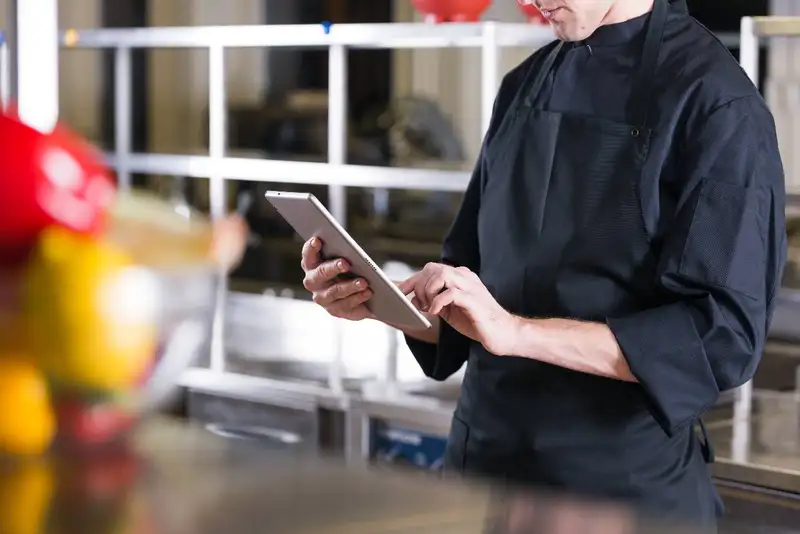
Labor costs don't usually blow up because of one big mistake. They creep up through small decisions- an early clock-in here, a missed break there, a closer who stays 25 minutes late, a shift swap no one documented, a manager who "fixes it later" and forgets the details. Scheduling and timekeeping software helps you catch those issues while the week is still happening - before they turn into payroll surprises.
1. Builds Coverage you Can Repeat - The best scheduling tools help you create templates by daypart, set role requirements, track availability, and handle shift swaps in one place. Instead of constant texting and last-minute patchwork, you get a structured schedule that matches demand. The benefit is fewer coverage gaps, fewer overstaffed hours, and less manager time spent chasing confirmations.
2. Keep Punches Clean - Time tools work best when they include practical controls- break tracking, late/early punch rules, job code enforcement, manager approvals, and optional location/device restrictions. This reduces messy timecards, which is where payroll errors come from. The benefit is fewer corrections, fewer disputes, and a faster payroll process because your data is cleaner from the start.
3. Real-time labor visibility - When scheduling and timekeeping are connected, you can see labor performance during the week - who is trending toward overtime, which shifts routinely run long, and where labor % is off target. That visibility lets you act earlier (tighten cut times, adjust prep, shift tasks, cross-train) instead of reacting after the pay period ends.
The main takeaway - scheduling and timekeeping tools aren't just about "posting schedules." They're how owners and managers keep labor controlled, compliant, and predictable - without sacrificing service.
1. Builds Coverage you Can Repeat - The best scheduling tools help you create templates by daypart, set role requirements, track availability, and handle shift swaps in one place. Instead of constant texting and last-minute patchwork, you get a structured schedule that matches demand. The benefit is fewer coverage gaps, fewer overstaffed hours, and less manager time spent chasing confirmations.
2. Keep Punches Clean - Time tools work best when they include practical controls- break tracking, late/early punch rules, job code enforcement, manager approvals, and optional location/device restrictions. This reduces messy timecards, which is where payroll errors come from. The benefit is fewer corrections, fewer disputes, and a faster payroll process because your data is cleaner from the start.
3. Real-time labor visibility - When scheduling and timekeeping are connected, you can see labor performance during the week - who is trending toward overtime, which shifts routinely run long, and where labor % is off target. That visibility lets you act earlier (tighten cut times, adjust prep, shift tasks, cross-train) instead of reacting after the pay period ends.
The main takeaway - scheduling and timekeeping tools aren't just about "posting schedules." They're how owners and managers keep labor controlled, compliant, and predictable - without sacrificing service.
The Smarter Choice for Maximizing Your Financial Potential
Streamline Your Restaurant's Finances with Altametrics!
POS Software
Your POS shouldn't be treated like a cash register. It's the system that records what you sold, when you sold it, who sold it, how it was paid for, and what got discounted, comped, or voided. When it's configured well - and connected to the rest of your restaurant management software tools - it becomes the source of truth that helps owners tighten control and run smoother shifts.
1. Speed Up Service and Reduce Ordering Mistakes - A clean menu build (logical categories, clear modifiers, combo logic, upcharge rules) helps staff ring accurately and fast - especially during the rush. The benefit is fewer re-fires, fewer comps "to make it right," and better guest experience because the kitchen gets clearer instructions.
2. Control Discounts, Comps, and Voids - Without guardrails, small losses stack up - unauthorized discounts, excessive comps, and sloppy void habits. Strong POS tools support manager permissions, required reasons, thresholds, and audit logs. The benefit is simple accountability - your team can still take care of guests, but the business isn't bleeding margin quietly.
3. Reporting Daily Sales - Owners don't need 40 reports. They need a few that actually drive action - hourly sales, product mix, top/low sellers, modifier usage, and payment breakdowns. When you can quickly spot what's selling, what's slowing the line, and where margin lives, you make better calls on staffing, prep, pricing, and promos.
4. POS Integrations - When POS data flows into inventory, labor, payroll, and accounting, you stop retyping numbers and start trusting them. The benefit is fewer reconciliation headaches and faster close - because your sales, tips, taxes, and deposits aren't being stitched together manually.
A strong POS doesn't just "take orders." It creates accuracy, control, and visibility - so everything downstream (KDS, inventory, payroll, accounting) runs cleaner.
1. Speed Up Service and Reduce Ordering Mistakes - A clean menu build (logical categories, clear modifiers, combo logic, upcharge rules) helps staff ring accurately and fast - especially during the rush. The benefit is fewer re-fires, fewer comps "to make it right," and better guest experience because the kitchen gets clearer instructions.
2. Control Discounts, Comps, and Voids - Without guardrails, small losses stack up - unauthorized discounts, excessive comps, and sloppy void habits. Strong POS tools support manager permissions, required reasons, thresholds, and audit logs. The benefit is simple accountability - your team can still take care of guests, but the business isn't bleeding margin quietly.
3. Reporting Daily Sales - Owners don't need 40 reports. They need a few that actually drive action - hourly sales, product mix, top/low sellers, modifier usage, and payment breakdowns. When you can quickly spot what's selling, what's slowing the line, and where margin lives, you make better calls on staffing, prep, pricing, and promos.
4. POS Integrations - When POS data flows into inventory, labor, payroll, and accounting, you stop retyping numbers and start trusting them. The benefit is fewer reconciliation headaches and faster close - because your sales, tips, taxes, and deposits aren't being stitched together manually.
A strong POS doesn't just "take orders." It creates accuracy, control, and visibility - so everything downstream (KDS, inventory, payroll, accounting) runs cleaner.
KDS Tools
A Kitchen Display System (KDS) is one of the fastest ways to reduce chaos during peak hours - because it fixes the handoff between "what was ordered" and "what's being made." Paper tickets get lost, printers jam, handwriting is unclear, and rush periods turn into a pile of slips with no real priority. A good KDS replaces that with visibility, timing, and structure so the kitchen can move faster with fewer mistakes.
1. Improve Order Flow and Prioritization - Instead of a wall of paper, the kitchen sees orders in a clear queue with timestamps, course firing, and routing by station (grill, fry, salad, expo). The benefit is better pacing- the kitchen can focus on what's next, not what's loudest.
2. Clearer Instructions - Modifiers, allergy notes, special requests, and "hold" items display consistently - no smudged ink, missing lines, or misread abbreviations. When the order details are reliable, the kitchen can execute with confidence. The benefit is fewer remakes and fewer comps driven by "we made it wrong."
3. Real Accountability with Timing Metrics - Ticket time isn't just a "feeling" anymore. A KDS tracks how long orders sit at each stage, where bottlenecks happen, and which dayparts consistently fall behind. The benefit is targeted fixes - staffing changes, station setup tweaks, batch cooking strategy, or menu changes based on what slows production.
4. Helps FOH and BOH Stay Aligned - When orders are bumped, held, re-fired, or expedited, everyone sees the same information. This improves communication without constant yelling across the pass. The benefit is smoother handoffs, cleaner expo control, and fewer "where is table 12?" moments.
Bottom line - KDS tools don't just make the kitchen look modern - they help you protect speed of service, accuracy, and consistency when the restaurant is under pressure.
1. Improve Order Flow and Prioritization - Instead of a wall of paper, the kitchen sees orders in a clear queue with timestamps, course firing, and routing by station (grill, fry, salad, expo). The benefit is better pacing- the kitchen can focus on what's next, not what's loudest.
2. Clearer Instructions - Modifiers, allergy notes, special requests, and "hold" items display consistently - no smudged ink, missing lines, or misread abbreviations. When the order details are reliable, the kitchen can execute with confidence. The benefit is fewer remakes and fewer comps driven by "we made it wrong."
3. Real Accountability with Timing Metrics - Ticket time isn't just a "feeling" anymore. A KDS tracks how long orders sit at each stage, where bottlenecks happen, and which dayparts consistently fall behind. The benefit is targeted fixes - staffing changes, station setup tweaks, batch cooking strategy, or menu changes based on what slows production.
4. Helps FOH and BOH Stay Aligned - When orders are bumped, held, re-fired, or expedited, everyone sees the same information. This improves communication without constant yelling across the pass. The benefit is smoother handoffs, cleaner expo control, and fewer "where is table 12?" moments.
Bottom line - KDS tools don't just make the kitchen look modern - they help you protect speed of service, accuracy, and consistency when the restaurant is under pressure.
Inventory Management Software

Inventory is where profits disappear quietly. A little over-ordering turns into spoilage. A little under-ordering turns into 86'd items and unhappy guests. And when counts, ordering, receiving, and recipe costs all live in different places, it becomes hard to trust the numbers - so managers fall back to "gut feel." Inventory management software replaces that guesswork with a repeatable system that tightens control and makes food cost easier to manage week after week.
1. Better counts and Better decisions - Strong inventory tools guide counts by location (walk-in, freezer, dry storage), support units and conversions, and reduce entry errors. The benefit is consistency - counts take less time, and the results are reliable enough to act on.
2. Par Levels and Smarter Ordering - When you set pars based on usage, lead times, and delivery schedules, ordering becomes a process instead of a scramble. Many systems also support vendor catalogs and purchase orders. The benefit is fewer emergency runs, fewer "we ran out," and less cash tied up in product you won't use quickly.
3. Recipe Costing - Inventory tools that support recipe costing help you understand theoretical usage (what you should have used) versus actual usage (what you did use). The benefit is clarity - you can spot portion creep, waste, theft, and unrecorded comps faster - before it becomes "normal."
4. Variance Tracking - The point isn't to chase every small variance. It's to identify the biggest drivers. High-dollar items, top variance SKUs, and categories that swing (proteins, cheese, oil). The benefit is targeted action - adjust prep, tighten portion tools, retrain, or fix receiving - without drowning in data.
Done right, inventory management software makes food cost more predictable, purchasing more controlled, and operations less reactive. It gives owners a cleaner line of sight from what's ordered to what's sold - and what's actually left on the shelf.
1. Better counts and Better decisions - Strong inventory tools guide counts by location (walk-in, freezer, dry storage), support units and conversions, and reduce entry errors. The benefit is consistency - counts take less time, and the results are reliable enough to act on.
2. Par Levels and Smarter Ordering - When you set pars based on usage, lead times, and delivery schedules, ordering becomes a process instead of a scramble. Many systems also support vendor catalogs and purchase orders. The benefit is fewer emergency runs, fewer "we ran out," and less cash tied up in product you won't use quickly.
3. Recipe Costing - Inventory tools that support recipe costing help you understand theoretical usage (what you should have used) versus actual usage (what you did use). The benefit is clarity - you can spot portion creep, waste, theft, and unrecorded comps faster - before it becomes "normal."
4. Variance Tracking - The point isn't to chase every small variance. It's to identify the biggest drivers. High-dollar items, top variance SKUs, and categories that swing (proteins, cheese, oil). The benefit is targeted action - adjust prep, tighten portion tools, retrain, or fix receiving - without drowning in data.
Done right, inventory management software makes food cost more predictable, purchasing more controlled, and operations less reactive. It gives owners a cleaner line of sight from what's ordered to what's sold - and what's actually left on the shelf.
Stay Compliant, Elevate Your Business!
Discover Altametrics for Effortless Compliance Management
Payroll + Tip Pooling Software
Payroll is one of the most stressful parts of running a restaurant because it's high-stakes and time-sensitive. If hours are wrong, rates are wrong, or tips are handled inconsistently, you don't just create extra admin work - you create frustration and mistrust. The right payroll and tip pooling software streamlines the process by turning time, roles, and sales data into accurate pay with fewer manual steps.
1. Clean Data from Timekeeping - When timekeeping and payroll are connected, approved punches flow directly into payroll instead of being re-entered or stitched together in spreadsheets. The benefit is fewer mistakes like missed punches, wrong job codes, incorrect overtime calculations, and last-minute "fixes" right before payroll runs.
2. Rules and Automation - Restaurant payroll has complexity - multiple roles, multiple rates, overtime rules, premiums in some locations, and frequent changes. Good payroll tools support pay rules, audit trails, and clear approvals. The benefit is consistency - the system flags exceptions so you handle problems early, instead of rebuilding timecards at the end of the week.
3. Tip Pooling Software - If you run a tip pool, the biggest operational problem is usually not the math - it's the questions - Who got what? Why? Was it fair? Tip pooling tools apply your rules consistently (points, percentages, role-based splits, eligibility rules), keep a clear audit trail, and make the distribution easy to explain. The benefit is fewer disputes, fewer manual calculations, and less end-of-night friction.
4. Compliance-Friendly Records - Payroll and tip systems that keep documentation - edits, approvals, tip declarations, and summaries - make it easier to respond to questions and stay organized. The benefit is lower risk and less scramble when you need to verify what happened.
Bottom line - payroll and tip pooling tools aren't just admin software. They protect time, reduce mistakes, and help you pay your team accurately and consistently - week after week.
1. Clean Data from Timekeeping - When timekeeping and payroll are connected, approved punches flow directly into payroll instead of being re-entered or stitched together in spreadsheets. The benefit is fewer mistakes like missed punches, wrong job codes, incorrect overtime calculations, and last-minute "fixes" right before payroll runs.
2. Rules and Automation - Restaurant payroll has complexity - multiple roles, multiple rates, overtime rules, premiums in some locations, and frequent changes. Good payroll tools support pay rules, audit trails, and clear approvals. The benefit is consistency - the system flags exceptions so you handle problems early, instead of rebuilding timecards at the end of the week.
3. Tip Pooling Software - If you run a tip pool, the biggest operational problem is usually not the math - it's the questions - Who got what? Why? Was it fair? Tip pooling tools apply your rules consistently (points, percentages, role-based splits, eligibility rules), keep a clear audit trail, and make the distribution easy to explain. The benefit is fewer disputes, fewer manual calculations, and less end-of-night friction.
4. Compliance-Friendly Records - Payroll and tip systems that keep documentation - edits, approvals, tip declarations, and summaries - make it easier to respond to questions and stay organized. The benefit is lower risk and less scramble when you need to verify what happened.
Bottom line - payroll and tip pooling tools aren't just admin software. They protect time, reduce mistakes, and help you pay your team accurately and consistently - week after week.
Accounting and Reporting Tools
A restaurant can be busy and still be underperforming. That's why accounting and reporting tools matter - they turn daily operations into numbers you can trust. When sales, labor, tips, and inventory live in separate systems, financials become a monthly "rebuild" project - someone exports reports, re-keys totals, chases down mismatches, and hopes the final P&L is close enough to act on. The right accounting + reporting tools reduce that mess by creating a clean path from what happened today to what shows up in your books.
1. Accounting Integrations - When POS data flows into your accounting setup, you can map sales, taxes, fees, and tenders to the right buckets automatically. Pair that with payroll integration for wages, taxes, and benefits, and you remove a big chunk of manual posting. The benefit is speed and consistency - less time "doing the books," fewer errors, and fewer late nights at month-end.
2. Better Reporting - Owners don't need more dashboards - they need a few numbers that are updated and actionable - sales vs. last week, labor vs. sales, prime cost trend, food cost movement, and cash over/short. The benefit is earlier corrections- staffing changes, tighter purchasing, menu pricing adjustments, or fixing a discount habit before it becomes a pattern.
3. Reconciliation Tools - Deposits, payouts, refunds, third-party delivery totals, and card fees can get messy fast. Good systems help match what the POS says happened to what actually hit the bank. The benefit is fewer surprises, fewer "where did the money go?" questions, and cleaner financial reporting.
4. Consistent Category - If your chart of accounts and POS categories aren't aligned, food cost and sales mix get blurry. When categories are set up consistently (food, beverage, catering, delivery, fees), trends become obvious. The benefit is clarity- you can see what's growing, what's shrinking, and where margin is being won or lost.
Accounting and reporting tools aren't just "for the accountant." They give restaurant owners the visibility to run tighter operations and make decisions with confidence - without living in spreadsheets.
1. Accounting Integrations - When POS data flows into your accounting setup, you can map sales, taxes, fees, and tenders to the right buckets automatically. Pair that with payroll integration for wages, taxes, and benefits, and you remove a big chunk of manual posting. The benefit is speed and consistency - less time "doing the books," fewer errors, and fewer late nights at month-end.
2. Better Reporting - Owners don't need more dashboards - they need a few numbers that are updated and actionable - sales vs. last week, labor vs. sales, prime cost trend, food cost movement, and cash over/short. The benefit is earlier corrections- staffing changes, tighter purchasing, menu pricing adjustments, or fixing a discount habit before it becomes a pattern.
3. Reconciliation Tools - Deposits, payouts, refunds, third-party delivery totals, and card fees can get messy fast. Good systems help match what the POS says happened to what actually hit the bank. The benefit is fewer surprises, fewer "where did the money go?" questions, and cleaner financial reporting.
4. Consistent Category - If your chart of accounts and POS categories aren't aligned, food cost and sales mix get blurry. When categories are set up consistently (food, beverage, catering, delivery, fees), trends become obvious. The benefit is clarity- you can see what's growing, what's shrinking, and where margin is being won or lost.
Accounting and reporting tools aren't just "for the accountant." They give restaurant owners the visibility to run tighter operations and make decisions with confidence - without living in spreadsheets.
A Simple Selection Plan
The goal isn't to collect software. It's to build a restaurant management stack that reduces manager workload, improves accuracy, and gives you clear control over labor, sales, inventory, and compliance. You can do that without overbuying - if you pick tools based on workflows and roll them out in phases.
1. Start with the Workflows - Map the daily "chains" that matter most, schedule - punch - pay, sell - make - serve, and count - order - receive. If a tool doesn't support one of these chains cleanly, it'll create work instead of removing it.
2. Prioritize Integrations - The biggest time savings comes from systems sharing data - timekeeping flowing into payroll, POS flowing into reporting, and controls that reduce edits. If you're retyping hours, tips, or sales totals, you're paying for software and still doing the manual work.
3. Assign Owners and Set Rules - Software fails when "everyone owns it," which really means no one does. Decide who approves time edits, who maintains job codes, who updates POS menus, who owns inventory recipes, and who reviews key reports weekly. Also set basic controls- permissions, approval steps, and required reasons for comps/voids.
4. Roll out in Phases - Pick one area first (usually labor), lock down the process, train managers, then move to the next area. Keep it simple, review overtime hours, time edits, missed breaks, ticket times, and inventory variance every week. If a metric improves, keep the change. If it doesn't, adjust the process - not just the settings.
Streamline Your Restaurant With Altametrics
If you want to reduce labor surprises, cut admin time, and run a tighter operation with better visibility, Altametrics can help. Altametrics provides restaurant-focused solutions for scheduling, timekeeping, labor management, and operational control - built for the pace and complexity of real shifts. Learn more about Altametrics by clicking "Schedule a Demo" below.
1. Start with the Workflows - Map the daily "chains" that matter most, schedule - punch - pay, sell - make - serve, and count - order - receive. If a tool doesn't support one of these chains cleanly, it'll create work instead of removing it.
2. Prioritize Integrations - The biggest time savings comes from systems sharing data - timekeeping flowing into payroll, POS flowing into reporting, and controls that reduce edits. If you're retyping hours, tips, or sales totals, you're paying for software and still doing the manual work.
3. Assign Owners and Set Rules - Software fails when "everyone owns it," which really means no one does. Decide who approves time edits, who maintains job codes, who updates POS menus, who owns inventory recipes, and who reviews key reports weekly. Also set basic controls- permissions, approval steps, and required reasons for comps/voids.
4. Roll out in Phases - Pick one area first (usually labor), lock down the process, train managers, then move to the next area. Keep it simple, review overtime hours, time edits, missed breaks, ticket times, and inventory variance every week. If a metric improves, keep the change. If it doesn't, adjust the process - not just the settings.
Streamline Your Restaurant With Altametrics
If you want to reduce labor surprises, cut admin time, and run a tighter operation with better visibility, Altametrics can help. Altametrics provides restaurant-focused solutions for scheduling, timekeeping, labor management, and operational control - built for the pace and complexity of real shifts. Learn more about Altametrics by clicking "Schedule a Demo" below.
Simplify Multi-Channel Ordering
Get started with Altametrics to streamline your POS!
Frequently
Asked Questions
What POS features matter most for streamlining operations?
Menu structure (modifiers, combos, upcharges), permissions, required reasons for comps/voids, and strong reporting (sales mix, hourly sales, discounts/voids). These features reduce errors and create better accountability.
What's the benefit of a KDS?
A KDS improves kitchen flow and communication by routing tickets to stations, displaying consistent modifiers/notes, and tracking ticket time - leading to faster service and fewer remakes than paper tickets.
How do compliance tools help restaurant owners?
Compliance tools help enforce and document rules like breaks, overtime thresholds, minor labor restrictions (where applicable), approvals, and audit logs - so issues are flagged early and records are organized.
How do accounting tools fit into the restaurant software stack?
Accounting tools turn daily sales, taxes, fees, tips, and payroll data into clean financials. With integrations and consistent mapping, you can close faster and trust your P&L more.
Must-Read Content
How to Manage Tasks in a Restaurant
Learn how to manage tasks in a restaurant by organizing responsibilities, prioritizing duties, assigning employees, tracking progress, and using technology effectively.

The Complete Guide to Restaurant Reputation Management
Restaurant reputation management helps restaurant owners monitor reviews, respond to feedback, improve customer experiences, protect their reputation, and build trust.

How Much Should a Restaurant Spend on Marketing?
Restaurants should base how much to spend on marketing on revenue, growth stage, size, and specific business goals.

