


What are the best apps for restaurant operations?
The best apps for restaurant operations help owners manage scheduling, time tracking, inventory, food costs, sales forecasting, task management, team communication, training, and compliance. The right app stack should integrate with core systems, provide real-time data, reduce manual work, and help restaurants control labor, waste, and daily execution.
Top 10 Apps for Restaurant Operations

Smarter Tools for Restaurants
Restaurant operations have become more complex, not less. Labor costs are rising, food prices remain volatile, and customer expectations continue to increase. At the same time, many operators are still relying on spreadsheets, manual processes, or disconnected systems to run daily operations. This creates gaps - gaps in visibility, consistency, and decision-making.
Manual processes slow everything down. Managers spend hours building schedules, counting inventory, tracking tasks, and pulling reports. By the time the data is compiled, it is already outdated. That delay leads to missed opportunities - overstaffed shifts, stock-outs, excess waste, and inconsistent execution across locations.
Better operational tools solve this by turning data into immediate action.
1. They reduce costly blind spots - Without real-time insights, you are reacting instead of managing. Apps give you live visibility into labor, sales, inventory, and performance so you can make faster, more accurate decisions.
2. They standardize execution across shifts and locations - Consistency is one of the hardest things to maintain in restaurant operations. Operational apps ensure that tasks, processes, and expectations are followed the same way every day.
3. They improve labor efficiency - Labor is one of your largest controllable costs. Scheduling and time-tracking apps help align staffing with demand, reduce overtime, and prevent compliance issues.
4. They reduce waste and control food costs - Inventory and food cost apps track usage, identify variances, and highlight where money is being lost - before it becomes a larger problem.
5. They save time at the management level - Every hour a manager spends on manual admin work is an hour not spent improving operations. Automation frees up time for higher-impact decisions.
Operational tools are no longer optional. They are a requirement for running a controlled, profitable restaurant. The difference between restaurants that struggle and those that scale is not effort - it is systems.
What to Look for

Not all apps improve operations. Many simply digitize existing problems without fixing them. The goal is not to add more tools - it is to choose the right ones that give you control, speed, and reliable data.
Restaurant owners should evaluate apps based on how well they impact daily decisions, not just how many features they offer.
1. Ease of Use for Managers and Staff - If your team cannot use the app quickly and consistently, it will fail. Complex systems lead to incomplete data, workarounds, and low adoption. The best apps are simple, intuitive, and require minimal training. Managers should be able to act on information in seconds, not minutes.
2. Real-Time Data and Alert - Delayed data leads to delayed decisions. You need apps that provide live visibility into key areas like labor, sales, and inventory. More importantly, they should trigger alerts when something goes off track - such as approaching overtime, low stock levels, or missed tasks.
3. Integration With Core Systems - Disconnected systems create duplicate work and inconsistent data. Your operations apps should integrate with your POS, payroll, scheduling, and inventory platforms. This ensures that data flows automatically and eliminates manual entry errors.
4. Actionable Reporting - Raw data is not useful unless it leads to action. Look for apps that translate data into clear insights - labor percentage trends, inventory variances, sales patterns, and task completion rates. The focus should be on decision-making, not just reporting.
5. Scalability for Growth - What works for one location often breaks at five. Choose apps that can scale with your business. This includes multi-location visibility, centralized control, and standardized processes across all stores.
6. Compliance and Risk Reduction - Labor laws, food safety requirements, and operational standards are becoming stricter. Apps should help enforce rules automatically - whether it is break compliance, minor labor restrictions, or food safety logs. This reduces risk and avoids costly penalties.
7. Mobile Accessibility - Operations do not happen at a desk. Managers and staff need access on mobile devices to check schedules, complete tasks, and respond to issues in real time. Mobile-first functionality is no longer optional.
The right app does more than organize information - it changes how your restaurant operates. It reduces friction, improves speed, and creates a system where decisions are based on facts, not assumptions.

Labor Scheduling and Time Tracking
Labor is one of the largest controllable costs in a restaurant. If scheduling is not accurate, profit margins suffer quickly. Too many employees on a slow shift increases labor cost. Too few employees during a rush hurts service, speed, and customer satisfaction. This is why labor scheduling and time-tracking apps are essential for daily restaurant operations.
These apps help restaurant owners build schedules based on actual demand instead of guesswork. A strong scheduling app should use sales trends, historical traffic, day-part patterns, and employee availability to help managers create smarter schedules. The goal is not just to fill shifts. The goal is to match labor hours to expected sales.
Here are the most important features to look for -
1. Demand-Based Scheduling - The app should help managers schedule based on projected sales, traffic, and shift needs. This reduces overstaffing during slow hours and understaffing during peak periods.
2. Time Clock Accuracy - Digital time tracking helps reduce missed punches, buddy punching, and payroll errors. Accurate clock-in and clock-out data protects both the business and the employee.
3. Overtime Visibility - Overtime can become expensive if managers do not see it coming. The right app should alert managers before employees approach overtime thresholds.
4. Break and Compliance Tracking - Restaurants must manage meal breaks, rest breaks, minor labor rules, and local labor requirements. Scheduling apps should help flag potential violations before they happen.
5. Employee Availability and Shift Swaps - Staffing changes happen constantly. Apps that allow employees to update availability or request shift swaps help reduce manager workload and scheduling confusion.
6. Labor Cost Reporting - Owners need to see labor as a percentage of sales. Strong apps should show labor cost by day, shift, role, and location so managers can adjust quickly.
Labor scheduling and time tracking apps are not just administrative tools. They directly affect profitability, service quality, and compliance. When labor decisions are backed by data, restaurants can run leaner without sacrificing execution.
Inventory and Food Cost Control
Food cost can quietly damage restaurant profit if it is not tracked closely. A few extra portions, missed invoices, wasted ingredients, or inaccurate counts may not seem serious in one shift. Over time, those small gaps can turn into thousands of dollars in lost margin.
Inventory and food cost apps help restaurant owners see where product is going, how much is being used, and where waste or variance is happening. Instead of waiting until the end of the month to review food cost, these tools give managers faster visibility into daily and weekly performance.
The most useful inventory apps should help with -
1. Real-Time Inventory Counts - Managers should be able to count inventory quickly by category, storage area, or item. Real-time counts help reduce stock-outs, over-ordering, and last-minute purchasing.
2. Recipe and Ingredient Tracking - A strong app should connect menu items to ingredients. This helps owners understand the true cost of each dish and how price changes affect margins.
3. Actual vs. Theoretical Usage - The app should compare what should have been used based on sales against what was actually used. Large variances may point to waste, over-portioning, theft, or incorrect recipes.
4. Waste Tracking - Restaurants need a simple way to record spoiled items, prep mistakes, returned food, and overproduction. Tracking waste helps managers identify patterns and correct them quickly.
5. Vendor and Invoice Management - Food prices change often. Apps that track vendor pricing and invoice data help owners catch cost increases before they reduce profitability.
6. Ordering Recommendations - The best tools use sales trends, par levels, and current inventory to suggest smarter order quantities. This helps reduce excess inventory while keeping enough product on hand.
Inventory apps are not just about counting food. They help restaurant owners protect margin, reduce waste, and make purchasing decisions based on data instead of habit.
Sales Forecasting and Demand Planning

Sales forecasting is one of the most important parts of restaurant operations because it affects almost every major cost. Labor, inventory, prep, purchasing, and production all depend on how much demand the restaurant expects. When the forecast is wrong, the operation becomes harder to control.
If sales are overestimated, the restaurant may schedule too many employees, prep too much food, and carry excess inventory. If sales are underestimated, the restaurant may run short on staff, run out of key items, and deliver slower service. Both situations can hurt profitability.
Sales forecasting and demand planning apps help owners make better decisions by using actual data instead of guesswork.
1. POS-Based Sales Trends - A strong forecasting app should use POS data to identify sales patterns by day, hour, menu item, and location. This helps managers understand when demand is highest and where adjustments are needed.
2. Day-part Forecasting - Breakfast, lunch, dinner, and late-night shifts often perform differently. Forecasting by day-part helps managers build better schedules, prep lists, and ordering plans.
3. Menu Item Demand Planning - Restaurants need to know what guests are likely to order, not just total sales. Menu-level forecasting helps reduce waste, improve prep accuracy, and avoid running out of high-demand items.
4. Seasonal and Event Adjustments - Holidays, weather, school schedules, local events, and promotions can all change demand. Good apps allow managers to adjust forecasts based on known business drivers.
5. Prep and Production Planning - Forecasting should connect directly to kitchen execution. The app should help determine how much product needs to be prepped, cooked, or held for each shift.
6. Multi-Location Visibility - For restaurant owners with more than one location, forecasting apps should show performance differences across stores. This helps owners compare demand patterns and make location-specific decisions.
Sales forecasting apps help restaurants move from reactive management to planned execution. When demand is clearer, owners can control labor, reduce waste, improve service speed, and make smarter purchasing decisions.

Transform The Way You Manage Tips!
Manage and Distribute Tips Seamlessly with Altametrics
Task Management and Team Accountability
Daily restaurant execution depends on hundreds of small tasks being completed correctly and on time. Opening duties, closing checklists, cleaning logs, food safety checks, prep lists, equipment checks, and manager notes all affect how smoothly the restaurant runs. When these tasks are tracked on paper, whiteboards, or memory, mistakes are easy to miss.
Task management apps help restaurant owners create structure and accountability across every shift. Instead of assuming work was completed, managers can see what was done, when it was done, and who completed it.
1. Opening and Closing Checklists - Digital checklists help teams follow the same process every day. This reduces missed steps and creates consistency across managers, shifts, and locations.
2. Food Safety and Cleaning Logs - Apps can track temperature checks, sanitation tasks, restroom checks, and equipment cleaning. This helps restaurants stay organized and prepared for health inspections.
3. Shift Handoff Notes - Managers need a clear way to communicate what happened during the previous shift. Digital handoff notes reduce confusion around staffing issues, equipment problems, inventory shortages, and guest complaints.
4. Photo Verification - Some tasks require proof, not just a checkmark. Photo uploads help confirm that cleaning, stocking, merchandising, or setup tasks were completed correctly.
5. Task Completion Reporting - Owners should be able to see completion rates by shift, manager, location, and task type. This helps identify where execution is strong and where follow-up is needed.
6. Accountability Without Micromanaging - The goal is not to watch every employee constantly. The goal is to create a system where expectations are clear and follow-through is visible.
Task management apps turn daily routines into measurable execution. For restaurant owners, that means fewer missed tasks, better consistency, stronger compliance, and less dependence on memory or verbal reminders.
Communication, Training, and Compliance
Restaurant teams move fast, and poor communication can create operational problems quickly. A missed policy update, unclear shift note, incomplete training step, or forgotten compliance requirement can lead to mistakes that affect service, labor cost, food safety, and employee performance.
Communication, training, and compliance apps help restaurant owners keep teams aligned without relying on group texts, printed memos, or verbal reminders.
1. Team Messaging - A strong communication app gives managers and employees one place to share updates, schedule changes, announcements, and urgent reminders. This reduces confusion and keeps work-related communication organized.
2. Digital Training Materials - Restaurants need consistent training for new hires and existing staff. Apps can store videos, checklists, SOPs, quizzes, and role-specific training guides so employees learn the same process every time.
3. Policy Acknowledgments - When policies change, owners need proof that employees received and understood the update. Digital acknowledgments help document compliance and reduce misunderstandings.
4. Labor Law Support - Compliance apps can help track break rules, minor labor restrictions, overtime thresholds, certifications, and required documentation. This is especially important for restaurants operating across different cities or states.
5. Food Safety Documentation - Apps can store food safety logs, temperature records, cleaning checklists, and inspection preparation materials. Organized documentation helps managers respond faster during audits or inspections.
6. Manager Visibility - Owners should be able to see which employees completed training, missed acknowledgments, or failed to finish required compliance tasks. This turns compliance from a manual follow-up process into a trackable system.
These apps help restaurants reduce risk, improve consistency, and protect the business from avoidable mistakes. When communication, training, and compliance are managed in one system, teams know what to do, managers know what has been completed, and owners have better control across the operation.
How to Choose the Right App
Choosing the right apps is not about downloading as many tools as possible. It is about building a system that gives you control over your operation without creating more complexity. Too many disconnected apps lead to duplicate work, inconsistent data, and slower decision-making.
The aim is simple - fewer tools, better integration, and stronger visibility.
1. Start With Your Biggest Operational Gap - Do not try to fix everything at once. Identify where your operation is losing the most money or time - labor inefficiency, inventory waste, poor communication, or lack of visibility. Start there and build outward.
2. Avoid Disconnected Systems - Apps should work together, not separately. When systems do not integrate, managers end up re-entering data, which increases errors and slows down operations. Integrated platforms help automate data flow between scheduling, inventory, reporting, and payroll.
3. Prioritize Real-Time Visibility - Your app stack should give you a live view of your business. Tools that provide real-time reporting on labor, sales, inventory, and performance allow faster, more accurate decisions.
4. Focus on Actionable Insights - Having data is not enough. Your apps should tell you what is happening and what to do next. Whether it is identifying labor overages, inventory variance, or missed tasks, the system should drive action.
5. Think About Scalability Early - What works for one location often fails at five. Choose tools that support multi-location management, centralized reporting, and standardized processes. Many restaurant platforms combine workforce management, inventory control, and reporting into one system to support growth.
6. Measure ROI in Time and Cost Savings - Every app should either reduce costs, save time, or improve decision-making. If it does not clearly impact one of those areas, it is adding complexity without value.
If your current systems rely on spreadsheets, manual tracking, or disconnected tools, you are operating with limited visibility. That leads to higher costs, slower decisions, and inconsistent execution.
Modern restaurant operations require a connected system that manages labor, inventory, reporting, and compliance in one place.
With Altametrics, restaurant owners can -
- Track labor, scheduling, and attendance in real time
- Manage inventory, ordering, and food cost more accurately
- Monitor sales, performance, and key operational metrics
- Standardize processes across one or multiple locations
If you want better control over your operation, faster decisions, and improved profitability, explore how Altametrics can support your restaurant by clicking "Book a Demo" below.

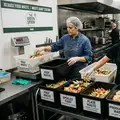
Inventory management
How to Conduct a Food Waste Audit in Your Restaurant
Software integration
Smart Ways to Use AI in Your Restaurant

Employee scheduling
Employee Time Tracking Tips for Restaurants
Employee scheduling
7 Scheduling Mistakes Restaurant Owners Should Stop Making

Employee scheduling
Human Resource Management for Restaurants
Employee scheduling
Common Payroll Challenges in Restaurants

Sales forecasting
How to Use Restaurant Analytics to Improve Profitability

Restaurant management
The Complete Guide to Restaurant Reputation Management

Accounting payroll
Restaurant Cash Handling Procedures
Frequently Asked Questions
How can restaurants reduce labor costs?
Restaurants can reduce labor costs by scheduling based on demand, tracking hours accurately, monitoring overtime, and aligning staffing with sales trends.
How can restaurants stay compliant?
Restaurants can stay compliant by tracking labor rules, break requirements, food safety logs, training records, and required documentation.
What are the biggest challenges in restaurant operations?
The biggest challenges include rising labor costs, food waste, inconsistent execution, poor communication, manual tracking, and disconnected systems.
How can restaurant owners improve daily operations?
Restaurant owners can improve daily operations by using better systems for labor, inventory, forecasting, task management, communication, training, and compliance.

